
In-app diagnostics SDK
Add a “Send diagnostics” button to your own app. Users see exactly what is sent and choose to send it; reports join the ticket’s investigation.
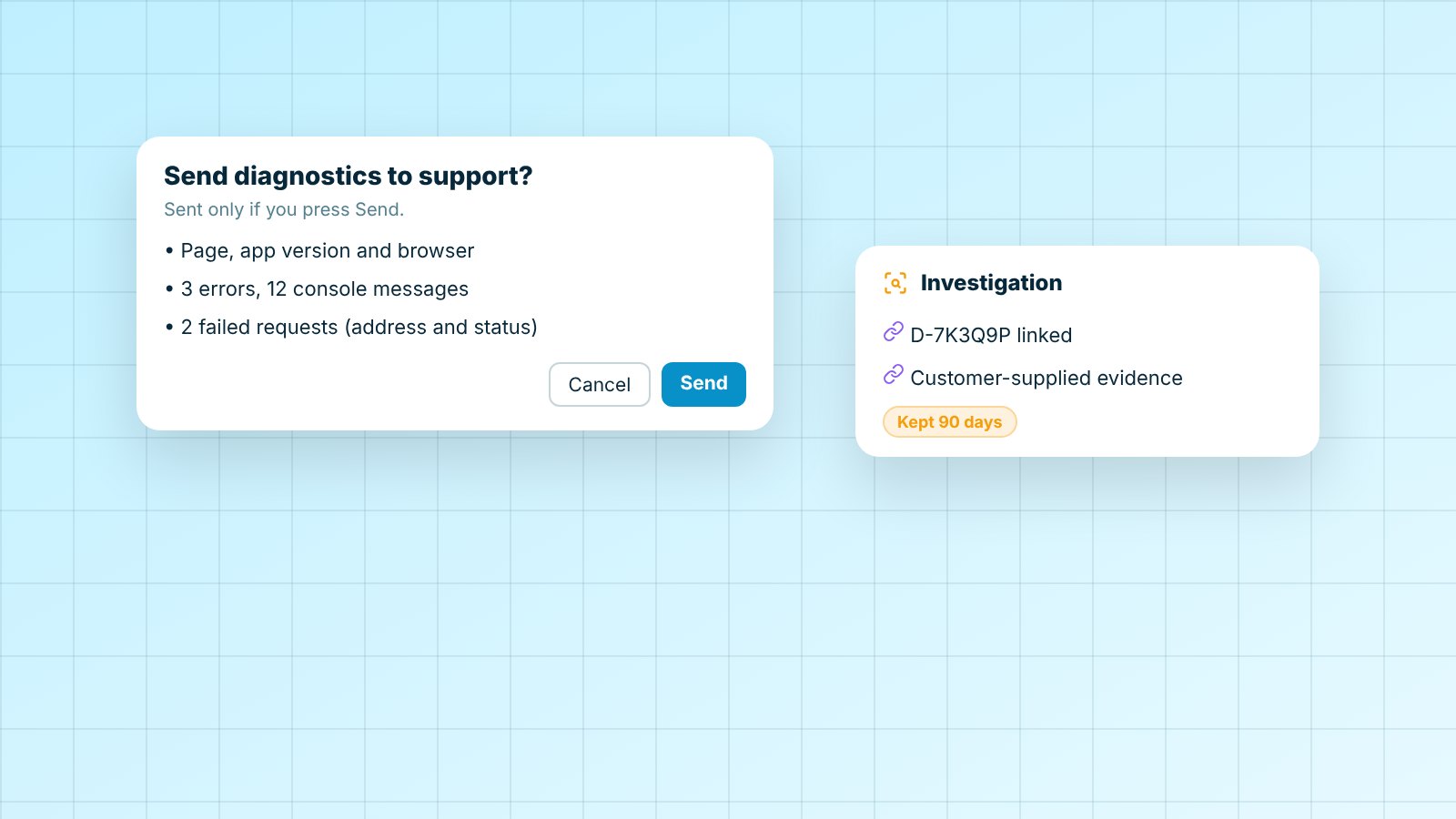
The In-app diagnostics SDK add-on ($399 a month) puts a “Send diagnostics” button in your own product. When someone presses it, a dialog lists exactly what will be sent, with a button to show the raw data. Nothing leaves their browser until they press Send.
Set it up
- Under Investigate → Connect → In-app diagnostics, an admin lists the websites allowed to send (for example
https://app.example.com) and creates the publishable key (trpk_…). The key can only send reports, and only from those websites. - Add the snippet to your app:
<script src="https://www.ticketresolve.ai/sdk/tr-diagnostics.js" defer></script>
<script>
  window.addEventListener('load', function () {
    TRDiagnostics.init({ key: 'trpk_…', appVersion: '4.12.1', user: { email: currentUser.email }, button: true });
  });
</script>
Leave out button and call TRDiagnostics.open({ ticketRef: 'zendesk:4821' }) from your own help menu instead. user.email is optional; it lets support find the report by the customer’s address.
What it sends
- The page address without anything after
?or#, your app version, browser, system, screen and window size, language and time zone - The last 50 errors (message and stack) and the last 200 console errors and warnings
- The last 50 failed network requests: method, address without query string, status and duration
- What the user types in the dialog
Never: what people type in your app, cookies, stored data, or request and response content. Secrets, tokens, e-mail addresses and card numbers in messages are masked in the browser and again on our side.
Reports
- The user gets a short reference, for example
D-7K3Q9P, to quote. - If your app passes
ticketRefand that ticket has an investigation, the report is linked straight away. Otherwise find it by reference, e-mail or ticket and link it to an investigation. - Linked reports become customer-supplied evidence: shown as reported by the customer, never treated as a confirmed fact.
- Reports are deleted after 90 days. No AI calls are made.
POST /api/sdk/v1/diagnostics. It answers 403 from a website that isn’t on the list and 400 without the user’s consent.