Every leadership product’s scheduled work, what it prepares for a named approver, and the flows between products — support spikes, failed deployments, incidents and lost deals.
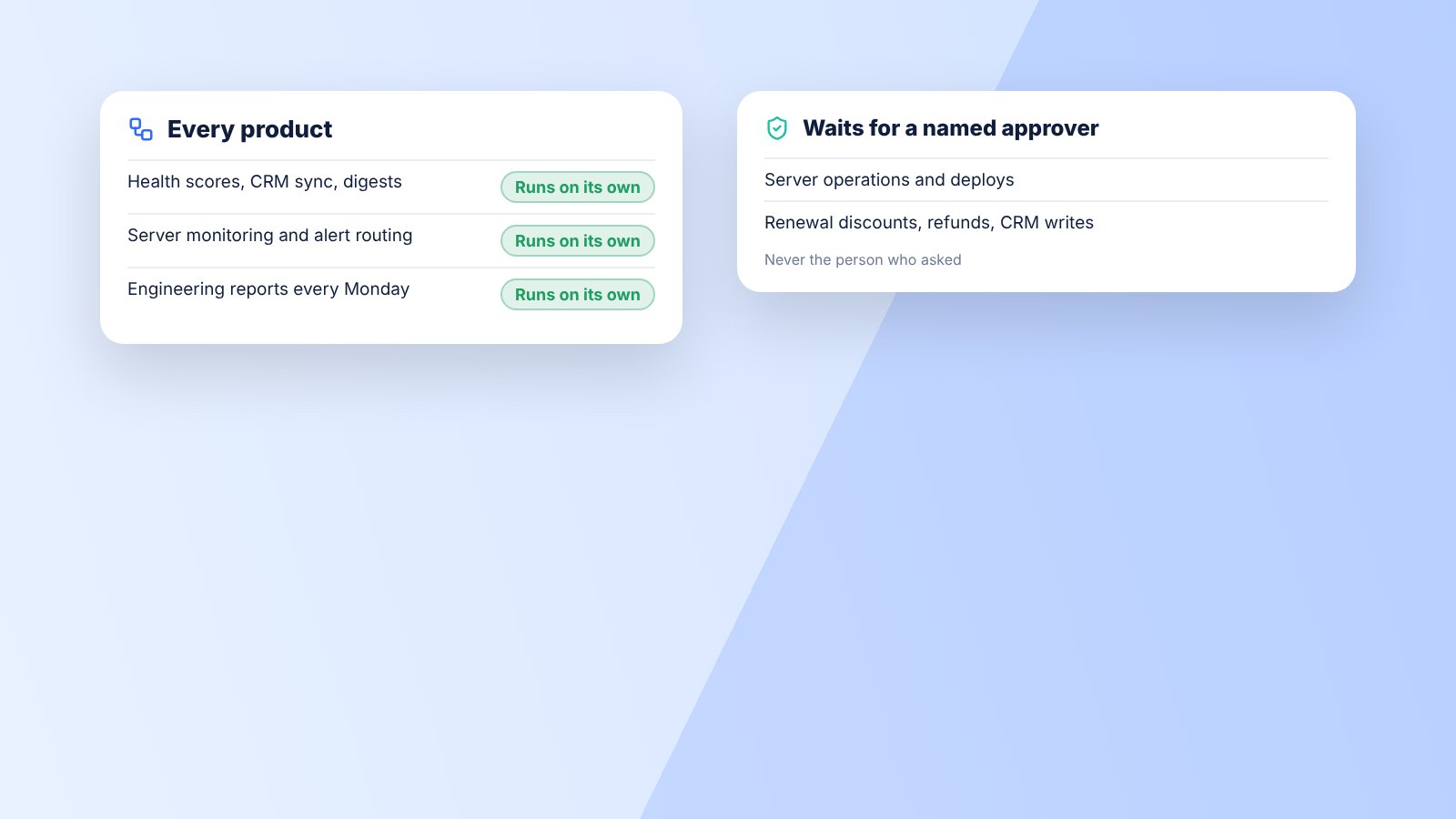
The Automation center (Setup → Automation center) shows, for every leadership product in your workspace, what it does on its own, what it prepares for a named person to approve, and the flows that carry work from one product to another.
Note:Routine work runs by itself: syncs, checks, scores, alerts, reports, digests, drafts and proposals. Consequential actions — merging, deploying, changing servers, messaging customers, moving money, changing prices or contracts — always wait for a named approver who didn’t request them.
Flows between products
| Flow | When | What it does | Kind |
|---|
| Support spike → engineering ticket proposal | A ticket spike opens (at least twice its baseline) | Proposes a tracker issue with the spike’s size and sample subjects. A named approver who didn’t propose it creates it. | Prepared, waits for a named approver |
| Failed production deployment → incident and release review | A production deployment fails | Opens a DevOps & SRE incident linked to the failed deployment, and returns an approved release of that service to planning so it is reviewed again. | Runs on its own |
| Resolved incident → runbook draft | An incident raised by an alert is resolved and no runbook reacts to that alert | Drafts a runbook with the DevOps AI from the incident’s summary and root cause (one output from that limit), set to trigger on the alert. It can only run after someone other than its author approves it. | Prepared, waits for a named approver |
| Lost deal → product feedback | A CRM deal closes lost with a reason | Adds the loss reason to Product Management feedback as what the customer said, with the deal’s company — counted once. | Runs on its own |
| Support and Sales Engineering requests → product feedback | Every hour | Brings new feature requests from engineering tickets and Sales Engineering feedback into Product Management (records already brought in are skipped). | Runs on its own |
| Product Management action proposals | Every day | Refreshes the AI Product Manager’s proposed actions from fixed rules so they are waiting each morning. Acting on one stays with a person. | Prepared, waits for a named approver |
Each flow runs every 15 minutes for workspaces that hold the products it connects, acts on each source record once, and can be switched off by anyone who can change automation. Everything it did is listed under What the flows did, with a link to the result.
- A failed deployment is linked to its incident because the deployment itself failed — that is a fact. An incident that only happened after a deployment is never linked automatically: timing isn’t cause.
- Sample ticket subjects in a spike proposal are what customers wrote, marked unverified.
- Runbook drafts use one output from the DevOps & SRE AI limit and can’t run until approved.
Each product
Customer Success
| What | When | Kind |
|---|
| Health scores for every account | Daily | Runs on its own |
| CRM and billing sync | Every 6 hours | Runs on its own |
| Renewal records from renewal dates; overdue follow-up and commitment alerts | Hourly | Runs on its own |
| Daily digests and scheduled report e-mails | As scheduled | Runs on its own |
| Sending anything to a customer | — | Only a person |
Renewal Intelligence
| What | When | Kind |
|---|
| Due renewals created, open renewals assessed, notice-date, overdue-task and proposal alerts | Daily | Runs on its own |
| Contract terms read from new contract versions | Every 5 minutes | Runs on its own |
| Forecast snapshot and scheduled reports | Weekly / as scheduled | Runs on its own |
| Renewal proposals with discounts or changed terms | When submitted | Prepared, waits for a named approver |
Billing Intelligence
| What | When | Kind |
|---|
| Stripe sync (read-only), reconciliation, collection steps and billing alerts — with or without Stripe | Every 15 minutes | Runs on its own |
| Billing actions that move money or change a subscription | When requested | Prepared, waits for a named approver |
RevOps Intelligence
| What | When | Kind |
|---|
| CRM deal sync (read-only), deal-risk and radar alerts | Every 30 minutes | Runs on its own |
| Revenue leakage rules and forecast snapshots | Daily / weekly | Runs on its own |
| Writing anything back to the CRM | When requested | Prepared, waits for a named approver |
AI Business Operations Copilot
| What | When | Kind |
|---|
| Scheduled executive reports, each recipient’s copy calculated with their access | Daily / weekly / monthly | Runs on its own |
| Threshold alerts over every module’s figures | Hourly | Runs on its own |
| Business memory entries given to written answers | When proposed | Prepared, waits for a named approver |
Support Leadership
| What | When | Kind |
|---|
| Alerts: unowned critical tickets, likely breaches, tickets waiting on engineering, VIP escalations | Hourly | Runs on its own |
| Scheduled support reports | As scheduled | Runs on its own |
| Rebalancing, routing, engineering hand-offs and other agent actions | When drafted | Prepared, waits for a named approver |
Sales Engineering
| What | When | Kind |
|---|
| Product gaps flow into Product Management feedback | Hourly | Runs on its own |
| Proposals, RFP answers and CRM write-backs | When submitted | Prepared, waits for a named approver |
Product Management
| What | When | Kind |
|---|
| Feature requests from support and Sales Engineering, and loss reasons from lost deals, brought into feedback | Hourly | Runs on its own |
| AI Product Manager action proposals refreshed | Daily | Runs on its own |
| Roadmap changes, PRD approval and engineering hand-off | When submitted | Prepared, waits for a named approver |
DevOps & SRE
| What | When | Kind |
|---|
| Server monitoring, alerts, offline detection, escalation, incident grouping and auto-resolve | Every minute | Runs on its own |
| Runbooks triggered by alerts or incidents (read-only checks) | On trigger | Runs on its own |
| Incidents from failed production deployments; runbook drafts (which still need approval) after resolved incidents | Every 15 minutes | Runs on its own |
| Operations on servers (restart, scale, roll back) and runbook approval | When requested | Prepared, waits for a named approver |
Engineering Intelligence
| What | When | Kind |
|---|
| Pull requests, work items and project snapshots synced | 10 min / 15 min / 6 h | Runs on its own |
| AI Director proposals from rules; approvers notified | Every 6 hours | Runs on its own |
| Weekly and monthly engineering reports | After each week and month | Runs on its own |
| Tracker-issue proposals from support spikes; releases sent back to review after a failed deployment | Every 15 minutes | Runs on its own |
| Re-plans, tracker issues, debt items, postmortem drafts; releases; decision records | When proposed | Prepared, waits for a named approver |
| Merging, deploying, people decisions | — | Only a person |
