
AI VP of Operations: how it works
Departments linked to your other products, organization health, KPIs, management actions measured to outcome, vendors and contracts, the savings register, processes, risks, alerts, the AI assistant, reports, scenarios and permissions.
The AI VP of Operations (Operations Intelligence) shows how the business operates across every department. It is an add-on at $149 per operations seat a month and part of the 7-day free trial. Open it from AI VP of Operations in the dashboard.
Departments
- Add departments and business units with a kind, a head and what they belong to.
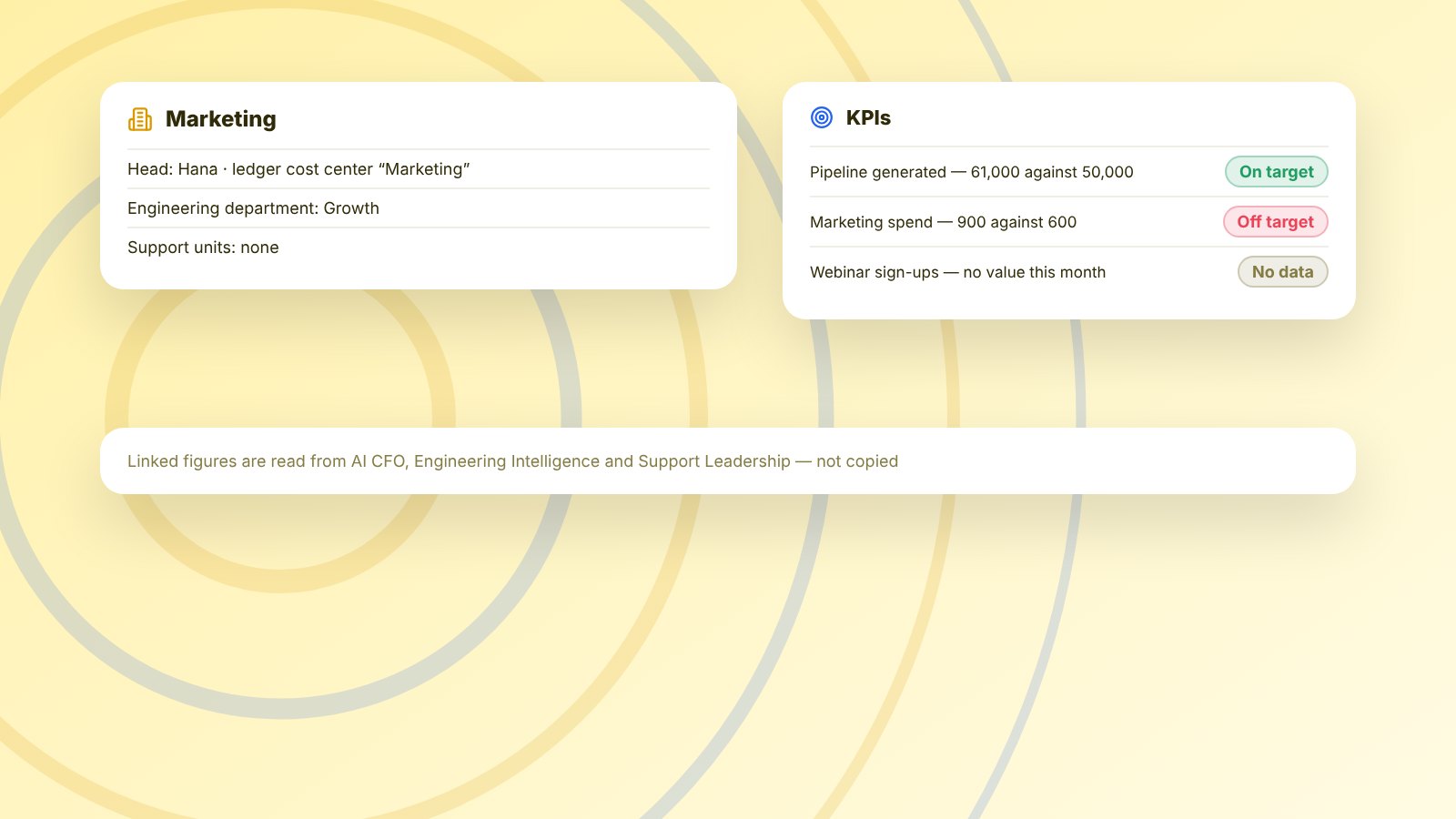
- Link each one to what your other products already know: the ledger’s department column in AI CFO (its cost center), an Engineering Intelligence department, and Support Leadership units. In your connected products lists them; nothing is created until you add it.
- Record objectives with due dates. Department heads submit updates: summary, wins, blockers and asks of leadership.
Organization health
Seven dimensions, each the average score of its indicators that have data. An indicator scores 0–100 by where its value sits between a stated “bad” and “good” value. A dimension with no data is not measured — left out of the overall score, never counted as zero or as healthy. The overall score is the weighted average of measured dimensions (weights in Settings); a snapshot is kept daily for the trend.
| Dimension | Indicators (good → poor) | Source |
|---|---|---|
| Financial | Runway (18 → 6 months), gross margin (70% → 30%), operating expenses against their 3-month average (0% → +20%), budget lines over (0 → 5) | AI CFO |
| Operational | SLA compliance (95% → 80%), tickets breaching SLA now (0 → 20), first response median (60 → 480 minutes) | Support Leadership |
| Customer | Customers at risk (5% → 25%), satisfaction (4.5 → 3.5) | Customer Success, Support Leadership |
| Delivery | Change failure rate (5% → 30%), projects past target (0% → 50%), roadmap items past date (0 → 10) | Engineering Intelligence, Product Management |
| Workforce | Teams loaded over 100% (0% → 50%) | Engineering Intelligence |
| Technology | Open critical and high alerts (0 → 5), servers reporting (99% → 90%) | DevOps & SRE |
| Risk | Open high risks (0 → 5), high-severity financial anomalies (0 → 5) | AI CFO |
KPIs
- Each KPI has a name, an exact definition, a category, a unit, which direction is better, a target, a warning threshold, an owner, a frequency (week, month or quarter) and whether it is leading or lagging.
- Calculated KPIs read one of the indicators above, or a department-level figure from its links (ledger spending for its cost center, SLA for its support units, projects and capacity for its engineering department). They refresh daily and on demand.
- Recorded KPIs are entered by their owner, the department head or someone with a seat, with a note. Recording a value for a calculated KPI needs a reason, and a recorded value is never overwritten by a calculation.
- Status — on target, warning or off target — is judged in the KPI’s direction. No value for the current period is “no data”, never a pass.
Management actions
An action moves from identified, analyzed and recommended through review and approval to in progress, implemented, outcome verified and closed — or is rejected with a reason. Each has its problem and evidence, a priority, an owner, a department, a due date and, ideally, the KPI that will measure it.
- Rules raise recommendations daily: a KPI off target two periods running, a contract whose notice date is within 30 days, a vendor review averaging under 2.5 of 5 or a missed SLA, a process that waits more than it works or is reworked in over 20% of runs. A rule doesn’t raise the same recommendation twice while it is open.
- An action with a financial impact always needs approval. The approver needs the approval permission, can’t be the person who raised or owns it, and must be within their approval limit (Settings).
- Verifying the outcome compares the KPI’s current value with the baseline recorded when the action was raised: improved, not improved or inconclusive. Without a KPI, verification needs a written note. Implemented is not the same as verified.
- High-priority actions past their due date are escalated once to approvers.
Vendors and contracts
- Vendors with a category, department, owner and risk. Contracts with annual value and currency, renewal date, notice period, auto-renewal and seats bought and used. A renewal at a new price keeps the previous value.
- Reviews score quality, delivery and support from 1 to 5 and whether the SLA was met; the latest review makes the scorecard.
- Findings: contracts renewing within 90 days with their notice date, contracts with more than 20% of seats unused, price rises at renewal, a latest review scoring under 50 of 100 or a missed SLA, and three or more active vendors in one category, which may overlap.
- Ledger spending from AI CFO is matched to vendors by name — a hint to check, not a reconciliation. Totals are kept per currency and never converted.
Savings register
Each opportunity records its current cost, potential saving a year, implementation cost, whether it recurs, effort, confidence, risks and how it will be verified. A contract or vendor can be in only one open opportunity, so savings aren’t counted twice. Someone other than who raised it approves it; verifying it needs the amount actually saved and how it was checked. Theoretical and realized savings are totalled separately, per currency.
Processes
A process records its design — steps, manual steps, handoffs, approvals, a target duration and a cost per hour — and its runs, recorded or imported as CSV (ref, started, finished, working hours, waiting hours, handoffs, rework, failed, escalated; the same ref updates its run). Over 90 days it shows median duration, the share of time spent waiting, rework, failure and escalation rates, runs within target and cost per run. Findings name manual steps, approvals, handoffs, waiting and rework.
Operational risks and alerts
- Risks have a category, owner, department, probability and impact from 1 to 5, a mitigation, evidence and a due date. Severity is probability × impact (15 or more is high); raising it is recorded as an escalation. The matrix shows open risks.
- Alert rules: a KPI off target, a contract notice date within a set number of days, an action overdue, organization health falling by a set number of points, a high risk without a mitigation. Alerts are checked daily; one stays open per subject and repeats are counted, not resent. Each rule names who is told.
The AI VP of Operations
Ask a question in Assistant. Status questions — health, KPIs, overdue actions, contracts, savings, processes, risks, alerts and department blockers — are answered from the calculation with no AI. Other questions (“What should I focus on this week?”) use one written answer from the daily limit (30 by default, 0–100 in Settings) and need an operations seat.
- The answer is written only from numbered figures calculated from your workspace, and every point cites them. Points without a valid citation are dropped, and numbers that aren’t in the figures are flagged for you to check.
- Suggested actions are suggestions: Create action turns one into a real action with its cited figures as evidence, and only when you choose to.
- Signals show health dimensions that fell by 10 points or more over 14 days — flagged when two or more fell together — and pairs of dimensions whose daily scores move together (r of 0.7 or more over at least 14 snapshots). They are reasons to investigate, not proof of a cause.
- Money figures appear only for people with Operations spending.
Reports
| Report | Covers |
|---|---|
| Daily operations report | Health, critical alerts, KPIs off target, overdue and high-priority actions, high risks |
| Weekly operations report | Plus departments, process bottlenecks, contracts needing a decision, actions raised and verified in the week, signals |
| Monthly operations report | Plus vendor performance, savings (theoretical and realized), financial indicators |
| Quarterly business review | Plus next-quarter priorities from open high-priority actions and high risks |
Each report shows its period, when its figures were taken, its sources, what isn’t measured and which sources are stale. A written summary citing the figures is optional. Someone other than the author approves a report. Download it as Markdown or its tables as a spreadsheet (CSV). A report with spending figures can be opened only by people with Operations spending.
Scheduled reports (Settings) are calculated only — no AI and no spending figures — and notify the people you choose: daily, weekly on Mondays, monthly on the 1st for the month before, and quarterly on the 1st of January, April, July and October. Each is created once per period.
Scenarios
Change a vendor category’s spend by a percentage, end contracts and replace them with one, add or remove people at a monthly cost, change process volume and remove manual steps by automation. The result compares today with the scenario for contract spend (per currency), added staff cost and each process’s runs, working hours and cost, and lists every assumption. Scenarios are estimates, not forecasts; nothing in your workspace is changed. Profit and cash scenarios are in AI CFO.
Permissions and seats
| Permission | Allows |
|---|---|
| View Operations Intelligence | The command center, health, every department, KPIs and updates |
| Work in Operations Intelligence | Departments, KPIs, actions, vendors, savings, processes and risks — needs an operations seat. An action’s owner can move their own action without one |
| Operations spending | Money KPIs, department spending, contract values, savings amounts and process costs (department heads and KPI owners see their own KPIs) |
| Department head | Scorecards, KPIs and updates for the departments you lead — nothing else |
| Approve operational actions | Approve actions, savings and reports within your limit — never ones you raised, own or wrote |
| Operations Intelligence settings | Seats, health weights, scheduled reports, approval limits, alert rules and the daily AI limit |
Built-in roles: VP of Operations, Operations manager, Operations analyst and Department head. Executives and auditors can view.