
Reliability Intelligence overview and settings
Where to start, and how the eight modules fit together.
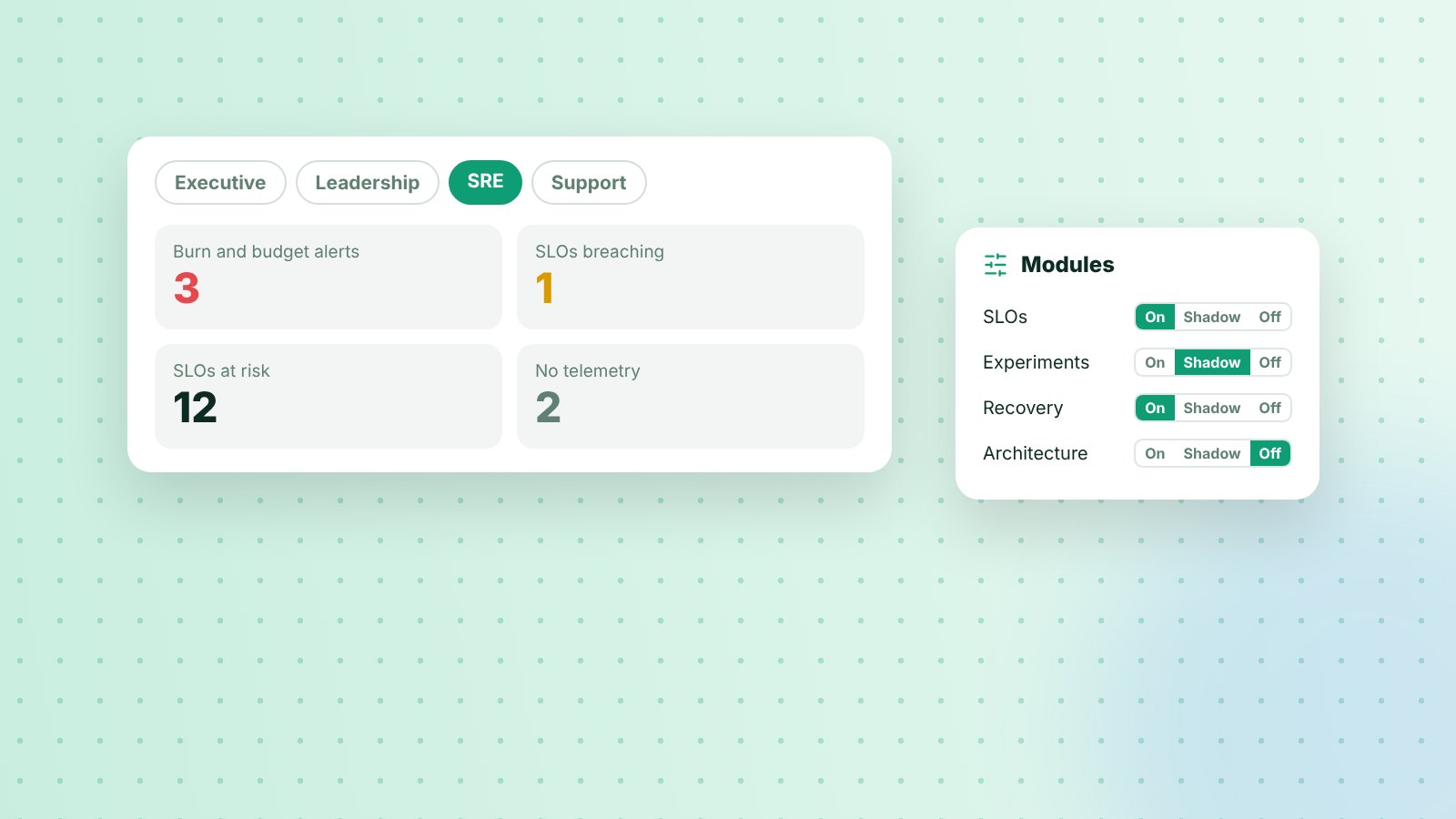
Open Reliability Intelligence in the dashboard. Eight modules share one list of services, one list of findings and one set of settings:
| Module | What it answers | Guide |
|---|---|---|
| SLOs & error budgets | Are we meeting our objectives, and what spent the budget? | SLOs and error budgets |
| Migration assurance | Will this database change break the running app? | Migration assurance |
| Resilience experiments | Does the service behave as expected when a dependency fails? | Resilience experiments |
| Infrastructure forecasting | Which resource runs out first, and when? | Infrastructure forecasting |
| Dependency risk | Which vulnerable packages are deployed and exposed? | Dependency risk |
| Prevention | Did the actions from the last incident actually work? | Postmortems and prevention |
| Disaster recovery | Can each service be recovered within its RTO and RPO? | Disaster recovery assurance |
| Architecture | Which design weaknesses keep causing incidents? | Architecture intelligence |
Start here
- 1. Send data you already have. Telemetry, deployments and synthetic checks feed every module. See Connect your reliability data.
- 2. Fill in service profiles. Under Overview → Service profiles, set each service’s criticality, owner or team, whether it is internet-facing and its data sensitivity. Ownership decides who is alerted; criticality decides how findings rank.
- 3. Define your first SLO for a critical service. The other modules build on the same services.
A view for each role
The Overview has four views. Your choice is remembered in your browser.
- Executive: SLOs meeting their objective, critical and high findings, SLO breaches in 30 days, mean time to resolve.
- Engineering leadership: SLO coverage, services with an owner, open findings, incidents resolved in 90 days.
- SRE: burn and budget alerts, SLOs breaching, at risk, or without enough telemetry.
- Support: services degraded right now, so agents can tell customers what is known.
Below the views: a card per module, services at risk (worst severity first; click a service to open its timeline), the open findings and the Reliability metrics section.
Findings
Every module writes to one findings list. Each finding has a severity, the service, its evidence, where the data came from, and whether it was observed, inferred or verified.
- A finding stays open while its condition holds and resolves itself, with a note, when the condition stops. It reopens if the condition returns.
- You can acknowledge it, assign an owner, resolve it or dismiss it. Resolving or dismissing needs a short note.
- New critical and high findings are sent through the channels you already use: outbound webhooks (event
reliability.finding), Slack and e-mail to the owner and workspace admins.
Module switches and shadow mode
Under Overview → Workspace settings, an administrator can set each module to:
| Setting | What happens |
|---|---|
| On (default) | Findings are raised and notified; actions such as approving, starting or tracking are available. |
| Shadow | Results and findings are shown, but nobody is notified and actions are turned off. Use it to evaluate a module before people rely on it. |
| Off | The module is switched off for the workspace: its pages and API say so, and its scheduled checks skip the workspace. |
Setting REL_DISABLED=1 on the server switches the whole layer off for the installation.
Release policy
- Advise (default): release checks show each service’s SLO status and unapproved high-risk migrations, but never block.
- Block: the release check fails while a service’s error budget is exhausted. Only an administrator can choose it.
- Off: SLO status isn’t added to release checks.
CI calls GET /v1/reliability/release-check?service=…&environment=… and gets a recommendation, its reasons and whether the policy blocks the release.
Permissions
Agents and above can read every reliability page. Changing settings, profiles, SLOs and recovery objectives, approving production experiments, migrations and recovery tests, and tracking work need an administrator. Nobody can approve their own change, and every decision is recorded in the audit log.