
Product Management Intelligence: how it works
Portfolio and strategy, feedback sources and honest demand counts, themes, customer discovery with quoted AI summaries, opportunities, the command center, the AI limit, permissions and seats.
Product Management Intelligence connects what customers say to what you decide to build. It is an add-on at $99 per PM seat a month and part of the 7-day free trial. Open it from Product Management in the dashboard.
Portfolio and strategy
Group products into portfolios. Each product records its target market, ideal customer profile, segments, use cases, positioning, differentiators, competitors, lifecycle stage, product and engineering owners, current version, vision and mission, plus personas with goals, pains and jobs to be done. Strategic objectives sit at portfolio or product level with a theme, KPI, target, period and status. The Strategy tab shows each objective with the opportunities mapped to it, and lists open opportunities with no strategic link.
Feedback and honest demand
| Source | How it arrives |
|---|---|
| Support feature requests | Engineering tickets of type improvement or enhancement — one record per unique requester, as the engineering module keeps them. Synced on demand. |
| Sales Engineering | Field feedback from fit gaps, objections and PoC results. Synced on demand. |
| Customer interviews | Problems you confirm from an interview summary, with the customer’s quote. |
| CSV import | A header row with text (required) and optionally customer, segment, product, severity, problem, capability, workaround, impact, revenue, date and id. |
| By hand | What a customer said, or a verified fact. |
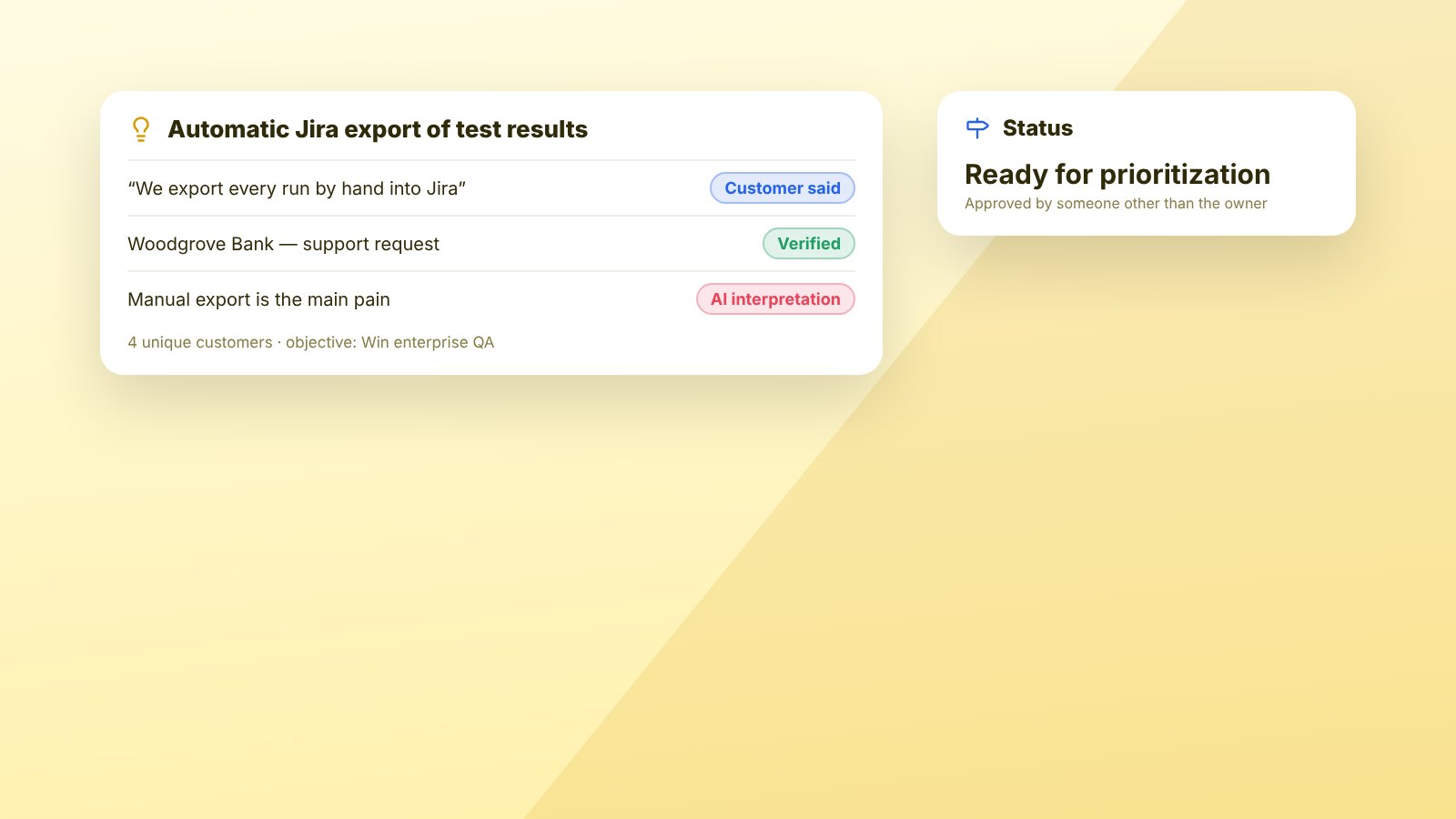
Every record keeps its source and reference, so syncing or importing again never adds it twice. Each record says what kind of evidence it is — the customer said it, it is verified, or it is an AI interpretation.
- Duplicates: a record from the same customer whose words overlap at least 70 % with an earlier one (adjustable) is marked a duplicate and doesn’t count again. You can mark it “not a duplicate”.
- Mentions vs unique customers: mentions are every record; unique customers are distinct customers (company names without legal suffixes, or e-mail domains). Records without a customer are shown as “customer unknown”, never as extra customers.
- Themes: records of the same product whose words overlap at least 34 % with the theme’s first record (adjustable). Themes are ranked by unique customers and show their sources, evidence kinds, segments, severity and the last 30 days against the 30 before.
Customer discovery
Save interview notes or transcripts per customer. The optional AI summary (one written output from the PM limit) proposes problems, unmet needs, themes, contradictions and follow-up questions. Every problem and need must quote the notes word for word; anything whose quote isn’t found is dropped. The summary is labelled as AI interpretation. Confirm a problem to add it to feedback with the quote as evidence.
Opportunities
| Status | Meaning |
|---|---|
| Identified → Under investigation → Researching → Validating | Learning about the problem. Steps can be skipped forward or taken back one. |
| Ready for prioritization | Enough evidence to decide. |
| Approved | Only from ready, by someone with “Approve product decisions” who isn’t the owner. |
| Converted to initiative | Only from approved. |
| Deferred / Rejected | Any time, with a reason recorded in the history. |
Create an opportunity from a feedback theme to link its records. Demand on an opportunity is the linked feedback’s unique customers and counted records. A new opportunity whose words overlap an open one in the same product by 60 % or more is refused with the existing one named, unless you confirm it is different — then the two are linked as related.
Prioritisation
| Model | Formula |
|---|---|
| RICE | reach × impact × confidence ÷ effort. Reach defaults to the unique customers in the opportunity’s linked feedback (measured); impact 0.25–3; confidence 50, 80 or 100 %; effort in person-months. |
| WSJF | (business value + time criticality + risk reduction / opportunity enablement) ÷ job size, each 1–20. |
| MoSCoW | must 4 · should 3 · could 2 · won’t 1. |
| Value vs effort | value ÷ effort (1–10 each), with the quadrant: quick win, big bet, fill-in, money pit. |
| Custom weighted | Your criteria scored 1–5, each with a weight; “lower is better” criteria are inverted. Score = Σ weight × value ÷ Σ weight. |
Every input is labelled measured, estimate, assumption or unknown, with an optional note on where it came from. Any unknown input leaves the score unknown — it is never filled in. Confidence is high when no input is an assumption, medium with one, low with more. An override keeps the calculated score beside it, needs a written reason and is recorded in the decision register. Admins add models and choose the default.
Roadmap
- Items are initiatives or features, added from an approved opportunity (which becomes “converted”) or directly, with objective, priority, status, target period and date, effort, confidence, dependencies, risks and expected outcome.
- Target vs committed: target dates are the product plan. A committed date is set only by the product’s engineering owner (or, without one, by an approver), and moving or withdrawing it needs a reason. Each commitment is a decision in the register.
- Confidential by default: people with “See the confidential roadmap” see everything; others see items an approver published.
- Checks: a dependency due after the item, a passed date, a period over the engineering capacity set in Settings, and items without an objective.
- Scenarios copy the plan (never its committed dates) for what-if edits, list every difference from the plan, and are applied by an approver with a reason.
Product Requirements Studio
Start a PRD from an opportunity. It has 21 sections. Problem, customer evidence (quotes and unique customers), business context, target users, personas, technical notes, dependencies, risks, success metrics (from the linked objectives’ KPIs) and release considerations (from the roadmap) are assembled from the records. Executive summary, objectives, use cases, user stories, functional and non-functional requirements, acceptance criteria and analytics are drafted by AI in one call — every line cites the records ([O1] the opportunity, [F#] feedback, [J#] objectives, [P#] personas); uncited lines are dropped and a section with nothing to support it is marked “needs input”. UX, security and privacy, and out of scope are written by a person. You can also create the PRD from the records only, without AI.
- Missing information is listed: no objective, no KPI, no personas, no feedback, no technical notes, not on the roadmap, a release date that isn’t committed.
- Comment on any section; resolve comments when handled.
- Approval needs functional requirements and acceptance criteria, and a named approver other than you. Editing an approved PRD starts the next version.
- Export to Word; a draft is marked “Draft — not approved”.
Stories and the hand-off to engineering
From the approved version, draft epics, stories and tasks with AI (one call; each must implement listed requirements, acceptance criteria must be “Given … when … then …”) or add them by hand. Mark items ready and Send ready items to engineering: each becomes one engineering ticket and goes on to the connected tracker (Jira, GitHub, Linear and the others the engineering module supports). A story is claimed before its ticket is created, so a double click or a retry never makes a second one. The product’s engineering owner accepts the hand-off or returns it with what is missing. Sync status brings the tickets’ status back onto the stories.
Product metrics
| Source | How values arrive |
|---|---|
| Support tickets matching keywords | Tickets TicketResolve handled whose subject or body contains any keyword, counted per week or month. Measured; recalculated on demand. |
| Counted feedback records | Feedback for the product (optionally one theme), duplicates excluded. Measured. |
| Recorded or imported values | Typed in or pasted as CSV (period, value, kind, note) from your analytics tool, each marked measured or estimate. |
Every metric has a definition, owner, unit, direction, optional target, grain and freshness. A metric with no data shows “no data” — nothing is filled in — and one whose latest value is older than its freshness allows is flagged. Link a metric to a roadmap item to see the average for up to four periods before and after the item was marked done: a before/after comparison, not proof of cause.
Experiments
- Each experiment records the problem, hypothesis, segment, design (A/B, feature flag, beta, usability, pilot), primary metric (a rate), guardrail metrics and duration.
- With a baseline rate and the smallest effect worth detecting, the users needed per arm are calculated for a two-sided test at α 0.05 and power 0.8.
- Results per arm give a two-proportion z-test against the control. It is reported as significant only when every arm reached the required sample (or 100 users when none was set) and has at least 5 conversions and 5 non-conversions; otherwise “not enough data”.
- Decisions — ship, iterate, extend, roll back, reject the hypothesis — need a reason. Shipping without a significant result, or with a guardrail significantly worse, needs it acknowledged. Every decision goes to the register.
AI Product Manager
- Calculated answers (no AI, no limit) for: what to build next (the default model’s ranking), rising problems, product gaps, the strongest evidence, what blocks the roadmap, metrics off target or stale, experiments awaiting a decision, and gaps Sales Engineering recorded. Each answer lists the records with links.
- Written answers for anything else: one call from the PM limit, from evidence lines built from your themes, opportunities, roadmap, metrics, experiments, decisions and objectives. Every statement cites [E#]; uncited statements are removed and the answer says what it couldn’t cover. Needs a PM seat.
- Proposed work (agent mode) from fixed rules: create an opportunity for a theme with three or more customers and no opportunity, draft a PRD for an approved opportunity without one, score a ready opportunity, define a success metric for a started or released roadmap item. A person carries each out with their own permissions or dismisses it; proposals resolve themselves once the work is done. Approving, committing dates, publishing and changing strategy are never proposed actions.
- Reports: executive report and quarterly review with calculated sections and an optional written summary that cites them; Word export.
- The Business Operations Copilot answers product questions (roadmap, feature requests, product gaps, experiments) from these calculated answers for people who can view Product Management.
Decision register
Recorded automatically when an opportunity is approved, deferred or rejected, a score is overridden, a date is committed or moved, or a scenario is applied — with who, when and the reason. Add decisions by hand with options considered, evidence, assumptions, risks, expected outcome and a review date; send them to a named approver. Decisions due for review appear in the command center.
Command center
| Measure | Definition |
|---|---|
| Active products | Not archived and not in sunset. |
| Open opportunities / ready / awaiting a decision | Not rejected, deferred or converted; ready for prioritization; ready for more than 14 days. |
| New feedback / customers giving feedback | Counted records in the period, and distinct customers behind them. |
| Unaddressed customer problems | Themes with two or more customers and no linked opportunity. |
| Rising themes | More counted records in the last 30 days than the 30 before. |
| Feedback without a product | Records not yet assigned. |
| Opportunities without a strategic link / objectives at risk | Open opportunities with no objective; objectives marked at risk. |
| Roadmap: in progress / committed in 90 days / delayed | Current-plan items in progress; with a committed date in the next 90 days; not done and past their committed (else target) date. |
| Ready but not scored / decisions due | Ready opportunities without a default-model score; decisions whose review date has arrived. |
| Metrics without fresh data / off target | Metrics with no value or a stale one; metrics whose latest value misses the target. |
| Running experiments / awaiting a decision | Experiments started and not completed; completed with no decision. |
The AI limit
Written outputs come from Product Management’s own limit: 30 per workspace per day by default, adjustable from 0 to 100. A failed call doesn’t count. Themes, duplicates, counts and the command center use no AI. Notes and feedback are treated as data — instructions inside them are ignored.
Permissions, roles and seats
| Permission | Allows |
|---|---|
| View Product Management Intelligence (pm.view) | Every page, read-only. |
| Work in Product Management (pm.manage) | Products, objectives, feedback, interviews and opportunities. Needs a PM seat. |
| See the confidential roadmap (pm.roadmap_confidential) | Unpublished roadmap items and scenarios; editing the roadmap. |
| Approve product decisions (pm.approve) | Approve opportunities, decisions and PRDs, publish roadmap items and apply scenarios — never your own. |
| Product Management settings (pm.admin) | Seats, the AI limit, the duplicate and theme thresholds, engineering capacity and scoring models. |
Built-in roles: Product Management · Product Manager, · Head of Product and · Engineering Lead. Executives and auditors can read it; the base Viewer role can’t, because strategy and roadmap data are confidential.
What it doesn’t do yet
- Product analytics platforms aren’t connected directly yet — import their values as CSV.
- Feedback sources sync when someone presses Sync; there is no background schedule yet. Sentiment isn’t scored.
- It never changes anything outside Product Management.