
Sign & Agreements
Part of Knowledge & Documents · Included with every plan
Sign a document and download it in minutes
Upload a PDF or Word document, place your signature, initials, dates and other fields, confirm, and download the signed PDF straight away. Every version is kept with its SHA-256 hash, a completion certificate records who signed, when and how, and you can e-mail the signed copy from TicketResolve after previewing it. Sending documents to other people for signature is the next release.
Design principles
How it works
The original never changes
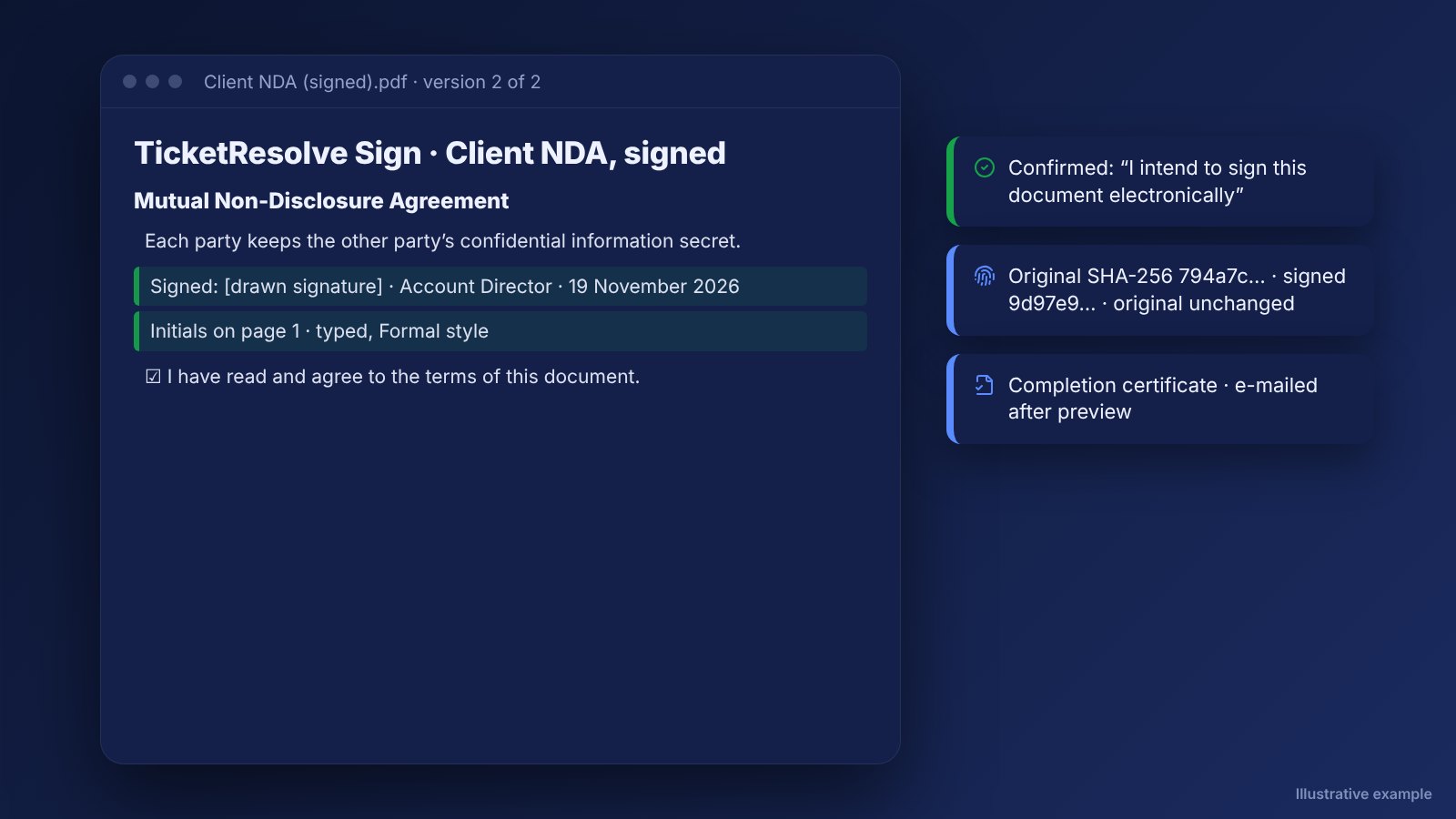
Signing creates a new version. The original and the signed PDF are kept separately, each with its SHA-256 hash.
Consent before signing
Nothing is signed until you review every page and confirm that you intend to sign electronically.
Nothing sent automatically
E-mails are previewed first and only go when you press Send. Every attempt is recorded.
Honest labels
Signed through TicketResolve, signed externally, or signed with a certificate: each document says which, and nothing claims more than happened.
What’s included
Everything to sign on your own
Sign & Download PDF
Upload a PDF, Word document, image or text file; Word documents are converted to PDF. Place fields, sign, confirm and download the signed PDF immediately.
How it worksSignature editor
Signatures, initials, signing date, name, company, designation, text, paragraphs, checkboxes, radio buttons, dropdowns and acknowledgements. Drag, resize, snap, duplicate, undo and redo, zoom, preview and auto-save, on a computer or a phone.
How it worksDraw, type or upload
Draw with a mouse, trackpad, finger or pen; type in one of four handwriting styles; upload a picture of your signature; or reuse one you saved, kept for you alone and only with your consent.
How it worksCompletion certificate
Document ID and version, original and signed hashes, signer, time, session, signature method, the confirmation and sign-in evidence, identified as self-signing.
How it worksE-mail the signed PDF
Several recipients, contacts from your workspace, your own subject and message, the certificate attached if you like, a preview, and a recorded outcome. Large files go as a 7-day link.
How it worksSigned elsewhere
Download the unsigned PDF, collect a signature outside TicketResolve, then upload the signed copy with who signed it and when, plus evidence. Both versions are kept and it is labelled as not verified.
How it worksTemplates
Keep a document with its fields placed and start from it next time. Signatures and typed values are never kept.
How it worksSend for Signature
Signers, approvers and people who receive a copy, in a signing order or all at once. Fields per recipient, access codes or e-mail codes, decline and reassign, reminders, expiry, and a certificate covering everyone.
How it worksTemplates with roles and bulk send
Save a prepared request as a template with its recipient roles, send it by filling in names, or send it to a list of up to 200 people, one envelope each, after checking a preview.
How it worksAudit & evidence
Check whether any copy matches a signed version by its hash, and verify the append-only, hash-chained activity log.
How it worksConnected
Part of TicketResolve
Sign uses your workspace’s members, permissions, e-mail and audit, so signing sits next to the rest of your work.
- Workspace permissions
- TicketResolve e-mail
- Activity log
- Monthly usage
Pricing
Included in your plan
Sign & Download PDF is included in every TicketResolve plan and in the 7-day free trial. Usage is counted per month in Sign → Settings.
Included with every plan — from the price list on the pricing page
- Included in every plan
- In the 7-day free trial
- Self-signing available now
- Send for Signature available now
Safety
Controls built in
Documents stay private to the person who uploaded them and inside your workspace.
Safety controls
- Private to the owner
- Workspace isolation
- SHA-256 on every version
- Hash-chained activity