
AI Control Plane
Part of Security & Trust · Included with every plan
Every AI agent, what it does, and a switch to stop it
See how reliably each agent runs, what every execution did, what it costs per verified outcome and which model it uses. Then pause an agent, stop tool execution or switch to read-only mode in one step.
Design principles
How it works
Every agent registered
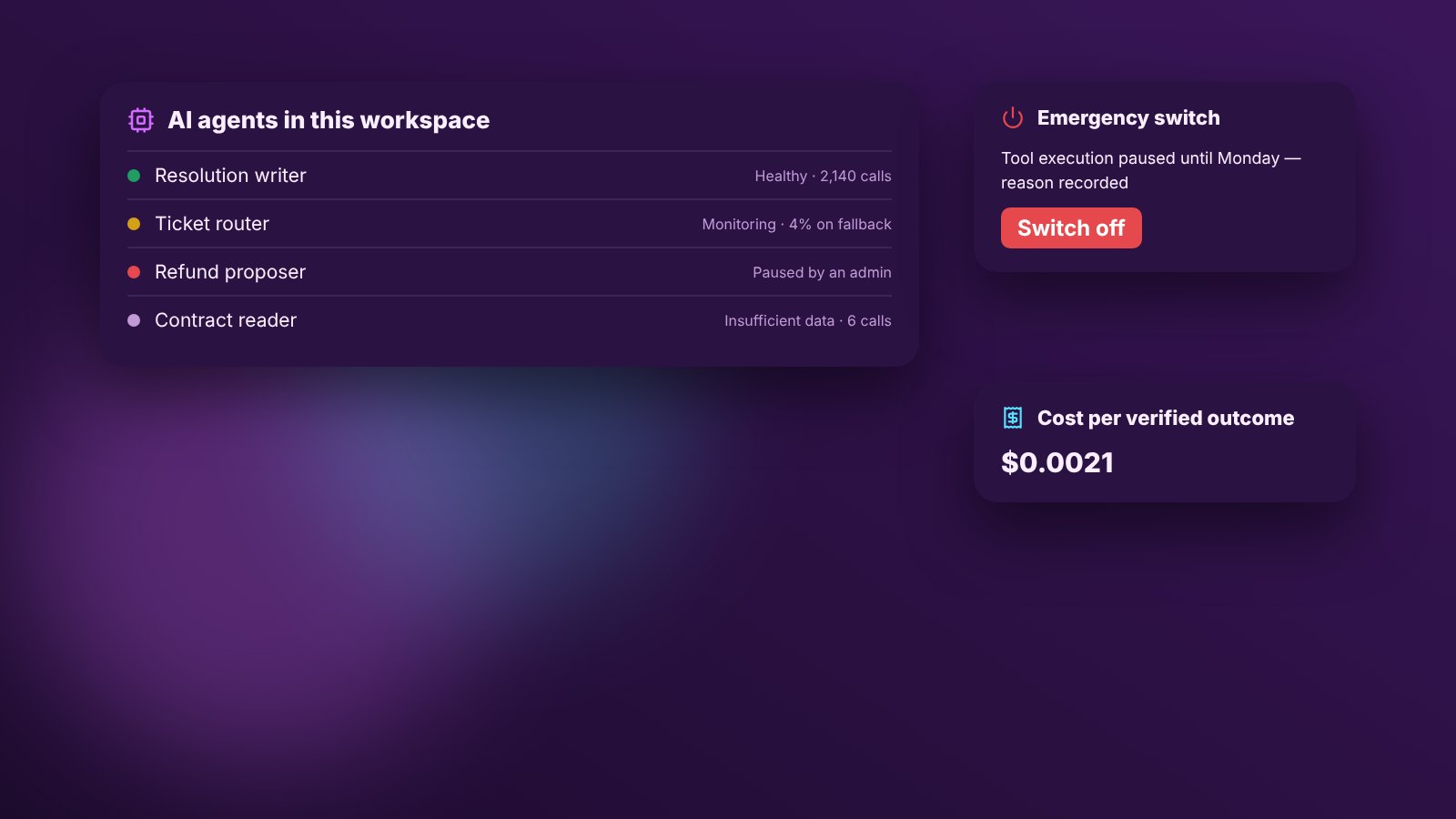
Each AI agent — the resolution writer, the router, the copilots, the investigators — is listed with what it does, what it can trigger and what needs approval. Any unlabelled model call shows up as discovered, so nothing runs unregistered.
Health is not correctness
Health comes from failures, latency, cut-off answers and fallbacks, and an agent with too little data says so. Reliability counts what isn’t measured yet as zero and shows how much of the score is measured.
Traces without prompts
Every model call is recorded with its agent, model, version, latency, attempts, fallback and error kind, grouped by ticket. Prompts and internal reasoning aren’t stored.
Stop first, explain always
A switch takes effect on the next call. It needs a reason, can expire on its own, and keeps the history and traces.
What’s included
Nine tools in one place
Agent registry
Every catalogued agent plus any discovered from usage, with its category, risk, tools, approval and the deployed version that ran it.
How it worksHealth and reliability
Healthy, monitoring, degraded, critical or insufficient data, with configurable thresholds. Reliability across eight weighted dimensions, each saying whether it’s measured.
How it worksExecutions and traces
Every call with latency, attempts, fallback model and error kind; a ticket’s calls in order with its resolution decisions and outcomes; failure diagnostics.
How it worksCost
Estimated model cost by agent, model and day, at the price in force that day; per ticket and per verified outcome; cost anomalies and savings to look at.
How it worksModel routing
An approved model and fallback per agent or for the whole workspace, or “never downgrade” so a failing model fails the call instead of falling back. Versioned and logged.
How it worksEmergency controls
Switch off all AI, one agent, the model provider, tool execution, workflows, or everything that acts (read-only mode) — with a reason and an optional expiry.
How it worksEvaluation Lab
Run the resolution engine on questions whose right answer a person recorded — past tickets your team resolved, or cases a reviewer wrote. Dry runs, graded with no model call; a reviewer’s grade replaces the automatic one. Compare 2–3 approved models on the same cases.
How it worksReleases
Change an agent’s model through Draft, Evaluation, Approval, Canary and Production. The gate compares current routing with the release on an approved dataset; someone other than the proposer approves; rollback restores exactly what was there before.
How it worksQuality alerts
Hourly, each agent’s last 24 hours against the 7 days before: failures, latency, cost, fallback use and tickets going to people. Alerts recommend a rollback or a re-evaluation; an agent pauses automatically only if you turn that rule on.
How it worksConnected
Built on what already runs
Every model call in TicketResolve already passes through one gate, so the Control Plane covers every agent — the ticket engine, the copilots and every AI product — without changing how they work.
- Outcomes from Outcome Assurance give cost per verified outcome
- Tool switches stop backend actions, investigation actions and workflow runs
- TicketResolve can switch off an agent or the provider for every workspace in an incident
- Actions you stop stay queued or proposed, and nothing is lost
Availability
Included in every plan
The AI Control Plane is part of the platform. There’s no charge per agent, execution or switch.
Included with every plan — from the price list on the pricing page
- Included in every plan, no add-on
- Every agent and execution in your workspace
- Emergency switches for every admin who needs them
- No per-agent or per-call charges
Controls
Governance that holds
Permissions, reasons and history on every control.
Safety controls
- View, manage and emergency permissions are separate
- Every switch and policy change has a reason, a name and a time
- Only models approved by TicketResolve can be chosen
- Approvals still apply when a tool switch is off: nothing runs
Frequently asked questions
See every AI agent in your workspace
Start the 7-day free trial — the Control Plane is included.