
AI Software Test Engineer
Part of Product & Engineering · Included with Engineering Intelligence
Record and run tests on your own computer. Review and report in one place
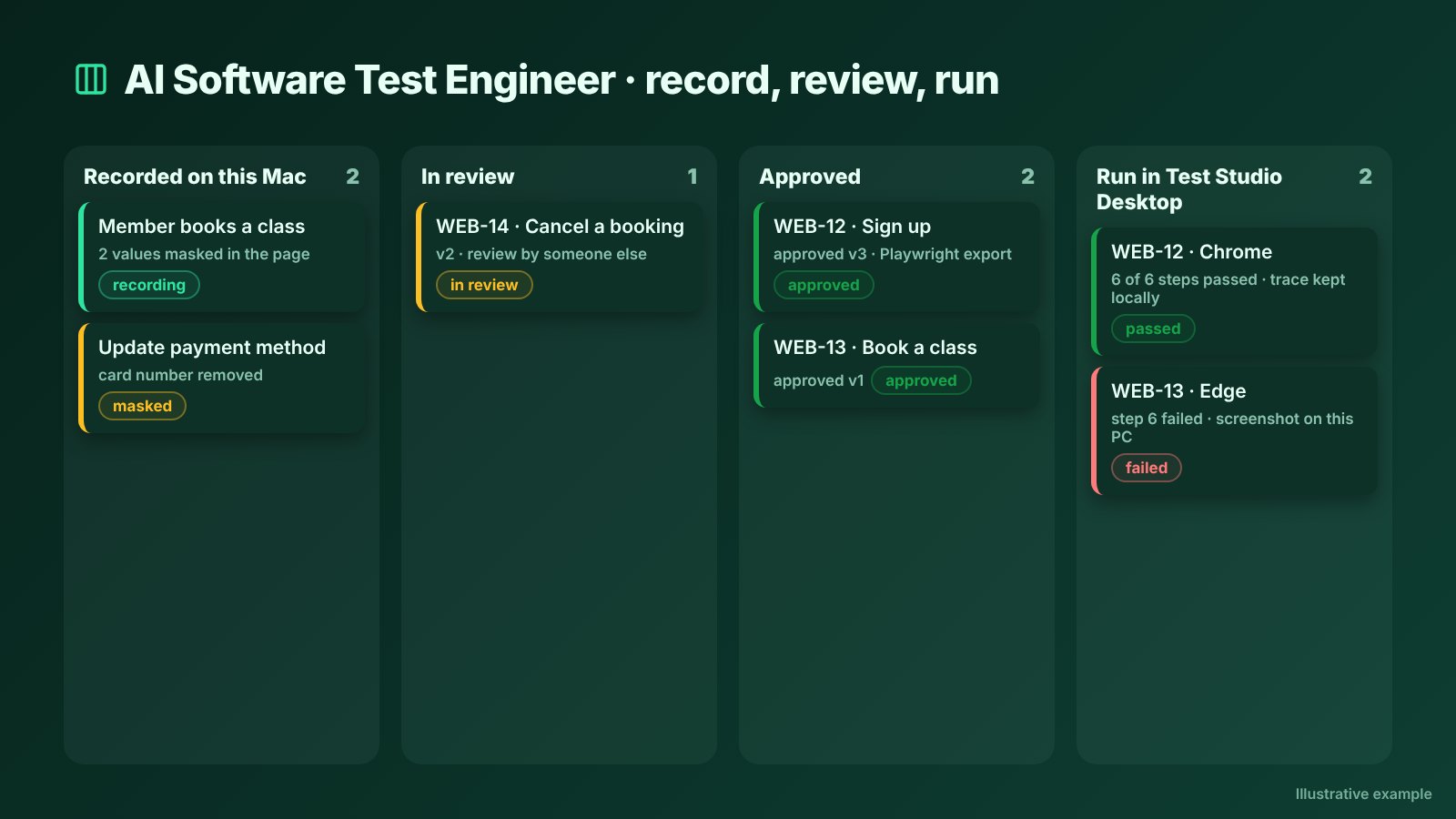
Test Studio Desktop for Mac and Windows records how people use your web application and runs approved tests in the Chrome or Edge already installed on the computer. Recordings, screenshots, videos, traces and test passwords stay on that computer. Only what the team needs syncs to TicketResolve: test steps with sensitive values masked, run results with step timings and console and network errors, and, when the tester chooses, one failure screenshot attached to a defect. In TicketResolve someone other than the author approves each test, plans track a release, coverage follows requirements to verified fixes, and failures become structured defects in your tracker.
Design principles
How it works
Your evidence stays local
Recordings, screenshots, videos, traces and test passwords stay on the tester’s computer. Steps sync with passwords, card numbers, codes, tokens and sensitive fields masked.
Only where you allow it
Recording and test runs stay on each environment’s allowed hosts. Production needs a manager’s written authorisation.
Reviewed by someone else
Every version has a history, and only someone who didn’t write it can approve it. Only approved versions run.
No commands, no surprises
The app performs a fixed set of test actions in a fresh browser profile, never scripts or commands, and only on the environment’s allowed hosts.
What’s included
From recording to release evidence
Test Studio Desktop
An app for macOS (Apple silicon and Intel) and Windows, paired with a one-time code. Records clicks, typing, choices, keys and dialogs with several locators per element in your installed Chrome or Edge, with checkpoints and local screenshots. You review the recording on the computer before anything becomes a test.
How it worksRecording to test case
Noise removed, typing merged, navigations turned into URL checks, checkpoints into assertions and masked values into test-data variables. Warnings for unstable locators, data-changing steps and missing expected results.
How it worksVersions and review
Test projects, sections and case keys; every edit a new version with a note; submit for review, and approval only by someone who didn’t write that version. Each version exports as Playwright, Cypress or Gherkin.
How it worksEnvironments
Base URL and allowed hosts per environment. Recordings and runs outside them are refused, and production can’t be used for tests until a manager authorises it with a reason.
How it worksLocal runs
Approved tests and plan items run on the tester’s computer in a fresh browser profile, with a Playwright trace and optional video kept locally. Step results, timings, console errors and failed requests sync to TicketResolve; failures are analysed on the computer first.
How it worksPlans, traceability and CI
Test plans by release, sprint, build, version, environment and browsers, with assignees, local runs from the desktop app, manual results and sign-off. Requirements coverage from requirement to verified fix. JUnit results from any framework uploaded and matched to cases by key.
How it worksFailure analysis and defects
Every failed run is classified with its evidence: product defect, test, environment, data, infrastructure, intermittent, dependency or expected change. Draft a structured defect with steps and failed requests, and attach the failure screenshot only if you choose; duplicates become occurrences; high severity needs approval by someone else; file it in Jira, Linear, GitHub, Assembla or monday.com and verify the fix with a local rerun.
How it worksConnected
Part of engineering
Test Studio sits in Engineering Intelligence, next to delivery, quality and release readiness.
- Engineering quality and debt
- TR Connect reproductions
- Jira, Linear, GitHub, Assembla, monday.com
- JUnit results from CI
Pricing
Included with Engineering Intelligence
Test Studio and Test Studio Desktop are part of Engineering Intelligence at $149 per engineering seat a month. Nothing is charged per test, run, recording or computer. It is in the 7-day free trial.
Included with Engineering Intelligence — from the price list on the pricing page
- $149 per engineering seat a month
- No charge per test, run or computer
- In the 7-day free trial
- Desktop app for Mac and Windows; test intelligence available
Safety
Controls built in
Testing real applications without exposing real data.
Safety controls
- Evidence kept on the computer
- Allowed hosts only
- Masked steps only
- Revocable device pairing
Frequently asked questions
Turn your next release into evidence
Install Test Studio Desktop, record a journey and run it on your own computer.