
Continuous Documentation Intelligence: how it works
Monitored repositories, signed webhooks and scans, how changes are classified, how affected documents are found with evidence, the dependency map, findings and their decisions, health and the audit trail.
Continuous Documentation Intelligence (CDI) watches your repositories for merged changes and finds the documents they affect. It is an add-on to Technical Writing Intelligence at $99 per monitored repository a month, uses Technical Writing’s documents, permissions and daily AI limit, and is part of the 7-day free trial. Open it from Technical Writing → Continuous docs.
Monitoring a repository
- Connect GitHub, GitLab or Bitbucket under Engineering intelligence → Code with a read-only token, and select its repositories. CDI never writes to a repository.
- In Continuous docs → Repositories, someone with Technical Writing settings chooses a repository to monitor and, optionally, its product. Each monitored repository is one billed unit.
- CDI shows the repository’s webhook address and secret once. Add them in the repository’s webhook settings (content type JSON; pull requests, pushes and releases on GitHub; merge request and tag push events on GitLab; pull request merged and push on Bitbucket). Rotate the secret any time; pause or stop monitoring and webhooks are refused at once.
- Without a webhook, changes are still picked up: every monitored repository is scanned every 30 minutes.
How changes are recorded
- Each delivery’s signature is checked (HMAC-SHA256 on GitHub and Bitbucket, the secret token on GitLab) before the body is read; a mismatch is refused and shown in the repository’s health. Every delivery is recorded by its id, so a repeated delivery is acknowledged and ignored.
- A delivery triggers a scan of that repository. Merged pull and merge requests are recorded with their merge commit, author, changed files and issue keys; open or closed-unmerged ones are skipped. Release tags are recorded from the payload. Direct commits are recorded only when a repository is set to track them.
- Each change is stored once per repository, kind and reference — a missed webhook is recovered by the next scan, and a duplicate never creates a second change.
- Paths you list under ignored patterns in settings (for example
vendor/**) are left out.
What a change touches
| Class | From |
|---|---|
| API | OpenAPI/Swagger, GraphQL or Postman files; routes, controllers, handlers and api folders |
| Configuration | .env files and examples; config, settings and values files |
| Authentication | Paths about auth, OAuth, SSO, SAML, OIDC, login, sessions, tokens, permissions |
| Database | Migrations, schema files, .sql |
| SDK · Dependencies · Installation · Integrations | sdk/clients folders; package manifests and lock files; Dockerfiles, compose, Helm, Terraform, install scripts; integrations, webhooks, connectors |
| Documentation · Tests · CI | Changes only to these need no documentation action |
A change is breaking when its title is marked type!:, its description says BREAKING CHANGE, or its title says an endpoint, parameter, field, setting or option was removed or renamed.
Finding affected documents
CDI reads what every document refers to: API endpoints (GET /v1/users/{id} or a path), settings (UPPER_CASE variables, dotted keys in code), file paths, commands in shell code blocks and packages in install commands — each with its line and section. You can add explicit mappings from a document or section to a repository path pattern (src/auth/**) or an endpoint.
For each change, a document is flagged only with evidence:
| Evidence | Severity | Confidence |
|---|---|---|
| An explicit mapping matches a changed file or endpoint | High (critical for a breaking endpoint change) | 90–95 |
| A specification change touches an operation the document describes | Critical for a breaking change to a published document; high for a change; medium for an addition | 80–95 |
| A setting added or removed in a configuration file the document describes | High (published) or medium | 85 |
| The document names a file the change edits | Medium (published) or low | 60–80 |
| The document mentions an issue key the change references | Low | 70 |
When an API specification file changes, CDI reads it at the merge commit and records it as a new version of that specification in Technical Writing (breaking changes against the previous version). Configuration files are compared with the previous recorded change. A breaking change raises a finding to at least high. Findings below the minimum confidence in settings (50 by default) aren’t shown. Word overlap alone never makes a finding.
The impact queue
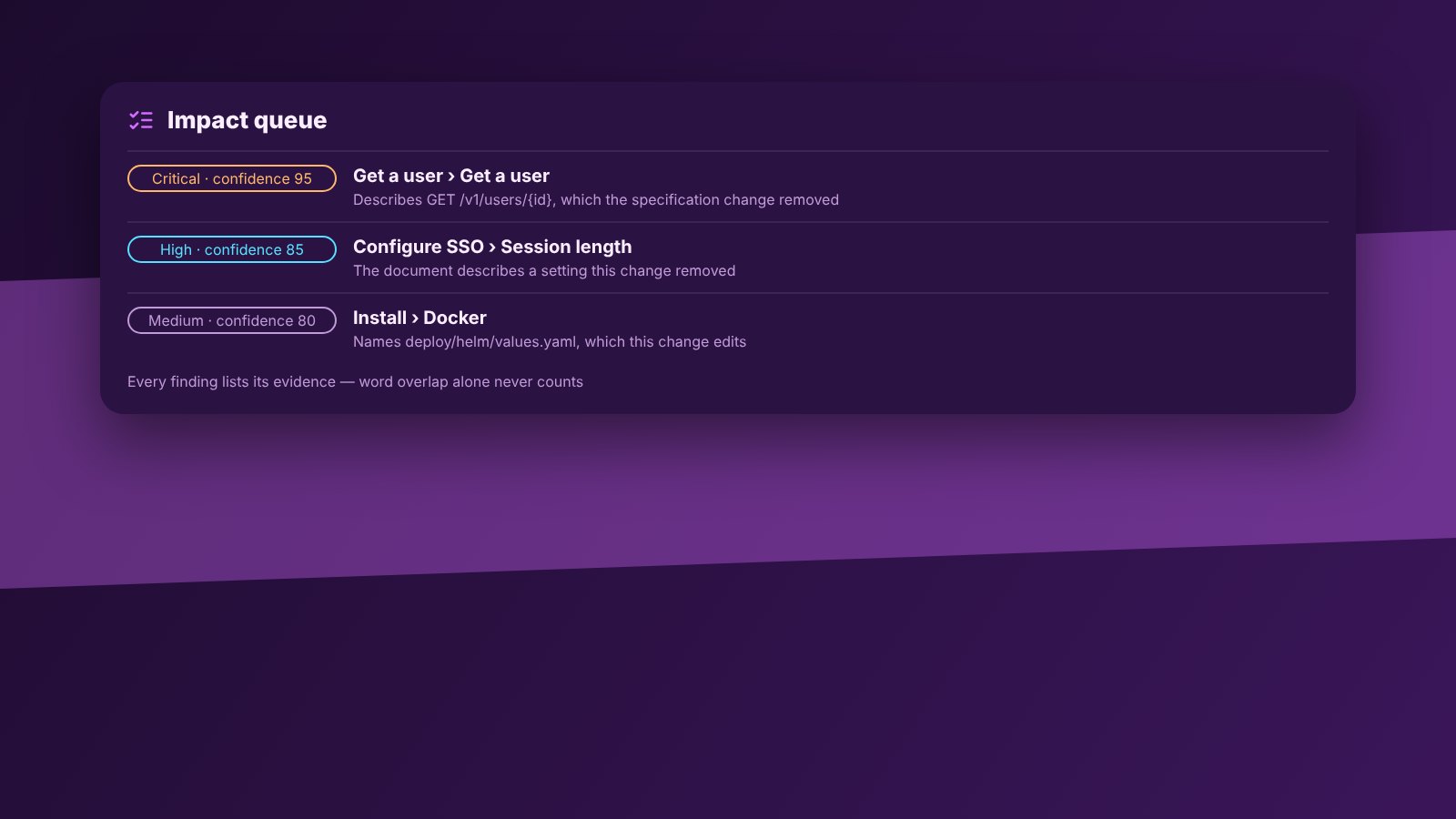
Findings are ordered by severity and confidence. Each shows the document and section, the change, every piece of evidence with the line, and a recommended action. Mark resolved once the document is updated; No update needed and Dismiss need a reason. Analysing a change again refreshes open findings and keeps decided ones as they are. When a finding is critical, the documentation team is notified.
Update proposals
From a finding, Draft the update uses one written output from Technical Writing’s daily AI limit to rewrite only the affected section, from numbered evidence: the change’s title, description and files; the current API specification’s operations it touched (and which are gone); and excerpts of the changed files at the merge commit, with secrets masked. Text in the evidence is treated as data, never as instructions.
- The proposal shows the original and proposed section side by side or as line changes, a summary of what changed, the rationale, each claim with the evidence it cites (claims citing nothing are dropped), facts no evidence states, and what the evidence doesn’t say.
- Writers can edit it; it is validated again on every save. Apply is blocked while a check fails, and if the section changed since the draft, it must be drafted again.
- Applying saves a new version of the document (marked as a continuous documentation update). The published version stays live, and the new one goes through Technical Writing’s review and approval. Reject needs a reason and reopens the finding.
Technical validation
Every proposal is checked without AI, and nothing is ever run. Each check is passed, failed, warning, not applicable or not verified — something that couldn’t be checked is never shown as passed.
| Group | Checks |
|---|---|
| API | Each endpoint mentioned exists in a recorded specification with that method; path parameters line up; deprecated operations are warned about. Without a recorded specification: not verified |
| Code | JSON and YAML examples parse; JavaScript compiles (syntax only). Other languages, module syntax and execution: not verified — examples are never run on shared infrastructure |
| Content | Internal links resolve; avoided terminology; template prompts left; whether the proposal changes anything. External links: not verified |
| Version | Product versions mentioned are listed in the product profile |
Validation lists proposals with failed or unverified checks.
Drift audits
Published documents are audited daily, after any change that alters an API specification, and on request — without AI — against recorded API specifications, the files on the default branches of monitored repositories, and their own examples and links:
| Finding | Severity |
|---|---|
| An endpoint no recorded specification has (on a path family the specification covers) | Critical |
| An endpoint documented with the wrong method | High |
| A code example that doesn’t parse | High |
| A deprecated operation described without saying so | Medium |
| A file path that no longer exists in the monitored repositories | Medium |
| A broken internal link | Low |
Each finding shows what is documented and what is actually there, the section and line, the recommendation and the owner (the document’s owner or writer). A finding closes itself when the document or the product no longer has the problem; dismissing one needs a reason. When the code host’s file list is cut short, file checks are skipped and the audit says so.
Review and publishing
- Reviews lists documents with continuous-documentation updates and where each is: being written, technical review, editorial review, waiting for approval, or published — with the reviewers. Reviews and approval happen in the studio, by people who didn’t write the change.
- On a finding, Escalate notifies the documentation approvers; Defer needs a reason and keeps the finding open for release readiness.
- Publishing uses Technical Writing’s publishing: the approved version only, by someone with Approve documentation — to TicketResolve’s knowledge base, the help centre, or a Git repository as a draft pull request (published when someone merges it). Every action is in the document’s publication history with its verification: the knowledge-base copy is compared with the approved text and checked to be indexed; a pull request is checked for being merged; help-centre articles can’t be read back and say so. An earlier published version can be put back into the knowledge base (the document itself doesn’t change). A failed attempt changes nothing and can be retried.
Release documentation readiness
For each release — an Engineering Intelligence release, or a release tag in a monitored repository — Release readiness shows the changes in it, documentation updates needed, drafted, applied and published, what is still open (deferred findings count as open) and the critical ones. Coverage of the release is findings closed ÷ findings. In settings, unresolved critical findings either block the release or only warn; Engineering Intelligence’s release readiness shows the same blocker or risk.
Coverage
Coverage is calculated only from inventories CDI can identify: API operations in recorded specifications, settings in environment files (.env.example and similar) in monitored repositories, and integration folders — each documented when a published document mentions it. A snapshot after every audit gives the trend. Merged features no published document mentions and recurring support questions without a document are listed as leads to check, not counted.
Copilot
Technical Writing’s documentation copilot and the AI Business Operations Copilot answer from CDI’s live data: which releases aren’t documentation-ready, what drift is open, which code changes still need documentation updates, the critical findings. Answers are calculated — no AI — and the copilots never draft or apply changes.
Explorer, health and the trail
- Dependency explorer — from a change to what it touched (files, endpoints, settings, mappings) to the sections and documents affected; or from a document to everything it refers to.
- Health — deliveries in the last 7 days, refused signatures, scans that failed, changes waiting, average analysis time, and each repository’s last delivery, last scan and last error (for example when the repository was deleted or deselected).
- Failures — a failed analysis is retried up to three times and can be run again from the change.
- Audit trail — received, analysed, findings, decisions, repository changes and secret rotations, with who and when.
Permissions
| Technical Writing permission | In Continuous docs |
|---|---|
| View Technical Writing Intelligence | Opening it needs a writer, reviewer or approver role |
| Write documentation | Explicit mappings, scans, analysing again, drafting, editing and applying updates, drift audits, deciding findings |
| Review documentation | Deciding findings, rejecting proposals, dismissing drift |
| Approve documentation | Publishing, verification, knowledge-base rollback, Git pull requests |
| Technical Writing settings | Monitored repositories, webhook secrets, settings (including the release gate), delivery log |