
RevOps Intelligence: how it works
Step by step: connect HubSpot or Salesforce, read the command centre, check deal risks, use the rule-based forecast and its accuracy, work the revenue risk radar and leakage findings — and how every figure is calculated.
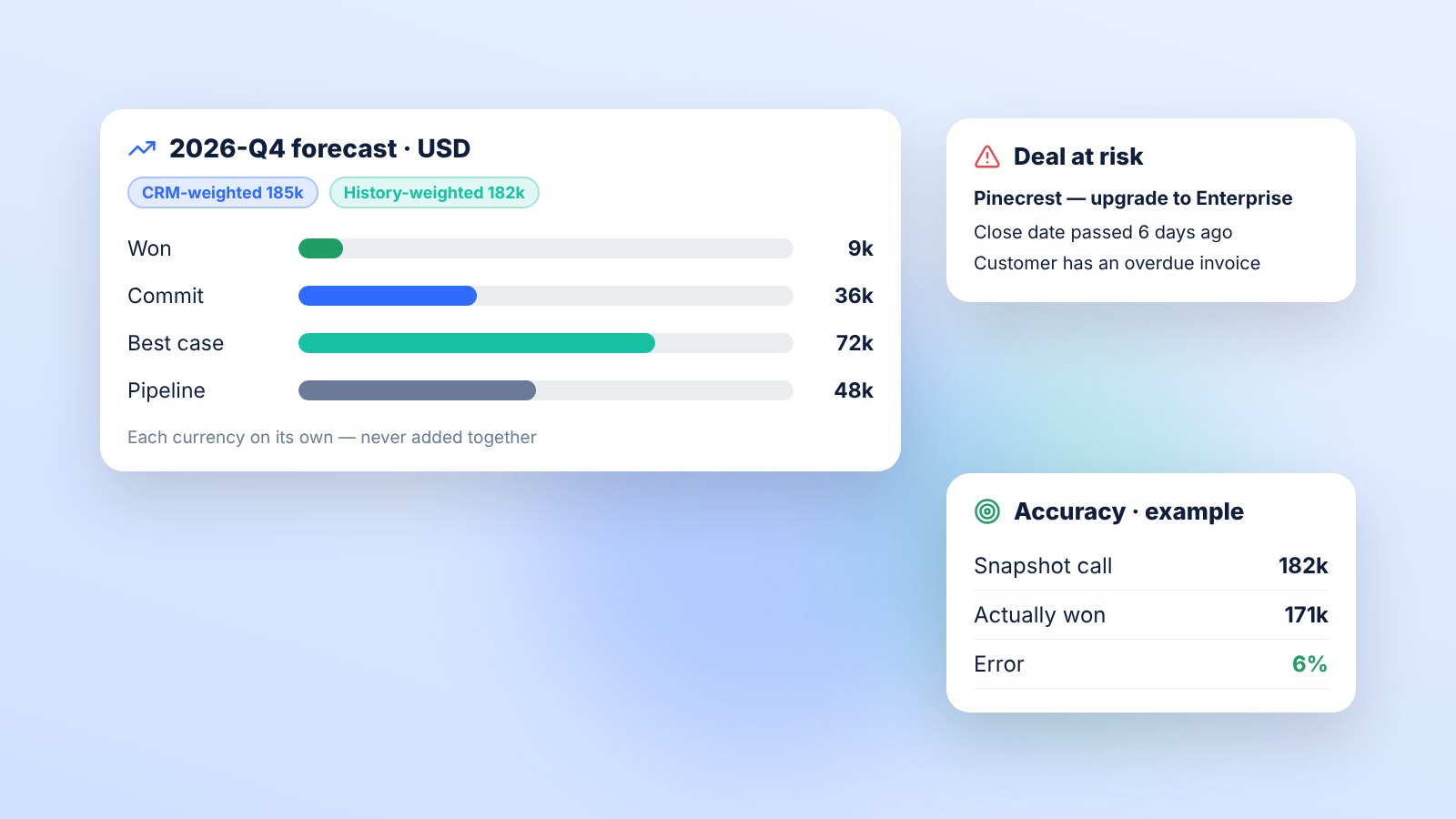
RevOps Intelligence reads the deals in your own HubSpot or Salesforce and puts them next to what TicketResolve already knows about each customer: support tickets, health, renewals and billing. Leadership gets one view of where revenue comes from and where it is at risk, with the definition and the records behind every figure. Forecasts, risks and leakage are rules, not AI. It is sold separately, per RevOps seat.
Before you start
- Turning it on: the 7-day free trial includes it. After that, add RevOps Intelligence under Billing → Add-ons and choose the number of RevOps seats ($99 per seat a month).
- Who needs a seat: anyone who works in RevOps — runs the sync, imports or links deals, takes snapshots, marks leakage findings, runs playbooks or uses the RevOps Copilot. Viewing doesn’t need one. Choose who has a seat in RevOps → Settings → RevOps seats.
- Roles: the built-in RevOps Manager and RevOps Admin roles cover most teams. The permissions are View RevOps Intelligence, Work in RevOps and RevOps Intelligence settings. Deal amounts and ARR also need See contract and revenue figures.
- CRM connection: connect HubSpot (a private-app token that can read deals and companies) or Salesforce (a connected app) under Connectors. The sync only reads; nothing is written to your CRM.
1. Get deals in
- 1Sync from the CRMEvery 30 minutes (or Sync now under RevOps → Integrations) deals and their pipeline stages are read. Each change of stage, amount or close date is kept as history, which the risk rules and win rates use.
- 2Match deals to customersA deal is matched by its CRM company or account id once linked, then by the company’s domain, then by its name. Deals that match nothing keep the CRM company name: link one from its deal page and that company’s other deals follow. You can also let the sync create an account when nothing matches.
- 3Import other dealsPipeline → Import CSV. Required columns: deal_id, name, amount, currency and status (open, won or lost). Optional: account, stage, stage_order, type, probability, forecast_category, close_date, created_at, last_activity_at, owner, lost_reason and discount_pct. Re-importing the same deal_id updates it.
2. Kinds and forecast categories
Each deal gets a kind — new business, expansion or renewal — from words in its CRM type or name (change the words in Settings). If no word matches, a deal for a customer who already pays is expansion, otherwise new business. The kind is fixed the first time the deal is seen, so a won new deal stays new business.
Each open deal is in exactly one category. If the CRM gives it a forecast category and Settings use it, that one; otherwise by probability: commit at 70% or more and best case at 40% or more by default, else pipeline.
3. Read the command centre
Every figure is per currency — currencies are never converted or added together.
| Figure | How it is calculated |
|---|---|
| ARR | Active subscriptions’ MRR × 12, from the revenue layer shared with Customer Success, Renewal and Billing Intelligence. |
| Net / gross revenue retention | ARR now from customers who paid 12 months ago ÷ their ARR then; gross caps each customer at what they paid then. Shown when there is a year of data. |
| ARR on low health | ARR of customers whose health is at risk or critical. |
| Call (won + commit) | Won this quarter plus open deals in commit. |
| CRM-weighted call | Won plus each open deal’s amount × its CRM probability. |
| History-weighted call | Won plus each open deal’s amount × your own win rate from the furthest stage it has reached, over the last 365 days (at least 10 closed deals; otherwise the overall rate). |
| Win rate and cycle | Won ÷ (won + lost) in the last 12 months, and the average days from created to won. |
4. Check deal risks
Pipeline shows each open deal’s risks with what was found. The thresholds are in Settings.
- Close date passed while the deal is still open.
- Stalled: in the same stage for more than 30 days.
- No activity for more than 14 days.
- Close date pushed later more than twice.
- Amount cut by more than 20% since the deal was first seen.
- For expansion and renewal deals, the customer: health at risk or critical, overdue invoices, failed payments, or a high-risk renewal.
5. Forecast, snapshots and accuracy
- 1Read the forecastForecast shows won, commit, best case, pipeline and both weighted calls per month or quarter, per currency and kind. Renewals come from Renewal Intelligence by default and CRM renewal deals are left out, so nothing is counted twice; switch to CRM renewal deals in Settings.
- 2Take snapshotsA snapshot is taken every 7 days, or press Take snapshot. It keeps the figures and the settings version used, and can’t be changed.
- 3Measure accuracyWhen a period is over, Accuracy compares each snapshot’s call with what was actually won, for the call and both weighted methods, as an error percentage.
6. The revenue risk radar
The radar lists every customer with at least one risk area and ranks them by points: health up to 30, renewal 30, billing 20 (overdue invoices, failed payments in 30 days), deals 10 and leakage 10, each scaled by severity. ARR exposed counts each customer once. The score ranks customers; it isn’t a probability of churn, and two risk areas appearing together are an association, not a cause.
7. Revenue leakage
The rules run every day. Each finding has an estimate and says how it was made; it is something to check, not a proven loss.
| Rule | What it looks for |
|---|---|
| Billed below contract | Active subscriptions bill more than 5% less a year than the recorded contract value, in the same currency. |
| Renewal passed, no outcome | A renewal date passed more than 7 days ago and the renewal has no outcome. |
| Won, not billed | A deal was won more than 30 days ago and no invoice or subscription started for the customer since. |
| Discount above policy | A won or open deal’s discount is above 20% (needs the discount field set in Settings). |
| Contract ended, still active | The contract ended, there is no active subscription or open renewal, but the customer still raised tickets in the last 30 days. |
Mark a finding Expected with a note, or Resolved. Unbilled usage isn’t checked: TicketResolve has no metering data to compare billing with.
8. RevOps Copilot and reports
Questions such as “What is this quarter’s forecast?”, “Which deals are stalled?” or “Where are we leaking revenue?” are calculated from your records with no AI and no limit. The Copilot can also write an executive summary, a deal summary or an account summary: these quote the rule-based forecast rather than making their own, list the records used and keep hypotheses apart from facts. Written answers share one daily limit with the Success, Renewal and Billing Copilots (10 a day per workspace by default, adjustable from 0 to 50).
There are ten reports with CSV export — open pipeline, won and lost deals, forecast by quarter, forecast accuracy, deals at risk, win rates by stage, customers at risk, revenue leakage, bookings by month and kind, and renewals with billing problems.
9. Playbooks, notifications and the API
- Playbooks run on the workflow engine: six templates (deal at risk → owner, customer at revenue risk → summary and managers, leakage found → RevOps team, deal won → note and webhook, deal lost → owner and managers, forecast snapshot → webhook), created switched off. Steps can alert people, save a note, write a revenue summary or call your webhook.
- Notifications for deals that become high risk and customers high on the radar, at most once a week each.
- Webhooks:
ro.*events (deal won or lost, deal at risk, customer at risk, leakage found, snapshot taken). - API:
GET /api/v1/revops/dealswith a read-only key.
What it never does
- It never writes to your CRM, contacts a customer or moves money.
- It never adds currencies together, and never uses AI to calculate a forecast, a risk or a finding.
- It never presents an association between support and revenue as a cause, or an estimate as a measured result.