
Sales Engineering Intelligence: how it works
Opportunities, discovery, the Product Intelligence Hub, solution fit, Demo Studio, objections, competitive intelligence, proposals, the SE Copilot, the command center, the AI limit, permissions and seats.
Sales Engineering Intelligence keeps technical pre-sales on one record and grounds every product statement in knowledge an administrator approved. It is an add-on at $99 per SE seat a month and part of the 7-day free trial. Open it from Sales Engineering in the dashboard.
Product Intelligence Hub
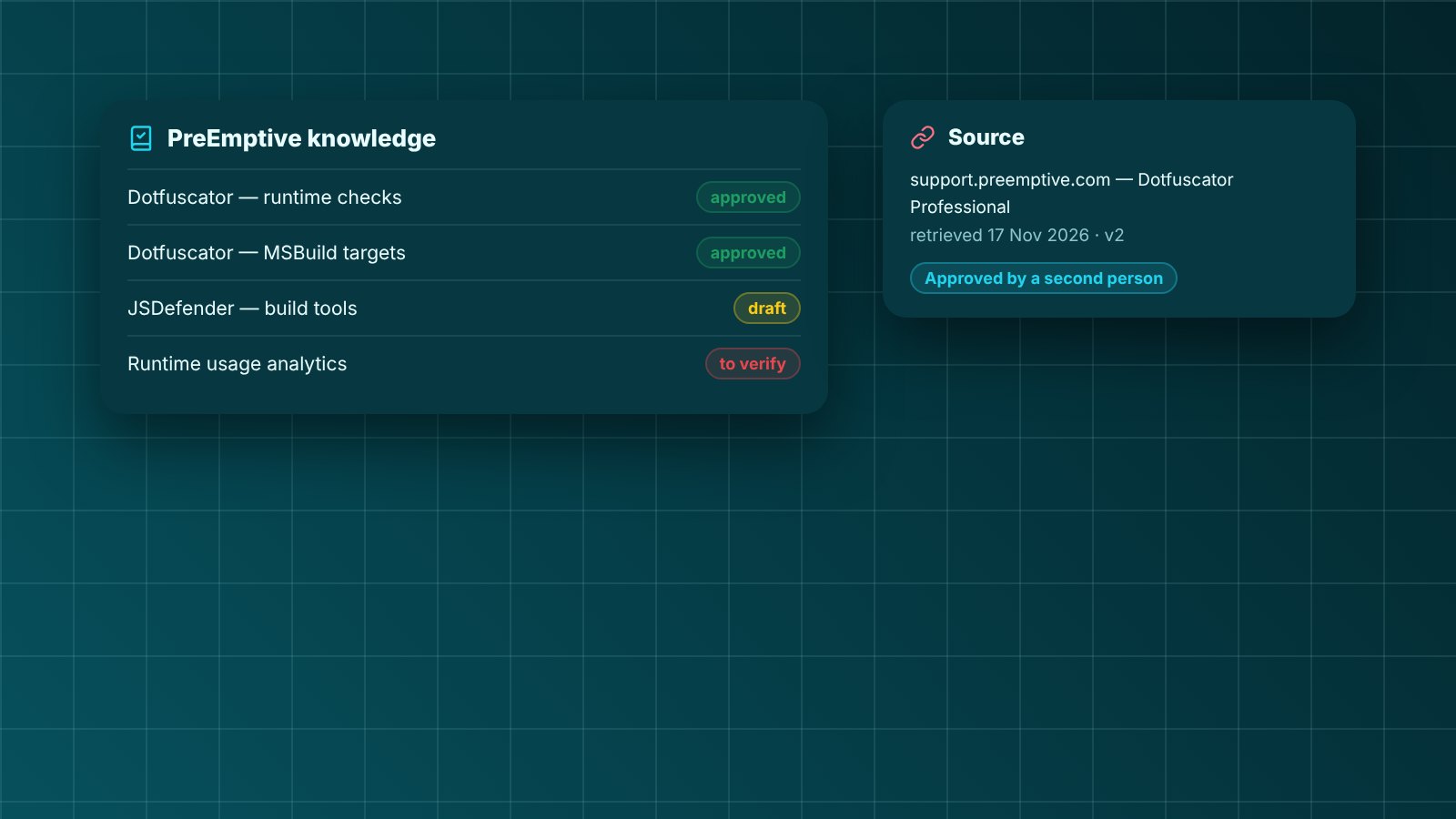
Every workspace starts with five product profiles — Ranorex, Kiuwan, TestRail, Testmo and PreEmptive — each with a discovery question set and knowledge researched from the vendors’ public pages on 17 November 2026. That knowledge arrives as drafts, each with its source link and retrieval date. Nothing is used by solution fit or the AI until someone with “Approve product knowledge” approves it. Where the research couldn’t confirm something (for example a fully on-premises Kiuwan edition, or a current PreEmptive runtime-analytics product), the gap is recorded as a to verify item — never filled in.
- Add knowledge by hand, from a documentation link, or from an uploaded PDF, DOCX, HTML or text file. Imports are drafts.
- Split a document with AI (optional, one written output): each suggested item keeps the exact text it came from; suggestions whose text isn’t in the document are dropped.
- Approve, reject or retire. Approval needs a source and isn’t done by the item’s author (the owner excepted); rejection needs a reason. Editing an approved item creates a new draft version; when that is approved, the old one becomes outdated.
- Flags: old (retrieved or approved longer ago than the age you set, 180 days by default), conflicting (two approved items with the same title and different text), and unresolved (an approved item shares a topic with an open “to verify” item).
Opportunities
An opportunity holds the company, segment, size, region and industry, the account executive and sales engineer, the products under evaluation, value and currency, timeline, budget as stated, technology stack, competing products, challenges, decision criteria and next actions — plus stakeholders and their role, requirements, technical risks and a timeline of every change. One opportunity per company and name: a duplicate is refused. Marking it technically qualified needs at least one confirmed requirement.
Discovery
Choosing products brings in their discovery questions. A follow-up appears when an answer calls for it — for example, a PreEmptive answer mentioning Android adds a question about rooted-device detection. The page shows completeness, the next meeting’s agenda (areas not yet discussed), missing information (no decision maker, no decision criteria, open follow-ups…) and answers that aren’t requirements yet. All of this is calculated — no AI.
- Import meeting notes (one written output): the AI proposes requirements, each with the customer’s own words. Proposals whose words aren’t in the notes are dropped, and the rest stay proposed until a person confirms or rejects them.
- Discovery summary (one written output): requirements, environment, pain points, product fit, risks, missing information and next steps, written only from recorded answers, confirmed requirements and approved knowledge, every statement citing them.
Solution fit
Each confirmed requirement carries tags (suggested from its text; you can change them). Fit matches them against approved capability, supported-technology, integration and deployment knowledge of every active product:
| Result | Meaning |
|---|---|
| Covered | Every tag of the requirement is backed by an approved item — the items are listed. |
| Partly covered | Some tags are backed. |
| To verify | Not backed, but an open “to verify” item covers the topic — ask the vendor before answering. |
| Gap | Nothing approved backs it. |
| Not tagged | The requirement has no tags, so nothing can be matched. |
The score weights must-haves 3, should-haves 2 and nice-to-haves 1; partly covered counts half. Approved known limitations on the same topics are listed. Two products are suggested together only when the best one leaves must-haves uncovered that the other covers and an approved integration item links them; otherwise the combination is shown as not validated. An optional written explanation (one written output) cites the requirements and items and can’t change the calculation.
Demo Studio
From an opportunity’s Demos section, build a plan for one product under evaluation. Built from the records (no AI), it has one scenario per requirement the product covers or partly covers, each listing the approved items it shows, plus approved demo scenarios, a checklist and the questions to expect. Written by AI (one output), it adds an agenda, steps and sample data — and any scenario that doesn’t cite approved knowledge is dropped. Requirements that aren’t backed appear under Do not demonstrate. Schedule the demo, record the customer’s feedback and outcome when it is delivered, save good plans as templates (customer details are removed; scenarios whose knowledge is no longer approved are dropped when a template is reused), and download a Word copy.
Objection handling
A library of customer concerns per product, starting with the common ones (for example “Why Ranorex instead of Selenium?”, “How does obfuscation affect performance?”). Each answer holds the underlying issue, the response, relevant capabilities, limitations to state, follow-up questions, what to demonstrate and the evidence the customer will want, and links at least one approved knowledge item. Draft it yourself or with AI (one output; uncited statements are dropped).
Competitive intelligence
Confidential — it needs “See competitive intelligence”. Add competitor products, then statements about them by dimension (capabilities, platforms, integrations, deployment, security, pricing where verified …). Every statement needs a source link and is approved by someone other than its author. The comparison matrix shows our approved knowledge beside the competitors’ approved statements; an empty cell says “no sourced information”, never that a product lacks something. A battlecard (one AI output) is written only from those sources: a statement about the competitor must cite a sourced statement, and a differentiator must cite both sides, or it is dropped.
Proofs of concept
From an opportunity’s PoC section, start a PoC for one product — from the product’s template or empty. The opportunity’s confirmed must-have requirements become criteria to agree. The PoC moves through ten stages: proposed, requirements gathering, technical design, environment preparation, configuration, execution, results evaluation, customer review, closed, and handed back to sales.
- Agreed criteria. Every criterion says how it is measured and is agreed with a named customer stakeholder (from the opportunity’s stakeholders) before execution. After that, criteria can’t be changed or removed.
- Results from evidence. A person decides each criterion met, not met or inconclusive. “Met” needs evidence attached to that criterion — a note, a link or a file (stored encrypted; JUnit XML results are counted automatically).
- The outcome follows the must-haves. Any must-have not met → unsuccessful; any must-have undecided or inconclusive → inconclusive; all met → successful. You can record a less favourable outcome with a reason, never a better one.
- Templates for Ranorex, Kiuwan, TestRail, Testmo and PreEmptive suggest objectives, criteria with measures, scenarios, prerequisites and customer responsibilities. PreEmptive’s cover protection validation, a reverse-engineering check, compatibility (reflection and serialisation), build-pipeline validation, runtime checks and performance.
- AI plan (one output): suggests criteria to agree, scenarios, prerequisites and risks, and configuration steps — kept only when they cite approved knowledge.
- Customer report. Drafted from the recorded results (objectives, each criterion’s result and note, test counts, the outcome), optionally with an AI summary that cites them and can’t change a result. A named approver signs it off before it is customer-facing; Word export marks unapproved reports as drafts.
Technical proposals
From an opportunity’s Proposals section. Requirements, the capability map (each requirement against the approved items behind it), success criteria (the must-haves), assumptions and exclusions (gaps, items to verify, known limitations) and risks are calculated from the records. The narrative sections are drafted by AI in one output, citing requirements, discovery and approved knowledge; uncited sentences are dropped and empty sections are marked “needs input”. Commercial information is never written by AI. Send it to a named approver; editing an approved proposal starts the next version as a draft. Download it as Word or print it to PDF — anything not approved is marked as a draft.
SE Copilot
Questions it recognises are answered by calculation: opportunities needing qualification, at risk or needing engineering; “does Ranorex support …?” (approved items matching the words, with sources, and open items to verify); comparing two products; objection answers; upcoming demos. Write an answer uses one AI output from approved knowledge and your opportunities — and approved competitive statements only for people who may see them — with every fact citing its source.
Command center
| Number | How it is counted |
|---|---|
| Active technical opportunities | Not won, lost or archived. |
| Need technical qualification | Active, qualification not started or in progress. |
| Technically qualified | Active and marked technically qualified. |
| No confirmed requirements | Active with none confirmed. |
| At technical risk / open blockers | Active with an open high-severity risk; and the number of such risks. |
| Need engineering assistance | Active and flagged as needing engineering help. |
| Median days, discovery → qualification | For those qualified in the period, from the first discovery answer (or creation). |
| Win rate after technical qualification | Of qualified opportunities closed in the period: won ÷ (won + lost). |
| Upcoming demonstrations | Active opportunities with a demo scheduled for a future date. |
| Demos delivered | Opportunities with a demo marked delivered, with feedback, in the period. |
| Proposals awaiting approval | Opportunities with a proposal waiting for its named approver. |
| Active PoCs / awaiting customer feedback | Active opportunities with a PoC not closed; and PoCs in customer review. |
| Successful / unsuccessful PoCs | PoCs closed in the period by outcome (inconclusive counts with unsuccessful). |
| Demo-to-PoC conversion | Of opportunities with a delivered demo, the share that went on to a PoC. |
| PoC-to-win conversion | Of closed opportunities with a successful PoC, the share won. |
| Average PoC duration | Days from start to close, for PoCs closed in the period. |
Filter by period, product, sales engineer, account executive, segment, stage and region. Values are shown per currency, never added across currencies. Engineer and AE groupings show workload, not a ranking.
RFP, RFI and security questionnaires
Upload an Excel workbook, a Word document or a PDF, or paste the questions. Questions are found with fixed rules, no AI: in a workbook, a header row names the question column (“Question”, “Requirement”…), the answer column (“Answer”, “Response”, “Vendor response”…) and optionally a section column; without a header the longest-text column is the question and the next one the answer. In a document, numbered lines and lines ending in “?” are questions; short unnumbered lines are sections.
| Step | What happens |
|---|---|
| Categories and flags | Each question gets a category by keyword (functional, technical, integration, security, compliance, data privacy, commercial, legal, support, implementation, company) and flags: security review, compliance review, commercial (a person answers), certification claim, unanswered. |
| Answer library | Answers reviewed in approved questionnaires are reused for questions sharing at least 60 % of their words — as a suggestion a person reviews. |
| AI drafts | Up to 25 open questions per call, one written output each from the SE limit, from approved knowledge only. Every answer cites its items; uncited answers are dropped. Commercial and legal questions are never sent. A certification is kept only if a cited item states it. |
| Review | Each answer is confirmed by a person (or marked not applicable). Security, compliance and certification answers need someone with “Approve sales engineering output”. |
| Approval and export | A named approver, not the requester, approves the whole questionnaire. Then the original workbook is filled in — only the answer cells change. The review workbook (section, question, answer, sources, status) is available any time, marked “Draft — not approved” until approval. |
CRM, hand-offs and product feedback
HubSpot and Salesforce use the connection set up for Revenue Operations; Microsoft Dynamics isn’t supported. A sync reads deals: linked opportunities get the CRM stage and link (the SE stage stays yours, and a deal closed in the CRM but open here is shown), and with “import open deals” unlinked open deals are matched by company and name or created. Every sync is logged with counts and errors. Notes and next steps go to the CRM — a note on the HubSpot deal, a completed Task on the Salesforce opportunity — only after the named approver approves that exact text; the result or error is recorded and a failed write can be retried.
A won opportunity is handed to a named person in delivery with what was sold and agreed — stakeholders, confirmed requirements, gaps, items to verify, limitations, PoC criteria and results, open risks, decision criteria and approved proposal assumptions — assembled from the records. They accept it or return it with what is missing.
Product feedback is collected from fit gaps on must and should requirements, objections recorded on opportunities and PoC criteria not met, or added by hand. Items are grouped by product, kind and the capability tags they match, and scored: 10 × opportunities + 5 × lost opportunities + 5 × log10(1 + open and lost value). An approver turns a group into an engineering enhancement (it joins a similar existing request when there is one) or dismisses it.
Analytics
| Figure | Definition |
|---|---|
| Win rate | Won ÷ (won + lost) for opportunities closed in the period — overall and by product, segment, sales engineer and competitor named on the opportunity. |
| Lost reasons | The reason recorded when an opportunity is marked lost (required), grouped by wording. |
| With / without | Win rate of closed opportunities with a delivered demo, a PoC, a successful PoC, an approved proposal or an approved questionnaire, against those without. An association, not a cause. |
| Median days to win | From creating the opportunity to closing it won. |
| Questionnaires | Created in the period, approved, questions, and the share of reviewed answers from the library, AI and people. |
| Revenue influenced | Only when an admin chooses an attribution model in Settings: won with any recorded SE work, or won with a successful PoC. Per currency, always labelled with the model. |
The Business Operations Copilot answers Sales Engineering questions (pipeline, PoCs, demos) from these calculated figures and adds a Sales Engineering line to its overview, for people who can view both.
The AI limit
Written outputs come from Sales Engineering’s own limit: 30 per workspace per day by default, adjustable from 0 to 100 in Settings. One model call per output; a failed call doesn’t count. Everything calculated has no limit. Material sent to the model is treated as data — instructions inside notes or documents are ignored.
Permissions, roles and seats
| Permission | Allows |
|---|---|
| View Sales Engineering Intelligence (se.view) | Every page, read-only. |
| Work in Sales Engineering (se.manage) | Opportunities, discovery, requirements, fit and knowledge drafts. Needs an SE seat. |
| Approve product knowledge (se.knowledge) | Approve, reject or retire knowledge items. |
| Approve sales engineering output (se.approve) | Sensitive objection answers, proposals, PoC reports, questionnaires (and security or compliance answers in them), CRM write-back and turning feedback into engineering tickets — never your own requests. |
| See competitive intelligence (se.competitive) | Competitor records, statements, the comparison matrix and battlecards. |
| Sales Engineering settings (se.admin) | AI limit, knowledge age, seats and the product catalog. |
Built-in roles: Sales Engineering · Sales Engineer, · Pre-Sales Manager, · Account Executive and · Product Administrator. Executives and auditors can read it; the base Viewer role can’t, because opportunity data is confidential.
What it doesn’t do yet
- CRM sync runs when someone presses Sync; there is no background schedule yet. Microsoft Dynamics isn’t supported.
- Scanned PDFs have no text to read — paste the questions instead.
- Discovery questions are edited through the API for now; an editor in the app follows.
- It never sends anything to a customer, and it changes a CRM only with an approved note.