
Technical Writing Intelligence: how it works
Documentation projects, the document studio, templates, versions, the review lifecycle with separate reviewers and approvers, product profiles, the command center, permissions and seats.
Technical Writing Intelligence is a technical writing department in TicketResolve: projects, a document studio, reviews and approval. It is an add-on at $79 per writer seat a month and part of the 7-day free trial. Open it from Technical Writing in the dashboard.
Documents and the studio
- A document has a type (installation guide, API documentation, troubleshooting article, SOP, release notes and 16 more), an audience, a product and product version, a project, a visibility (internal, customers, public) and access (everyone who can read documentation, or the documentation team only).
- Start from the built-in template for its type, one of your own templates, a copy of another document or a blank page. Templates contain headings and bracketed prompts such as
[Step]— never product facts — and a document can’t go to review while any are left. - The studio writes Markdown with a live preview: headings, code blocks with their language, tables, callouts (
> **Warning:** …), images and links. An outline follows your headings, and the product’s terminology is checked as you type. - Every save with changes is a new version with its author and note. Compare any two versions line by line and roll back (the rollback is saved as a new version). Unsaved text is kept in your browser and offered back if you reload.
- Comments can quote a passage; writers or the commenter resolve them.
- Export to Markdown, HTML (print it to PDF) or Word. Each export says which version it is and whether it is published.
The review lifecycle
| Stage | Who moves it on |
|---|---|
| Proposed → research → drafting | Writers |
| Technical review | Someone with “Review documentation” who didn’t write any of it — for the types settings name (API, developer, installation, troubleshooting and others by default) |
| Editorial review | A reviewer who didn’t write it |
| Approval | Someone with “Approve documentation” who didn’t write it. Customer-facing and public documents always need approval; internal ones only if settings say so |
| Published | Published on approval; a scheduled review date is set (180 days by default) |
| Scheduled review | Set automatically when the date passes; a reviewer confirms it is still accurate, or a writer updates it |
| Updated | A published document being edited. Readers keep seeing the published version until the new one is reviewed and approved |
A reviewer can request changes with a note, which sends it back to the writer. Documents in review can’t be edited — the writer withdraws it, or the reviewer requests changes. Reviewers and approvers are notified when something waits for them.
The AI Technical Writer
Open AI writer in the studio, choose a section and, optionally, say what it should cover. The writer drafts that one section from your sources only, and the draft comes back as a proposal with:
- Claims and their sources — each factual statement with the numbered sources behind it. Claims that cite no real source are dropped.
- Check before inserting — numbers, versions, addresses and commands that appear in no source.
- Assumptions and gaps — what it had to assume and what the sources don’t say.
Edit the draft if you like, then Insert: it replaces that section and is saved as a new version marked as AI-assisted. The document still goes through the same reviews and approval. Improve existing text rewrites a section for clarity and its audience without adding facts. Each draft, rewrite, research question and AI review is one written output from the daily limit (40 by default, 0–150); a failed one isn’t counted.
Sources
The writer and research use, in order of relevance: source material you add in Sources (specifications, engineering notes, release notes, reference text) with its trust level — verified, official documentation, internal notes or external — for one document, one product or everything; Sales Engineering product knowledge your team approved for a product of the same name; your knowledge base articles; and published documents. Text inside a source is treated as information, never as an instruction.
Research
Ask a question and get findings labelled Verified (a verified or official source states it), Internal only, External only, Interpretation or Assumption — no source, each with its sources, plus where sources disagree and what is still open. A finding the model calls verified is relabelled if no verified or official source backs it.
Quality
The quality check runs without AI on the saved version and scores five areas, each finding with its line where there is one:
| Area | What it checks |
|---|---|
| Completeness | Sections the document type needs (for example prerequisites, steps and verification for installation guides), template prompts left, empty sections, very short documents |
| Accuracy aids | JSON examples that don’t parse, unbalanced XML or HTML, values readers must replace, versions of the product other than the document’s, images without alt text |
| Consistency | Avoided terminology, product-name spellings, skipped heading levels, duplicate headings, links to headings or documents that don’t exist |
| Readability | Long sentences and paragraphs, mostly passive writing, long documents without headings |
| Usability | Procedures without numbered steps or an expected result, steps doing several things |
A document missing required sections can’t score more than 30 above its completeness score. A high score means fewer checkable problems — it is not proof that the content is right; that’s what the technical review is for. Run AI review adds a second read for contradictions with sources, missing steps and unclear instructions; every issue points at a line, and issues that don’t are dropped. Documents whose last check scored under 60 appear as Low quality score in the command center.
API documentation
API docs imports an OpenAPI 3 or Swagger 2.0 specification (JSON or YAML) or a Postman collection — upload the file or paste it. Import under the same name to add a version; an unchanged file isn’t stored twice.
- Reference document — generated without AI from the specification: overview, base URLs, authentication, each operation grouped by tag with parameters, request fields and example, responses, and the error codes. It says only what the specification states. Regenerating replaces its text as a new version; it still goes through review.
- Gaps — what the specification leaves out: operations without a summary, parameters and fields without descriptions, request bodies without examples, no error responses, no authentication.
- Changes between imports — breaking (operation removed, success response removed, a response field removed, a parameter or request field newly required, a parameter type changed) listed before additions and other changes.
- Not in published docs — operations whose path no published document mentions.
Release notes
Under Suggestions & release notes, choose a release from Engineering Intelligence (its matching work items and the pull requests merged while it was open) or a date range and repository. Each finished work item and merged pull request is grouped as a new feature, improvement, fix or internal change from its title prefix (feat:, fix:, perf:, chore:…), labels and work item type, and the reason is shown. A pull request that names a work item joins it. Titles are cleaned (prefixes, issue keys and PR numbers removed), never expanded — edit the wording, regroup or leave items out, then create the notes. Internal changes appear only in internal notes.
Drafts from known issues, tickets and incidents
In AI writer, Draft the whole document from a known issue (with tickets agents resolved that match it), a group of near-identical questions agents resolved, or a resolved incident with its recorded root cause. Only tickets a person resolved are used — never ones TicketResolve answered — and names, e-mail addresses, phone and account numbers are removed first. The draft follows the document’s headings, marks what the evidence doesn’t cover with [Not covered by the sources yet] (which blocks review until replaced), and is a proposal you insert or discard. It uses one written output.
Suggestions
Every 6 hours, without AI, TicketResolve looks for documentation worth writing and lists it under Suggestions with the reason:
| Found from | Suggests |
|---|---|
| An incident resolved in the last 60 days with a recorded root cause, not mentioned in any document | A runbook |
| A known issue with a workaround or resolved in the last 90 days, without a document | A troubleshooting article |
| Five or more near-identical questions agents resolved in the last 90 days | A troubleshooting article |
| A release from Engineering Intelligence released in the last 45 days without release notes | Release notes |
| A bug fixed in the last 30 days labelled customer, docs, release note or known issue | A knowledge base update |
| Breaking changes in the latest API import; operations no published document mentions | An upgrade guide; a reference document |
Create document makes the document with its evidence attached as a source for the AI writer (release notes and API references are generated straight away). Dismiss removes it for good; Check now runs the search immediately.
Publishing
Open Publish in the studio. Only the approved, published version goes out — never the working copy — and only customer-facing or public documents; internal and documentation-team-only documents stay inside TicketResolve. Publishing needs Approve documentation.
- TicketResolve knowledge base — the support AI can answer from it once it is indexed. Publish again after a newer version is approved to update it in place, or remove it.
- Help centre — Zendesk Guide (choose a section), Freshdesk Solutions (a folder), Intercom Articles or Salesforce Knowledge. It is created as a draft there unless you choose live. The article is created once; when a newer version is approved, analytics shows that the help-centre copy is behind so you can update it there.
- Git repository (with Continuous Documentation Intelligence) — a draft pull request writing the approved version to a Markdown file in a monitored repository; it is published when someone merges it.
- History and verification — every publish, update, rollback and pull request is recorded with its outcome. The knowledge-base copy is checked against the approved text and its indexing; a pull request is checked for being merged; help-centre articles can’t be read back and say so. Put an earlier published version back into the knowledge base with Roll back.
Analytics and gaps
Analytics & gaps is calculated without AI: coverage by product (and which of getting started, installation, configuration, troubleshooting and release notes a product has none of), freshness of published documents, review turnaround by month, the spread of quality scores, what is in the knowledge base and help centre and what is behind, and gaps — API operations no published document mentions, open suggestions from support, incidents and releases, questions the knowledge base had no answer for, broken internal links, and documents written for a product version the product profile no longer lists. External links aren’t checked.
The same checks feed the documentation agent: published documents for a version no longer listed, with a quality score under 60 or with broken internal links appear in Suggestions; accepting one opens the document and changes nothing.
The documentation copilot
Ask from the command center. Status questions — what is overdue, waiting for review, outdated, low quality, the gaps, what is behind in the help centre — are answered from the calculated figures with no AI, with links to the documents. Other questions use one written output and are answered only from published documents and source material, each point citing its source; points without a source are dropped. The copilot never changes anything. The AI Business Operations Copilot answers documentation status questions the same way for the documentation team.
A recurring question or known issue in Suggestions can be sent to Product Management Intelligence as feedback (once), when the workspace has it.
Product profiles and projects
Product profiles hold what your team verified: versions, the official documentation address, terminology (preferred and avoided terms) and internal notes, which only the documentation team sees. Add the six product families creates empty profiles for Ranorex, Kiuwan, TestRail, Testmo, PreEmptive and TicketResolve.ai — nothing about what they do is assumed. Projects group documents with a product, owner and due date.
The command center
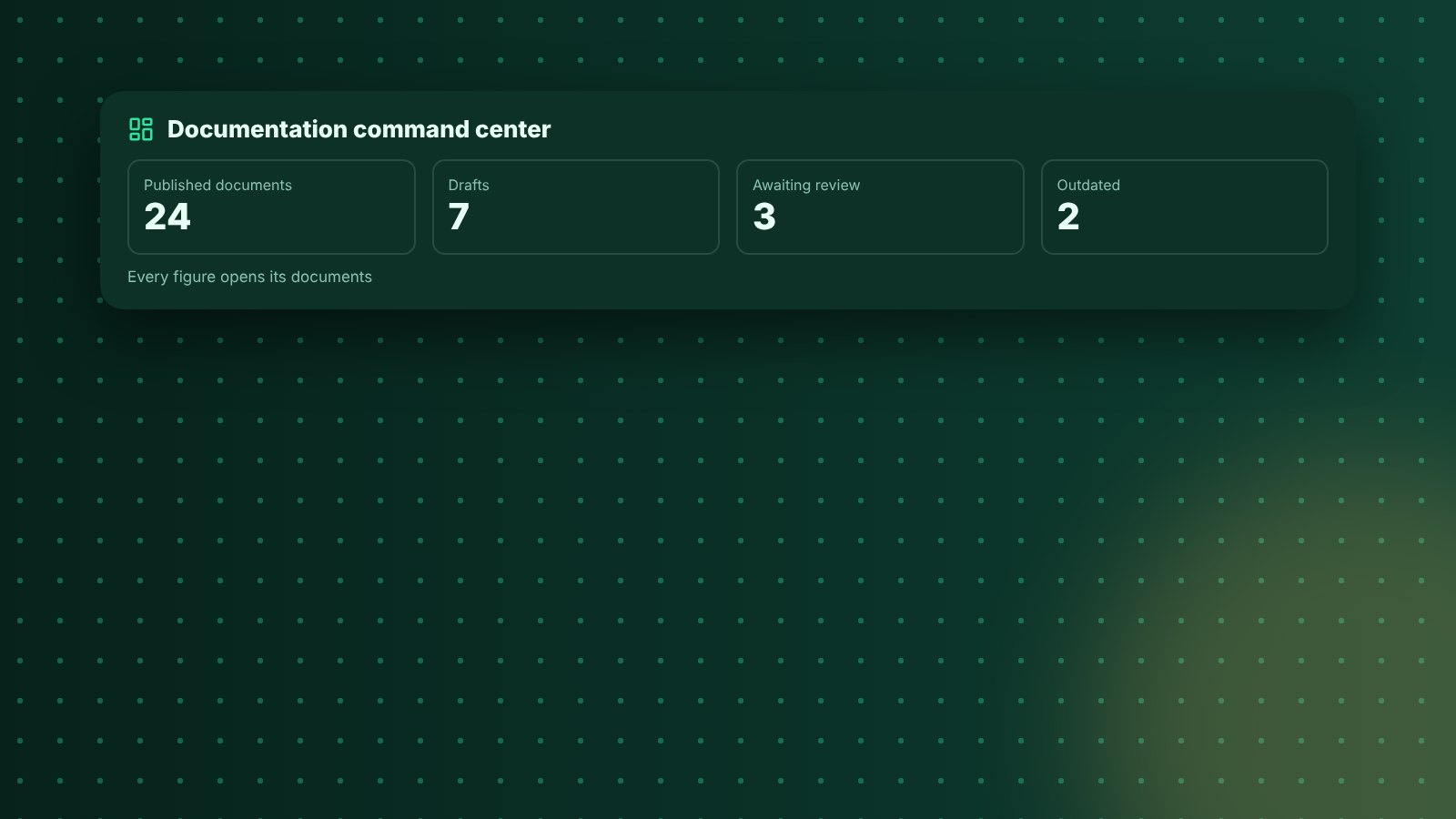
Active projects, published documents, drafts, documents awaiting review, technical validation and approval, outdated documents, reviews due in 30 days, unresolved comments, median review time and time to first publication, coverage by product and type, recent changes, writing activity and documents with a low quality score. Every figure opens the documents behind it. Gaps and broken links are under Analytics & gaps.
Permissions and seats
| Permission | Allows |
|---|---|
| View Technical Writing Intelligence | Published documents (and, for the documentation team, drafts) and the command center |
| Write documentation | Create and edit documents, projects, products and templates — needs a writer seat |
| Review documentation | Technical and editorial reviews and scheduled-review confirmations — never on your own document; no seat |
| Approve documentation | Publication approval — never your own — and publishing to the knowledge base and help centre; no seat |
| Technical Writing settings | Seats, review rules, scheduled reviews and the AI limit |
Roles: Documentation · Technical Writer, Documentation Lead, Reviewer (SME) and Reader. Executives and auditors can view. The AI limit is 40 written outputs a day (0–150) for the workspace.