
TR Test Studio and Test Studio Desktop: record and run tests locally, review and report in TicketResolve
How TR Test Studio (TR AI Software Test Engineer) works: Test Studio Desktop for Mac and Windows records and runs tests on the tester’s computer, keeps recordings and evidence there, and syncs masked test steps and run results to TicketResolve for review, plans, coverage and defects.
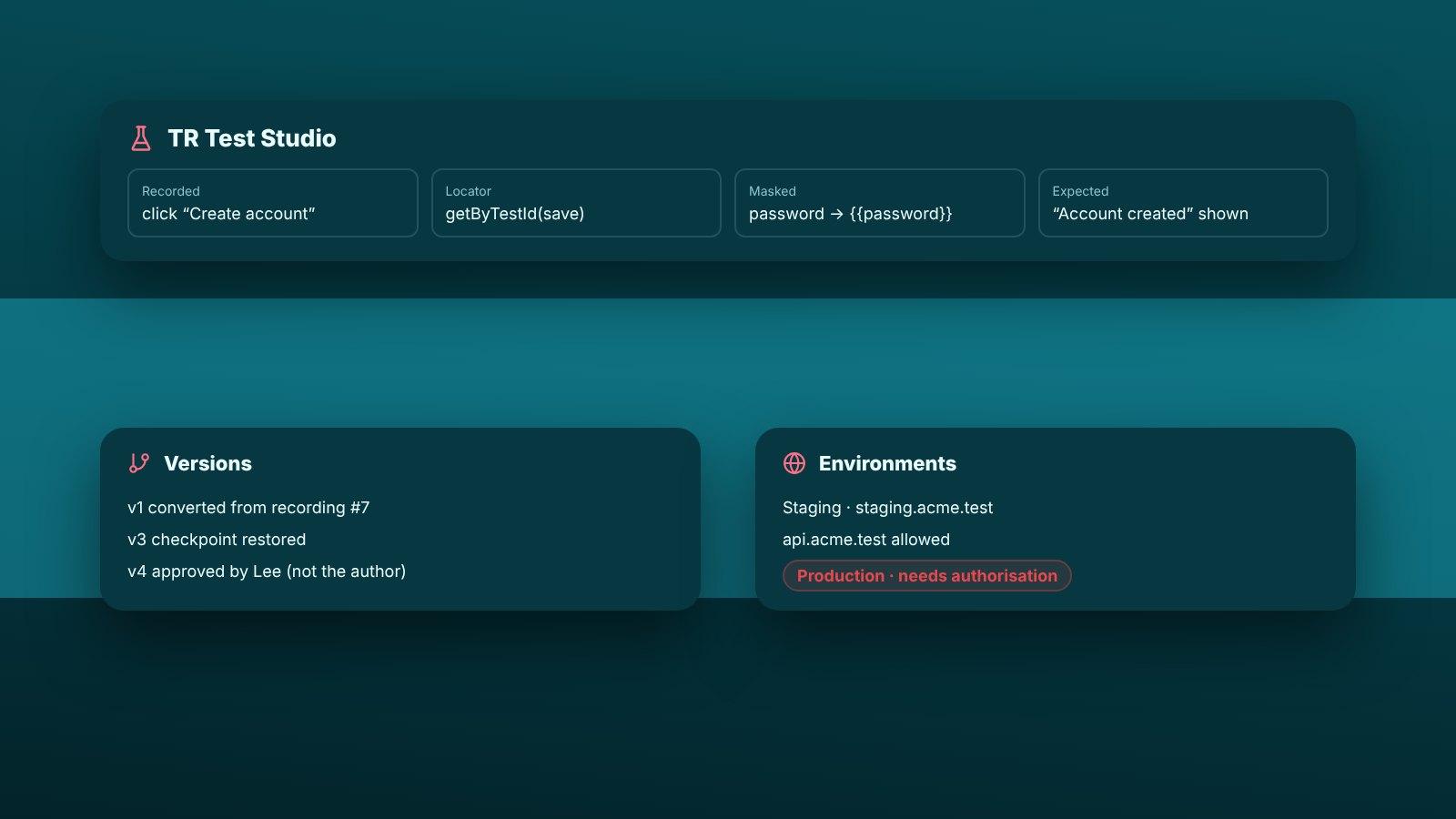
TR Test Studio is the workspace of the TR AI Software Test Engineer. You record how people use your web application and run tests in Test Studio Desktop, an app for macOS and Windows, on your own computer. TicketResolve keeps the parts the team shares: test cases and their versions, reviews, plans, coverage, run results and defects. It sits next to TR’s existing reproduction and regression tools: it doesn’t replace the TR Connect diagnostic recorder, the regression library or your CI.
Projects and environments
A project is an application under test. Its case keys use the project’s prefix (WEB-1, WEB-2…). An environment is where tests may run: a base URL and the hosts it may reach. Recordings that visit any other host are refused.
- Test and staging environments can be used straight away.
- A production environment can’t run tests until a QA manager authorises it, and the reason is recorded. Changing where it points removes the authorisation.
Test Studio Desktop
Test Studio Desktop is part of Engineering Intelligence, so its installers are tied to your subscription. Signed in, download it from Test Studio → Downloads & keys for macOS (Apple silicon or Intel) or Windows. To download without signing in, for example on a test computer or when IT installs it, create your installer key there and enter it on the public Downloads page. Each person who can record and run tests has one key per workspace; it is shown once, stored hashed, and can be revoked by its owner or a Test Studio manager. Every download checks the key, the person’s access and the plan at that moment, and paired computers stop syncing if the plan no longer includes Engineering Intelligence. In TicketResolve open Test Studio → Recordings → Test Studio Desktop, create a pairing code (valid for 10 minutes) and enter it in the app. A paired computer acts as the person who paired it, with their current permissions; revoke it from the same panel or disconnect it in the app’s settings.
| Stays on the computer | Syncs to TicketResolve |
|---|---|
| Recordings and every recorded value | The test case made from a recording: steps and locators, with sensitive values masked |
| Checkpoint screenshots, failure screenshots, Playwright traces and videos | Run results: status, step results and timings, errors, browser and OS |
| Test passwords and other test data, encrypted with the macOS Keychain or Windows account | Console errors and failed requests (addresses without query values), with e-mails, card numbers and secrets masked |
| The app’s log | One failure screenshot, only when you tick “attach” while drafting a defect (resized, up to about 290 KB) |
- Recording. Choose a project and environment, confirm you’re allowed to record the application, and start. The app opens Google Chrome or Microsoft Edge (whichever is installed and chosen in Settings) with a fresh profile, and records only pages on the environment’s allowed hosts; leaving them pauses recording. It records pages, clicks, typing, choices, ticks, keys, submits, uploads (how many files, never names or contents), dialogs and checkpoints, with several locators per element.
- Masked in the page. Passwords, card numbers, one-time codes, tokens and sensitive-looking fields are removed in the page before the app receives them, masked again when the test is saved, and once more on the server.
- Review on the computer. Stop and review shows every recorded action and the test it becomes, with warnings. Remove actions, then save it as a test case. Only the test case is sent; the recording stays in the app until you delete it.
- Running. Approved versions run from the Tests tab, and plan items from the Plans tab (untested items, or failed ones again). Each run uses a fresh browser profile, only the environment’s allowed hosts, and test data from the app’s settings. Results sync as each test finishes; if the computer is offline the run is kept and can be synced later.
- Evidence. Every run keeps a Playwright trace (and a video if you switch it on) in its own folder, deleted after 30 days by default. Show evidence folder opens it.
The TR Test Recorder extension and remote TR Test Agents were retired when the desktop app shipped: new recorder pairings and agents can’t be created, but recordings and runs they produced stay readable.
From recording to test case
A recording is a structured list of what the tester did: navigations, clicks, typing, selections, checkboxes, key presses, submits, uploads, dialogs, checkpoints, annotations and business steps. Each action carries the element’s test id, role and accessible name, label, attributes, CSS path and XPath. Values are masked in the browser and masked again on the server:
- Passwords, card numbers, one-time codes and secrets are removed.
- E-mail addresses and phone numbers become synthetic values.
- Tokens are stripped from URLs.
Converting a recording builds the test case:
| What happens | Why |
|---|---|
| Focus and scroll noise is dropped; typing in one field becomes one step; a click that only focuses a field is removed | Tests read like the journey, not the keystrokes |
| Each element gets locators in order: test id → role and name → label → placeholder → stable attribute → CSS → XPath → screen position | Robust tests; generated ids and positional chains are marked unstable, and screen position is a last resort that blocks approval |
| A page change caused by a click becomes a suggested URL assertion; checkpoints become assertions; business steps are marked | Assertions come from what the tester checked |
| Masked values become test-data variables (a secret is supplied at run time) | No secrets in tests or scripts |
| Steps that change data, or look like billing, security, account or messaging actions, are flagged; a cleanup step is suggested | Reviewers see the risk; risky steps are blocked on production |
| Repeated step sequences are reported | Candidates for reusable components or data-driven tests |
The converter never invents expected behaviour. If no checkpoint was recorded, the test is marked as missing an expected result and can’t be submitted until someone adds or accepts an assertion.
When a test fails: analysis and defects
Every failed run gets a failure analysis: rule-based, worked out in the desktop app from the run’s errors, failed requests and console errors, and in TicketResolve from the history of the same test version on the same environment. It names the most likely cause with its confidence and evidence, and suggests a next step. It never claims certainty.
- Categories: likely product defect, test defect, environment problem, test data issue, infrastructure issue, intermittent failure, external dependency failure, possible expected behaviour change, or unknown.
- Structured defects. A person drafts a defect from the run: severity from the test’s criticality, recommended priority, environment, browser and OS, steps to reproduce, expected and actual results, failure point, the failing step’s screenshot if you attached it, console errors, failed requests, the test case, components and the analysis. A failure that doesn’t look like a product defect needs an explicit “raise anyway”.
- Duplicates. Failures with the same failing step, locator, kind of error and environment add an occurrence to the open defect instead of creating another.
- Approval. Critical and high severity defects need approval by someone with test-approval permission who didn’t draft them. Editing sends a draft back for approval.
- Your tracker. Defects are filed through the engineering tracker connection (Jira, Linear, GitHub, Assembla or monday.com) with the screenshot attached where the tracker supports it, or linked to an existing issue. Status is read back, and a later passing run on the same environment marks the fix as verified.
Test plans, traceability and CI
- Plans by release, sprint, milestone, build, application version, environment and browsers. Approved cases become items (one per browser for automated cases) with assignees and results from desktop runs, manual results (with what happened for anything but a pass) or CI. Reruns keep earlier runs.
- Sign-off by someone who can approve tests, once every item has a result, with a reason if anything failed or was blocked. Signed-off plans can’t change.
- Requirements coverage: requirement → test cases → latest result → defects → verified fix. Requirements with no tests, only manual tests, failing, not yet run, or covered and passing, and critical requirements without an approved automated test.
- CI results: JUnit XML from any framework, uploaded in Test Studio (existing TR Test Agent tokens can still post to
POST /api/test-agent/v1/junit; a dedicated CI token is planned). Tests are matched to cases by key; unmatched ones are listed. Files with a DOCTYPE or entities are refused; the limit is 5 MB. - Exports: Playwright, Cypress and Gherkin from each version. TicketResolve doesn’t run your CI: your pipeline runs the exported tests and you upload their JUnit results.
Test intelligence (R6)
- Flaky tests (Intelligence tab): worked out from 90 days of runs per test and environment. A test is flaky when it switches between passing and failing on the same version (three or more switches, or two at 20%+ of runs) or passes only on retries; suspected with fewer signs. A new test version that starts passing counts as a fix, and a test that always fails is a consistent failure, not flakiness. Kinds shown: timing, element not found, network, test data, environment, one browser only, retry. Anyone who writes tests can confirm a test is flaky; quarantining it, clearing it or marking it fixed needs a QA lead or manager, and quarantining or clearing needs a reason. Flakiness is tracked apart from defects.
- Locator repairs: when a step can’t find its element, Test Studio Desktop counts how many visible elements each recorded locator for that step matches (only locators already in the test; nothing else from the page is sent). The run stays failed. If exactly one recorded alternative matches exactly one visible element, a repair is suggested. Accepting it writes a new version, with the old locator kept as an alternative, and submits it for review: the person who accepted it can’t approve it, and runs keep using the approved version until someone else does.
- Test selection for a change: map components to path patterns (
src/checkout/**) and test tags. Paste changed files (for examplegit diff --name-only); approved tests covering a changed component are selected, critical tests are always added, high-criticality tests are added when some files map to no component, and each test lists why it is in or out. A QA lead can create a plan from the selection. - Release quality: per-project criteria (plans in scope, every critical test passed, minimum pass rate, maximum open critical and high defects, minimum requirements verified, maximum flaky or quarantined tests, sign-off, how recent results must be). A report snapshots the evidence and is Ready only if every criterion is met; tests not run count against the pass rate, and a criterion without evidence is “not enough evidence”, never met. Someone other than the person who generated it approves or rejects it, and only a Ready report can be approved.
- TestRail (optional): a manager connects a TestRail address (https), user, API key (stored encrypted) and project. Import adds each TestRail case once as a draft manual test (steps, expected results, priority, references), linked by its TestRail ID; with TestRail as the source of truth, changed TestRail cases update the test as a new version. Sending a plan’s results creates one TestRail run per plan (reused afterwards) and adds results for linked cases (worst result across browsers). Rate limits are retried, and every sync is logged. This follows TestRail’s published API and is tested against a simulated TestRail, not yet a live account.
Versions and review
- Every edit is a new version with a note on what changed. Earlier versions stay readable.
- A version is submitted for review, then approved or sent back with a note. Nobody approves a version they wrote.
- A test with steps that look risky needs a note on why approving it is safe.
- Each version has a generated Playwright script. Secrets come from environment variables, and so does the base URL (
TR_BASE_URL). You can copy or download it and run it with Playwright Test.
Who can do what
| Permission | Allows |
|---|---|
| View Test Studio (tse.view) | Projects, environments, test cases and versions, recordings |
| Write and record tests (tse.author) | Pair Test Studio Desktop, save recordings as test cases, run approved tests, write and edit test cases, submit them for review |
| Approve tests (tse.approve) | Approve or reject versions written by someone else |
| Test Studio settings (tse.manage) | Projects, environments and allowed hosts, production authorisation, retiring test cases |
Role templates: Engineering · QA engineer, Engineering · QA lead and Engineering · QA manager.