
Implementations: from signed customer to go-live
How Implementations turns an accepted sales hand-off into a realistic plan, gives every task one accountable person, tracks customer and third-party dependencies against the date they’re needed, shares a customer action page, and decides go-live at an evidence-based gate before handing over to Customer Success.
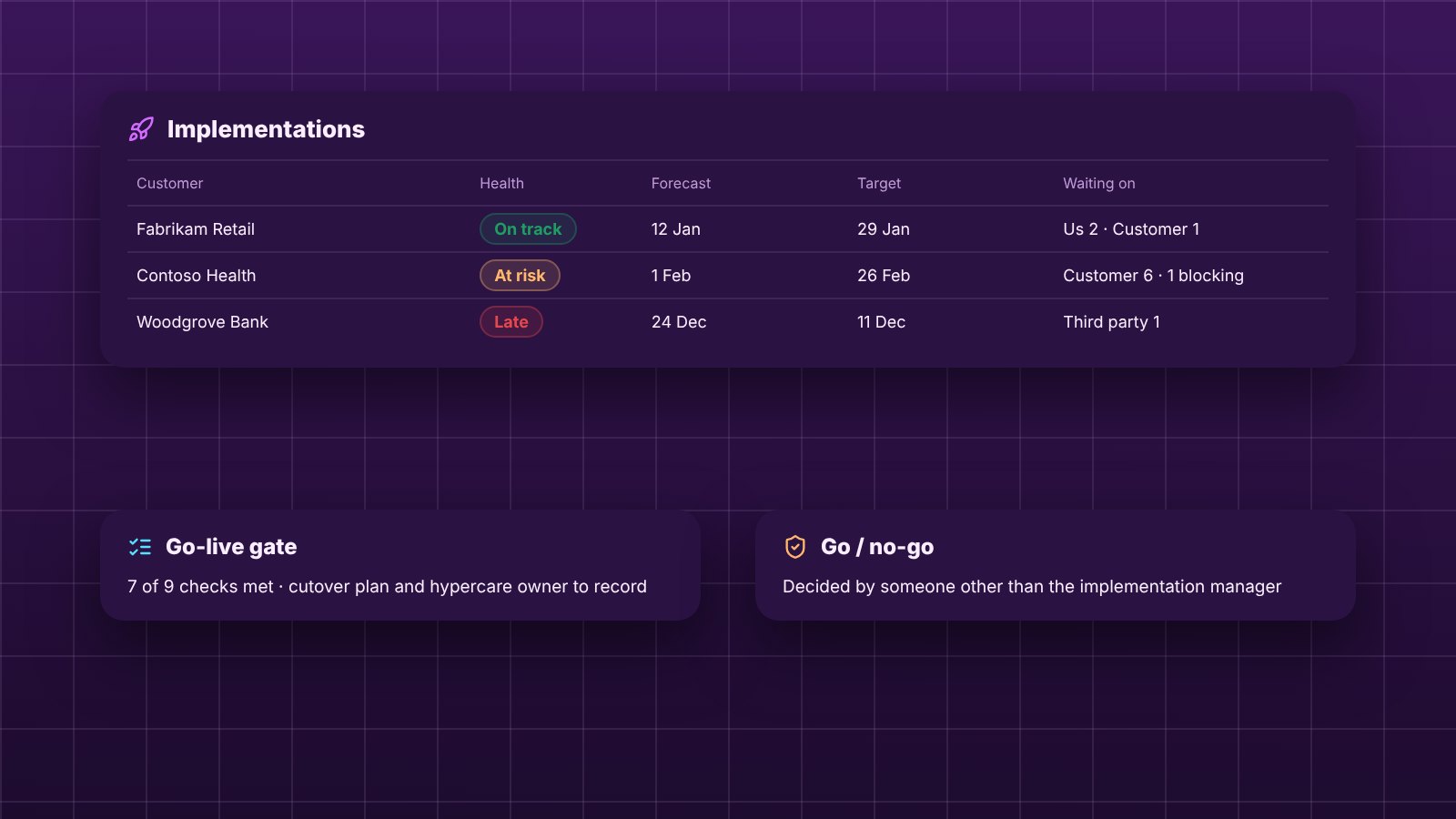
Implementations takes a newly signed customer from the accepted sales hand-off to go-live:
- a plan generated from what was sold;
- one accountable person for every task, on your side, the customer’s or a third party’s;
- every dependency tracked against the date it’s actually needed;
- go-live decided at a gate.
Open it from Implementations in the menu. It’s included in every plan, with no seats.
Starting an implementation
When delivery accepts a hand-off in Sales Engineering → Hand-offs to delivery, it appears under Ready to start. Click Start implementation, then:
- enter the kickoff date and the target go-live;
- add the contractual go-live if the contract commits to one;
- check the segment;
- say how many technical consultants will work on it.
You can also start one without a hand-off by entering the customer and its requirements, one per line. Start a line with “must:” for a must-have.
The implementation is linked to the Customer Success account with the same name, if there is one.
How the plan is generated
| From the hand-off | Becomes |
|---|---|
| Must-have requirement | Its own task in the right workstream (integrations, data, single sign-on or configuration), marked must-have |
| Other requirements | Grouped into one task per workstream, with each requirement listed |
| Gap | A risk, and a decision the customer must take before acceptance test scripts are prepared |
| Item still to verify | An early verification task and a risk |
| PoC success criterion | An acceptance criterion, with the must-have requirements |
| Stakeholder | A customer person (name and title only) with a suggested role |
Workstreams. Kickoff and governance, technical setup, integrations, data, configuration, testing and acceptance, training, cutover and go-live, and hypercare.
Dependencies added automatically. The plan also adds dependencies the work usually waits on:
- identity provider details for single sign-on;
- credentials and API access for integrations;
- a sample data export for data work.
Durations and feasibility
Units. Everything is in working days (Monday–Friday).
Segment. Template durations scale by segment: 0.6× for small business, 1× for mid-market, 1.5× for enterprise.
Consultants. Build tasks run in one lane per technical consultant, because one person can’t configure several things at once.
Feasibility. The plan is scheduled with the critical-path method and go-live is compared with the target and contractual dates. If it doesn’t fit, the plan says by how many working days and which chain of tasks causes it. It doesn’t compress the plan for you. Change the dates, the segment or the number of consultants and Re-draft.
Learning from your own work. Once your workspace has completed three implementations, template durations are adjusted per workstream by the median of actual ÷ planned duration, kept between 0.5× and 2.5×. Until then, the assumptions say the durations are template values.
Accepting the plan: one accountable person per task
Every role the plan uses needs a person on the right side:
| Side | Roles |
|---|---|
| Us | Implementation manager, technical consultant, trainer |
| Customer | Project lead, IT / administrator, data owner, executive sponsor |
| Third party | Any named person at a partner or vendor, with their organisation |
Our people are workspace members. Customer and third-party people are stored by name, title and organisation only, never an e-mail address.
Accept the plan creates the tasks with their dates and links, milestones (kickoff, acceptance sign-off, go-live), risks and external dependencies. The implementation also appears in the AI Project Manager as a project. You don’t need a Project Manager seat to run it from Implementations.
Tracking: the forecast and dependencies
The forecast. It is re-scheduled from today: finished work takes no time, work in progress keeps what’s left, and nothing starts before its planned start. Tasks with no slack are marked critical path. Any delay to them moves go-live.
External dependencies. Things the plan waits on from outside it: a customer action, a third-party delivery, access or an environment, a decision, or a contract or legal step. Each one blocks a task and has an owner.
Needed by. This is the latest start of the task it blocks, the last day it can arrive without moving go-live. Each dependency is classified against it:
| State | When |
|---|---|
| On track | More than 5 working days before it’s needed |
| At risk | Needed within 5 working days, and not done |
| Blocking go-live | Promised after it’s needed, or still open after the needed-by date. Shows how many working days go-live moves. |
Marking done. A dependency needs evidence (a link or a short note) before it can be marked done.
Health. It is calculated, never typed:
- Late when the forecast is after the target or contractual date.
- At risk when a dependency is blocking, a critical-path task or customer action is overdue, a dependency is due within 5 working days, or there are 2 or fewer working days to spare.
Waiting on lists everything open across implementations, grouped by us, the customer or a third party.
Reminders. Every day, owners are told about tasks due or overdue and dependencies at risk or blocking. Items owned by the customer or a third party go to the implementation manager.
The customer action page
On the People tab, create an action page link for anyone at the customer or a third party. The page shows:
- their own open and finished actions;
- the date each is needed by;
- your implementation manager’s name;
- the target go-live.
It never shows risks, internal notes or other people’s work.
What they can do. They can mark an action done, with an optional note and an https evidence link, or leave a comment. What they mark done shows as reported by the customer and only counts once someone who runs implementations confirms it, or sends it back.
How the link works.
- It is shown once; only its fingerprint is stored.
- It expires (30 days by default, at most 90) and can be revoked.
- A new link replaces the old one.
- All links stop working when the implementation is handed over or cancelled.
- The page is rate-limited, not indexed, and has no analytics.
TicketResolve doesn’t e-mail customers: you send the link yourself.
The go-live gate and go / no-go
| Check | How it’s met |
|---|---|
| Every must-have requirement delivered | Calculated: every must-have task is done |
| Acceptance testing signed off | Calculated: the customer sign-off task is done (confirmed by us if the customer reported it) |
| No open dependency blocking go-live | Calculated: every external dependency is done or cancelled |
| No open critical or high issue | Calculated from the issue log |
| Integrations tested end to end | Calculated when the plan has integrations |
| Data reconciled and signed off | Calculated when the plan has data work |
| Administrators and end users trained | Calculated from the training tasks |
| Cutover and rollback plan approved | A person records the evidence |
| Hypercare owner and support route named | A person records who and how |
Waivers. A check can be waived with a reason by someone with Approve go-live, but never by the implementation manager.
Requesting a decision. When every check is met, waived or doesn’t apply, ask for a go / no-go decision.
Deciding. Someone with Approve go-live decides, and it can’t be the implementation manager or the person who asked. “Go” records who signed off for the customer. “No-go” needs a reason and returns the implementation to delivery.
Going live. A “go” is approval, not go-live. When the customer is actually live, confirm the date (today or earlier) and hypercare starts: 5, 10 or 15 working days by segment.
Hand-off to Customer Success
Sending it. During hypercare, hand the implementation to the customer’s CSM. Open high or critical issues must be closed first. Ending hypercare early needs a reason.
Accepting. The CSM accepts or returns it with what’s missing. On acceptance, if the customer is a Customer Success account, a 90-day success plan is created with:
- the accepted outcomes from the acceptance criteria;
- 30-day and 90-day review milestones.
The implementation is then closed.
Permissions
| Permission | Lets you |
|---|---|
| View implementations (impl.view) | See every implementation, update the tasks and dependencies you own, and answer a hand-off sent to you |
| Run implementations (impl.manage) | Start implementations, accept plans, assign people, add tasks and dependencies, create action page links, record gate evidence, request go / no-go, confirm go-live and hand over |
| Approve go-live (impl.approve) | Decide go / no-go, waive checks and cancel, never for an implementation you manage or a request you made |
The built-in roles Implementation · Director of Professional Services, Implementation · Implementation Manager and Implementation · Consultant cover the usual set-ups. Customer Success managers, pre-sales managers and leads can view implementations.
API
Everything in the dashboard uses /api/trial/:trialId/implementations:
GETfor the list,GET /waitingandGET /:id;POSTto start an implementation;POST /:id/accept,/redraft,/people,/tasksand/dependencies;PUT /:id/tasks/:taskId;PUT /:id/gate/:key;POST /:id/go-live/request,/go-live/decideand/go-live/confirm;POST /:id/handoffand/handoff/respond;POST /:id/share-links.
Every change is recorded in the implementation’s history and the audit log.
What isn’t in this release
These are planned, and not available yet:
- data migration runs;
- acceptance test case management;
- professional-services resourcing beyond the AI Project Manager’s allocations;
- adoption and time-to-value measurement;
- a TicketResolve-deployment template that checks itself off from your integrations.