
How to Write a Customer Support Playbook Your Team Will Actually Use (With Template)
Every support team has a playbook; in most it’s scattered across docs, Slack and two people’s heads. What to put in a written one, a page template agents can use mid-ticket, who should own it, and how to keep it current, with an illustrative team writing its first ten pages.
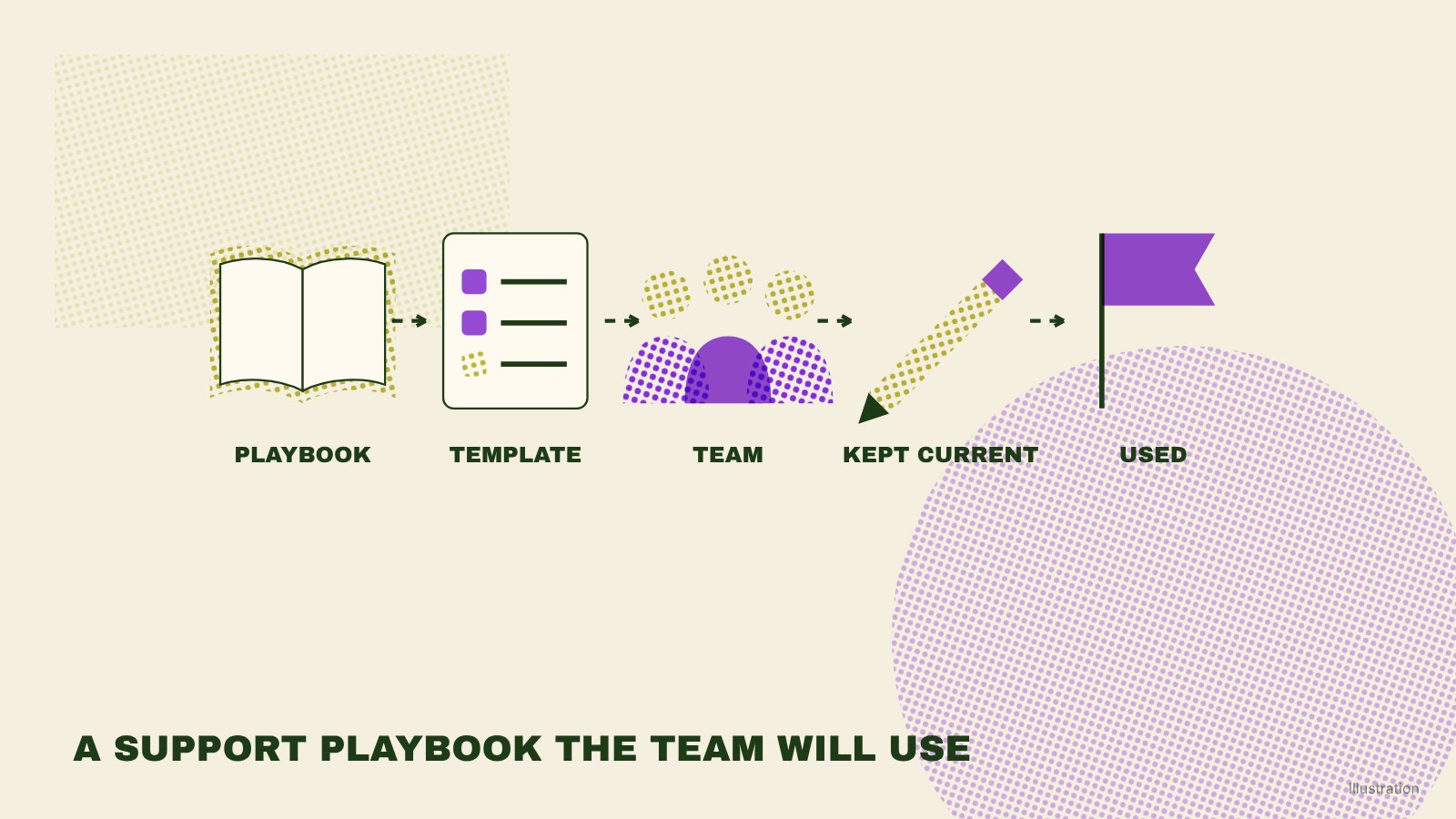
Every support team has a playbook. In most teams it is just spread across a shared drive, a pinned Slack message, three Google Docs with "FINAL" in the name, and the heads of the two people who have been there longest.
That works until one of those two people is on holiday, a new hire answers a refund request the old way, or an outage hits at 2 a.m. and nobody remembers who to page. A written customer support playbook fixes this. It is the single place where your team's processes and procedures live: how to escalate, who approves refunds, what to tell customers during an incident, how to hand over a shift.
This guide covers what to put in a support playbook, how to structure each page so agents can use it mid-ticket, and how to keep it accurate. That last part is where most playbooks fail.
Here's what "the playbook is in people's heads" costs at a company that sells a meal-planning app. The events are illustrative:
- Monday: Aisha, one of the two long-timers, starts two weeks' leave.
- Tuesday: a new agent refunds a customer 14 months after purchase. The real limit was 30 days, written nowhere.
- Wednesday: a customer asks for a manager. The agent isn't sure who that is, and the ticket sits.
- Thursday 02:00: recipes stop loading. The night agent doesn't know who to page or what to tell customers; three agents improvise three different messages.
- Friday: the shared drive has "Refund policy FINAL", "Refund policy FINAL v2" and "Refunds (use this one)". They disagree.
Everyone was trying to do the right thing. Nobody could find it.
First, the basics
- A playbook is your team's internal procedures.
- A knowledge base is customer-facing help.
- A macro is a saved reply; it needs a procedure around it.
- A section owner keeps a group of pages accurate.
- Version history keeps every previous version of a page.
Why does this matter? Inconsistent answers cost money (wrong refunds), trust (different incident messages) and SLAs (stuck manager requests). A written, owned playbook makes the right answer findable in the middle of a ticket.
The problem, in plain terms
- Procedures live in heads.
- Several "final" versions disagree.
- Pages are prose, not steps.
- Nobody owns keeping them current.
- Changes can't be undone.
What a support playbook is (and is not)
A support playbook is the set of internal procedures your team follows. It answers "what do we do when…?" for the situations that come up again and again.
It is not your help centre. Help articles tell customers how the product works. The playbook tells your agents how your team works: what to check, who decides, what to say, where to record it. The two overlap at the edges. A refund procedure might link to the customer-facing refund policy. But they serve different readers.
It is also not a script library. Saved replies and macros are useful, but a macro without the procedure around it ("only use this after confirming the order shipped more than 30 days ago") is how inconsistent answers happen.
The first ten pages to write
Do not try to document everything at once. Start with the procedures where inconsistency costs you the most: money, customer trust or a missed SLA.
- When and how to escalate. Which situations go to a Support Lead, a Support Manager, Level 2/3 or engineering, and what the hand-off must include.
- Customer asks for a lead or manager. How to acknowledge it, who picks it up, and by when.
- Ticket priorities and response times. What counts as urgent, high, normal and low, and the first-response and resolution targets for each.
- Refunds and credits. Who can approve what, up to which amount, and what has to be checked first.
- Incidents and outages. How to spot one, who to tell, what customers are told while it is open, and how they are told it is fixed.
- Shift handover. What to hand over, where to write it, and what to check at the start of a shift.
- Bug reports. What details to collect, where to log the bug, and how to keep the customer updated.
- Account access and security requests. How to verify identity before changing an email address, resetting 2FA or sharing data.
- Angry or abusive customers. De-escalation steps, when to involve a lead, and when a conversation can be ended.
- Reviewing AI-drafted replies. If you use AI for support, what agents check before approving a draft and when to reject or teach it.
These ten cover most of the "I wasn't sure what to do" moments new agents run into in their first month.
A page template agents can use mid-ticket
An agent opens a playbook page with a customer waiting. Long prose doesn't work in that moment. Use the same short structure on every page:
## When this applies
One or two sentences. What triggers this procedure, and what does not.

## Steps
1. Numbered, in the order they happen.
2. One action per step. Name the screen, field or tag.
3. Note who does the step if it is not the agent.

## Who decides
The role that approves exceptions, with limits (e.g. "Support Lead up to $200").

## What to tell the customer
The key points, not a full script. Link to the macro if there is one.

## Where to record it
Tags, fields, internal note format.

## Related
Links to the policy, the help article and neighbouring procedures.
Three rules make pages usable:
- Write steps, not paragraphs. "Check the order date in Shopify" beats "it is important to verify eligibility".
- Name roles, not people. "Support Lead" survives staff changes; "ask Priya" does not.
- Put numbers in. Amounts, days, response times. "A reasonable period" means something different to every agent.
Who owns the playbook
A playbook nobody owns goes stale within a quarter. The pattern that works:
- Support Leads and Support Managers write and edit. They see the edge cases, approve the exceptions and run the team day to day. They are the right people to keep procedures accurate.
- Everyone else reads. Agents should be able to search the playbook and suggest changes, but not edit it directly. Otherwise two people "fix" the same page in opposite directions.
- One named owner per section. The person who runs billing escalations owns the refunds pages.
Keep every version. When a procedure changes, you need to be able to see what it said last month, and undo a change that turned out to be wrong.
Keeping it current
Playbooks rot for predictable reasons: the product changes, a policy changes, or a workaround becomes the real process and nobody writes it down. Build the upkeep into how the team already works:
- Change the page in the same meeting the decision is made. If the weekly team meeting changes the refund limit, update the page before the meeting ends.
- Review on a cadence. Each section owner skims their pages once a quarter and touches the "last reviewed" date.
- Treat "I didn't know that" as a bug. When an agent handles something wrong because the playbook was silent or out of date, the fix is a playbook edit, not just coaching.
- Watch your escalations. Tickets that bounce between teams or reach a manager unnecessarily usually point to a missing or unclear procedure.
Where the playbook lives
The best place is wherever agents already work, so opening it doesn't mean leaving the ticket. A wiki works if people actually open it. A playbook built into the support tool works better, because it sits next to the queues, the schedule and the escalation lists it refers to.
TR-AI has a built-in Playbook in the left sidebar for exactly this. Everyone in the workspace can read and search it. The built-in Support Lead and Support Manager roles can add and edit pages. Pages are written in simple Markdown (headings, numbered steps, tables and links) and grouped into sections such as Billing, Escalations and Team. Every save keeps the previous version, so you can read an older one and restore it. If two people edit the same page at once, the second save is stopped instead of silently overwriting the first.
For an empty playbook there is an "Add starter outlines" button. It creates outline pages for escalations, ticket priorities, reviewing AI drafts, shift handover and incidents. The outlines are deliberately left blank where your policies go. Your playbook should describe how your team works, not someone else's defaults.
How the playbook connects to the rest of support
A playbook works best alongside the tools that carry out what it describes:
- Escalation pages describe what your escalation queues should contain. TR-AI lists every ticket it hands to your team in an escalation queue for leads and managers. It also routes customers who ask for a lead or a manager to role-only queues. See how to design a support escalation process.
- Incident pages describe what known issues automate: the same status message to every affected customer, regular updates, and a "fixed" message when it is resolved.
- Shift handover pages rely on knowing who is on. A support schedule across time zones shows who is working now.
- AI draft review pages set the standard for the AI draft review queue.
A worked example, start to finish
Here's the meal-planning team writing its playbook in TR-AI. The names are illustrative.
Day 1. Outlines. Dan, the support manager, opens Playbook and clicks "Add starter outlines". Outline pages appear for escalations, ticket priorities, reviewing AI drafts, shift handover and incidents, deliberately blank where the team's own policies go.
Day 1. Owners. Dan assigns sections: Aisha (when back) owns Billing; Lee, a Support Lead, owns Escalations; Dan owns Incidents and Team.
Day 2. Refunds. Lee writes the refunds page using the template:
- When this applies: a customer asks for money back on a subscription.
- Steps: check the purchase date in billing; within 30 days, refund in full; after 30 days, offer account credit; tag
refund. - Who decides: Support Lead up to $200; Support Manager above.
- What to tell the customer: link to the refund macro.
- Where to record it: internal note with the amount and reason.
Day 3. Incidents. Dan writes who to page at night, the first message to customers, and that customers are told it's fixed through a known issue.
Day 4. Manager requests. Lee writes that requests for a manager go to the Support Manager queue, and that a manager replies the same day.
Week 2. A conflict. Lee and Dan both edit the refunds page at once. Dan's save is stopped instead of overwriting Lee's; he reloads and adds his change.
Week 3. A change. In the team meeting, the credit offer is raised to 60 days. Lee updates the page before the meeting ends. A month later, finance asks what the rule was in April; Lee opens the previous version.
Week 4. A bug. An agent mishandles a 2FA reset because the security page was silent. The fix is an edit, not just a coaching chat.
What changed: one findable answer for refunds, incidents and manager requests, owners for every section, and changes that can be traced and undone.
Five more real-world scenarios
1. A new hire's first week
Situation. A new agent faces their first refund.
How TR handles it. They search the playbook from the sidebar, next to the queues they work.
2. An agent spots an error
Situation. An agent sees an outdated step.
How TR handles it. Agents read and search; Support Leads and Support Managers edit. The agent tells the section owner.
3. A wrong change
Situation. An edit turns out to be wrong.
How TR handles it. Every save keeps the previous version, so you can restore it.
4. A long page
Situation. A page needs a table of approval limits.
How TR handles it. Pages use simple Markdown: headings, numbered steps, tables and links.
5. Night shift
Situation. The night agent needs to know who's on.
How TR handles it. The shift handover page links to the support schedule's "Working now".
Before and after
Before. A 14-month-old refund approved, a stuck manager request, three incident messages, and three "final" refund documents.
After. One refunds page with limits and owners, an incident page with who to page and what to say, a manager-request procedure, and version history.
How to tell it's working
- Fewer "I wasn't sure" moments from new agents.
- Consistent answers to refunds and incidents.
- Pages show recent review dates.
- Escalations bounce less.
Who it's for
- Growing support teams.
- Support leads and managers.
- Teams onboarding new agents.
Mistakes to avoid
- Writing everything at once.
- Naming people instead of roles.
- No numbers in procedures.
- Letting everyone edit.
Do it in TicketResolve, step by step
Where: Playbook (/dashboard/playbook). You'll need: any plan; Support Lead or Support Manager role to edit. Full guides: Playbook, Escalation, Support Lead and Support Manager queues and Support schedule.
- Open Playbook from the left sidebar.
- Add starter outlines if it's empty.
- Group pages into sections such as Billing, Escalations and Team.
- Write the first ten pages with the template above.
- Name a section owner for each.
- Update pages in the meeting where decisions change.
- Review quarterly.
How to check it worked: an agent can find the refund limit by searching, and the page's previous version can be opened and restored.
Frequently asked questions
What should a customer support playbook include? Start with the procedures where inconsistency costs the most: escalations, requests for a lead or manager, priorities and response times, refunds, incidents, shift handover, bug reports, account security and angry customers. Each page should say when it applies, the steps, who decides, what to tell the customer and where to record it.
What is the difference between a support playbook and a knowledge base? A knowledge base is written for customers and explains how your product works. A support playbook is written for your team and explains how your team works: who approves what, how to escalate and what to do during an incident.
Who should own and edit the support playbook? Support Leads and Support Managers should write and edit it, with one named owner per section. Agents should be able to read and search everything. Version history matters, so a wrong change can be undone.
How often should a support playbook be updated? Update a page as soon as the decision behind it changes, ideally in the same meeting. On top of that, have each section owner review their pages once a quarter. Any case where an agent acted wrongly because the playbook was silent should lead to an edit.
Who can edit the TR-AI Playbook? The built-in Support Lead and Support Manager roles. Everyone in the workspace can read and search it.
What happens if two people edit the same page? The second save is stopped instead of silently overwriting the first.
Are previous versions kept? Yes, every save keeps the previous version, which you can read and restore.
What do the starter outlines cover? Escalations, ticket priorities, reviewing AI drafts, shift handover and incidents, left blank where your policies go.
Which plans include it? Every plan.
Explore Topics
Written by
Ghulam Shabbir
Content creator and writer sharing insights and stories.