
Brand Voice for AI Support Replies: How to Make AI Sound Like Your Team (Not a Robot)
How to set the tone, formality, greeting, sign-off, length and vocabulary of AI-written support replies, keep one voice across email, chat, messaging and phone, and support several brands, with a style guide an AI can follow and an illustrative two-brand rollout.
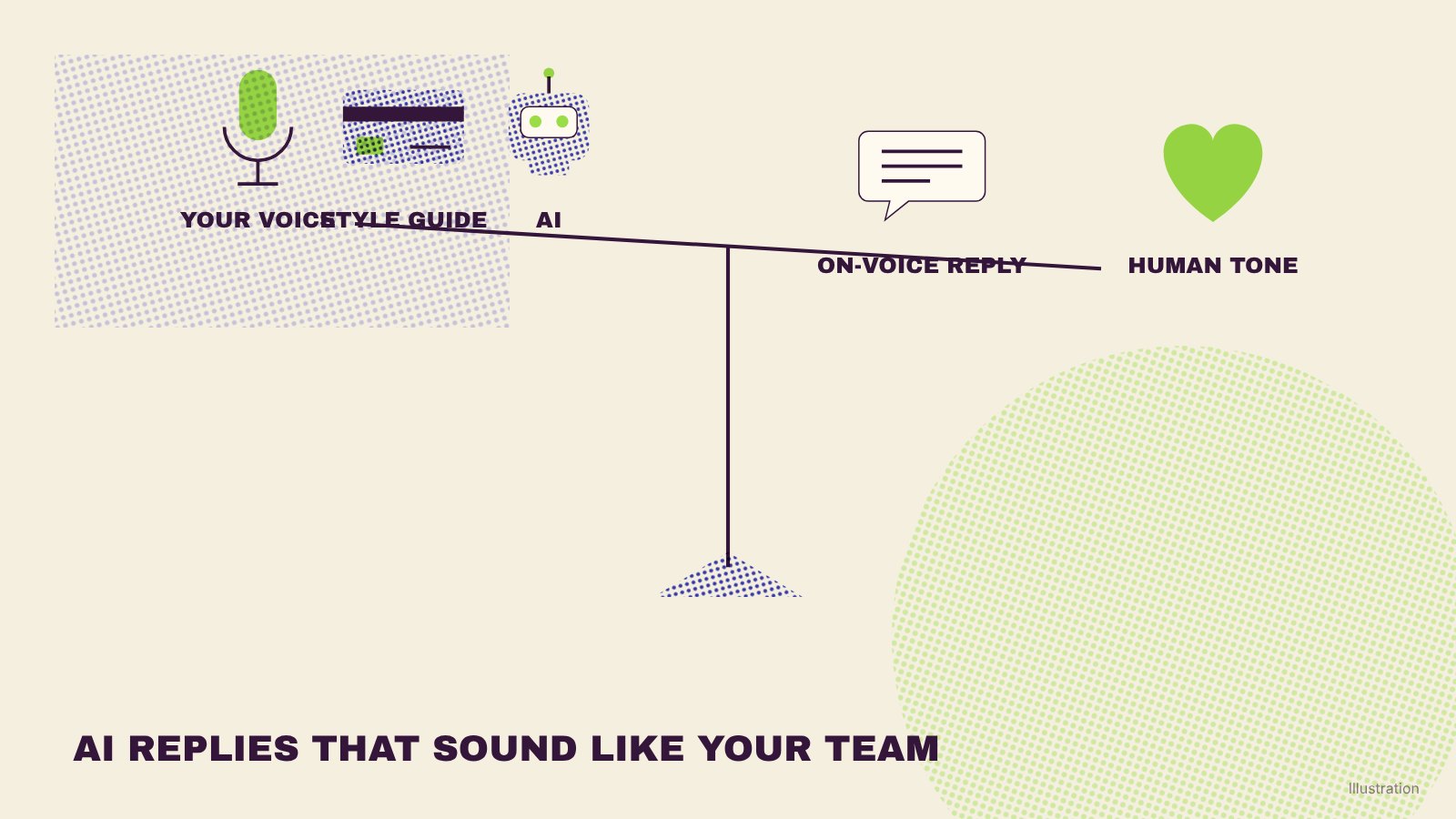
Customers notice when a reply doesn't sound like you. A playful consumer brand that suddenly writes "We acknowledge receipt of your enquiry" feels off. So does a bank that sends emoji. AI support makes this more pressing: the AI writes a large share of your replies, so its voice becomes your brand's voice.
The good news is that voice is the easiest part of AI support to control, as long as you separate how the AI writes from what it is allowed to say. This guide covers which voice settings matter, how to write a support style guide an AI can follow, how to keep one voice across channels, and how to run several brands from one help desk.
Here's how it goes wrong at a company that runs two brands from one support team: a playful snack-box subscription and a premium kitchenware store. The companies are illustrative:
- Monday: a snack-box customer asks where their box is. The AI replies: "We acknowledge receipt of your enquiry and will investigate." The brand's own emails say "Hey snack fan!".
- Tuesday: a kitchenware customer in Germany gets an informal "du" reply. For a premium brand, that reads as careless.
- Wednesday: someone adds "be generous and say yes" to the tone instructions. A refund that should have gone to a person gets promised.
- Thursday: a snack-box reply includes setup steps for a kitchenware product.
- Friday: the chat bot, the email AI and the phone agent sound like three different companies.
The AI was answering correctly. It just didn't sound like either brand, and one style setting had quietly become a policy.
First, the basics
- Brand voice is how your replies sound: tone, formality, greeting, sign-off, length, vocabulary.
- Policy is what the AI may promise and which topics go to a person.
- Formality is the formal or informal "you" (Sie/du, vous/tu, usted/tú).
- A style guide is the written set of voice rules.
- A brand workspace is one brand's own help desk connection, knowledge, voice and plan.
Why does this matter? The AI writes a large share of your replies, so its voice becomes your brand's voice. Specific, checkable rules keep it on-brand, and keeping voice separate from policy stops a tone setting from changing what customers are promised.
The problem, in plain terms
- Generic, stiff replies that don't sound like you.
- The wrong formality in languages that have one.
- Tone instructions that change policy.
- Brands mixing tone and steps.
- Different voices on each channel.
Voice is style, not policy
Keep two things apart:
- Voice: tone, formality, greeting, sign-off, length, vocabulary, emoji.
- Policy: what the AI may promise, which topics go to a person, which sources it trusts.
When "be generous and say yes to customers" goes into a tone instruction, a style setting has quietly become a refund policy. Voice settings should change how replies are written, never what the AI is allowed to say. Policy belongs in procedures and confidence rules.
The settings customers actually notice
- Tone: friendly, professional, concise, warm or technical. Choose one main tone. "Friendly but professional and concise" pulls three ways.
- Formality: this matters most in languages with a formal "you" (Sie, vous, usted). Getting it wrong in German or French is very noticeable.
- Greeting: "Hi Sam," with the customer's name, "Hi there," or none.
- Sign-off and signature: your own closing line and signature block.
- Length: short for chat-heavy teams, where customers skim. Longer for technical products where steps matter.
- Emoji: never, at most one, or no rule.
- Words to use and avoid: your product names spelled exactly ("TicketResolve", not "Ticket Resolve"), your terms ("members", not "users"), and words you never want to see ("unfortunately", "per our policy").
Writing a style guide an AI can follow
Most brand voice documents are written for marketers: "We are bold, curious and human". An AI can't do much with adjectives. Rewrite the guidance as instructions you can check:
| Vague | Specific |
|---|---|
| "Be human" | "Use the customer's first name in the greeting." |
| "Be concise" | "Keep replies under 120 words unless the answer needs steps." |
| "Sound on-brand" | "Say 'members', never 'users' or 'customers'." |
| "Be positive" | "Never start a sentence with 'Unfortunately'." |
| "Be professional" | "No emoji. Sign off with 'Kind regards, the Acme team'." |
Each line can be checked against a reply: either it happened or it didn't.
One voice on every channel
If email replies come from one tool, chat from another and the phone agent from a third, you end up with three voices. The fix is one engine with one voice setting that adapts to each channel's format. It's the same tone, but shorter for chat, plain text for WhatsApp and spoken-length on the phone. See WhatsApp and SMS support automation and AI phone agents.
Several brands
Companies that run several products or storefronts need more than one voice, and usually more than one knowledge base. A ticket about Brand A should never get Brand B's tone or Brand B's setup steps.
In TR-AI each brand is its own workspace: its own help desk connection, knowledge sources, voice and plan. That keeps one brand's steps out of another's answers by design. The workspaces are billed in one checkout and reported together — see managing several products.
How TR-AI handles brand voice
Brand voice is on every TR-AI plan:
- Settings: tone (friendly, professional, concise, warm or technical), formality (with the matching "you" form in German, French, Spanish and other languages), greeting, sign-off and signature, reply length, emoji, words to use, words to avoid, and free-text extra instructions.
- Live preview: the editor shows a sample reply and the exact style instructions that will be used, without spending an AI call.
- Style only: instructions that try to override TR-AI's rules (reveal internal notes, name competitors, promise refunds) and links outside your brand's domains are removed. The editor shows what was removed and why.
- Every channel: the same voice applies to email replies, the chat widget, messaging, the phone agent and procedures. Sensitive-topic and billing escalation replies keep their standard wording.
- No extra cost: brand voice adds no AI calls.
Several brands: each brand is its own workspace, with its own voice, knowledge sources and plan. Add one with “+ Add a product”; all of them are paid and reported together.
Not sure a new tone works better? On Growth Pro, run it as a live A/B experiment on a share of tickets before rolling it out to everyone.
A rollout that works
- Start with tone and length only. Read a week of replies.
- Add words to avoid based on what you saw.
- Set formality for each language you support.
- Check a few tickets in the review queue after any change.
- Watch CSAT and reopen rates, not just how the replies read. See how AI improves CSAT.
A worked example, start to finish
Here's the two-brand company fixing its voice. The names are illustrative.
Set-up. Each brand is its own workspace: Snackbox and Kitchenware, each with its own help desk connection, knowledge sources and voice.
Snackbox voice. Rosa, the support lead, opens Brand voice and picks:
- Tone: friendly. Formality: informal. Greeting: "Hi Sam," with the customer's name.
- Length: short. Emoji: at most one.
- Words to use: "snack fan", "box". Words to avoid: "unfortunately", "enquiry".
- Sign-off: "Happy snacking, the Snackbox crew".
The live preview shows a sample reply and the exact style instructions, without spending an AI call. She saves.
Kitchenware voice. Tone professional, formality formal (Sie in German, vous in French), greeting "Hello Sam,", length standard, no emoji, words to avoid "cheap" and "per our policy", sign-off "Kind regards, Kitchenware Customer Care".
The "be generous" line. Rosa pastes "be generous and say yes to refunds" into extra instructions. The editor removes it and shows why: it's policy, not style. Refunds stay in procedures and approval rules.
The next week. Monday's "where's my box?" now gets: "Hi Sam, your box left our warehouse yesterday and should arrive Thursday. Happy snacking, the Snackbox crew 🍿". A German kitchenware customer gets a formal "Sie" reply. No snack-box reply mentions kitchenware steps, because each brand's knowledge sources are its own.
Every channel. The same Snackbox voice applies to email, the chat widget, WhatsApp and the phone agent: short in chat, plain text on WhatsApp, spoken-length on the phone.
Checking. Rosa reads a few tickets in the review queue and watches CSAT and reopen rates for two weeks before adding more words to avoid.
What changed: two recognisable voices, the right formality in each language, no policy hidden in tone settings, and no cross-brand mix-ups.
Five more real-world scenarios
1. Not sure a new tone works better
Situation. You want to try "warm" instead of "friendly".
How TR handles it. On Growth Pro, run it as a live A/B experiment on a share of tickets before rolling it out to everyone.
2. A link outside your domains
Situation. Extra instructions include a link to another site.
How TR handles it. Links outside your brand's domains are removed, and the editor shows why.
3. A billing escalation
Situation. A ticket hits a sensitive-topic or billing escalation.
How TR handles it. Those replies keep their standard wording.
4. Product names spelled wrong
Situation. Replies write "Ticket Resolve" instead of "TicketResolve".
How TR handles it. Add the exact spelling to words to use.
5. Cost worries
Situation. Will brand voice add AI calls?
How TR handles it. No. Brand voice adds no AI calls.
Before and after
Before. A stiff reply for a playful brand, "du" for a premium German customer, a refund promised by a tone setting, and kitchenware steps in a snack-box reply.
After. Two specific voices, formality per language, policy kept in procedures, and each brand's knowledge kept separate.
How to tell it's working
- Replies pass your checkable rules (name, length, words).
- No cross-brand content in answers.
- CSAT and reopen rates hold or improve.
- Agents edit tone less often in review.
Who it's for
- Consumer brands with a distinctive voice.
- Multi-brand companies and agencies.
- Teams supporting several languages.
Mistakes to avoid
- Adjectives instead of rules.
- Mixing policy into tone.
- Three main tones at once.
- Changing everything at once without reading replies.
Do it in TicketResolve, step by step
Where: Brand voice (/dashboard/brand-voice). You'll need: any plan; Growth Pro for several brands and experiments. Full guides: Brand voice and tone, Several brands and A/B experiments.
- Open Brand voice (Dashboard → Brand voice).
- Pick the basics: tone, formality, greeting, length and emoji cover most of what customers notice.
- Add words to use and avoid, and your sign-off.
- Check the preview, which shows a sample reply and the exact style block, with no AI call.
- Save. The next ticket uses the new voice.
- Add a product with "+ Add a product" for each further brand, and set its voice.
- Read a week of replies before the next change.
How to check it worked: the next reply uses the greeting, sign-off and formality you set, and the editor shows anything it removed.
Frequently asked questions
Can AI support replies match our brand voice? Yes. Set the tone, formality, greeting, sign-off, length, emoji and the words to use or avoid. Write each guideline as a specific instruction rather than an adjective, and check a sample of replies after each change.
Should brand voice settings control what the AI can promise? No. Keep voice to style. What the AI may promise or refund belongs in procedures and policies, and a good system strips policy-changing instructions out of voice settings.
How do I run AI support for multiple brands from one help desk? Match each ticket to a brand (by help-desk brand, support address, chat widget or phone number), give each brand its own voice, and scope knowledge sources per brand so one product's steps never appear in another's answers.
Does brand voice work in other languages? It should. Tone and length carry over, and formality should map to the formal or informal "you" in languages that have one, such as German, French and Spanish.
Can voice settings change refunds? No. Instructions that try to override TR-AI's rules, such as promising refunds, are removed, and the editor shows what was removed and why.
Does brand voice cost extra AI calls? No, it adds no AI calls.
Which channels use the voice? Email replies, the chat widget, messaging, the phone agent and procedures.
Can I test a new tone first? Yes, on Growth Pro, as a live A/B experiment on a share of tickets.
Which plans include it? Brand voice is on every plan; several brands are on Growth Pro.
Explore Topics
Written by
Ghulam Shabbir
Content creator and writer sharing insights and stories.