
A Strong Source Is Not a Correct Answer
“Our help article on API limits matched the question at 93%. The reply was sent automatically. The reply was wrong.” How we made auto-send both less cautious and more careful: correct replies are no longer held for a short connecting sentence, and replies that bind a real fact to the wrong plan or limit are no longer sent just because the source matched well.
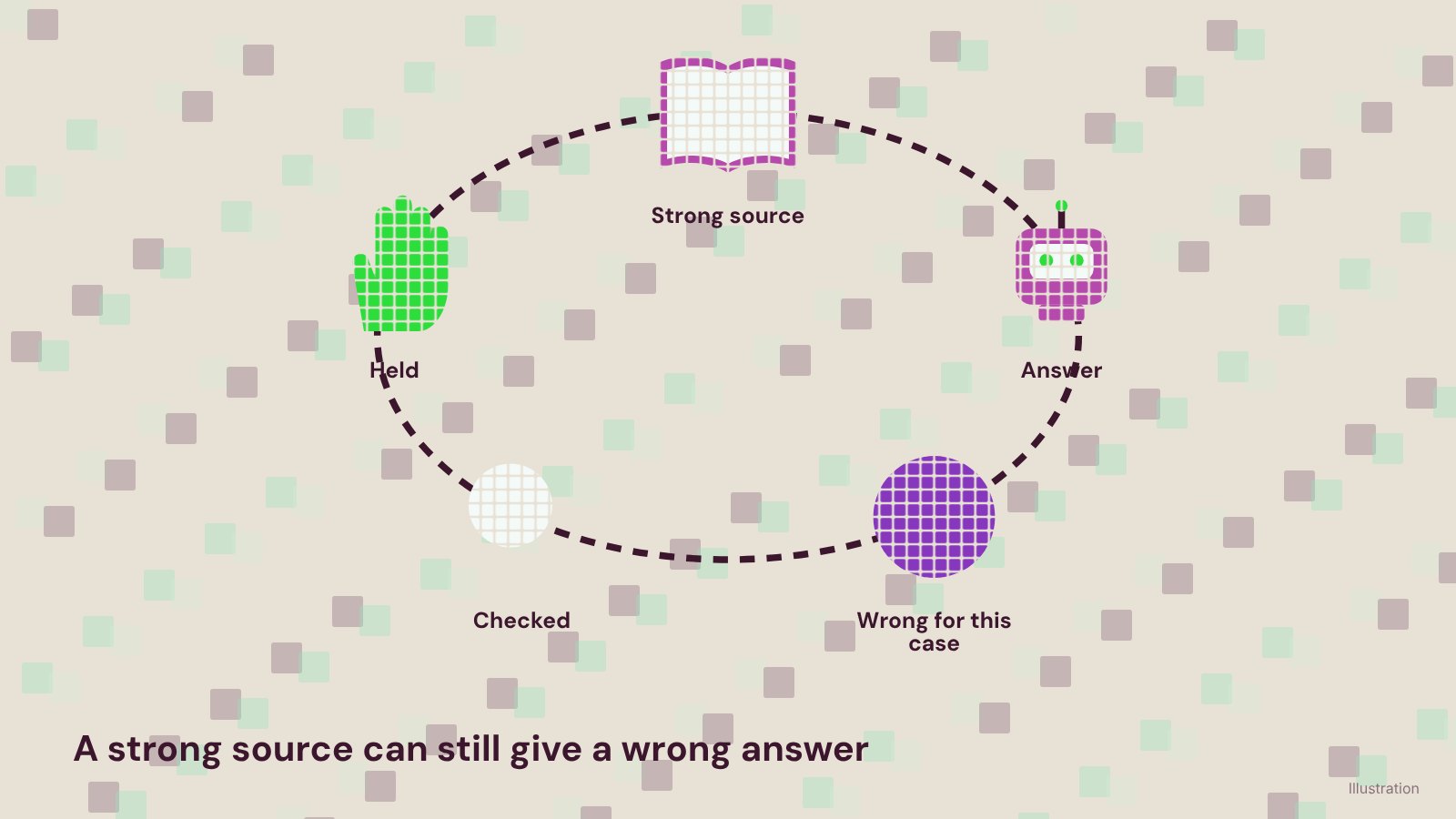
"Our help article on API limits matched the question at 93%. The reply was sent automatically. The reply was wrong."
The article said: Team plan: 30 requests per minute. Business and Enterprise plans: 100 requests per minute. The reply said: The Team plan allows 100 requests per minute.
Every word in that reply is in the article, and so is the number. Only the pairing is wrong, and a meaning model scores it almost exactly like the right answer.
Picture the customer who got it. They build an integration around 100 requests a minute, launch it on a Monday, and by Monday afternoon their requests are being rejected at 30. They write back, annoyed, and they're right to be: the answer came from the vendor's own support.
First, the basics
- Auto-send means TicketResolve sends a reply without a person reviewing it, when it's confident enough.
- A source is what the reply is based on: a help article, a past resolution, documentation.
- Retrieval finds the sources most relevant to the question. A match score (for example 93%) says how close the source is to the question in meaning.
- A meaning model (embedding) compares texts by what they're about. It's good at topic, poor at which number belongs to which plan.
- A confidence check is a rule that holds a reply for review when something looks wrong.
- A false hold is a correct reply held for review unnecessarily. A wrong send is an incorrect reply sent.
- A qualifier is a word that limits a fact: a plan name, a tier, "only", "Enterprise".
- A test set is a fixed set of examples used to measure changes.
Why does this matter? A support AI has two ways to fail: holding good answers (so customers wait and agents re-do work) and sending wrong ones (so customers act on bad information). Fixing one usually makes the other worse. This change improved both, on our test set, without extra AI calls.
Two problems that pull in opposite directions
Teams told us good replies were sitting in review. So we built a harder test: 48 tickets written the way customers write them, with greetings, background, typos and two questions at once. Each ticket comes with the sources retrieval really returns (the right article among unrelated ones), and answers written the way the model really writes them. 32 of the answers are correct. 16 are wrong in realistic ways: the wrong plan, a limit from another tier, a limitation turned into a capability, extra items in a list.
On that test set, the previous scoring:
- held 5 of the 32 correct replies. Short connecting sentences such as "Unfortunately not." or "Then pick the channel." counted as unsupported claims. A limitation about guests was read as contradicting a sentence about members. A company email address quoted in a past resolution was treated as another customer's data.
- sent 8 of the 16 wrong replies. A source scoring above 88% sent the reply whatever it said, and most of those wrong replies tripped no check at all.
These numbers come from our test set, not from customer tickets. They show where the scoring was weak, not how often it happens in your workspace.
What changed
Fewer false holds.
- A short sentence that only connects the answer, made of yes/no words or words already in the question and the reply, no longer counts as the answer's weakest claim.
- A limitation in a source only counts against an answer sentence about the same thing.
- Your own company's email addresses in past resolutions are no longer treated as another customer's details.
Two new fact checks.
- Facts bound to the wrong thing. Each clause that states a plan, a number, "unlimited" or "any plan" is compared with the one source sentence it is about. All of its qualifiers must be in that sentence. "SCIM on Business and Enterprise" fails when the SCIM sentence says Enterprise only. A sentence that says what isn't available ("not on the Team plan") is an inference, not a binding, and is left alone.
- Invented list items. A list of what a feature does may not include items that no source mentions.
A strong source no longer overrides a wrong fact. Above 88%, a reply is still sent. It is now held only when a check finds a wrong fact: opposite meaning, a limitation turned into a capability, a wrong number, plan or limit, an invented list item or detail. Softer checks, such as "not every sentence is backed", stay as notes on the ticket.
The result on the same 48 tickets
| Correct replies sent | Wrong replies sent | |
|---|---|---|
| Before | 27 of 32 | 8 of 16 |
| After | 31 of 32 | 0 of 16 |
The one correct reply still held says a feature isn't on the customer's plan because the article lists only higher plans. That's an inference, and a person should look at it.
On the original calibration set, every correct reply is still sent and no wrong reply is. All of this runs in the same single model call per ticket. The checks are rules, not extra AI calls.
A worked example, start to finish
Here's how the checks treat four replies to tickets like those in the test set. The tickets are illustrative; the rules are the ones described above.
Ticket 1: the API limit. "Hi, we're on the Team plan, what's the API rate limit? Thanks!" Retrieval returns the API limits article at 93%. The reply says "The Team plan allows 100 requests per minute."
- The binding check finds the clause stating a plan and a number: Team plan → 100 requests per minute. It compares it with the one source sentence about it: "Business and Enterprise plans: 100 requests per minute." The qualifier Team isn't in that sentence. Wrong fact: held, despite the 93% match.
- An agent corrects it to 30 and sends it.
Ticket 2: a connecting sentence. "Can guests export reports? If not, how do we share them?" The reply says: "Unfortunately not. Guests can't export reports. Then pick the channel: share a link from the report page, or schedule an e-mail."
- "Unfortunately not." and "Then pick the channel." are connecting sentences made of yes/no words and words from the question and reply. They no longer count as the weakest claim.
- The source's limitation about guests matches the answer's sentence about guests (the same thing). Sent.
Ticket 3: SCIM. "Is SCIM available on Business?" The reply says "SCIM is available on Business and Enterprise." The SCIM sentence in the article says Enterprise only. The qualifier Business isn't in that sentence. Held.
Ticket 4: an invented list item. "What does the Slack integration do?" The reply lists four things; one, "creates tickets from emoji reactions", isn't mentioned by any source. Invented list item: held.
A softer note. On another reply that was sent, one sentence wasn't directly backed but contained no wrong fact. It stays as a note on the ticket for review later, not a hold.
All four were decided in the same single model call per ticket; the checks are rules.
Five more real-world scenarios
1. An inference about a plan
Situation. A reply says "That isn't on the Team plan" because the article only lists higher plans.
How TR handles it. It's an inference, not a binding, and is left alone by the binding check; the one held correct reply in the test set is of this kind, and a person should look at it.
2. Your own e-mail address in a past resolution
Situation. A past resolution quotes support@yourcompany.com.
How TR handles it. It's no longer treated as another customer's details.
3. "Unlimited"
Situation. A reply says "Unlimited seats on any plan"; the source says unlimited seats on Enterprise.
How TR handles it. "Unlimited" and "any plan" are compared with the source sentence; the qualifier doesn't match. Held.
4. A limitation about something else
Situation. The source limits guests; the reply's sentence is about members.
How TR handles it. A limitation only counts against an answer sentence about the same thing, so it doesn't hold the reply.
5. A stricter team
Situation. A team wants billing tickets reviewed more often.
How TR handles it. Set a higher auto-send level for that ticket type in Thresholds by ticket type.
Before and after
Before. On our test set, 5 correct replies held for harmless sentences, and 8 wrong replies sent because a source matched above 88%.
After. On the same test set, 31 of 32 correct replies sent and 0 of 16 wrong replies sent, in the same single model call, with rule-based checks.
How to tell it's working
- Fewer held replies that agents send unchanged.
- Fewer customers correcting a plan or limit in their replies.
- Held replies name the wrong fact: plan, number, limit or list item.
- Run a regression test after any threshold change.
Who it's for
- Support leaders who balance automation and accuracy.
- Agents who work the review queue.
- Anyone writing help articles with plan-specific facts.
How it fits with the rest of TicketResolve
These checks are part of confidence scoring, which decides auto-send, review and triage. Thresholds are set in Settings. The regression test shows the effect of changes on past answers.
Mistakes to avoid
- Assuming a high match score means a correct answer. It means the topic matched.
- Writing articles that mix plans in one sentence. Clear sentences per plan help the binding check.
- Reading test-set numbers as your workspace's rates. They show where the scoring was weak.
Do it in TicketResolve, step by step
Where: Settings → Automation (/dashboard/settings). You'll need: admin access. Full guides: Confidence scores and thresholds and Working through the review queue quickly.
- Open Settings → Automation. This is the one place to change the auto-send and review thresholds (in %); the Overview page shows them read-only with a link here.
- Make some types stricter. Settings → Answer engine → Thresholds by ticket type: set a higher auto-send level (82% or more) for, say, billing or account tickets. Blank means the default applies.
- Test the change. Run a regression test to see which past answers would now be sent, reviewed or triaged.
- Read held replies. In the review queue, a held reply names the check that held it: a wrong plan, number or limit, or an invented list item.
- Read notes on sent replies. Softer checks stay as notes on the ticket.
- Fix the source. If an article mixes plans in one sentence, split it.
How to check it worked: held replies name a wrong fact, and the regression test shows which past answers change.
How confidence scoring works has every check and what it does above and below 88%.
Frequently asked questions
Is a reply above 88% still sent? Yes, unless a check finds a wrong fact.
What counts as a wrong fact? Opposite meaning, a limitation turned into a capability, a wrong number, plan or limit, or an invented list item or detail.
Are these checks extra AI calls? No. They're rules, in the same single model call per ticket.
Are the 48-ticket results my workspace's rates? No. They come from our test set and show where the scoring was weak.
What happens to a short connecting sentence? It no longer counts as the answer's weakest claim.
Is "not on the Team plan" checked as a binding? No. It's an inference, and is left alone.
Can I make some ticket types stricter? Yes. Set a higher auto-send level by ticket type.
What about softer checks? They stay as notes on the ticket.
Explore Topics
Written by
Ghulam Shabbir
Content creator and writer sharing insights and stories.