
WhatsApp, SMS, Messenger and Instagram Support: How to Automate Messaging Without Losing the Human Touch
Customers want to message you on WhatsApp, SMS, Messenger and Instagram and get an answer in the same app. How to automate messaging support within the 24-hour window, honour STOP, keep phone numbers private, hand over to a person with the transcript, and keep answers consistent across channels. With an illustrative store, start to finish.
For many customers, especially on mobile and in markets where WhatsApp is the default, a support email feels slow and a phone call feels like a chore. They want to send a message and get an answer in the same app, the way they talk to everyone else.
Messaging channels bring their own rules, though. Message length limits. The 24-hour customer-service window on WhatsApp, Messenger and Instagram. STOP and opt-out handling. Phone numbers that count as personal data. And customers who expect a reply in seconds, not hours. This guide covers how to automate messaging support well, and where a person still needs to step in.
Here's how it goes when messaging is bolted on at a company that sells bike parts online across Southern Europe. The events are illustrative:
- Monday: a separate WhatsApp bot, built by an agency, answers "which chain fits a 12-speed?" with a different answer from the email team's.
- Tuesday: a customer types "agent" three times. The bot keeps answering.
- Wednesday: a long answer arrives as one giant message full of asterisks and
[links](like this). - Thursday: a marketing message goes to a customer who replied STOP last month.
- Friday: someone notices the bot's database holds thousands of full phone numbers in plain text.
Messaging customers were happy to write in. Each of these problems made them less so.
First, the basics
- The 24-hour window is the time after a customer's last message when a business can reply freely on WhatsApp, Messenger and Instagram.
- An approved template is a pre-approved WhatsApp message needed outside the window.
- STOP, START and HELP are standard opt-out, opt-in and help keywords.
- Twilio is the provider that connects SMS and WhatsApp numbers.
- A keyed hash stores a phone number in a form that can be matched but not read back.
- A hand-off turns the conversation into a help-desk ticket with the transcript.
Why does this matter? Messaging customers expect answers in seconds, in plain text, on their own terms. Getting the platform rules right (window, opt-outs, privacy) keeps you allowed to message them; getting the answers consistent keeps them trusting you.
The problem, in plain terms
- Separate bots give different answers from email.
- Requests for a person are ignored.
- Formatting doesn't render.
- Opt-outs aren't honoured everywhere.
- Phone numbers are stored carelessly.
Why messaging support is different from email
- Speed expectations. People expect an answer in seconds, not a ticket number.
- Short turns. A messaging conversation is a series of short back-and-forths, not one long email. Answers should be short, and follow-up questions belong in the same conversation.
- Plain text. Markdown, tables and HTML don't render. Links should be full URLs.
- Platform rules. WhatsApp, Messenger and Instagram limit when a business can send free-form messages. SMS has carrier rules about opt-outs.
- Personal data. A phone number identifies a person. Store as little as possible and protect what you keep.
The 24-hour window, explained
On WhatsApp, Facebook Messenger and Instagram, a business can reply freely within 24 hours of the customer's last message. This is the customer-service window. Messages outside it need pre-approved templates (WhatsApp) or specific message tags, and are tightly restricted.
For support, the practical rule is simple: reply to incoming messages quickly, and you'll always be inside the window. An AI agent that answers within seconds never runs into it. The window only matters for messages you start, such as a check-in a day later or an incident update. Those need an approved template once the window has closed.
STOP, START and HELP
Customers must be able to opt out. On SMS, STOP, START and HELP are standard keywords, and carriers and providers like Twilio handle them automatically. On WhatsApp, Messenger and Instagram, treat the same words the same way. Once someone opts out, nothing proactive should reach them again until they opt back in.
When the AI should hand over
Messaging customers ask for people in short words: "agent", "human", "person". Some platforms have a built-in button, like Messenger's "Talk to a person". When that happens, or when the AI isn't confident, hand over properly:
- Create a ticket in your help desk with the full transcript, so the agent doesn't ask the customer to repeat themselves.
- Keep the AI quiet in that conversation while a person is handling it.
- Reply on the same channel when you can, or by email if your help desk can't send messages back.
Keeping answers consistent across channels
The biggest risk with messaging automation isn't a bad answer on WhatsApp. It's a different answer on WhatsApp than on email. If each channel has its own bot, its own knowledge and its own rules, customers notice. One engine, one knowledge base, one brand voice and one set of confidence rules across every channel is what keeps support consistent.
How TR-AI answers messaging channels
TR-AI's messaging channels (Bronze and Growth Pro plans) use the same engine as your help-desk tickets, chat widget and phone agent:
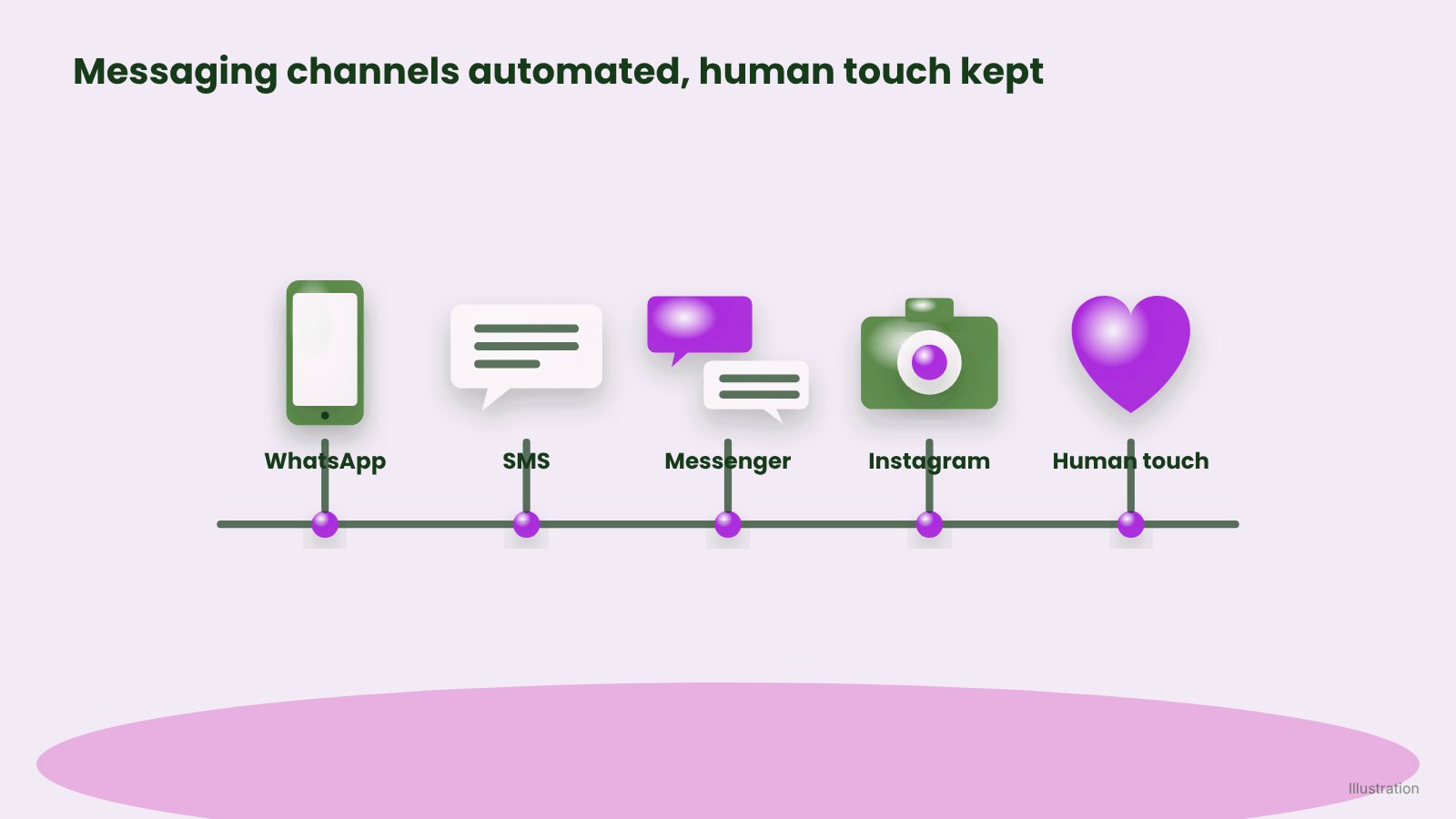
- Channels: SMS and WhatsApp through your own Twilio account, Facebook Messenger through your Page, and Instagram direct messages through a professional account linked to a Facebook Page. Slack and Microsoft Teams are supported too, for customer communities or as an internal help desk.
- Answers: each question gets one engine run with your knowledge base, brand voice and confidence rules. Confident answers (82% and up) are sent as plain text. Anything else is offered to a person.
- Message limits: long answers are split into parts that fit each platform (SMS 1,600 characters, WhatsApp 4,096, Messenger 2,000, Instagram 1,000). Markdown is removed and links stay as full URLs.
- Hand-off: customers can type "agent", "human" or "person", or tap Messenger's "Talk to a person". They get a hand-off ticket with the transcript in any of the 8 supported help desks, or by email if no help desk is connected. TR-AI then stays quiet in that conversation for 24 hours or until the ticket is solved.
- Opt-outs: STOP, START and HELP are honoured on SMS, WhatsApp, Messenger and Instagram.
- The 24-hour window: TR-AI only replies to incoming messages, seconds later, so replies always fall inside Meta's and WhatsApp's customer-service window. No templates are needed for answers.
- Privacy: phone numbers are stored only as a keyed hash plus a masked display. The full number goes only into the hand-off ticket. Messenger, Instagram, Slack and Teams reply addresses are stored encrypted.
- Billing: each conversation counts once toward your daily ticket cap. Follow-up questions in the same conversation don't.
Proactive messages on SMS and WhatsApp
Known-issue updates and "did that solve it?" check-ins can reach messaging customers too. For SMS and WhatsApp this is off by default, because it requires storing phone numbers. Once you turn it on, numbers are stored encrypted, only for conversations that start after that. Turning it off deletes them. For WhatsApp conversations outside the 24-hour window, add an approved WhatsApp template, or those messages are skipped with the reason shown. See incident communication with known issues.
Getting started
- Pick one channel where your customers already are. For many e-commerce brands that's WhatsApp or Instagram. For B2B it may be Slack or Teams.
- Test with the WhatsApp sandbox (Twilio provides one) before connecting a production sender.
- Check your top questions on the channel against your knowledge base. Messaging customers ask shorter, vaguer questions than email customers.
- Make "talk to a person" obvious, and staff the hand-off queue at the hours you advertise.
- Review a week of conversations before widening the rollout.
A worked example, start to finish
Here's the bike-parts store with TR-AI's messaging channels. The names are illustrative.
Set-up. Marco, the support lead, enters the company's Twilio details in Messaging → SMS and adds a WhatsApp sender, first testing with the Twilio sandbox. He connects the Facebook Page for Messenger and the Instagram professional account linked to it. Zendesk is already connected. The same knowledge base, brand voice and confidence rules apply as for email.
Monday 18:40. WhatsApp. "Which chain fits a 12-speed Shimano?" TR-AI answers in seconds, from the same knowledge as email, in plain text with a full URL to the compatibility page. The answer is confident (82% or more), so it's sent.
18:42. A follow-up. "And do you ship to Portugal?" Same conversation, one more answer. It counts once toward the daily ticket cap.
Tuesday. Instagram. A long answer about fitting a bottom bracket would exceed Instagram's 1,000 characters, so it's split into parts, with markdown removed.
Wednesday. A person. A customer on Messenger taps "Talk to a person". The conversation becomes a Zendesk ticket with the full transcript, and TR-AI stays quiet in that conversation for 24 hours or until the ticket is solved. Lucia answers.
Thursday. STOP. A customer replies STOP on SMS. They're opted out; nothing proactive reaches them until they reply START.
Next month. A known issue. A courier delay affects many orders. Marco turns on proactive messages for SMS and WhatsApp, so numbers start being stored encrypted for new conversations. For WhatsApp conversations outside the 24-hour window, he adds an approved WhatsApp template; without it, those messages would be skipped with the reason shown.
Privacy throughout. Phone numbers are stored only as a keyed hash plus a masked display; the full number goes only into the hand-off ticket.
What changed: one set of answers across email and messaging, people when customers ask for them, messages that read cleanly, opt-outs honoured, and no plain-text phone numbers.
Five more real-world scenarios
1. A B2B community
Situation. Your customers live in a shared Slack.
How TR handles it. Slack and Microsoft Teams are supported, for customer communities or as an internal help desk.
2. No help desk
Situation. You only use email.
How TR handles it. Hand-offs arrive by email if no help desk is connected.
3. A low-confidence question
Situation. TR-AI isn't sure.
How TR handles it. Anything under 82% is offered to a person rather than sent.
4. A long SMS answer
Situation. An answer runs past 1,600 characters.
How TR handles it. It's split into parts that fit.
5. Turning proactive messages off
Situation. You no longer want to store numbers.
How TR handles it. Turning it off deletes them.
Before and after
Before. A separate bot with different answers, "agent" ignored, asterisks in messages, a STOP not honoured, and plain-text phone numbers.
After. One engine for every channel, a hand-off with the transcript, plain text split to fit, opt-outs honoured, and hashed numbers.
How to tell it's working
- Answers match across email and messaging.
- Hand-offs include transcripts.
- No messages go to opted-out customers.
- Customers rarely ask the same thing twice.
Who it's for
- E-commerce brands whose customers live on WhatsApp and Instagram.
- Consumer services with mobile-first customers.
- B2B teams using Slack or Teams communities.
Mistakes to avoid
- A separate bot per channel.
- Formatting for email on messaging.
- Storing full numbers you don't need.
- Proactive WhatsApp messages without a template outside the window.
Do it in TicketResolve, step by step
Where: Messaging (/dashboard/messaging). You'll need: Bronze or Growth Pro; your own Twilio account for SMS and WhatsApp; a Facebook Page for Messenger and Instagram. Full guides: Messaging channels, Proactive messages and Brand voice and tone.
- SMS: enter your Twilio Account SID, auth token and number, then copy the webhook URL into the number's "A message comes in" setting in Twilio.
- WhatsApp: set up a sender in Twilio (or use the sandbox), enter the number, add the webhook URL and turn the channel on.
- Messenger and Instagram: enter your Page details and follow the verify-token step.
- Send a test message on each channel.
- Test the hand-off by typing "agent".
- Decide on proactive messages and add an approved WhatsApp template if needed.
- Review a week of conversations.
How to check it worked: a test message gets a plain-text answer within seconds, and "agent" creates a ticket with the transcript.
Frequently asked questions
Can AI answer WhatsApp customer support messages? Yes. An AI agent can answer WhatsApp messages from your knowledge base within seconds, which keeps every reply inside WhatsApp's 24-hour customer-service window. It should hand over to a person with the full transcript when it isn't confident or when the customer asks.
What is the WhatsApp 24-hour window? A business can send free-form replies within 24 hours of the customer's last message. After that, only pre-approved template messages can be sent. Fast replies to incoming messages never run into the limit. It mainly matters for messages the business starts.
How do customers reach a human on messaging channels? By asking in plain words, such as "agent", "human" or "person", or by using a platform button like Messenger's "Talk to a person". The conversation should then become a ticket for your team with the full transcript, and the AI should stop replying in it.
Is it safe to store customer phone numbers for messaging support? Store as little as possible. Hashing numbers for matching, masking them in the interface, and encrypting them only when you need to send proactive messages keeps the risk low. Customers who reply STOP must never be messaged again.
Which messaging channels are supported? SMS and WhatsApp through your own Twilio account, Facebook Messenger, Instagram direct messages, Slack and Microsoft Teams.
What are the message length limits? SMS 1,600 characters, WhatsApp 4,096, Messenger 2,000 and Instagram 1,000. Longer answers are split.
How long does TR-AI stay quiet after a hand-off? 24 hours, or until the ticket is solved.
How do follow-up questions count? Each conversation counts once toward your daily ticket cap.
Which plans include it? Bronze and Growth Pro.
Explore Topics
Written by
Ghulam Shabbir
Content creator and writer sharing insights and stories.