
Supporting Several Products: One Bill, One Report, Separate Knowledge
Companies with more than one product, or one product on two help desks, need each support setup kept separate while billing and reporting stay together. Give each product its own workspace with its own help desk, knowledge, plan and team, then pay for all of them in one checkout and see one portfolio report. With an illustrative acquisition, start to finish.
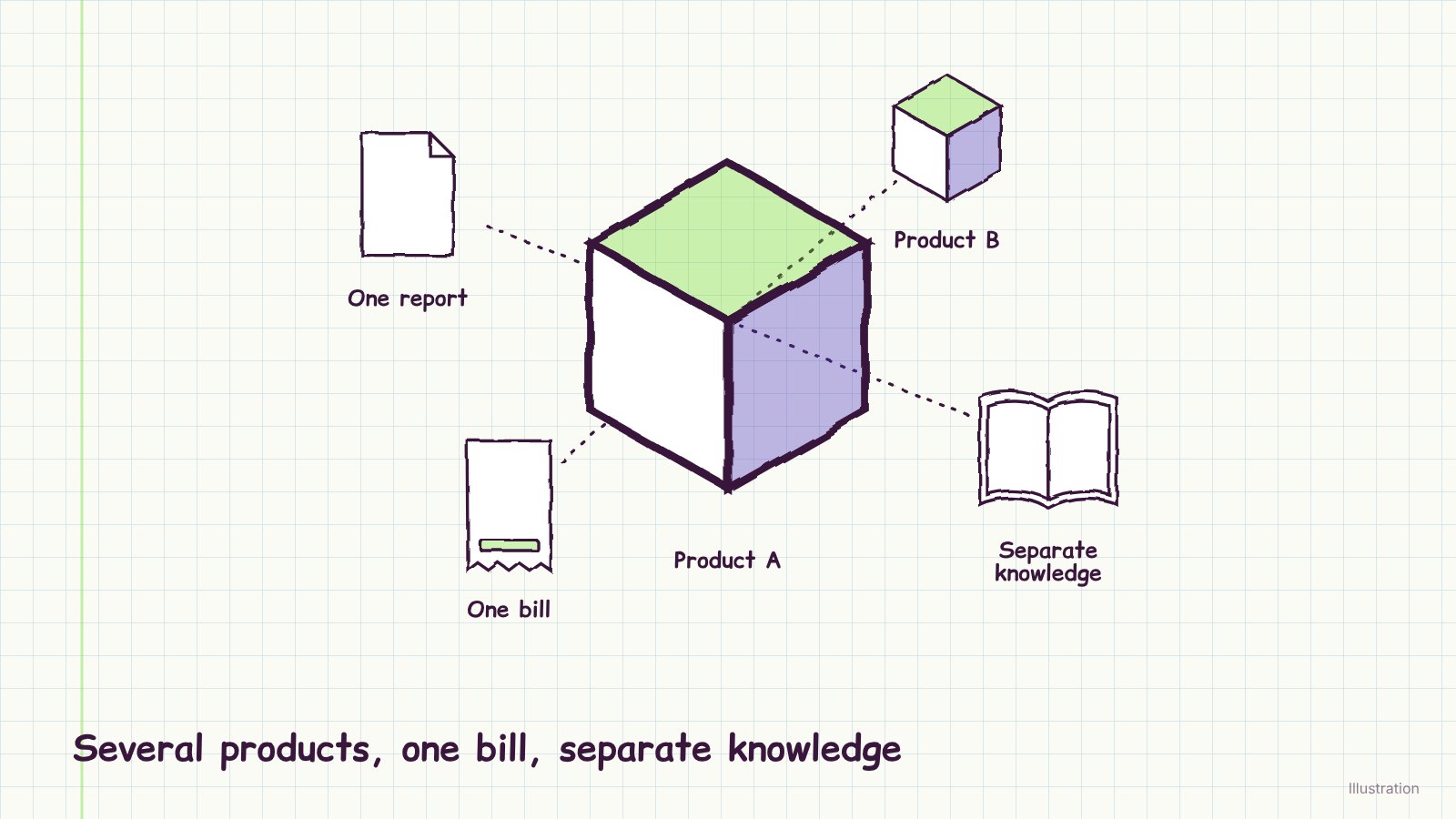
Growing companies rarely support just one thing. A second product launches. An acquisition brings a product on a different help desk. A platform has a consumer app and an enterprise edition with separate support teams. Each needs its own support setup: help desk, knowledge base and answers. Leadership and finance still want one view: one bill, one report.
This post covers how to structure AI support across a portfolio of products.
Here's how mixing goes wrong at a company that sells a restaurant point-of-sale system and has just bought a table-reservation app:
- Month 1: to save time, the reservation app's help articles are added to the point-of-sale AI setup.
- Month 1, week 2: a restaurant asks how to cancel a reservation. The AI answers with steps for voiding a bill.
- Month 2: the reservation app's customers, on Freshdesk, get replies signed by the point-of-sale team on Zendesk.
- Month 3: the CFO asks what support for each product costs. Nobody can separate it.
- Month 3: the VP of Support asks for one report across both. Someone builds it in a spreadsheet every Monday.
The problem wasn't the AI. It was one setup trying to be two products, and two products with no shared view.
First, the basics
- A product here is anything with its own customers, help desk and knowledge: an app, an edition, an acquired company, a separate brand.
- A workspace is one product's support setup in TR-AI.
- A portfolio is all of a company's products together.
- A help desk connection links a workspace to Zendesk, Freshdesk, Intercom, Salesforce, Zoho Desk, HubSpot, ServiceNow or Jira Service Management.
- Knowledge sources are the help centres, docs and product learning a workspace answers from.
- A portfolio report shows volume, automation, quality and cost across products, or one at a time.
Why does this matter? Mixed setups give customers the wrong product's answers. Completely separate setups leave finance and leadership without a view. Keeping the right things apart and the right things together gives each product good answers and gives the company one picture.
The problem, in plain terms
- Answers mix products.
- Different help desks don't fit one setup.
- Costs can't be separated.
- Leadership has no single report.
- Teams on different products can't easily talk.
Keep products separate where it matters
Mixing products in one setup causes the classic multi-product failure: an answer about Product A that uses Product B's steps. Keep separate per product:
- The help desk connection, since each product may use a different one.
- Knowledge sources: help centre, docs and product learning.
- Plan and limits, sized to that product's volume.
- Team and roles: different teams, different leads.
Keep these together
- Billing: one place to see every product's plan, pay for all of them in one checkout, and see every invoice.
- Reporting: a VP of Support needs volume, automation, quality and cost across products, and one product at a time.
- People across teams: leads on different products should be able to reach each other quickly.
Brands vs products
In TR-AI every brand is its own product: one brand per workspace, each with its own help desk connection, knowledge, voice and plan. Two storefronts are two products, even when they share a team.
How TR-AI handles a portfolio
Several products, one bill and one portfolio report, on all plans, with each product on its own plan:
- Each product is its own workspace, connecting one support platform (Zendesk, Freshdesk, Intercom, Salesforce, Zoho Desk, HubSpot, ServiceNow or Jira Service Management) and as many knowledge sources as it needs.
- "+ Add a product" creates the workspace, starts learning its knowledge base and gives it a 7-day free trial. Switch between products with the workspace switcher.
- The Billing page (
/billing) lists every product with its platform, knowledge bases and plan, lets you pay for all of them in one checkout, shows every invoice (download as PDF or email it), sends copies to your accounts team, and keeps backup cards. - The VP of Support sees one report across all products, or one at a time.
- Team calls work across the company's products.
A worked example, start to finish
Here's the point-of-sale company setting up its portfolio properly. The names are illustrative.
Day 1. Separate the products. Marisol, the VP of Support, presses + Add a product next to the workspace switcher. She names it "TableBook", picks Freshdesk as its support platform and pastes its help-centre address. TR-AI creates the workspace, starts learning TableBook's knowledge base and gives it a 7-day free trial. The point-of-sale workspace stays connected to Zendesk with its own articles. She removes TableBook's articles from the point-of-sale setup.
Day 2. Teams and voice. Each workspace gets its own team and roles: the TableBook team leads TableBook; the point-of-sale team leads point of sale. TableBook keeps its friendlier brand voice.
Day 3. A test. A restaurant asks TableBook how to cancel a reservation. The answer uses TableBook's steps and signature. No mention of voiding bills.
Day 7. Plans and billing. On the Billing page, both products are listed with their platform, knowledge bases, plan and price. Marisol picks a plan for TableBook sized to its smaller volume. She chooses annual and presses Pay for all: one checkout, one subscription, one invoice, each product on its own plan.
Day 8. People who see everything. The owner adds Marisol and two Support Managers to see the portfolio report, and the finance controller as Billing. Inside each product, their roles stay as Team & roles says.
Month-end. Marisol opens the portfolio report: both products together, then one at a time. The CFO gets support cost per product without a spreadsheet. The accounts team receives invoice copies automatically.
Ongoing. When a TableBook outage affects restaurants that use both products, leads from both teams jump on one team call across products.
What changed: no more cross-product answers, each customer base on its own help desk with its own voice, one bill for finance, and one report for leadership.
Five more real-world scenarios
1. Two storefronts, one team
Situation. Two online shops share a support team.
How TR handles it. Two products, two workspaces, so knowledge and voice never mix; the same people can work in both.
2. A product on a help desk a plan doesn't include
Situation. A plan doesn't include ServiceNow.
How TR handles it. Plans that don't include that product's help desk can't be picked for it.
3. Trials at different times
Situation. One product is still in its free trial when you pay for all.
How TR handles it. Products still in their free trial are charged when the earliest trial ends.
4. An invoice for the accounts team
Situation. Finance needs every invoice.
How TR handles it. Invoices are listed together, downloadable as PDF or emailed, and copies go to your accounts team.
5. A VP who needs one product
Situation. Leadership wants just TableBook's numbers this week.
How TR handles it. The portfolio report shows all products together or one at a time.
Before and after
Before. Reservation questions answered with point-of-sale steps, the wrong signature on Freshdesk replies, costs nobody could separate and a Monday spreadsheet.
After. One workspace per product, each on its own help desk with its own knowledge and voice, one checkout and invoice, and one portfolio report.
How to tell it's working
- No answers use another product's steps.
- Finance sees cost per product without a spreadsheet.
- Leadership reads one report.
- Acquired products are set up in days.
Who it's for
- VPs of Support across several products.
- Finance paying for and reporting on support.
- Companies growing by acquisition.
How it fits with the rest of TicketResolve
Each workspace has its own knowledge base, brand voice, help desk connection and roles. Support inboxes handle several addresses within one product. Support reports and leadership dashboards read across the portfolio, and team calls work across products.
Can one workspace run several brands?
No. Each brand is its own workspace with its own plan, so knowledge and voice never mix. All of them are paid in one checkout and reported together. It can feel like more setup, but it's the only reliable way to stop one brand's answers leaking into another's.
Planning an acquisition
When you acquire a product, keep it on its own help desk at first and add it as a new product. Its customers keep the support they know while the knowledge base is learned and checked. Merge help desks later, if ever, once both teams are ready. Adding the product first gives leadership a combined view on day one, without forcing a migration nobody has planned.
Sizing each product's plan
Products in a portfolio rarely have the same volume. A flagship product may need a large plan while a newer one needs a small one. Choosing a plan per product means you pay for what each product actually uses, and you can move one up as it grows without changing the others. The Billing page keeps them side by side, so it's easy to see when a product has outgrown its plan.
Mistakes to avoid
- Mixing products' knowledge in one workspace.
- Treating two brands as one to save a step.
- Building portfolio reports by hand.
- Migrating help desks before the new product is settled.
Do it in TicketResolve, step by step
Where: "+ Add a product" next to the workspace switcher, and the Billing page (/billing). You'll need: the owner to add products and people who see everything. Full guides: Several products: one bill and one portfolio report, Several brands: one workspace per brand and Roles & permissions.
- Press "+ Add a product", name it, pick its support platform and paste its knowledge base address.
- Check the new workspace is learning its knowledge base.
- Set up its team, roles and brand voice.
- Open the Billing page and pick a plan for each product.
- Choose monthly or annual and press "Pay for all".
- Add the people who see everything: VP of Support, Support Managers and Billing.
- Open the portfolio report across products, or one at a time.
How to check it worked: each product answers only from its own knowledge, the Billing page lists every product with its plan, and the portfolio report shows all products.
Frequently asked questions
How should a company with several products set up AI support? Give each product its own workspace with its own help desk connection, knowledge and plan, then bring billing and reporting together at the company level.
Can one workspace run several brands? No. Each brand is its own workspace with its own plan, so knowledge and voice never mix. All of them are paid in one checkout and reported together.
Can I pay for several products in one invoice? In TR-AI you pay for all products in one checkout, and every invoice is listed together on the Billing page.
Can leadership see all products together? Yes. A portfolio report shows every product together, or one at a time.
Does a new product get a trial? Yes, 7 days.
Which help desks can a product connect? Zendesk, Freshdesk, Intercom, Salesforce, Zoho Desk, HubSpot, ServiceNow or Jira Service Management, one per product.
Is there an annual discount? Yes, 20% off when you pay annually.
Can teams on different products call each other? Yes, team calls work across the company's products.
Is this on every plan? Yes, with each product on its own plan.
Explore Topics
Written by
Ghulam Shabbir
Content creator and writer sharing insights and stories.