
Security Controls Your Team Should Expect From AI Customer Support
Support tickets hold personal data, account details and sometimes health information. A practical checklist of the security controls to expect from an AI support platform (data minimisation before AI calls, access and reviews, audit and SIEM streaming, retention and erasure, contracts, regulated data and your own keys), with an illustrative security review, start to finish.
Support tickets are some of the most sensitive data a company holds: names, emails, addresses, order histories, account details, and in some industries health or financial information. Putting AI on top of that data is reasonable. Doing it without asking hard security questions is not.
This post is a practical checklist for security and IT teams evaluating AI customer support, and for support leaders who need to answer their questions.
Here's how a review goes when nobody prepares at a company that sells a patient-booking app to dental and physiotherapy clinics:
- Week 1: the support director picks an AI support tool and asks IT to "just approve it".
- Week 2: the security lead sends 40 questions. Nobody on the support side knows the answers.
- Week 4: the vendor's answers are vague: "industry-standard security", "we take privacy seriously".
- Week 6: the security lead finds tickets mention symptoms and treatments. The project stops while legal works out whether health data is involved.
- Week 10: the project restarts with a different vendor, and the same questions.
Ten weeks lost, mostly because nobody knew which questions mattered, or what a good answer looks like.
First, the basics
- Personal data is information about an identifiable person: names, emails, phone numbers, addresses.
- Tokenising replaces personal details with placeholders before data leaves the platform, then restores them in the reply.
- Least privilege means people get only the access their job needs.
- SSO (single sign-on, often via SAML) lets people sign in with company accounts; MFA adds a second factor.
- A SIEM is the security team's central log tool, such as Splunk or Datadog.
- A DPA (data processing agreement) is the contract GDPR requires between you and a processor.
- A BAA (business associate agreement) is the US contract needed before a vendor handles protected health information.
Why does this matter? A security review that starts with the right questions finishes in weeks, not months, and ends with controls you can rely on. Asking about data minimisation, access, audit, retention, contracts and regulated data covers almost everything a security team will care about.
The problem, in plain terms
- Tickets contain more sensitive data than people expect.
- Vendors answer vaguely.
- Support doesn't know what security will ask.
- Regulated data is discovered late.
- Controls exist on paper but can't be shown.
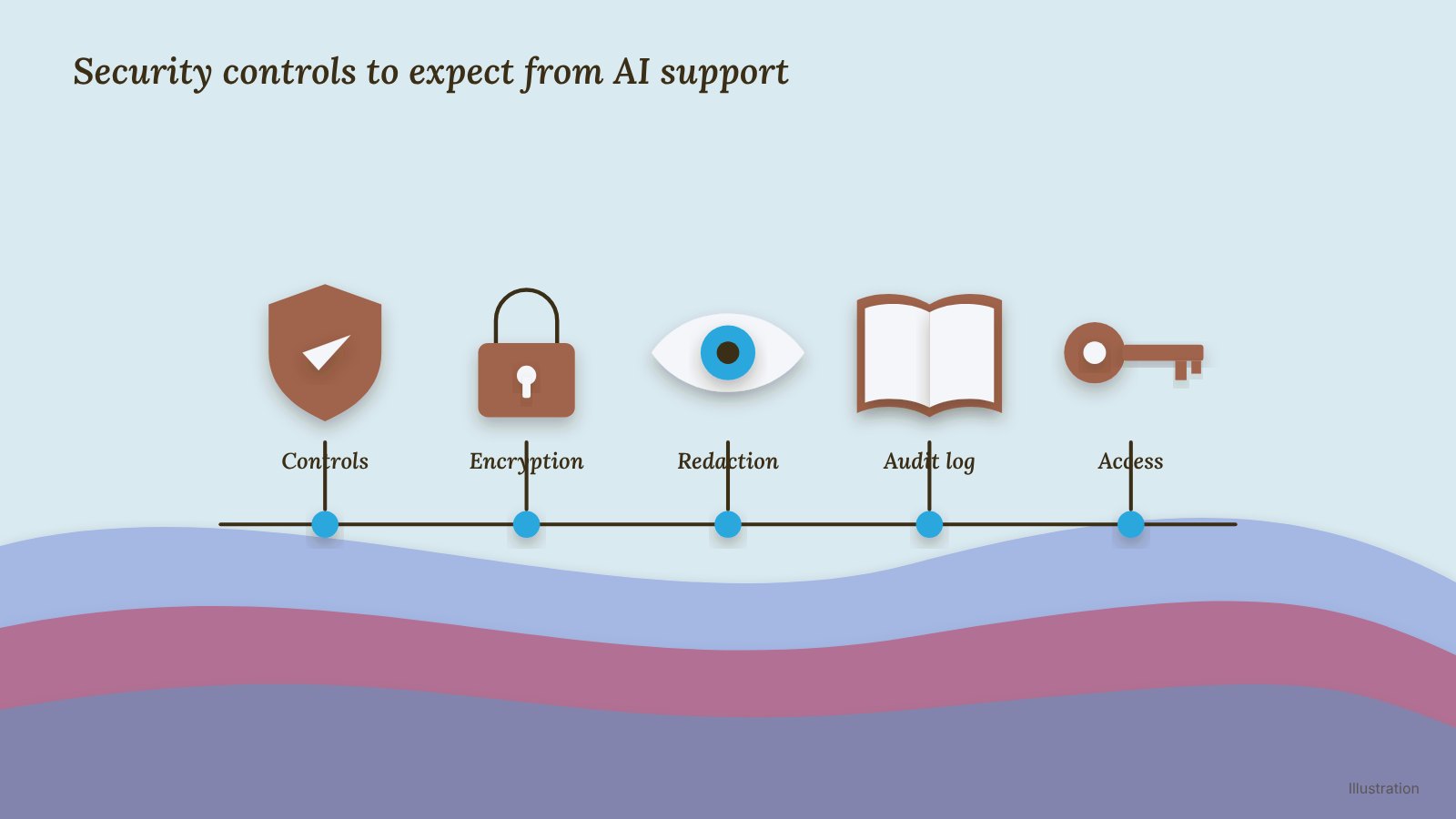
1. What happens to personal data before the AI sees it?
The strongest control is minimisation: personal details (emails, phone numbers, card numbers, IBANs, API keys) are replaced with tokens before a prompt leaves the platform, then restored in the reply. Ask whether this applies to every AI call, not just the main answer.
2. Who can access what?
- Role-based access with least privilege. See support team roles and permissions.
- SSO/SAML and an enforced MFA policy.
- Regular access reviews: who has access, their role, their last sign-in, whether they use two-factor, and a record that the review was done. Most security frameworks expect this.
3. Can you see everything that happened?
- An audit trail per ticket: sources, scores, outcome and every human override.
- A security log of sign-ins, failed sign-ins, exports and setting changes.
- Streaming to your SIEM (Splunk, Datadog or any HTTPS endpoint), so your security team sees events in its own tools.
See decision traces and audit trails.
4. How long is data kept, and can it be erased?
- Retention you control, set to the shortest period your business allows.
- Erasure by customer (email, phone or ticket ID) that covers tickets, transcripts and scores, not just one table.
5. Contracts and transparency
- A data processing agreement (GDPR Article 28) with Standard Contractual Clauses for transfers.
- A public subprocessor list, with notice before changes.
- A trust center that states compliance status as it is today, not as marketing hopes it will be.
6. Regulated data
If tickets contain protected health information, you need a Business Associate Agreement (BAA) and stricter handling. There's no such thing as "HIPAA certification". Compliance comes from the agreement plus how data is handled: personal and health details tokenised, web search off so no ticket text goes to search services, image reading off, and tighter retention.
7. Customer-managed keys
For the most sensitive workspaces, ask whether data can be encrypted with your own encryption key.
How TR-AI handles security
- PII tokenised before every AI call, then restored in the reply.
- Roles, SSO, MFA and encryption: roles on all plans with no per-seat fees. SSO/SAML, enforced MFA and your own encryption key on Growth Pro. Credentials and secrets are stored encrypted.
- Access reviews (all plans): member list with role, last sign-in and two-factor status, a CSV export, and a recorded review, with a reminder after 90 days.
- Audit streaming (Growth Pro): security events, safety-guard events, agent overrides, escalations, API and webhook changes and settings versions, sent to a signed HTTPS webhook, Splunk HEC or Datadog, with retries.
- Audit trail, retention and GDPR: retention is 90 days on Starter and 12 months on Bronze, configurable up to 84 months on Growth Pro. Erasure covers tickets, chat and call transcripts and scores. The security log is kept for 12 months.
- Trust center and DPA: controls and current compliance status at /trust, a subprocessor list with change notices, and a DPA you can sign in the dashboard.
- HIPAA mode (Growth Pro): switched on after a BAA is in place. Personal and health details are tokenised, web and site search are off, and images aren't read.
A worked example, start to finish
Here's the patient-booking company preparing properly. The names and timings are illustrative.
Day 1. Map the data. Before talking to any vendor, Leila, the support director, and Ben, the security lead, look at 50 recent tickets together. They find names, emails and phone numbers in most; appointment details in many; occasional mentions of symptoms and treatments. Conclusion: health data is involved, so a BAA and stricter handling are needed from the start.
Day 2. The checklist. They turn the seven sections above into seven questions for the vendor, and agree what a good answer looks like for each.
Day 5. Answers with evidence. For TR-AI, each answer points to something they can check: tokenising before every AI call; roles, SSO/SAML and enforced MFA; access reviews with a CSV export; audit streaming to their Datadog; retention and erasure settings; the trust center at /trust with today's compliance status and subprocessor list; a DPA they can sign in the dashboard; and HIPAA mode after a BAA.
Day 10. Contracts. Legal signs the DPA in the dashboard and the BAA. HIPAA mode is switched on: personal and health details tokenised, web and site search off, images not read.
Day 12. Configuration. Ben sets SSO with enforced MFA, connects audit streaming to Datadog with retries, and sets retention to the shortest period the clinic's records policy allows. Leila assigns roles so agents see tickets but not billing or settings.
Day 14. A test. Ben checks the decision trace for a test ticket containing a fake phone number and symptom: placeholders were sent to the AI, the reply restored the real details, and the event appeared in Datadog.
Day 90. The access-review reminder arrives. Ben reviews the member list (role, last sign-in, two-factor), removes two people who left, exports the CSV for the audit file and records the review.
What changed: two weeks instead of ten, a review based on evidence instead of reassurance, and controls that were tested, not assumed.
Five more real-world scenarios
1. A small team without SSO
Situation. A five-person team has no identity provider yet.
How TR handles it. Roles and access reviews are on all plans; enforced MFA and SSO come with Growth Pro when you need them.
2. A deletion request
Situation. A customer asks to be forgotten.
How TR handles it. Erasure by email, phone or ticket ID covers tickets, chat and call transcripts and scores.
3. A new subprocessor
Situation. The vendor adds a provider.
How TR handles it. The subprocessor list gives notice of changes.
4. A security team on Splunk
Situation. Your SIEM is Splunk.
How TR handles it. Audit streaming supports Splunk HEC, Datadog or a signed HTTPS webhook.
5. A question about certification
Situation. Someone asks whether the vendor is "HIPAA certified".
How TR handles it. There's no such certification; ask for the BAA and how health data is handled.
Before and after
Before. "Just approve it", 40 unanswered questions, vague answers, health data discovered in week six, and ten lost weeks.
After. The data mapped on day one, seven focused questions, answers with evidence, contracts signed, controls configured and tested, and a review every 90 days.
How to tell it's working
- Security reviews finish in weeks.
- Access reviews are recorded on schedule.
- Security events appear in your own SIEM.
- Deletion requests are handled in one place.
Who it's for
- Security and IT teams evaluating AI support.
- Support leaders preparing for a review.
- Legal and privacy teams handling DPAs and BAAs.
How it fits with the rest of TicketResolve
Security controls sit under every part of TR-AI: decision traces show what each AI call saw, the supervisor guardrail checks answers, roles and permissions limit access, and audit and retention settings apply across tickets, chat and calls.
Is it safe to use AI on customer support tickets?
It can be, with the right controls: personal data minimised before the AI sees it, role-based access with SSO and MFA, a full audit trail, retention you control, erasure, and a DPA. The question isn't "AI or no AI"; it's whether the controls around it are real and checkable.
Why "today's status" matters
A trust page that lists aspirations as achievements helps nobody, least of all the security team that relies on it. Ask vendors to separate what is in place today from what is planned, and treat any compliance claim as something to verify, not accept. The most useful answer to a security question is one you can check yourself, in the product or in a signed document.
Preparing support for the review
Most security questions can be answered before the security team asks them. Map what's in your tickets, decide who needs which access, choose a retention period, and know whether regulated data is involved. Bring those answers to the first meeting. Security teams move faster when support arrives with facts rather than a request for approval, and the conversation shifts from "is this safe?" to "how do we configure it?".
Mistakes to avoid
- Accepting "industry-standard security" as an answer.
- Discovering regulated data late.
- Keeping data longer than you need.
- Skipping access reviews.
Do it in TicketResolve, step by step
Where: Settings (/dashboard/settings) and Trust & controls (/dashboard/trust). You'll need: an owner or admin; Growth Pro for SSO, enforced MFA, your own key, audit streaming and HIPAA mode. Full guides: Team roles, SSO, MFA and encryption, Quarterly access reviews, Audit streaming to your SIEM, Audit trail, data retention and GDPR, Trust center, subprocessors and the DPA and HIPAA mode and the BAA.
- Map what's in your tickets, including any regulated data.
- Assign roles with least privilege.
- Turn on SSO and enforced MFA where available.
- Set retention to the shortest period you can.
- Connect audit streaming to your SIEM.
- Sign the DPA (and a BAA if health data is involved, then turn on HIPAA mode).
- Run and record an access review every 90 days.
How to check it worked: a test ticket's decision trace shows placeholders sent to the AI, events appear in your SIEM, and the access review is recorded.
Frequently asked questions
Is it safe to use AI on customer support tickets? It can be, with the right controls: personal data minimised before the AI sees it, role-based access with SSO and MFA, a full audit trail, retention you control, erasure, and a DPA.
What security questions should I ask an AI support vendor? Ask how personal data is handled before AI calls, how access is controlled and reviewed, what's logged and whether it can stream to your SIEM, how long data is kept and how it's erased, and which contracts (DPA, BAA) are available.
Can AI support be used with health data? Only with a Business Associate Agreement in place and stricter handling: health details tokenised, web search and image reading off, and appropriate retention.
Does AI support need SSO? For larger teams, yes. SSO with an enforced MFA policy and regular access reviews is the standard expectation from security teams.
What retention options are there? 90 days on Starter, 12 months on Bronze, configurable up to 84 months on Growth Pro.
What does erasure cover? Tickets, chat and call transcripts and scores.
Which SIEMs are supported? A signed HTTPS webhook, Splunk HEC or Datadog.
Is there a per-seat fee for roles? No.
Where is the subprocessor list? In the trust center at /trust.
Explore Topics
Written by
Ghulam Shabbir
Content creator and writer sharing insights and stories.