

From Support Tickets to Roadmap: Prioritising Feature Requests by Customers, Revenue and Effort
Support hears the same feature request in a hundred phrasings; product sees one Jira ticket with three +1s. Product intelligence groups requests by meaning, scores them with visible weights and verified revenue only, shrinks thin evidence, shows trends and accounts, and sends the best to your tracker.
Support hears feature requests all day, in a hundred phrasings. "Can I get invoices as a spreadsheet?", "CSV export please", "we need to download billing data". Product sees one Jira ticket with three +1 comments. Somewhere in between, the demand disappears.
Here's how that happens at a company that sells a project-billing tool to agencies:
- Over three months, 41 tickets ask for some way to get invoice data out: "export to Excel", "CSV please", "send invoices to our accounting tool", "download billing data".
- Keyword tagging catches 9 of them as "CSV export".
- Product's backlog has one Jira ticket, "CSV export for invoices", with three +1s from agents.
- At planning, "dark mode" wins, because a large prospect asked for it loudly in a sales call.
- Two of the agencies that asked for exports (both on high plans) don't renew. Their exit notes mention "couldn't get our data out easily".
The demand was there. It was just spread across a hundred phrasings and never added up.
First, the basics
- A feature request is a customer asking for something the product doesn't do yet.
- Grouping by meaning puts requests together when they ask for the same thing in different words.
- Embeddings are a mathematical representation of meaning; here, the same local ones that power your answer search.
- MRR (monthly recurring revenue) is what a customer pays each month; verified means confirmed by billing or CRM.
- A strategic account is one product or leadership considers especially important.
- Effort is product's estimate of size, from XS to XL.
- Shrinking toward the middle reduces extreme scores when evidence is thin.
- A tracker is Jira, Linear or GitHub.
Why does this matter? Roadmaps should follow what customers actually need, weighted by who's asking and how much it hurts. Grouping requests by meaning, scoring them openly, and refusing to invent revenue gives product a list it can trust, and gives support evidence that their customers' requests were heard.
The problem, in plain terms
- Keyword tagging misses most requests.
- Product sees a handful of +1s, not the real volume.
- Revenue is guessed from plan prices.
- Loud single requests jump the queue.
- Nobody sees which requests are rising, or among which accounts.
Group by meaning, not wording
Keyword tagging misses most of it. Group requests by what they mean, using the same local embeddings that power your answer search (no extra model calls) and require real repetition before calling it a request: at least three similar tickets from two customers. Add the improvement tickets your team files by hand, where each requesting customer is recorded.
Score what matters, with weights you can see
A useful priority score combines:
| Factor | What it counts |
|---|---|
| Volume | Tickets or requests |
| Impact | Distinct customers |
| Revenue | MRR, only what billing or CRM verifies |
| Strategic | Strategic / VIP accounts, or flagged by product |
| Severity | How much it hurts the people asking |
| Effort | Product's estimate, XS to XL |
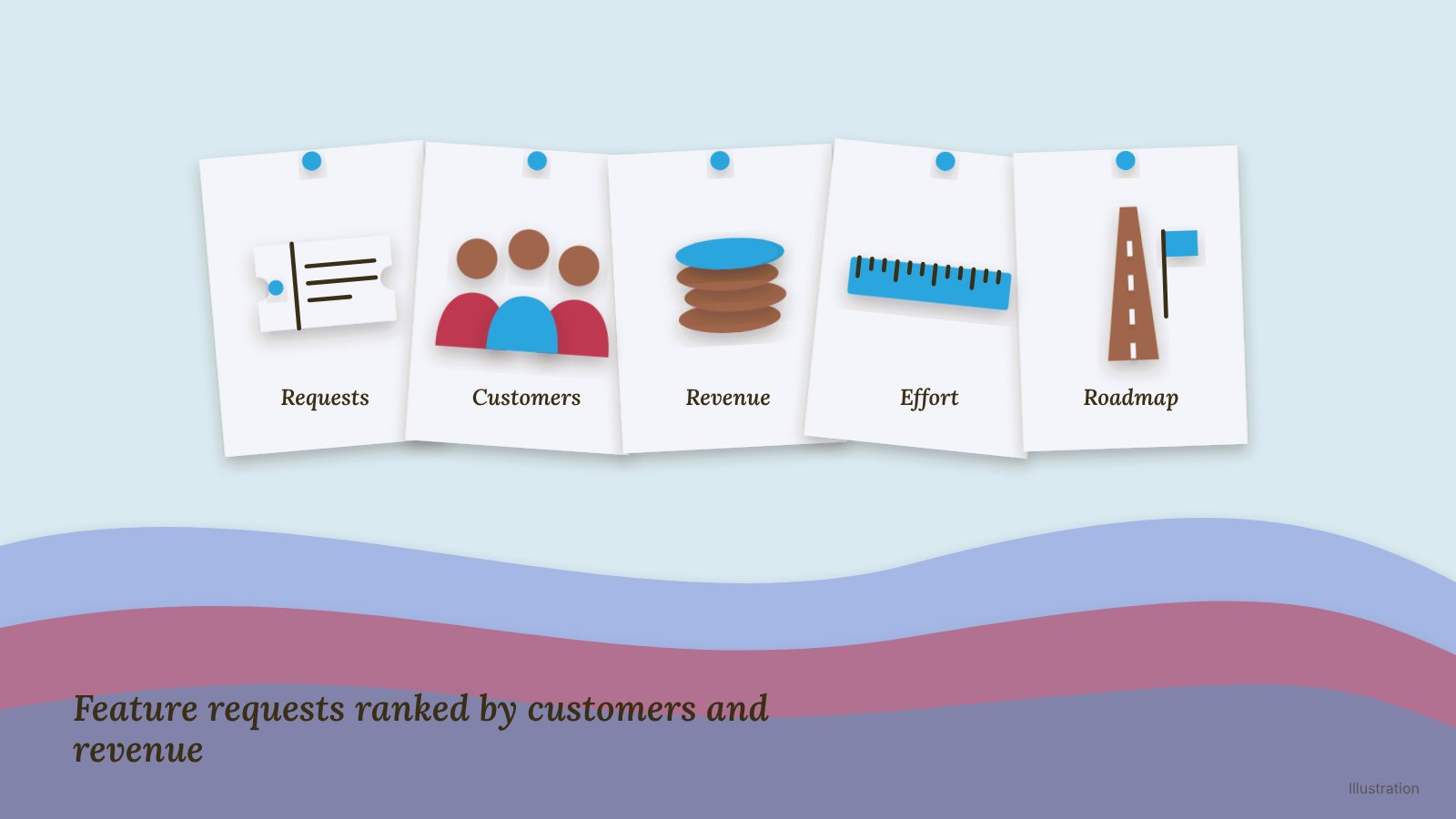
Each factor is compared with the largest request and weighted. The weights are shown on the page; nobody has to reverse-engineer why "CSV export" outranks "dark mode".
Never estimate revenue
It's tempting to fill missing MRR with a plan price. Don't. A request backed by two verified $5,000 accounts and one backed by "probably enterprise" are not the same, and product will stop trusting the list the first time an estimate is wrong.
Show confidence, and shrink thin evidence
One ticket from one customer shouldn't land at the top or the bottom just because it maxes out a single factor. Pull scores toward the middle when the evidence is thin (few tickets, few customers, no effort estimate) and show the confidence next to the score.
Trends and accounts
Show the last 30 days against the 30 before: rising, new, steady or falling. List the requesting accounts. A request that's rising among strategic accounts is a conversation for this week's planning, not next quarter's.
Close the loop
Product sets effort, a strategic flag and a status (reviewing, planned, in progress, shipped, declined). "Send to tracker" files it in Jira, Linear or GitHub, grouped into an existing request when one matches.
A worked example, start to finish
Here's the project-billing tool, with product intelligence. The figures are illustrative.
Monday, the list. The product manager, Sakura, opens Experience & product intelligence under Dashboards & reports. Requests grouped by meaning:
- "Export invoice data" (CSV, Excel, accounting-tool sync, "download billing data"): 41 tickets from 27 customers, plus 3 improvement tickets agents filed by hand. Revenue: verified MRR for 19 of the 27 from billing; the other 8 aren't estimated. Two strategic accounts. Severity: high (finance teams copying by hand). Trend: rising.
- "Dark mode": 6 tickets from 4 customers; verified MRR for 3; no strategic accounts. Trend: steady.
- "Gantt view for projects": 1 ticket from 1 large prospect. Below the repetition rule (three tickets from two customers), so it's not yet a request.
The scores. "Export invoice data" scores highest, with high confidence. "Dark mode" scores lower, with medium confidence: few tickets. The weights are on the page: volume, impact, revenue, strategic, severity, effort. When the sales lead asks why dark mode isn't first, Sakura shows the factors.
Monday, product's input. Sakura sets effort: M for exports, flags it strategic, and sets status planned.
Monday, send to tracker. She clicks Send to tracker. It's filed in Jira, grouped into the existing "CSV export for invoices" request, which now shows 27 customers instead of three +1s.
Six weeks later. Exports ship. The status changes to shipped. Support tells the 27 requesting accounts. Both strategic agencies renew.
Five more real-world scenarios
1. A loud single request
Situation. One big prospect asks for something once.
How TR handles it. Below the repetition rule it isn't a request yet; above it, thin evidence is pulled toward the middle.
2. Missing revenue
Situation. Some requesting customers aren't matched in billing.
How TR handles it. Only verified MRR counts; the rest isn't estimated.
3. A new request
Situation. A request appears for the first time this month.
How TR handles it. Trend: new.
4. A declined request
Situation. Product decides not to build something.
How TR handles it. Set status declined, so support can tell customers honestly.
5. An API consumer
Situation. Your BI tool wants the ranked list.
How TR handles it. It's also available at GET /v1/product-requests.
Before and after
Before. 41 requests in a hundred phrasings, 9 tagged, three +1s in Jira, dark mode chosen on volume of voice, and two agencies lost.
After. One grouped request from 27 customers with verified revenue, visible weights, a rising trend among strategic accounts, a Jira ticket that shows the real demand, and exports shipped.
How to tell it's working
- Planning discussions use the ranked list.
- Requesting customers hear when something ships or is declined.
- Fewer surprises in churn notes.
Who it's for
- Product managers prioritising the roadmap.
- Support leads making the case for customers.
- Customer success managers of strategic accounts.
How it fits with the rest of TicketResolve
Feature requests come from tickets and engineering tickets your team files, grouped with the same embeddings as answer search, weighted by verified MRR from billing or CRM and strategic flags from Customer 360. They go to Jira, Linear or GitHub and sit in Experience & product intelligence.
Why visible weights
A ranked list nobody can explain gets argued with. When the weights are on the page (how much volume, impact, revenue, strategic importance, severity and effort count), a disagreement becomes a conversation about the weights, not about whether the list is rigged. And when product wants to emphasise something differently, the change is visible to everyone.
Writing back to customers
The loop isn't closed until customers hear back. When a request is planned, tell the requesting accounts it's on the roadmap, without promising a date. When it ships, tell them how to use it. When it's declined, say so honestly and, if you can, offer a workaround. Customers forgive "not now" far more than silence.
A monthly product-support review
The list is most useful when support and product look at it together, once a month.
- Start with rising requests among strategic accounts.
- Check the biggest requests for missing effort estimates; scores without effort are less confident.
- Look at verified revenue coverage. If many requesting customers aren't matched in billing, fix the matching rather than guessing.
- Agree statuses: reviewing, planned, in progress, shipped or declined.
- Send what's planned to the tracker, grouped into existing requests where they match.
- Plan the customer updates for anything that changed status.
Mistakes to avoid
- Counting keywords instead of meaning.
- Filling missing MRR with plan prices.
- Letting one loud request outrank real demand.
Do it in TicketResolve, step by step
Where: Dashboards & reports → Experience & product intelligence (/dashboard/product-intelligence). You'll need: tickets; billing or CRM for verified MRR; a tracker (Jira, Linear or GitHub). Full guides: Engineering tickets: bugs and feature requests for engineering and TR Investigate reliability.
- Open Experience & product intelligence.
- Read the grouped requests with volume, customers, verified revenue, strategic accounts, severity and trend.
- Check the weights and the confidence next to each score.
- Open the requesting accounts.
- Set effort, a strategic flag and a status.
- Click Send to tracker to file it in Jira, Linear or GitHub.
- Tell requesting customers when it's planned, shipped or declined.
How to check it worked: a request shows its score, weights, confidence, trend and accounts, and its tracker issue links back.
Frequently asked questions
How are requests grouped? By meaning, using the same local embeddings as answer search; no extra model calls.
When does a group count as a request? At least three similar tickets from two customers, plus hand-filed improvement tickets.
What goes into the score? Volume, impact, verified revenue, strategic accounts, severity and effort.
Is revenue estimated? Never. Only MRR verified by billing or CRM.
What about thin evidence? Scores are pulled toward the middle, and confidence is shown.
Can I see trends? Yes: rising, new, steady or falling, last 30 days against the 30 before.
Where do requests go? Send to tracker files them in Jira, Linear or GitHub, grouped into an existing request when one matches.
Is there an API?
Yes: GET /v1/product-requests.
Can agents add requests by hand? Yes. Improvement tickets your team files are added, with each requesting customer recorded.
Does grouping requests cost extra AI calls? No. It uses the same local embeddings that power your answer search.
Can product change a request's status? Yes: reviewing, planned, in progress, shipped or declined.
Explore Topics
Written by
Ghulam Shabbir
Content creator and writer sharing insights and stories.