
Why SaaS Companies Need AI Ticket Automation More Than Anyone
SaaS support grows with every new user, every onboarding cohort and every release. Why SaaS teams feel this more than most, where AI helps (repetitive how-to questions, onboarding, release spikes, consistent answers), what to keep with people, and an illustrative SaaS release week from start to finish.
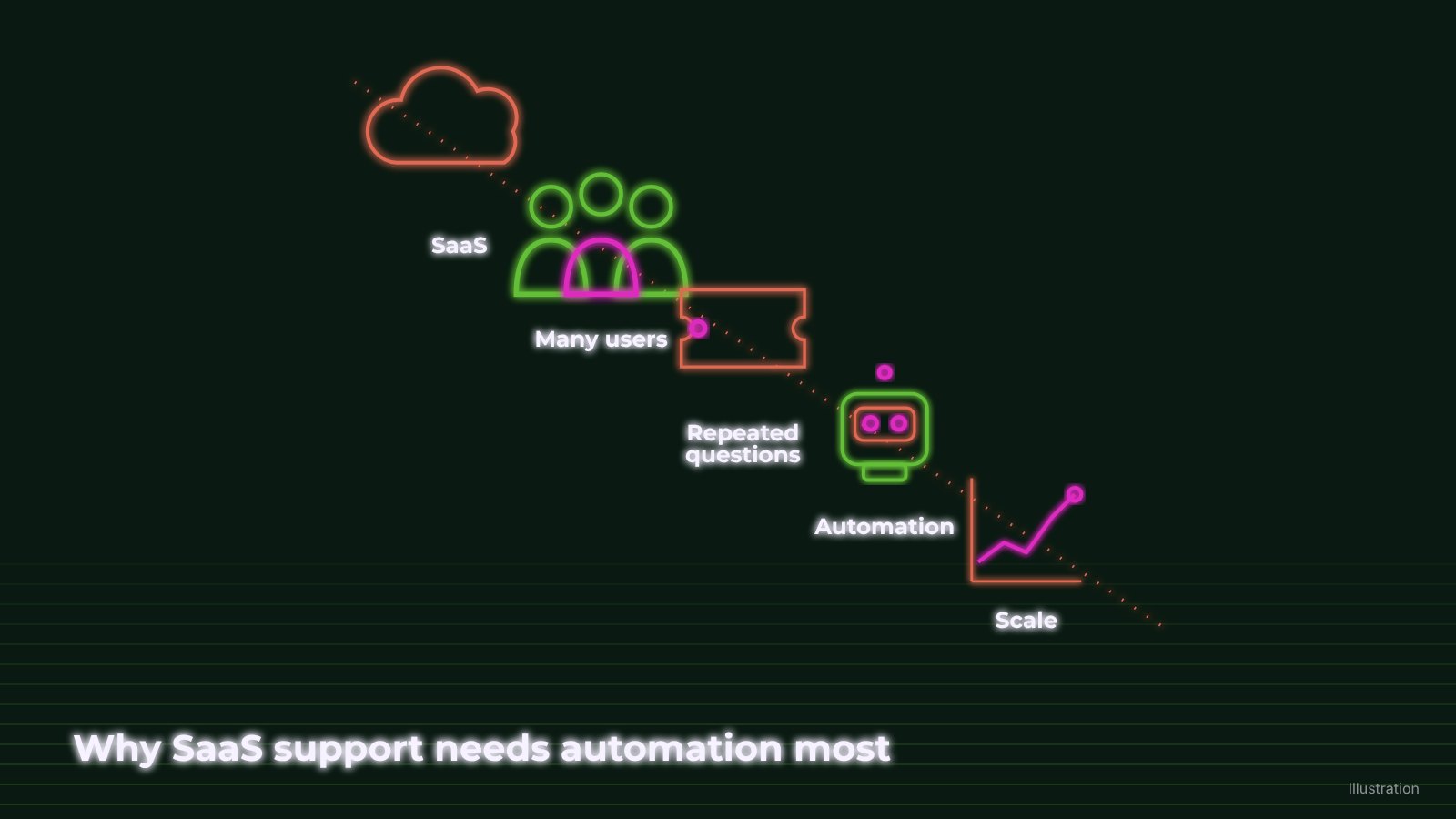
SaaS support has a particular shape. Tickets grow with users, spike with every onboarding cohort and every release, and many of them ask the same "how do I…?" questions. The answers often live in documentation that's a release behind. And because customers can cancel any month, slow or wrong answers show up as churn.
This guide covers why SaaS teams feel this more than most, where AI genuinely helps, what to keep with people, and how to roll it out.
Here's a release week without automation at an illustrative project-management SaaS:
- Monday: version 9 ships with a redesigned board view.
- Monday afternoon: tickets triple. Most ask where the "Group by" option went.
- Tuesday: the help-centre article still shows the old menu. Agents improvise answers.
- Wednesday: onboarding questions from a large new customer wait behind release questions.
- Friday: the backlog is cleared, but two trial accounts didn't convert, citing slow support.
Every one of those tickets had a simple answer. The team just couldn't write it two hundred times fast enough.
First, the basics
- L1 questions are routine how-to, account and plan questions with documented answers.
- Onboarding cohorts are groups of new customers learning the product at the same time.
- Release spikes are bursts of tickets after a product change.
- Domain learning means the AI learns your actual product screens from a test account.
- A known issue is one approved message for a problem many customers report.
Why does this matter? SaaS growth adds tickets faster than teams can hire. Answering the repetitive share automatically, from current sources, keeps response times fast through releases and onboarding without growing the team at the same rate.
The problem, in plain terms
- Tickets scale with users.
- Onboarding cohorts ask the same questions at once.
- Releases create spikes and stale articles.
- Inconsistent answers confuse customers.
- Slow support shows up as churn.
Where AI helps SaaS teams
Repetitive how-to questions
The AI answers from your help centre, docs and past resolutions, with sources shown, and holds anything it isn't confident about for review.
Onboarding
New customers ask predictable questions. Confident answers arrive within seconds at any hour, and in-app chat can answer before a ticket is created, with a hand-off to a person.
Releases
Re-running domain learning after a release lists the help articles that still use old names and menus, so they're fixed the same day. Bugs become known issues, so every affected customer gets the same message and an update when it's fixed.
Consistent answers
One engine, one knowledge base and one brand voice across email, chat and messaging.
Customer context
Plan and organisation fields from your help desk let answers reflect the customer's plan, for example offering Enterprise customers their success manager, where identity is proven.
What to keep with people
Billing disputes, cancellations (or retention offers with an easy way to cancel), security reports, bug investigations and anything where a customer is upset. Escalation rules route them, with an escalation brief.
A worked example, start to finish
Here's the project-management SaaS's next release, with automation in place. The names are illustrative.
Before the release. The support lead, Ana, has connected the help centre, developer docs and past resolutions, and domain learning runs on a demo workspace.
Release day. Engineering triggers re-learning. Articles affected by product changes lists four articles that still say "Group by" in the old menu. They're fixed by lunchtime.
Release afternoon. "Where did Group by go?" is answered within seconds from the updated article. A bug with exporting boards becomes a known issue; matching tickets get the approved status message.
Wednesday. The large new customer's onboarding questions are answered at once; their admin's question about SSO set-up is handed to the team with an escalation brief.
Friday. The fix ships; the known issue sends the "fixed" message to every linked customer. Reopens on AI answers stay flat.
What changed: a release week where routine questions were answered from current docs within hours of shipping, and the team spent its time on onboarding and the bug.
Five more real-world scenarios
1. A trial user at midnight
How TR handles it. Confident answers are sent at any hour.
2. A developer question
How TR handles it. Developer docs and API references are added as knowledge sources, and commands or flags in no source are held for review.
3. A cancellation
How TR handles it. On Growth Pro, retention offers ask once why and offer an alternative, then cancel promptly if the customer still wants to.
4. A prospect in support
How TR handles it. On Growth Pro, lead qualification answers first, then asks a few questions and can book a meeting.
5. A feature request
How TR handles it. Feature requests are grouped with others like them, showing how many customers asked and their combined MRR.
Before and after
Before. A tripled queue after every release, stale articles, onboarding questions waiting, and trials lost to slow support.
After. Same-day article fixes, instant answers to routine questions, known issues for bugs, and people focused on onboarding and investigations.
Measuring it in SaaS terms
- First response time through releases and onboarding cohorts.
- Verified resolutions with reopens subtracted.
- Tickets per 1,000 active users by topic.
- CSAT on AI-answered versus human-answered tickets on the same topics.
Measure against your own baseline; results depend on your ticket mix and how complete your sources are.
A release-day checklist for SaaS support
- Before shipping: confirm the release notes and the help articles that will change.
- On shipping: re-run domain learning on the demo workspace.
- Within hours: fix the articles listed under Articles affected by product changes.
- Watch for spikes: turn a new bug into a known issue as soon as it's confirmed.
- Link it to engineering: connect the known issue to the Jira, Linear or GitHub ticket so customers are updated when the fix starts and ships.
- Next day: check held drafts and gaps about the new feature, and publish drafted articles after review.
Who it's for
- SaaS teams growing faster than they can hire.
- Product-led companies with large trial and onboarding volumes.
- Teams that ship weekly and need docs to keep up.
- Support leads who want people focused on onboarding, success and investigations.
How it fits with the rest of TicketResolve
The same engine answers help-desk tickets, in-app chat and messaging, with one knowledge base and one brand voice. Customer context shapes answers by plan, escalation rules and Level 3 handle technical hand-offs, engineering tickets carry bugs to your tracker, and AI quality reports verified resolutions.
Onboarding without the overload
New customers ask predictable questions in their first weeks: how to invite teammates, connect an integration, import data, set permissions. A few habits keep that wave manageable:
- Write one article per onboarding step, titled the way customers ask.
- Put help where the question happens: in-app chat on the screens new users find hardest.
- Watch the first-week topics for each cohort; the ones the AI holds are the next articles.
- Hand complex set-ups to people early, with an escalation brief, so large customers get a human for single sign-on, data migrations and custom configurations.
Support and churn
Slow or wrong answers are one of the reasons customers leave a subscription, especially during trials and onboarding. Instead of assuming a churn figure, check it in your own data: compare renewal or conversion rates for customers whose tickets were answered quickly and correctly with those who waited or reopened. That comparison is more convincing to leadership than any industry statistic.
What to automate first in SaaS
- Account and access: password resets, SSO how-tos, inviting teammates.
- Navigation questions: "where is X?" after redesigns, answered from current screens.
- Integrations: connecting the tools customers already use, from your docs and the vendors' docs.
- Plans and limits: what each plan includes, answered from your pricing and plan articles.
- Known errors: documented error messages with a fix.
Leave billing disputes, security reports and bug investigations with people, and add actions (trial extensions, plan details) through procedures with confirmation and approval.
Mistakes to avoid
- Letting docs lag a release behind.
- Automating cancellations without an easy way to cancel.
- Ignoring developer questions that need their own sources.
- Measuring sends instead of verified resolutions.
Do it in TicketResolve, step by step
Where: Product knowledge (/dashboard/product-knowledge), Known issues (/dashboard/known-issues) and Help article sources (/dashboard/help-articles). You'll need: a help desk, your docs and a demo workspace. Full guides: Product domain learning, Articles affected by product changes, Known issues and Website chat widget.
- Connect your help desk and knowledge sources.
- Run domain learning on a demo workspace.
- Add re-learning to your release checklist.
- Use known issues for release bugs.
- Turn on the chat widget in-app for onboarding questions.
- Write escalation rules for billing, security and cancellations.
- Measure through releases with verified resolutions.
How to check it worked: after a release, affected articles are fixed the same day and routine questions about the change are answered within seconds.
Frequently asked questions
Why is SaaS support harder to scale? Tickets grow with users and spike with onboarding and releases, while documentation often lags the product.
Can AI keep up with frequent releases? Yes, if it re-learns your product after each release and the affected articles are fixed the same day.
Should AI handle cancellations? Through retention offers with one offer and an easy way to cancel, or by handing them to people.
What about developer questions? Add developer docs as sources; commands or flags in no source are held for review.
Can answers depend on the customer's plan? Yes, through plan-aware rules using help-desk fields, where identity is proven.
How do we handle release bugs? With known issues: one approved message, linked tickets and a "fixed" update.
Which plan suits a growing SaaS? The one that fits your busy days, sources and help desks; Bronze covers 300 tickets a day and all eight help desks.
Does it help with onboarding? Yes. Confident answers arrive at any hour, and in-app chat hands off to a person when needed.
How should we measure results? Verified resolutions, first response time through releases, and tickets per 1,000 active users by topic.
Will customers know they're talking to AI? They should. Transparency settings add a disclosure line in the customer's language, and customers can always ask for a person.
Does it work in-app? Yes. The chat widget can run in your product, answering from the same knowledge and handing off to your team.
What should we do on release day? Re-run domain learning, fix the articles affected by product changes within hours, and turn any confirmed bug into a known issue linked to the engineering ticket.
Explore Topics
Written by
TR-AI Team
Content creator and writer sharing insights and stories.