
Two Health Scores, One Account: Bringing Gainsight Into Customer Success
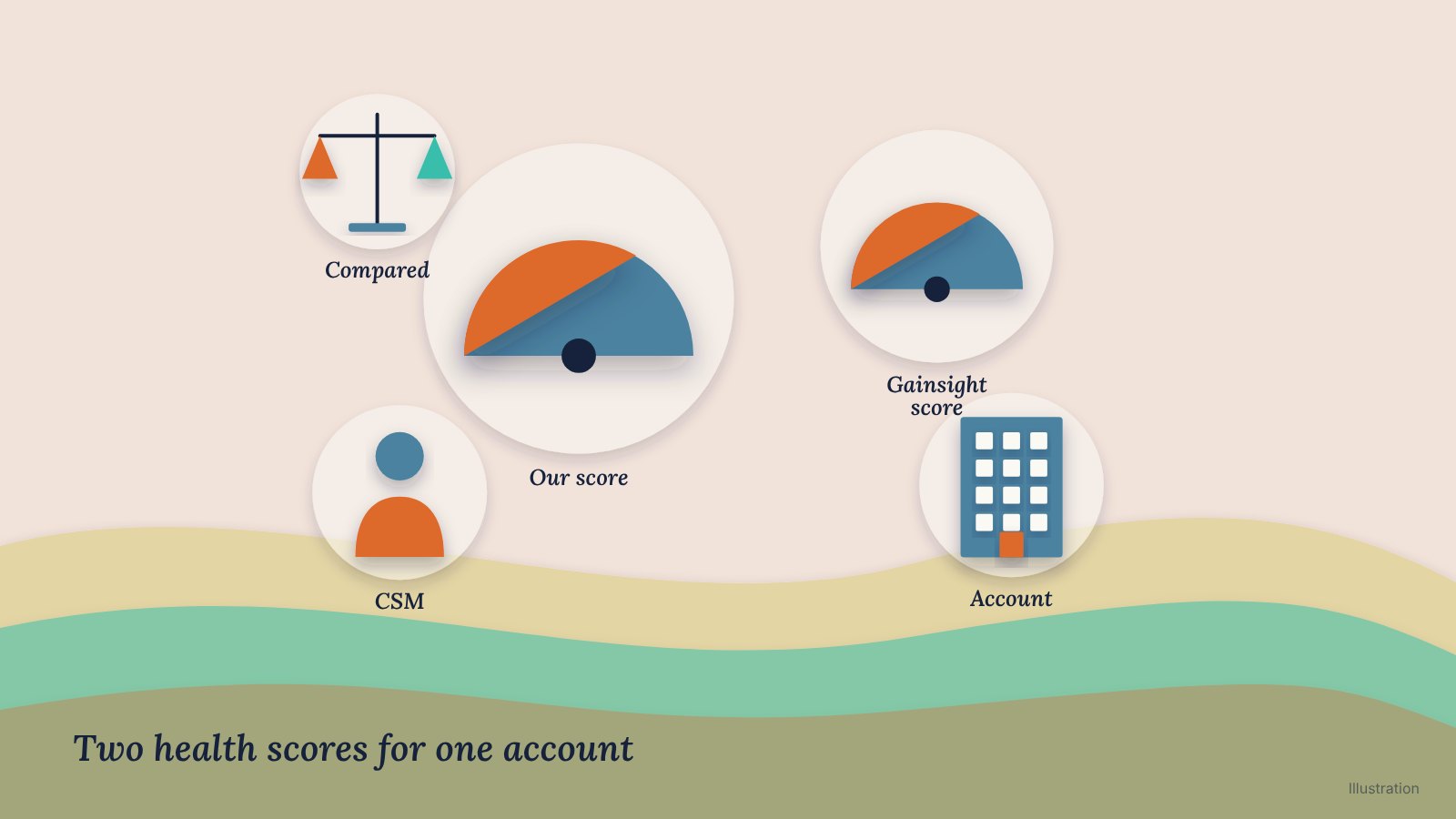
Many customer success teams already run Gainsight, with a health score they’ve tuned for years. TicketResolve Customer Success now syncs companies, CSMs and Gainsight’s own health score from Gainsight. Gainsight’s score sits beside TicketResolve’s, labelled and dated, and is never blended into it, so you can see exactly when the two disagree.
Anika runs customer success at a B2B software company with 400 accounts. Her team lives in Gainsight. Their renewal dates are there, their playbooks are there, and so is a health score they've refined over four years, weighting product usage, NPS and executive engagement.
On a Monday morning, her CSM for a large logistics account says everything looks fine: Gainsight health is 82, green. What the CSM can't see from Gainsight is that over the past ten days the customer has opened nine urgent support tickets about failed shipment syncs, two of which breached their SLA, and the last three replies from their operations lead were noticeably angry. By the time that frustration reaches Gainsight's usage and survey data, the renewal conversation will already be difficult.
The Gainsight score isn't wrong. It measures different things. What Anika needs is to see both pictures side by side, without either one swallowing the other.
First, the basics
- Customer success (CS) is the team that makes sure customers get value from your product, so they stay and renew. A CSM (customer success manager) owns a set of accounts.
- Gainsight is a widely used customer success platform where many CS teams manage accounts, renewals and playbooks.
- A health score is a single number that summarises how an account is doing, so a CSM knows where to look first. Different tools calculate it from different signals.
- ARR (annual recurring revenue) is how much an account pays per year. The renewal date is when the contract must be renewed.
- A sync copies data from one system to another on a schedule. A REST access key is the password one system uses to read another's data.
- Blending scores means averaging or combining them into one number. It sounds tidy, but it hides which signal moved.
Why does this matter? Customer success teams lose accounts when early warning signs live in a tool the CSM doesn't open. Support signals (urgent tickets, SLA breaches, angry replies) often move weeks before usage or survey scores do. Seeing both, separately, gives CSMs time to act.
The problem, in plain terms
- Two systems, two partial views. CS platforms see usage, surveys and engagement. Support sees tickets, severity, sentiment and SLAs.
- Replacing a tuned score is a bad trade. Asking a team to abandon years of tuning in Gainsight would cost trust and history.
- Blending hides the story. If two scores are averaged, a sudden support crisis is diluted by a healthy usage score, and nobody notices.
- Manual copying is unreliable. CSM names, renewal dates and ARR drift out of date when someone updates them by hand.
What comes across from Gainsight
Connect Gainsight under Customer Success → Integrations with your Gainsight address and a REST access key. Each sync reads Companies and these fields by default:
- name, industry and employees;
- stage, renewal date and ARR;
- anything else you map;
- the CSM, who becomes the account's CSM when they're a member of your TicketResolve workspace.
Companies match existing accounts by Gainsight ID, then domain, then name. When a value differs, the usual rules apply: Gainsight wins, keep ours, or list it for a person to decide.
Nothing is written back to Gainsight. It stays your system of record for what it owns.
Two scores, kept apart
Gainsight's health score comes across too. It appears on the account as Gainsight health, with the date it was read.
TicketResolve's own health score is built from what support sees: ticket volume and severity, sentiment, SLA breaches, escalations and engagement. It never takes Gainsight's score as an input, so the two can disagree, and that's useful. A customer at 82 in Gainsight with a sudden run of urgent tickets is exactly the account a CSM should look at today.
If the health score field isn't readable in your Gainsight setup, the sync still brings in companies and the log says why. You can point it at a different field.
Four real-world scenarios
1. The logistics account that looked green
How TR handles it. On the account, Gainsight health: 82 (read today) sits beside TicketResolve health: 41, at risk, falling 28 points in 10 days. The TicketResolve score's factors link to the nine urgent tickets, the two SLA breaches and the negative sentiment trend. The CSM calls the customer's operations lead that afternoon, with engineering's ETA for the sync fix in hand.
2. Two scores agreeing is information too
Situation. A mid-market account is amber in Gainsight (falling usage) and amber in TicketResolve (rising ticket volume about one feature).
How TR handles it. Two independent signals agreeing raises confidence. The CSM schedules a training session on the confusing feature instead of a generic check-in.
3. CSM changes without manual updates
Situation. Anika reassigns 30 accounts after a CSM leaves.
How TR handles it. She reassigns them in Gainsight as usual. The next sync updates the account's CSM in TicketResolve for every reassigned CSM who's a workspace member, so support escalations notify the right person.
4. A renewal date that differs
Situation. Finance updated a renewal date in TicketResolve after a contract extension, but Gainsight still has the old one.
How TR handles it. With list it for a person for renewal dates, the difference appears for review instead of being silently overwritten. The CSM confirms which is right and fixes it in Gainsight.
A worked example, start to finish
Here's how Anika's team connects Gainsight and catches the logistics account in time.
Monday, 9:00. Anika asks her Gainsight admin for a REST access key. The admin creates it under Administration → Connectors 2.0 → Gainsight API and shares it through the company's password manager.
9:30. In TicketResolve, Anika opens Customer Success → Integrations → Gainsight, enters theircompany.gainsightcloud.com and the key, and keeps the default field mapping. Their health score lives in a custom field called Overall Health, so she points the health score at that.
9:40. For conflicts she chooses Gainsight wins for stage, ARR and industry, and list it for a person for renewal dates, because finance sometimes updates those in TicketResolve after a contract change. She chooses not to create accounts for unmatched companies on the first run, so she can review them.
9:45. She clicks Sync now. The log reads: 371 companies matched by Gainsight ID or domain, 22 matched by name, 7 unmatched, and 3 renewal dates listed for a person. Two CSMs couldn't be linked because they aren't workspace members.
10:00. She invites the two CSMs to the workspace, reviews the 7 unmatched companies (four are old trials she doesn't need, three she creates), and resolves the 3 renewal-date differences with finance. Then she switches on the 6-hourly sync.
10:30. She sorts the account list by the gap between the two scores. At the top: the logistics account, Gainsight 82, TicketResolve 41. Its health factors link to nine urgent tickets, two SLA breaches and a falling sentiment trend over ten days.
11:00. The CSM reads the linked tickets, asks engineering for an ETA on the shipment-sync fix, and calls the customer's operations lead that afternoon with a plan. The account stays on track for renewal.
How to tell it's working
- Every large account shows both scores, each with a recent date.
- The CSM on each account is correct without anyone updating it by hand.
- Big gaps between the scores are reviewed weekly, and CSMs act on them before they reach the renewal conversation.
- Conflicts listed for a person are cleared, not left to pile up.
Before and after
Before. The CSM sees green in Gainsight while support sees a crisis, and the two are connected only when someone happens to mention it.
After. Every account shows both scores, separately and dated. Disagreement is a visible signal, and CSM, renewal and ARR data stay in sync without manual copying.
Who it's for
- CS leaders who run Gainsight and want support signals without replacing it.
- CSMs who need early warning from support activity on their accounts.
- Support leaders who want escalations to reach the right CSM.
How it fits with the rest of TicketResolve
Gainsight sits next to the other CRM integrations in Customer Success (Salesforce and HubSpot) and follows the same mapping and conflict rules. TicketResolve's health score feeds at-risk customers and interventions, renewals and Business Operations' customer exposure, all without Gainsight's score being mixed in.
Mistakes to avoid
- Expecting the scores to match. They measure different things; differences are the point.
- Choosing "Gainsight wins" for everything. For fields both teams edit, use "list it for a person".
- Forgetting to invite CSMs to the workspace. A CSM is only linked to an account if they're a member.
Do it in TicketResolve, step by step
Where: Customer Success → Integrations (/dashboard/cs/integrations). You'll need: permission to manage Customer Success, and a Gainsight REST access key from your Gainsight admin. Full guides: CRM, billing, usage and retention analytics and Customer accounts and explainable health.
- Get the access key. In Gainsight, an admin creates a REST access key under Administration → Connectors 2.0 → Gainsight API.
- Connect Gainsight. In TicketResolve, open Customer Success → Integrations → Gainsight. Enter your Gainsight address (for example
yourcompany.gainsightcloud.com) and the key. - Map the fields. Keep the defaults (name, industry, employees, stage, renewal date, ARR, CSM) and add any custom fields you rely on. Choose the health score field if yours isn't the standard one.
- Choose what happens when values differ. For each field: Gainsight wins, keep ours, or list it for a person. A good starting point is "Gainsight wins" for stage and ARR, and "list it for a person" for renewal dates.
- Decide about unmatched companies. Choose whether companies that don't match an existing account create new accounts.
- Sync. Click Sync now and read the log: matched by ID, domain or name, created, and anything listed for a person. Then switch on the 6-hourly sync.
- Invite your CSMs. Make sure each CSM is a member of the workspace, so the sync can link them to their accounts.
- Read both scores. Open an account's Health tab. TicketResolve's score shows its factors and links. Gainsight health shows with the date it was read.
How to check it worked: your largest accounts show the right CSM, renewal date and ARR, with both health scores side by side, and any value conflicts wait for review instead of being overwritten.
What we haven't verified yet
The connector is built against Gainsight's documented Data Management API. It hasn't been run against a live Gainsight tenant yet, so Integration Intelligence keeps it below "production verified" until one is confirmed. The Customer Success docs cover setup and field mapping.
Frequently asked questions
Does TicketResolve write anything back to Gainsight? No. The sync only reads from Gainsight.
Is Gainsight's score used in TicketResolve's health score? No. The two are shown side by side and never blended.
How are Gainsight companies matched to accounts? By Gainsight ID, then domain, then name.
What if our health score is in a custom field? Point the sync at that field. If it can't be read, companies still sync and the log explains why.
How often does it sync? Every 6 hours once switched on, or whenever you click Sync now.
Can we sync more than the default fields? Yes. Map any other Gainsight field you rely on.
What happens to companies that don't match an account? You choose whether they create new accounts. Either way, the sync log lists them.
Does the health score field have to be the standard one? No. Point the sync at the field your team uses.
Explore Topics
Written by
Ghulam Shabbir
Content creator and writer sharing insights and stories.