
AI Shopping Assistant in Your Support Chat: Product Recommendations That Convert
“Which one should I buy?” is a support question that ends in a sale. An AI shopping assistant can recommend products from your Shopify catalog as cards with add-to-cart links, answer stock and price questions in every channel, and offer discount codes only when asked and only within your rules. With an illustrative chat, start to finish.
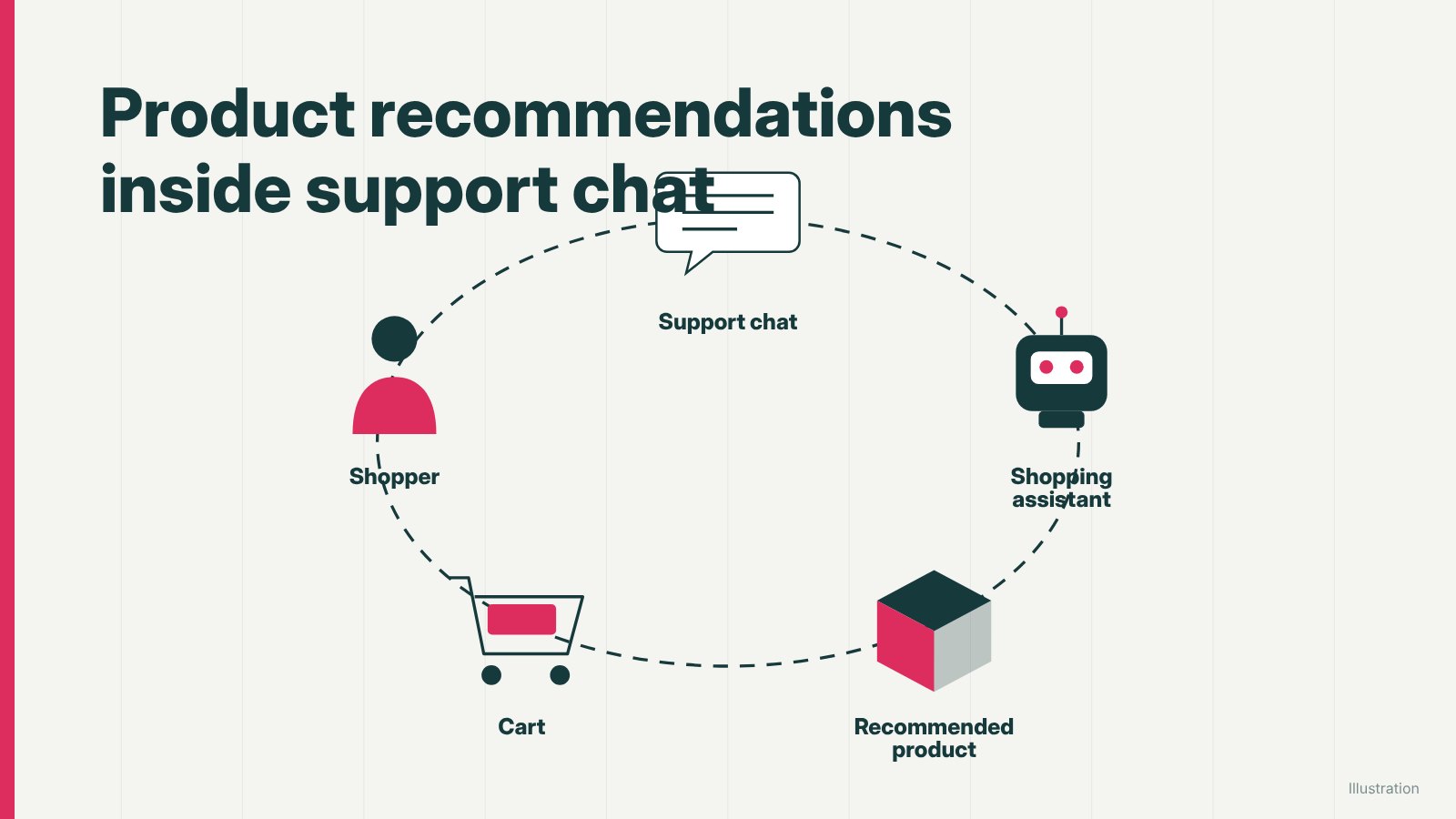
E-commerce support queues are full of questions that are really purchase decisions: "Which running shoe is best for wide feet?", "Do you have this in navy?", "What's the difference between the 2-litre and 3-litre model?". Answer them well and quickly and you make a sale. Answer them a day later by email and the customer has already bought elsewhere.
An AI shopping assistant handles these in the support chat. This post covers what makes one useful rather than pushy.
Here's how those questions slip away at a company that sells outdoor and camping gear online:
- Saturday 10:00: a visitor asks in chat: "Which tent is best for two people and windy beaches?" The chat bot links the tent category page: 40 tents.
- Saturday 10:05: the visitor leaves.
- Saturday 14:00: another asks by email whether a stove is in stock. The reply comes on Monday.
- Sunday: someone asks for a discount. A previous bot gave out 20% codes to anyone who opened the chat, and they're now on coupon sites.
- Monday: support works through weekend "which one?" emails. Most customers have bought elsewhere.
The store had good products, accurate descriptions and stock data. It just couldn't answer a buying question at the moment someone asked it.
First, the basics
- A shopping assistant is an AI in your website chat that recommends products from your catalog.
- Searching by meaning finds products by what they're for ("standing all day") rather than exact keywords.
- A product card shows an image, price, a product link and an add-to-cart link.
- A read-only token lets TR-AI read your catalog but not change it.
- A single-use discount code works once.
- A daily cap limits how many codes can be issued per day.
- "With approval" means a person approves each code before it's sent.
Why does this matter? Many support questions on a store are really "help me choose". Answering them in seconds, with a few good options and a cart link, turns support into sales, without discounting everything to everyone.
The problem, in plain terms
- Category links aren't answers.
- Email replies arrive after the customer has bought elsewhere.
- Keyword search misses what customers mean.
- Discount codes leak when handed out freely.
- Marketing copy doesn't answer practical questions.
What a good shopping assistant does
- Searches by meaning, not just keywords. "Comfortable shoes for standing all day" should find the right products even if no title says "standing".
- Shows products as cards: image, price, a link and an add-to-cart link, not a wall of text.
- Keeps it to a few options. Three cards beat ten, especially on phones.
- Answers stock and price questions in email and messaging tickets too, not only in chat.
- Hands off to a person for anything it can't answer, like any support conversation.
Discounts: only when asked, only within rules
Discount codes are where AI shopping assistants go wrong: handing out codes to everyone who opens the chat. Rules that work:
- Offer a code only when the customer asks for a discount. Never volunteer one.
- Single-use codes, at most one per conversation.
- A daily cap, a maximum percentage, an expiry and an optional minimum order.
- Start in "with approval" mode, where a person approves each code, and switch to automatic once you trust it.
Write product descriptions for questions
Recommendations match on meaning, so descriptions written in customers' words (fit, use, materials, sizing) produce better matches than marketing copy. That improves your product pages for search too.
Order and return questions belong to procedures
After the sale come "where is my order?" and "how do I return this?". Those are handled by procedures connected to Shopify, WooCommerce, BigCommerce and returns and subscription tools. See AI customer support for e-commerce.
How TR-AI's shopping assistant works
The shopping assistant (/dashboard/shopping-assistant) is on the Growth Pro plan:
- Connect Shopify with a read-only product token. Active products are indexed by title, description, type and tags, refreshed about every 6 hours.
- In the chat widget, product questions get product cards with image, price, a product link and an "Add to cart" link that opens a ready-made cart.
- Discount codes: off, automatic or with approval; up to 30%; a daily cap; an expiry; an optional minimum order. Single-use, at most one per conversation, and only when the visitor asks.
- WooCommerce and BigCommerce catalogs are indexed too (product cards link to the product page; cart links and discount codes are Shopify only).
- "Answer product questions from the catalog" (on by default) also answers "do you sell…", "how much is…" and "is it in stock?" in help-desk, email and messaging tickets, with no extra AI calls.
A worked example, start to finish
Here's the camping store with the shopping assistant. The names, products and rules are illustrative.
Set-up. Tom, the e-commerce manager, creates a Shopify app with the read_products scope, plus write_price_rules and write_discounts for codes, and copies the token. In Shopping assistant he enters the shop domain, the token and the public store URL, switches it on and clicks Sync catalog now. Active products are indexed.
Discount rules. "With approval", up to 10%, a daily cap of 20 codes, valid for 3 days, minimum order of a set amount.
Descriptions. The merchandising team adds a line to each tent's description in customers' words: "good in wind", "fits two with gear", "packs small for cycling".
Saturday 10:00. A visitor asks: "Which tent is best for two people and windy beaches?" The chat shows three product cards: a low-profile two-person tunnel tent, a geodesic dome rated for wind, and a lighter option with a note that it's less suited to strong wind. Each has an image, price, product link and Add to cart.
Saturday 10:03. "Is the dome one in stock in green?" The assistant answers from the catalog: green is in stock.
Saturday 10:04. "Any discount?" The visitor asked, so a code is possible. Because the rule is "with approval", the request goes to a person. Amira, on the weekend shift, approves it: a single-use 10% code, valid for three days. The visitor adds the tent to the cart from the card and checks out.
Saturday 14:00. An email asks: "Do you sell replacement tent pegs and how much are they?" "Answer product questions from the catalog" replies in the ticket with the product, price and stock, no extra AI calls.
Sunday. Someone opens the chat and doesn't ask for a discount. No code is offered.
Monday. The weekend "which one?" backlog is mostly gone. Codes issued: a handful, each approved, none on coupon sites.
What changed: buying questions answered in seconds with a few good options and a cart link, stock questions answered in email, and discounts only for people who asked, within rules.
Five more real-world scenarios
1. A WooCommerce store
Situation. Your store runs on WooCommerce.
How TR handles it. The catalog is indexed and recommended; cards link to the product page. Cart links and codes are Shopify only.
2. Trusting the rules
Situation. After a month of approving codes, every one was reasonable.
How TR handles it. Switch discount codes to automatic, within the same rules.
3. A question it can't answer
Situation. "Will this tent survive a hurricane?"
How TR handles it. It hands off to a person like any other support conversation.
4. A new product
Situation. A new stove goes on sale this morning.
How TR handles it. The index refreshes about every 6 hours, or click "Sync catalog now".
5. A customer asking twice
Situation. A visitor asks for a second code in the same chat.
How TR handles it. At most one code per conversation.
Before and after
Before. A category link with 40 tents, a stock answer on Monday, 20% codes on coupon sites and a weekend of lost sales.
After. Three product cards in seconds, stock answered in chat and email, one approved single-use code for someone who asked, and a cart link that closed the sale.
How to tell it's working
- More chats end with an add-to-cart click.
- Stock questions are answered in the same channel.
- Codes stay within the daily cap and off coupon sites.
- Fewer "which one?" emails wait for Monday.
Who it's for
- Online stores on Shopify, WooCommerce or BigCommerce.
- E-commerce support teams.
- Merchandising teams writing product descriptions.
How it fits with the rest of TicketResolve
The shopping assistant lives in the chat widget. After the sale, procedures with live Shopify data handle order status and returns, and retention offers and payment links cover other revenue moments. Lead qualification handles B2B buyers in the same chat.
Should a shopping assistant give discount codes?
Only when a customer asks, and within strict rules: single-use codes, a daily cap, a maximum percentage, and ideally human approval to start with. A discount offered to everyone is just a lower price; one given to the person who asked, at the right moment, can save a sale.
Writing descriptions that help
Look at the questions customers actually ask in chat and email, then make sure the answers appear in product descriptions: what it's good for, what it isn't, sizes and fit, materials, what's in the box. Short, plain sentences work best. The same lines that help the assistant match products also help customers browsing the product page, and search engines too.
Keeping recommendations honest
A good assistant recommends what fits, not what's most expensive. Show a few genuinely different options, say what each is best and worst at, and include a cheaper choice when it would do the job. Customers notice when advice is honest, and they come back to stores that gave it. The camping example above included a lighter tent with a note that it suits wind less: that's the kind of detail that builds trust.
Mistakes to avoid
- Volunteering discount codes.
- Showing ten products instead of three.
- Marketing-only descriptions that don't answer questions.
- Write access where read-only will do.
Do it in TicketResolve, step by step
Where: Shopping assistant (/dashboard/shopping-assistant) and the Chat widget (/dashboard/chat-widget). You'll need: Growth Pro; a Shopify app token. Full guides: Shopping assistant in the chat widget, Website chat widget and Procedures with live-data connectors.
- Create a Shopify app with
read_products(addwrite_price_rulesandwrite_discountsfor codes) and copy the token. - Connect the store: shop domain, token and public store URL; switch the assistant on.
- Click "Sync catalog now".
- Choose discount rules: off, automatic or with approval; percentage up to 30%; daily cap; validity; minimum order.
- Improve descriptions with the questions customers ask.
- Test in the chat widget with real buying questions.
- Keep "Answer product questions from the catalog" on for email and messaging.
How to check it worked: product questions in chat show product cards with add-to-cart links, and codes are only issued when a visitor asks.
Frequently asked questions
What is an AI shopping assistant? An AI in your website chat that recommends products from your catalog in response to customers' questions, shown as product cards with prices and add-to-cart links.
Can AI recommend Shopify products in chat? Yes. Your Shopify catalog is indexed and searched by meaning, so "shoes for wide feet" finds the right products even without exact keywords.
Should a shopping assistant give discount codes? Only when a customer asks, and within strict rules: single-use codes, a daily cap, a maximum percentage, and ideally human approval to start with.
Does it work beyond Shopify? WooCommerce and BigCommerce catalogs can be searched and recommended too. Cart links and discount codes depend on the platform.
Which plan includes it? Growth Pro.
How often is the catalog refreshed? About every 6 hours, or on demand.
What's the maximum discount? Up to 30%, set by you.
Does it answer stock questions in email? Yes, with "Answer product questions from the catalog", with no extra AI calls.
Can it give more than one code per chat? No, at most one per conversation.
Explore Topics
Written by
Ghulam Shabbir
Content creator and writer sharing insights and stories.