
Why This Ticket Went There: A Routing Decision on Every Ticket
Outcome Assurance now shows, for every ticket, the path it took through TicketResolve and why: which engine handled it, what evidence was missing, the risk of acting, whether a person had to approve, the AI cost against tickets on the same route, and the rules that stop or escalate the work. Investigations also get a total budget that stops them and says so.
When an AI system hands a ticket to a person, the first question is "why?" Was there no help article? Did two sources disagree? Was it a billing question it isn't allowed to answer? Did it try an investigation and run out of budget? Usually the answer is spread across five screens, or nowhere.
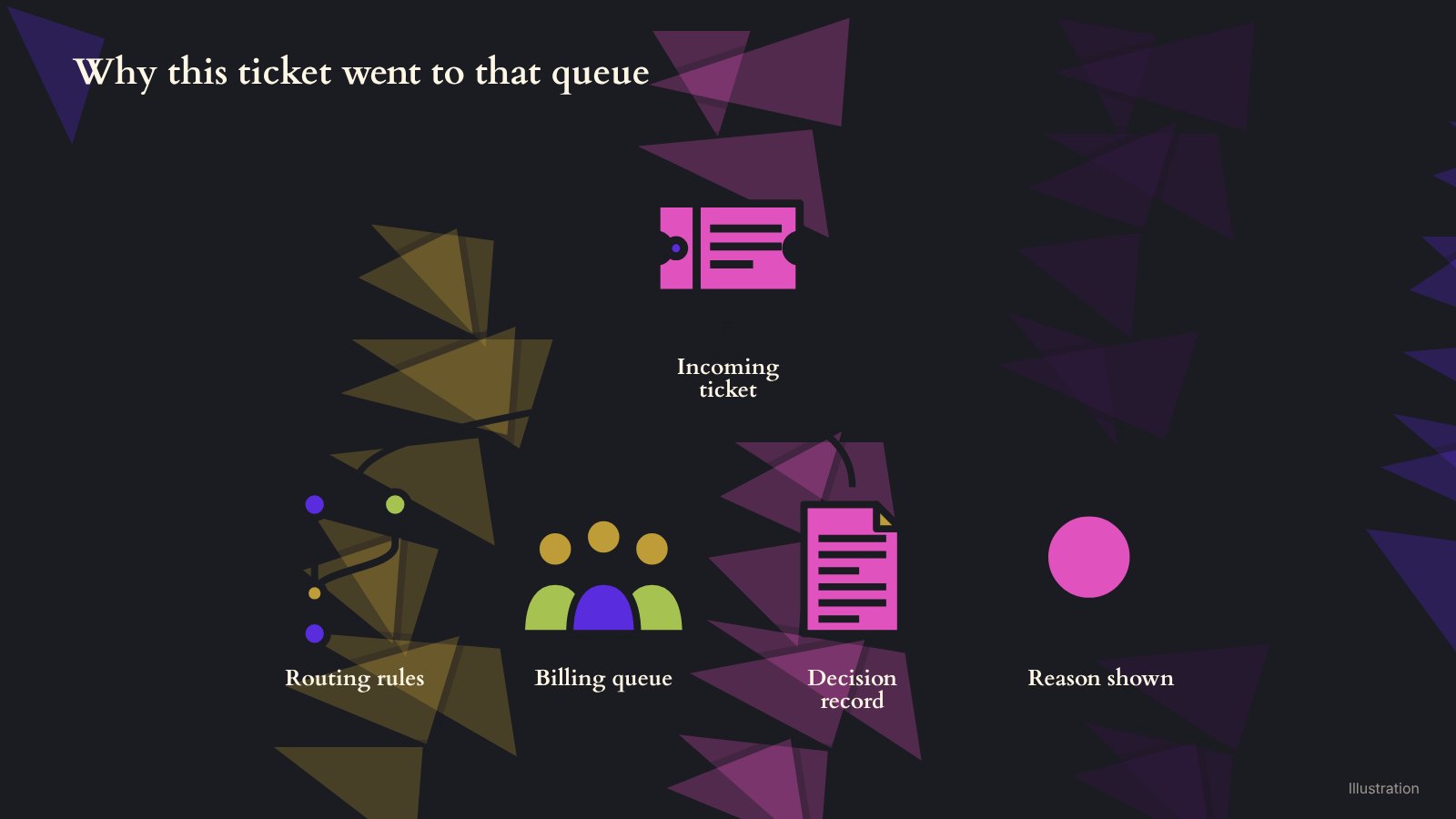
This release puts the answer in one place. Every ticket now has a routing decision: the path it took through TicketResolve, with the reason recorded at each step, and what would have let it go further.
A few terms used in this post:
- Engine — the part of TicketResolve that worked on the ticket: TR Resolve answers, TR Investigate looks for technical causes, and engineering fixes code.
- Route — the combination of what TR Resolve did (sent, held for approval, handed over) and why (answered, not covered, sensitive and so on).
- Investigation budget — the limits on how much an investigation may run, set in the investigation policy.
What the routing decision shows
Open a ticket in Intelligence → Ticket through every engine, or its record in Outcomes and ROI → Ledger. The routing decision has six parts.
1. The path. Each engine the ticket reached, in order, with its recorded reason:
- TR Resolve sent it, because it was answered from your help content and met the send rules (with its confidence);
- or TR Resolve drafted it and a person approved it, with the reason it was held;
- or your team took it, because nothing in your help content covered it, the topic was sensitive or the output guard stopped the reply;
- then TR Investigate, if an investigation covers the ticket, with its status;
- then engineering, if a person handed the investigation over.
2. Evidence missing. What would have let the ticket go further:
- a help article that covers the question, with the best match found;
- sources that agree, when they didn't;
- sources the investigation couldn't reach, such as logs that aren't connected;
- evidence the investigation's plan still needs.
3. Risk of acting. The same risk classes workflows already use:
- Read-only when nothing was sent or changed;
- Write when a reply goes to the customer;
- Privileged when account or billing details are involved;
- Production-impacting when a high-risk remediation is part of it.
4. Approval. Whether a person had to approve, and why: a held draft, a remediation waiting, or a ticket your team handles.
5. AI cost against expected. This ticket's model calls and estimated cost, next to the average for tickets that took the same route in the last 30 days. If a ticket used four calls where similar tickets use two, you see it. Both figures are estimates at your workspace's model rate, and money needs "Outcome financials".
6. Stop and escalate rules. When work stops (the send rules, the output guard, the investigation budget with what was used) and when it escalates (to your team, to TR Investigate automatically if that's on, to engineering by a person).
Nothing is decided again
The routing decision is read from what the engines recorded at the time: the resolution log, the ticket's AI calls, the investigation, its plan, and remediation runs. It doesn't ask a model to explain itself after the fact.
Two parts describe how TicketResolve is set up now rather than when the ticket arrived: the automatic-investigation setting and the investigation budget. They're marked current setting.
Investigations now have a total budget
Investigations already had daily limits: runs per investigation per day and runs per workspace per day. A stuck investigation could still run every day for weeks.
The investigation policy now adds two totals per investigation:
- runs in total (default 100);
- minutes of run time in total (default 120).
When a run would go over either, it's refused with the reason. The stop is recorded on the investigation, audited once (retries don't flood the log), and shown in the routing decision. The investigation's pipeline says it was stopped by the budget, rather than promising an automatic retry. Raising the limit lets the next run start and clears the stop.
Investigations make no model calls of their own, so this budget is about runs and time, not AI spend.
A worked example, start to finish
This is an illustrative example.
A customer writes that their nightly export job hangs. TR Resolve finds no help article close enough — the best match is 38% — and two articles disagree about the plan's limits. It hands the ticket to the team without sending anything.
The ticket looks like a production problem at high severity, so TR Investigate opens an investigation automatically. Its plan needs error logs around the hang, but logs aren't connected, and it still wants queue depth for the last hour. A person hands it to engineering, and an engineer proposes "Restart worker pool", a high-risk change that waits for approval.
The investigation runs twice and reaches its budget of two runs. The third attempt is refused.
Opening the ticket in Ticket 360, the support lead sees all of it in one place:
| Part | What it says |
|---|---|
| Path | Your team → TR Investigate (awaiting evidence) → Engineering |
| Evidence missing | A help article (best match 38%); sources that agree; logs not connected; queue depth still needed |
| Risk | Production-impacting: "Restart worker pool" (high-risk change) |
| Approval | Needed: waiting for approval of "Restart worker pool" |
| Stop | Budget: 2 runs in total — used 2; stopped by the budget |
She connects the logs, raises the budget to ten runs, and writes the missing help article for the next customer.
Five more real-world scenarios
These are illustrative.
- A surprisingly expensive answer: a password-reset ticket used six calls where similar tickets use two. The routing decision shows it, and the team finds a long thread that kept being re-read.
- A draft held for a conflict: the routing decision shows the hold reason — two articles give different refund windows — and the team fixes the older article.
- A billing question: routed to the team as sensitive, with risk "Privileged". Nobody wonders why the AI didn't answer.
- Automatic investigation off: the escalate rules say investigations start only when a person opens one, which explains why a bug report wasn't investigated.
- A runaway investigation: a flaky integration keeps re-triggering analysis. The run-time budget stops it at 120 minutes, and the stop is on the record.
Do it in TicketResolve, step by step
- Look up a ticket in Intelligence → Ticket through every engine, and read its routing decision. (How a ticket was routed)
- Open a ticket's outcome record in Outcomes and ROI → Ledger to see the decision beside its class and verification. (How a ticket was routed)
- Set the investigation budget in TR Investigate → Integrations → Investigation policy. (How a ticket was routed)
- Compare costs on tickets that look expensive, using "Outcome financials" to see money. (Outcome classes and verification)
- Fix what was missing — the article, the conflicting source, the unconnected logs — and watch the next ticket take a shorter path. (Reading the outcome ledger)
Frequently asked questions
Does the routing decision change how tickets are routed? No. It shows what happened and why. Routing still follows your send rules, guard rules and settings.
Is an AI explaining its own decision here? No. Every line is read from what was recorded for the ticket. No model is asked to justify anything afterwards.
Why is there sometimes no expected cost? Expected cost is the average of other tickets on the same route in the last 30 days. If none took that route, there's nothing to compare with, and the page says so.
Is the cost exact? No. It's estimated from the ticket's recorded token counts at your workspace's model rate — the same estimate as Resolution costs.
What happens when an investigation hits its budget? The next run is refused with the reason. The stop is recorded and shown until someone raises the limit; then the next run starts and the stop clears.
Does the budget limit AI spend? Not for investigations: they make no model calls of their own. It limits runs and run time.
Who can see money? People with "Outcome financials". Everyone with access sees the call counts.
The short version
Every ticket now shows the path it took, what was missing, the risk of acting, whether a person approved, its AI cost against similar tickets, and when work stops or escalates — all read from what was recorded. Investigations get a total run and run-time budget that stops them and says so.
Explore Topics
Written by
Ghulam Shabbir
Content creator and writer sharing insights and stories.