
Fair by Design: Integrity Signals, Appeals and Retention in Hiring Assessments
Release 10 of the AI Recruitment Manager adds the governance an enterprise needs: an integrity risk indicator that lists its signals and never passes a verdict, candidate appeals decided by a person, retention you control, a full data export, webhooks and an API for your applicant tracking system.
Online assessments raise two worries at once. Employers worry about cheating. Candidates worry about being judged by a machine that won't explain itself. Most tools answer the first worry by making the second one worse.
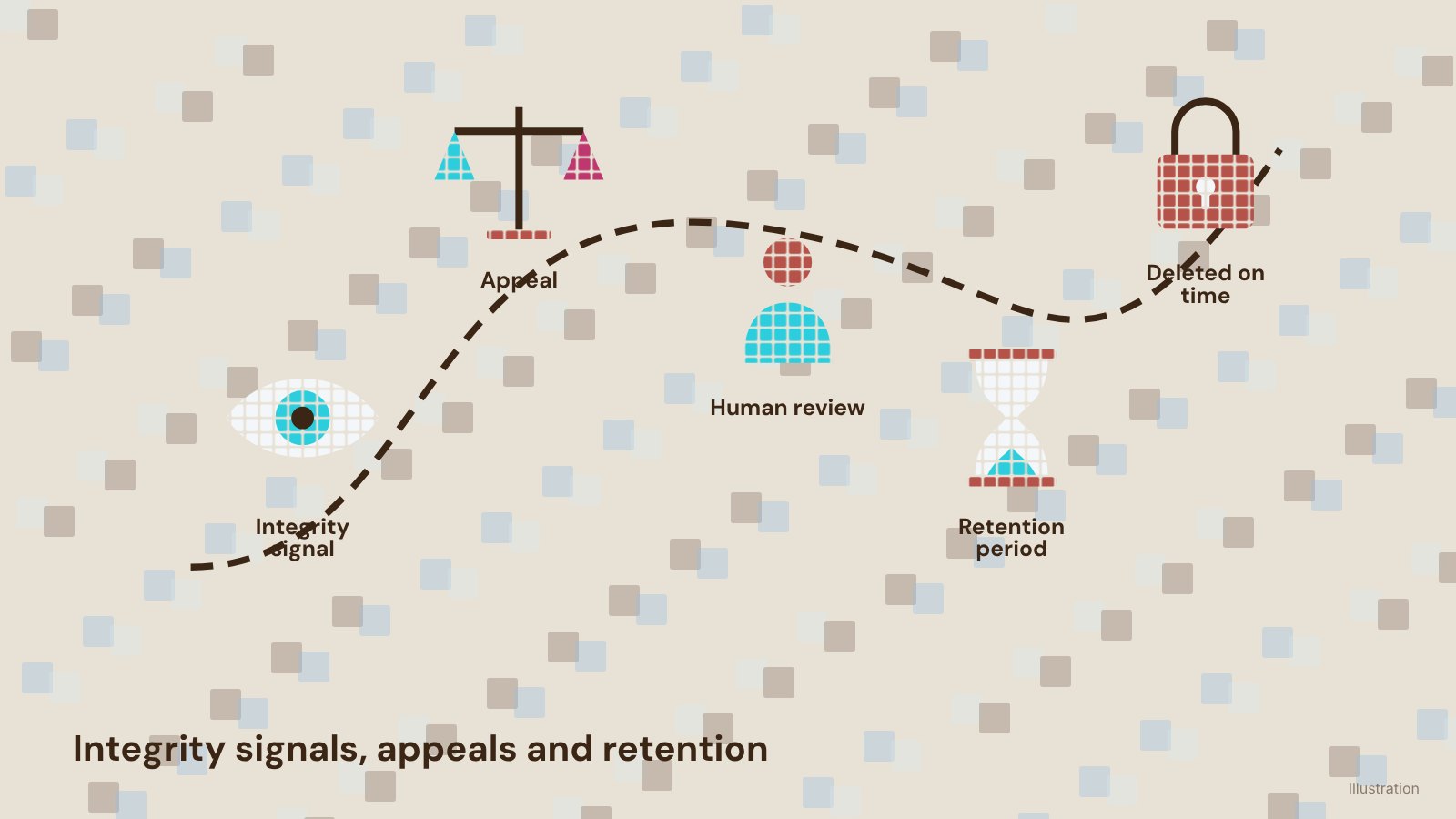
Release 10 of the AI Recruitment Manager takes the other route. It shows integrity signals as evidence for a person to review, gives candidates a way to appeal, and lets you decide how long their data is kept. It also connects to the systems you already use.
A few terms used in this post:
- Integrity risk indicator: a list of signals from one sitting, each with a weight, and an overall level. It is never a finding.
- Appeal: a candidate's request, from their assessment link, for a person to review what happened.
- Retention: how long answer texts and browser records are kept before they're cleared.
- ATS: applicant tracking system, the software many teams use to manage candidates.
The problem, in plain terms
- Signals get treated as proof. A candidate switches tabs to check their e-mail and is marked as a cheat. Real people have notifications, shared Wi-Fi and fast fingers.
- There's no way to say "something went wrong". A page freezes, a camera drops, a question is ambiguous. Without an appeal route, the result just stands.
- Data is kept forever by default. Candidate answers sit in a database long after anyone needs them.
- Assessments live in a silo. If your team runs another ATS, someone copies results across by hand.
Part 1: an integrity indicator, not a verdict
On every sitting that has started, the integrity risk indicator lists what it found and how much each item counts:
- Proctoring flags that no reviewer has dismissed. A serious flag weighs more than a warning, and browser events, such as leaving the tab, count for at most a fixed amount in total.
- The sitting open in two browsers at the same time.
- Answers from several networks. This is weak on its own, because people move between Wi-Fi and mobile data.
- Another candidate on the same network, for the same assessment within a day. Offices and campuses do this all the time, so it weighs little.
- Many correct answers given unusually fast: at least five, in under a fifth of the time allowed.
- A re-test score much lower than the first sitting.
The level is no signals, low, moderate or elevated. Under it, the page says plainly that it's an indicator for a person to review, not a finding, and that the candidate should get a chance to explain before anyone acts on it.
To spot a sitting open in two browsers, the assessment page sends a random ID for the browser tab. That ID and the network address are stored only as one-way hashes, separately for each workspace, and deleted on a schedule.
Part 2: appeals decided by a person
After finishing, a candidate sees "ask for a review" on their assessment page. They can use it within 30 days and at most twice. They describe what happened in their own words.
Open appeals appear under Insights → Appeals waiting for a decision and on the sitting. A person with approval rights records one of four outcomes:
- reviewed, no change
- score corrected
- a new sitting is offered
- the sitting won't be used
They also write a reply, and the candidate sees both on the same page. Where possible, someone who didn't score the sitting should decide. The product suggests it and records who did.
Part 3: retention and the right to your data
An approver sets two periods under Insights → Retention:
- Answer texts. Cleared a set number of days after a sitting finishes. Scores, summaries and scorers' notes stay, so decisions remain explainable.
- Browser and network records. Deleted after a set number of days, 180 by default.
It runs daily. Practice attempts are deleted after a year.
For an access request, Export this candidate's data downloads everything held about the person as one file: details, applications, sittings with answers and scores, appeals, decisions and certificates. Delete this candidate's data removes all of it, including appeals, reports and certificates. A deleted certificate's verification page then says the ID doesn't exist. Both actions are logged.
Part 4: webhooks and an API for your ATS
Seven new webhook events cover the life of an assessment:
assessment.assigned,assessment.startedandassessment.completedassessment.graded, sent once when every answer has a scoreassessment.approvedandassessment.report_approvedcertification.issued
They're signed like every TicketResolve webhook. They carry IDs, status and scores, never names or answers.
The API lets an ATS do the rest:
GET /v1/assessmentslists approved assessments.POST /v1/assessment-invitationsadds the candidate to a requisition, or reuses them if their e-mail is already known, and sends an assessment.GET /v1/assessment-sittings/{id}returns status and the score per skill.
Calls act with the permissions of the person who created the key, checked on every call, so removing someone's access also stops their key.
Part 5: the 25 acceptance scenarios
The original specification listed 25 things that must work end to end. They range from "Administrator creates a cognitive assessment" to "Existing functionality continues to work without regression". Release 10 adds a runner that executes every one: eleven browser suites and eleven database suites, then the full regression run and build. It maps each scenario to the suites that prove it.
Where a step can't be proven locally, the report says so. AI question generation and rubric scoring run against a stubbed model in tests, and e-mail delivery needs a mail provider.
What it does, and what it doesn't
It does:
- show integrity signals with their weights for a person to review
- let candidates appeal, with a person deciding and replying
- clear answer texts and browser records on your schedule
- export or delete everything held about a candidate
- send signed webhooks and serve an API for your ATS
It never:
- treats an integrity signal as proof of cheating
- rejects anyone on its own
- stores raw network addresses or browser IDs
- puts names or answers in webhooks or API results
- lets an API key do more than its creator can
A worked example, start to finish
This scenario is illustrative. The company, people and numbers are made up.
- An ATS sends a product knowledge check to Quinn through the API. Quinn is already known by e-mail, so no duplicate is created.
- Quinn's page freezes on question four. The indicator shows "Low: left the assessment tab 3 times", not reviewed yet.
- Quinn finishes, then uses "ask for a review" to explain the freeze.
- An approver checks the log, records "Score corrected" and replies. Quinn sees the outcome on the same page.
- When every answer is scored, the
assessment.gradedwebhook tells the ATS, with IDs and the raw percent. - A year later, the retention job clears Quinn's answer texts. The score and the scorer's notes remain.
Five more real-world scenarios
- A shared office. Three candidates take the test from the same office network. Each gets a low, clearly explained signal, and nobody is flagged as a cheat.
- A second browser. A sitting is open in two browsers at once, and the reviewer asks the candidate before deciding anything.
- An ambiguous question. Two appeals point at the same question. The team retires it and corrects both scores.
- An access request. A candidate asks what's held about them, and the export answers in one file.
- A strict retention policy. A regulated team clears answer texts after 90 days, while keeping the scores for audits.
Do it in TicketResolve, step by step
- Open a finished sitting to see the integrity risk indicator and any appeals. (Integrity indicator, appeals, retention and the ATS API)
- Insights → Appeals waiting for a decision, then decide on the sitting. (Integrity indicator, appeals, retention and the ATS API)
- Insights → Retention: set the two periods. (Integrity indicator, appeals, retention and the ATS API)
- On a candidate: Export or Delete this candidate's data. (Integrity indicator, appeals, retention and the ATS API)
- Settings → Webhooks and API keys to connect your ATS. (Sending an assessment to a candidate)
Frequently asked questions
Does an "elevated" indicator mean the candidate cheated? No. It means several signals add up to something a person should look at. Every signal has innocent explanations, and the page says so.
Do you store candidates' IP addresses? No. A network address is turned into a one-way hash for each workspace and deleted after the retention period.
Who decides an appeal? A person with approval rights in your team. The product records who decided and shows the candidate the outcome and the reply.
Can we keep scores but delete answers? Yes. Retention clears answer texts and keeps scores, summaries and scorers' notes.
What does the ATS receive? IDs, status, timestamps and scores, overall and by skill. Never names or answers.
What happens to an API key if its creator leaves? Calls act with the creator's permissions at the time of the call. If they lose access, the key stops working for assessments.
Are all 25 acceptance scenarios proven? Each runs end to end. Where a step depends on something not available locally, such as an AI model or a mail provider, the report says exactly what was stubbed.
The short version
Integrity signals are shown with their weights and never used as proof. Candidates can appeal and get an answer from a person. You decide how long data is kept, and you can export or delete it. Your ATS can send assessments and receive results without anyone copying them across.
Explore Topics
Written by
Ghulam Shabbir
Content creator and writer sharing insights and stories.