
Bug Reports Shouldn’t Go Quiet: Customer Updates That Follow the Investigation
Each investigation now carries a customer update that follows its progress — what has been found, any verified workaround, the versions affected, the known issue it matches and what would help — sent by a person or, where the workspace allows, automatically.
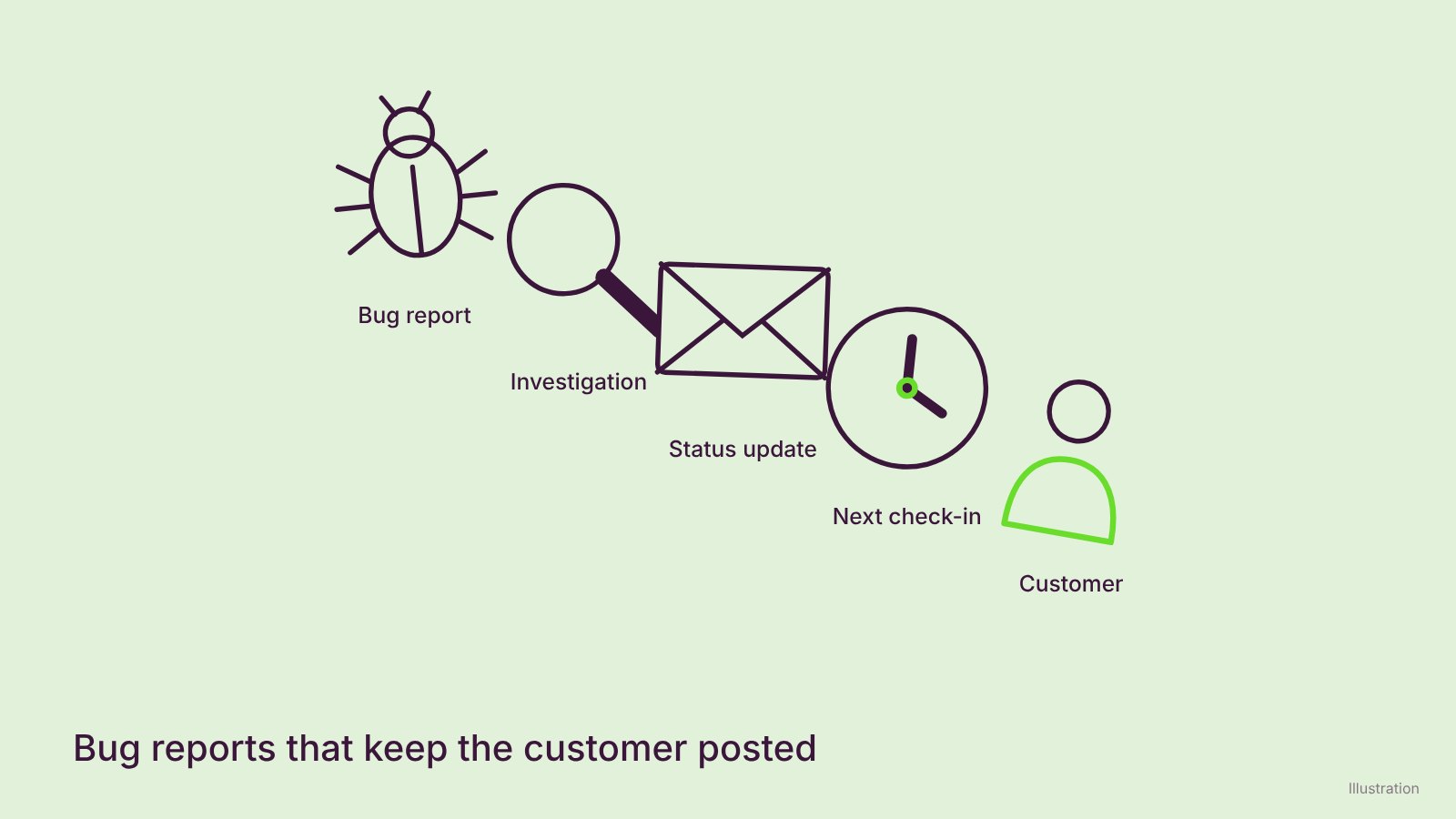
The worst reply to a bug report is silence. A customer writes in, support confirms it's a bug, the ticket moves to engineering — and from the customer's side, nothing happens for a week. They don't know whether anyone believes them, whether there's a way around it, or whether to keep waiting.
Most teams know this and still struggle with it, for a simple reason: writing a good update is surprisingly hard. It has to be honest without overpromising, specific without exposing internals, and timely without being a chore for someone who has twenty other tickets open.
This release gives every investigation in TicketResolve a customer update that follows its progress. It's written from the investigation's own records. A person can send it with one click — or, if your workspace allows, it goes out automatically, once per stage, when every rule says it's safe.
A few terms used in this post:
- Investigation: TicketResolve's evidence-based work on a reported problem — errors, logs, deployments, reproductions, hypotheses.
- Stage: where the investigation is, in the customer's terms — Investigating, Problem identified, With engineering, Fix being checked, Fixed and verified.
- Verified workaround: a workaround a person has confirmed works.
- Known issue: a problem your team tracks across tickets, with its own customer updates.
What makes a bug update hard to write
Look at a typical internal investigation note: "Leading hypothesis: TypeError in ExportService.run after deploy 4f2a; 38 errors in the last hour; similar to KI-112." Every part of that is useful internally and wrong to send to a customer:
- Internal names — service names, error classes and deploy hashes mean nothing to the customer and expose how your system is built.
- Unconfirmed causes — "leading hypothesis" can turn out to be wrong. Telling the customer "it was the deploy" and then retracting it is worse than saying nothing.
- Other customers — "38 errors" may include other accounts.
So the update has to be translated, not copied. And translation is exactly the step that gets skipped when everyone's busy.
How the update is written
The update is built from the investigation's records, without an AI call, using fixed rules about what can and can't be said.
The status line follows the stage
- Investigating — "We're investigating it and haven't found the cause yet."
- Problem identified — "We can see errors on our side that match what you described, and we're working out the cause." Only once a person has confirmed the cause does it say "We've confirmed a problem on our side".
- With engineering — "Our engineering team is now working on the problem you reported."
- Fix being checked — "A fix for the problem you reported is ready, and we're checking that it resolves it."
- Fixed and verified — "The problem you reported has been fixed, and we've confirmed it's working again."
The update never names a service, an error class, a deployment, a stack trace or another customer. "Confirmed" is used only when a person has confirmed the cause. Strong evidence on its own isn't enough.
Then, only where it applies
- The known issue it matches. If the ticket is linked to a known issue, the update uses the known issue's customer-facing description and its current estimate — never its internal title or notes.
- Versions. If the problem was reproduced in the customer's own environment through TR Connect, the update names those versions. Versions that are only suspected are never mentioned.
- A workaround — worded according to whether a person has verified it (see below).
- What would help. While the cause is still open, the update asks for whatever the investigation still needs and the customer could add, in plain words: "when it happened (date, time and time zone)", "the full error message (a screenshot is fine)".
- What's next — "We'll update you as soon as there's news."
Once the problem is fixed and verified, the update drops everything except the good news.
A cause on the customer's side is different
If the investigation finds the cause is the customer's own configuration — a missing permission, a proxy, an old app version — there's no bug to update them about. They get the configuration correction instead, through TR Connect, and the panel says so.
Workarounds need a person
A workaround is often the most useful thing in a bug update — and the most dangerous if it's wrong. "Clear your cache" that doesn't work wastes the customer's time; a workaround that loses data is far worse.
So a workaround has two states:
- Not verified — the update says "This may help in the meantime: …", and it can't go out automatically.
- Verified — once someone chooses I've confirmed it works, the update says "Until it's fixed, this workaround works: …", and the panel shows who verified it.
If anyone changes the workaround's text, the verification is cleared. The person verified the old text, not the new one.
When the ticket is linked to a known issue that has a workaround, it's offered as a suggestion. It still has to be saved and verified on the investigation before it counts.
Sending it
Every investigation's Overview has the Customer update panel. A person can:
- read the update as it would go out now;
- choose Send to the customer to post it as a public reply on the ticket;
- choose Edit first to change it before sending.
If the help desk refuses the reply — it isn't connected, the ticket is closed, the channel doesn't accept it — the panel says why, and the history shows "not sent". Nothing is ever recorded as sent unless the help desk accepted it.
Sending it automatically
Workspace admins choose how bug updates work:
- Off — no updates.
- Draft (the default) — the update is prepared; a person sends it.
- Send automatically — every 10 minutes, each open investigation on a ticket gets its update once per stage, when every rule allows.
The rules for automatic sending are deliberately conservative:
- Not to a ticket linked to a known issue. Known issues send their own updates to every linked ticket; a second message would be noise.
- Not with an unverified workaround.
- Not when the cause is on the customer's side — they get the configuration correction instead.
- Once per stage. A customer gets "Problem identified" once, "With engineering" once, and so on. With several servers, a unique key guarantees it's claimed once before it's sent.
- While still investigating, only when it asks for something. "We're still looking" with nothing else to say isn't worth an email; the customer has usually had an acknowledgement already.
When an update won't go out automatically, the panel lists exactly why — "The ticket is linked to a known issue, which sends its own updates", "The workaround isn't verified yet". A failed automatic send is recorded and not retried: a duplicate message is worse than a gap, and a person can send it.
Why not let an AI write them?
TicketResolve uses AI for plenty of things: drafting replies from your help articles, investigating, proposing code fixes. So it's a fair question why bug updates are assembled from fixed wording instead.
The answer is the kind of mistake each approach makes. An AI-written update reads more naturally. It's also more likely to do exactly what a bug update must never do: explain a cause that isn't confirmed ("this was caused by a recent update"), soften a stage ("we've fixed it" when the fix is only being checked), or mention a detail from the investigation that was meant to stay internal. Each of those is a small slip in a draft and a real problem in a message to a customer who is already unhappy.
Fixed wording can't drift. Each stage has one sentence that's been checked once. The parts that change from ticket to ticket — the known issue's description, the versions, the workaround, the questions — come from fields a person wrote or a reproduction recorded. A test checks that no stage's text ever contains the internal statement behind it.
The trade-off is that the updates read a little plainly. That's what "Edit first" is for: when a customer deserves a more personal note, a person adds it, and the edited version is what's recorded.
A worked example, start to finish
This is an illustrative example.
A customer reports that exporting a board fails with an error. The workspace has bug updates set to Send automatically.
Hour 1 — Investigating. The investigation starts. It can't find matching errors yet, and the ticket doesn't say when it happened. The update asks: "could you reply with when it happened (date, time and time zone) and the full error message (a screenshot is fine)?" Because it asks for something, it goes out automatically.
Hour 3 — Problem identified. The customer replies with the time. The investigation finds matching errors on the export service, rated strong. The update — "We can see errors on our side that match what you described, and we're working out the cause" — goes out once. It doesn't name the service, the error or the deployment.
Hour 4 — A workaround. An engineer finds that exporting one milestone at a time works. A support agent adds it to the investigation and tests it on a test board, then chooses "I've confirmed it works".
Day 2 — With engineering. The investigation is escalated. The update now says engineering is working on it and includes the verified workaround. It goes out automatically.
Day 4 — Fixed and verified. The fix is deployed and verified against the original failure. The final update says it's fixed and confirmed working, and invites a reply if it isn't.
Four messages, each useful, none of them written by hand, and none of them saying more than the evidence supports.
More real-world scenarios
These are illustrative.
A ticket linked to a known issue. Forty customers report the same outage; their tickets are linked to a known issue, which sends status updates to all of them. The investigation's update is prepared but not sent automatically, so nobody gets two messages.
An unverified workaround. An agent notes "try a different browser" without testing it. The update says "This may help in the meantime", and it isn't sent automatically until someone verifies it — or removes it.
A configuration problem. The investigation finds the customer's user lacks a role. No bug update is sent; the configuration correction goes out instead.
A help desk that isn't connected. In a test workspace, the agent clicks Send. The panel shows "The help desk didn't accept the reply: Zendesk is not connected", and the history shows "not sent".
An agent who wants to add a personal touch. "Edit first" lets them add a line about the customer's deadline before sending. The edited version is what's recorded.
Set it up, step by step
- Open an investigation's Overview and find the Customer update panel.
- Read the update for the current stage, and check the parts it includes.
- Add a workaround if there is one; choose "I've confirmed it works" once you've tested it.
- Send it, or edit first.
- Admins: choose the Bug updates mode on the panel — start with Draft, and move to Send automatically once the drafts look like what your team would send.
Frequently asked questions
Does the update ever say what caused the problem? Not in technical terms, and it says "confirmed" only after a person has confirmed the cause. Internal names, stack traces and other customers never appear.
Will customers get duplicate messages? No. Each stage is sent automatically at most once, and tickets linked to a known issue get the known issue's updates instead.
Is an AI writing these? No. The update is assembled from the investigation's records with fixed wording. There's no AI call.
Can we turn it off? Yes. Admins choose Off, Draft or Send automatically. Draft is the default.
What counts as a verified workaround? One a person on your team has confirmed works, by choosing "I've confirmed it works". Editing the text clears the verification.
The short version
- Every investigation has a customer update that follows its stage: Investigating, Problem identified, With engineering, Fix being checked, Fixed and verified.
- It includes the linked known issue, the versions reproduced, a workaround and what would help — only where they apply — and never internal details or unconfirmed causes.
- Workarounds are sent automatically only after a person verifies them.
- Admins choose Off, Draft (default) or Send automatically: once per stage, never to known-issue tickets, and the panel says why when it won't.
Explore Topics
Written by
Ghulam Shabbir
Content creator and writer sharing insights and stories.