
Our Support Sees Your Workspace Only With Your Code
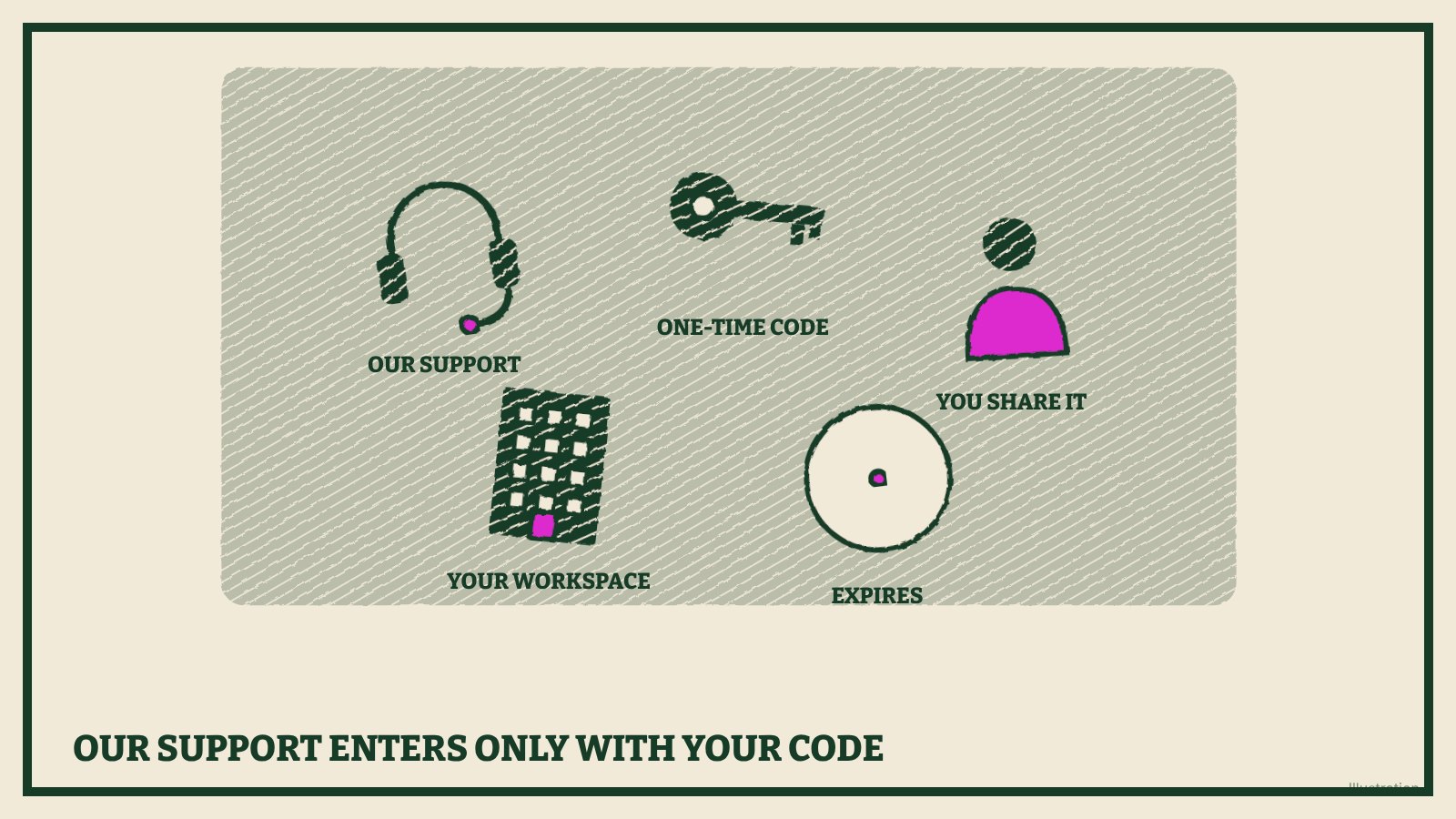
“Can you share your screen?” is when you find out how much access a vendor’s support team has to your account. TicketResolve support can’t simply open your workspace: to see what one of your members sees, that member gets a one-time code from your own e-mail sender. No code, no access, and every request is in your activity log.
"Can you share your screen?" is often the fastest way to sort out a problem. It's also when you find out how much access a vendor's support team has to your account.
Here's a moment many admins have had with some software vendor. You report that a dashboard shows the wrong numbers. The vendor's support replies twenty minutes later: "Fixed! It was a filter setting on your account." You didn't give them access. You didn't know they could look. You check the vendor's documentation and find that their support team can open any customer's account at any time, with nothing recorded where you can see it.
The problem was fixed. Your trust took a hit.
At TicketResolve, support can't simply open your workspace.
First, the basics
- Support access lets a vendor's support person see your account the way one of your users sees it, to diagnose a problem.
- Least privilege means giving only the access needed, for only as long as it's needed.
- A one-time code works once and then expires.
- Your workspace's sender is the e-mail account TicketResolve sends from for you: your SMTP server, a Google or Microsoft mailbox, or a verified domain.
- A keyed hash stores a code in a form that can be checked but not read back.
- Locking after wrong tries stops guessing.
- The activity log records actions in your workspace for your admins.
Why does this matter? Vendor access is one of the quieter risks in any software you use. Making it ask permission every time, through someone in your company, and recording it where your admins can see it, keeps a fast way to get help without giving away control.
The problem, in plain terms
- Vendors often have standing access to customer accounts.
- Customers don't know when it's used.
- Access isn't scoped to one person or one problem.
- There's no record customers can check.
The member decides
To see the workspace the way one of your members sees it, a TicketResolve support person has to ask for access. That member then gets an e-mail with a one-time code. The e-mail comes from your workspace's own sender (your SMTP server, Google or Microsoft mailbox, or verified domain), so it's from a company they know. Only workspaces without their own sender get it from TicketResolve's address, and the support person is told which one was used.
The member shares the code only if they want help that way.
What a code allows
A code:
- works once, and the session it starts is time-limited
- works only for the support person who asked, in that workspace, as that member
- expires after 48 hours
- locks after five wrong tries
- is replaced by any new request, which cancels the earlier unused code
- is stored only as a keyed hash, never in plain text
Both the request and the session are written to your activity log, so your admins can see who asked, when, and whether a session happened.
This is part of how TicketResolve handles access generally: least privilege by default, and access that leaves a record.
A worked example, start to finish
Here's how a support conversation goes at a retail company using TicketResolve. The details are illustrative.
Tuesday 10:00. The company's support lead, Priyanka, writes to TicketResolve support: "Our Overview page shows 0% automation for last week, but I know tickets were resolved."
10:20. The TicketResolve support engineer, Matt, thinks it's a filter. Seeing her Overview as she sees it would be quickest. He requests access to see the workspace as Priyanka.
10:20, the e-mail. Priyanka receives an e-mail with a one-time code. It comes from the company's own sender, their Google Workspace mailbox, so it looks like the company's other system e-mails, not an unfamiliar address. Matt is told which sender was used.
10:25. Priyanka decides she does want help this way and shares the code with Matt in the support thread.
10:26, the session. The code works once, only for Matt, only in her workspace, only as Priyanka. The session is time-limited. Matt sees her Overview: a saved filter excludes the e-mail channel, where most automation happened last week.
10:30. Matt explains, Priyanka removes the filter, and the session ends.
10:35, the record. Priyanka's admin, Tom, opens the activity log: Matt (TicketResolve support) requested access as Priyanka, 10:20; session started 10:26; ended 10:30.
A different week, a mistyped code. Another member, asked for a code, types it wrong into the support thread; Matt tries it, fails, and asks again. Five wrong tries lock the code. He requests a new one; the earlier unused code is cancelled.
Another time, no reply. A member doesn't respond. The code expires after 48 hours. Matt helps by e-mail instead.
Five more real-world scenarios
1. Another support person tries the code
Situation. Matt's colleague tries to use Matt's code.
How TR handles it. A code works only for the support person who asked.
2. A workspace without its own sender
Situation. The workspace hasn't set up its own e-mail sender.
How TR handles it. The code comes from TicketResolve's address, and the support person is told.
3. A second request
Situation. Support requests access again before the first code is used.
How TR handles it. The new request replaces the earlier one and cancels the unused code.
4. The member says no
Situation. A member doesn't want anyone to see their view.
How TR handles it. They don't share the code. No code, no access.
5. An admin wants to check
Situation. An admin wonders whether TicketResolve support ever looked in.
How TR handles it. Every request and session is in the activity log.
Why each limit exists
Every rule on the code closes a specific gap:
- Once, and time-limited. A code that worked repeatedly would become standing access. One use, one session, and the session ends.
- One support person, one workspace, one member. A code passed to a colleague, used in another workspace or used to see a different member's view is worthless. Access is exactly what was asked for.
- 48 hours. Long enough for a member in another time zone to read the e-mail; short enough that an old code in an inbox isn't a risk.
- Five wrong tries. Enough for typos, not enough for guessing.
- New request cancels the old. There's only ever one live code per request, so a forgotten earlier code can't be used later.
- Keyed hash. Even someone who could read TicketResolve's database couldn't read the codes in it.
Together they mean the only way in is the way you agreed to: a member, in your company, choosing to share a code for a specific support conversation.
What this means for your security review
Vendor access is a standard question in security reviews: "Can the vendor's staff access our data, and how is it controlled?" The answer here is specific: support can't open a workspace without a one-time code shared by one of your members; codes are scoped, short-lived, rate-limited and hashed; and every request and session is in your activity log. That's an answer a reviewer can check.
Before and after
Before. A vendor that fixed something you didn't know they could see, with no record you could check.
After. A request, a one-time code from your own sender, a member who decides, a time-limited session scoped to one person, and an activity log your admins can read.
How to tell it's working
- Every support session has a matching request in the activity log.
- Members recognise the e-mail because it comes from your sender.
- Unused codes expire without anyone acting.
When to use it, and when not
Most support questions don't need anyone to see your workspace: an explanation, a link to a guide or a screenshot is enough. Support access is for the cases where seeing exactly what one member sees is the fastest way to the answer, such as a filter, a permission or a view that behaves differently for them. If e-mail will do, say so; the member can always decline to share the code.
Who it's for
- Admins responsible for who can see their workspace.
- Security teams reviewing vendor access.
- Members who want help without giving away control.
How it fits with the rest of TicketResolve
Support access follows the same principle as roles, SSO, MFA and access reviews: least privilege by default. Requests and sessions appear in the activity log, alongside the audit trail.
Why a code from your own sender
A code that arrives from an unfamiliar address looks like phishing, and members are rightly trained to ignore those. Sending it from your workspace's own sender means it arrives from a company the member recognises, through the same channel as your other system e-mails. It also means the request passes through your mail system, where your own logging applies.
Mistakes to avoid
- Sharing a code for a problem that e-mail could solve.
- Leaving the sender unset, so codes come from an unfamiliar address.
- Ignoring the activity log.
Do it in TicketResolve, step by step
Where: your e-mail sender settings and the activity log (/dashboard/settings). You'll need: a workspace sender (SMTP, Google, Microsoft or a verified domain) for codes to come from you. Full guide: Team roles, SSO, MFA and encryption.
- Set up your workspace's sender, so codes come from your company.
- When support asks for access, the member receives a one-time code.
- The member decides whether to share it.
- The session is time-limited and scoped to one support person, one workspace and one member.
- Check the activity log for the request and the session.
How to check it worked: the activity log shows who asked, when, and whether a session happened.
Frequently asked questions
Can TicketResolve support open our workspace? Not without a one-time code that one of your members shares.
Who gets the code? The member whose view support wants to see.
Who sends the e-mail? Your workspace's own sender, if set up; otherwise TicketResolve's address, and support is told.
How long does a code last? 48 hours, and it works once.
What if someone guesses? It locks after five wrong tries.
Can a code be used by another support person? No. Only by the person who asked.
How are codes stored? As a keyed hash, never in plain text.
Where can we see requests? In your activity log.
Why does a code last 48 hours? Long enough for a member in another time zone to read it; short enough that an old code isn't a risk.
Can one code give access to several members' views? No. It's for one support person, one workspace and one member.
Do we have to share a code to get support? No. Most questions are answered without access; the member can always decline.
Explore Topics
Written by
Ghulam Shabbir
Content creator and writer sharing insights and stories.