
Reproduce the Bug, Not the Customer’s Data
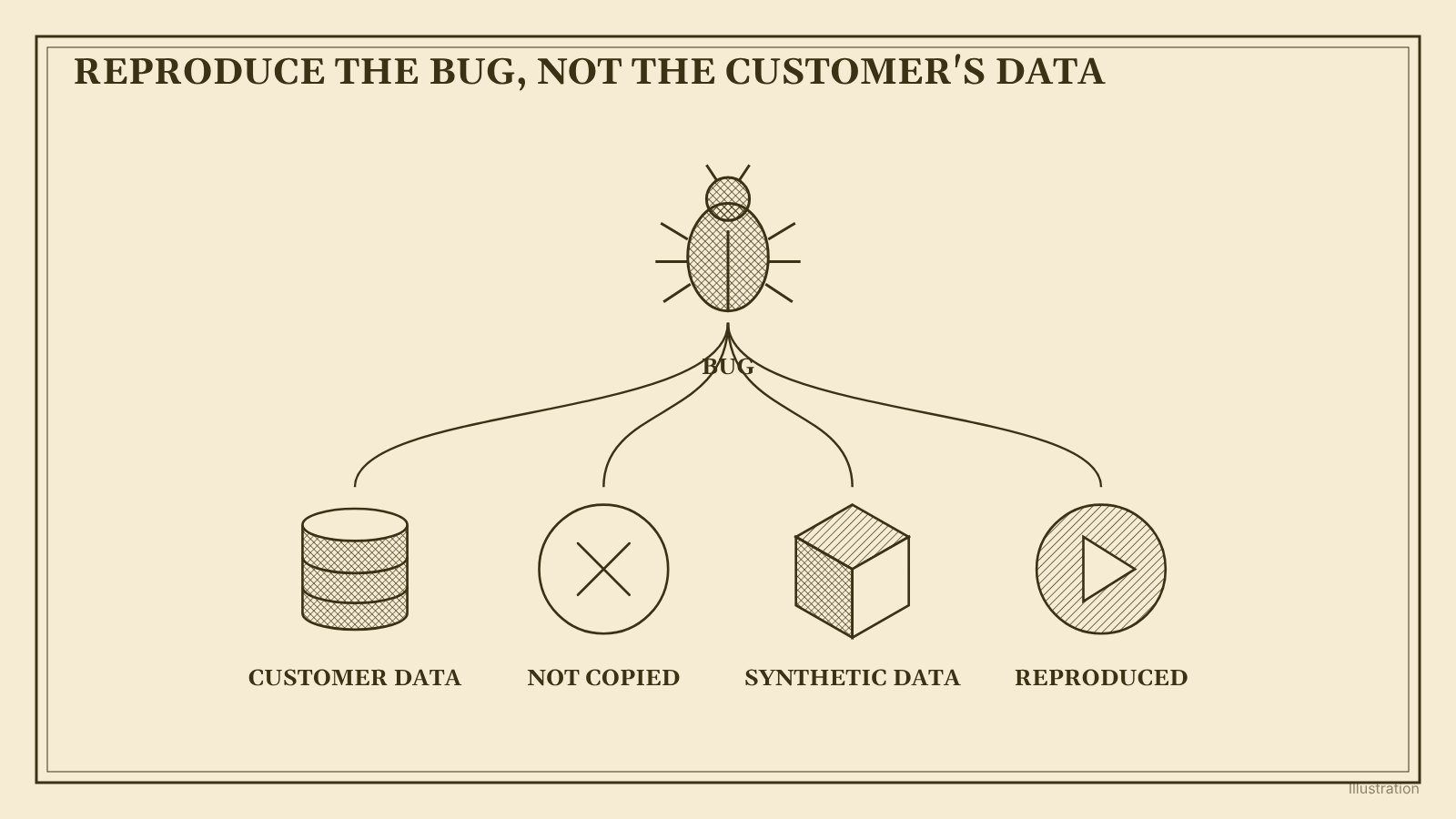
Reproducing a customer’s problem is the fastest route to a fix, and the easiest way to leak their data into a test environment. TicketResolve’s reproduction sandbox refuses real-looking personal data and secrets, turns samples into synthetic fixtures, and asks for a second person’s approval before running against anything that looks like production.
The quickest way to reproduce a customer's API failure is to copy their request: the body, the headers, the token. That's also how a real e-mail address, a card number or a live session token ends up in a test environment, a log and a screenshot.
Here's how it happened at a company that sells subscription-billing software. A customer's checkout fails with 422 Unprocessable Entity. The support engineer, Theo, copies the failing request from the customer's logs into the reproduction tool:
- the body, with the subscriber's real e-mail address and card number;
- the
Authorizationheader with the customer's live API key.
He runs it against staging. It reproduces. He screenshots the result for the engineering ticket. Within an hour, the subscriber's e-mail and card number are in the staging database, the staging logs, a Jira attachment and a Slack thread, and the customer's live key has been used from a vendor's test environment.
The bug got fixed. The data-protection review took longer than the fix.
TicketResolve's reproduction sandbox now prevents that.
First, the basics
- Reproduction makes a customer's failure happen on demand. The reproduction sandbox runs request scenarios against an environment you choose.
- A scenario is a list of requests to run.
- Personal data identifies people: e-mail addresses, card numbers. Secrets grant access: tokens, keys.
- The Luhn check is a checksum real card numbers pass; most random numbers don't. Stripe test cards pass it but are known test numbers.
- Reserved domains (example.com, example.test) exist for testing.
- A bearer token or JWT is a login token sent with requests. Live keys (an AWS access key, a live payment key) work in production.
- A fixture is test data. Synthetic values look real but aren't.
- A placeholder such as
{{API_KEY}}is filled in at run time.
Why does this matter? Copying a real request is the fastest reproduction, and the fastest way to spread a customer's personal data and secrets into places they should never be. A sandbox that refuses real-looking data, and makes synthetic data easy, keeps reproduction fast without the leak.
The problem, in plain terms
- Real requests carry personal data and secrets.
- Test environments, logs and screenshots spread them.
- Live keys get used from test systems.
- Production can be hit by accident.
Synthetic data only
Before a sandbox scenario runs, every request is checked for real-looking personal data and secrets:
- e-mail addresses at real domains (example.test, example.com and other reserved domains are fine)
- card numbers that pass the Luhn check (Stripe test cards are fine)
- bearer and JWT tokens
- live keys, such as AWS access keys and live payment keys
A scenario containing any of these is refused, with the request number and what was found. The fix is simple. TicketResolve already turns a sample payload into a fixture that keeps its shape and types while replacing personal values with synthetic ones. Credentials go in as {{PLACEHOLDERS}}, and the environment's own test credential is added at run time.
Not against production by accident
An environment whose address looks like production, for example api.prod.… or a bare company domain, now needs a second person's approval before anything runs. This adds to the existing approval rules for requests that change data and for environments marked sensitive.
Still useful for comparisons
To check whether a problem is specific to one environment or version, run the same scenario as a candidate against another environment. The before-and-after report shows exactly which requests behave differently. Those same runs feed the validation report, which checks expected responses and timings after a fix.
A worked example, start to finish
Here's Theo's checkout bug again, with the sandbox. The details are illustrative.
10:00, the first attempt. Theo pastes the failing request into a sandbox scenario, as before. Before it runs, every request is checked. Refused:
- Request 1: e-mail address at a real domain (
…@gmail.com). - Request 1: card number passes the Luhn check.
- Request 1: bearer token in
Authorization.
Nothing ran. Nothing reached staging, its logs or a screenshot.
10:03, the fixture. Theo uses the sample payload to make a fixture. It keeps the shape and types: a nested customer object, an email string, a 16-digit card.number, a plan_id, a coupon field. Personal values become synthetic: subscriber-1@example.test, Stripe's test card 4242 4242 4242 4242. The Authorization header becomes Bearer {{API_KEY}}; staging's own test credential is added at run time.
10:05, run against staging. The scenario passes the check and runs: 422, same as the customer. The response says coupon not valid for annual plans. Reproduced, with no customer data.
10:10, compare. Theo runs the same scenario as a candidate against the previous release's environment. The before-and-after report shows request 1 returns 201 there and 422 on the current release: the coupon validation changed in the latest release.
10:20, production check. An engineer wants to confirm against production with a synthetic test account. The address api.billing-vendor.com is a bare company domain, so it looks like production: it needs a second person's approval before anything runs. The engineering lead approves; it reproduces there too.
Next day, after the fix. The same runs feed the validation report: request 1 now returns 201 with the expected response and timing on the fixed release.
No data-protection review needed.
Five more real-world scenarios
1. A Stripe test card
Situation. A scenario uses 4242 4242 4242 4242.
How TR handles it. Stripe test cards are fine.
2. An example.com address
Situation. A body uses jane@example.com.
How TR handles it. Reserved domains are fine.
3. A live AWS key
Situation. A copied header contains an AWS access key.
How TR handles it. Refused, with the request number and what was found.
4. A sensitive environment
Situation. An environment is marked sensitive.
How TR handles it. The existing approval rules for sensitive environments apply, alongside the production check.
5. A request that changes data
Situation. The scenario creates a subscription.
How TR handles it. The existing approval rules for requests that change data apply.
Turning a real request into a safe one
The fixture step is quick once it's a habit:
- Start from the failing request's shape, not its values. The field names, nesting and types are what reproduce most bugs.
- Let TicketResolve make the fixture. Personal values become synthetic ones of the same type: an e-mail at a reserved domain, a test card number, a made-up name.
- Keep the values that matter to the bug. If the failure depends on a coupon code, a plan ID or a date, set those deliberately, with test values that behave the same way.
- Replace every credential with a placeholder, so the environment's own test credential is used.
- Save the scenario so the same reproduction can run again after the fix.
When a reproduction only fails with the customer's real values, that's a clue in itself: the bug may depend on something specific to their data, which is worth investigating with their consent through TicketResolve Connect, not by copying their data.
What the check won't catch
The check looks for patterns: real-domain e-mail addresses, Luhn-valid card numbers, tokens and live keys. Names, addresses and free-text notes can still contain personal data that doesn't match a pattern. Fixtures built from a sample payload replace personal values for you, which is why starting from the fixture, rather than pasting and hoping the check catches everything, is the safer habit.
Before and after
Before. A real e-mail, card number and live key copied into staging, logs, Jira and Slack, and a data-protection review longer than the fix.
After. The copied request refused before it ran, a synthetic fixture with the same shape, a placeholder for the key, a comparison that pointed to the release, and a second person's approval before touching production.
How to tell it's working
- Refusals happen before anything runs, and fall as teams use fixtures.
- No personal data appears in test environments from reproductions.
- Production runs always have a second approval.
Why refuse instead of masking?
The sandbox could have masked what it found and run anyway. It refuses instead, for a reason: a masked request is a different request. If an e-mail is replaced with stars, the bug may not reproduce, or may reproduce for the wrong reason. A refusal with the request number and what was found makes the fix deliberate: build a fixture whose values are synthetic but valid, and the reproduction means what it says.
Who it's for
- Support engineers who reproduce API failures.
- Engineering teams who receive reproductions.
- Data-protection and security teams.
How it fits with the rest of TicketResolve
The reproduction sandbox is part of TR Investigate. Its before-and-after reports and validation reports feed investigations and fix verification. The API workbench keeps credentials encrypted and tied to one host.
Mistakes to avoid
- Copying real requests into scenarios.
- Pasting live keys instead of placeholders.
- Treating staging as safe for real customer data.
Do it in TicketResolve, step by step
Where: the reproduction sandbox, from an investigation (/dashboard/investigate), and the API workbench (/dashboard/api-workbench). You'll need: environments and their test credentials set up; a second person for production-looking environments. Full guides: TR Investigate: from a ticket to a verified fix and API workbench: reproduce a customer's API call.
- Start from a sample payload, not a raw copy.
- Make a fixture: same shape and types, synthetic personal values.
- Use placeholders for credentials:
{{API_KEY}}. - Run the scenario. It's checked first; any real-looking data or secret refuses it, with the request number.
- Get a second approval for production-looking environments.
- Compare by running the same scenario as a candidate against another environment.
- Use the validation report after the fix.
How to check it worked: the scenario runs with synthetic values, and the before-and-after report shows which requests differ.
Frequently asked questions
What's checked before a scenario runs? Real-domain e-mail addresses, Luhn-valid card numbers, bearer and JWT tokens, and live keys.
Are test cards allowed? Yes. Stripe test cards are fine.
Are example.com addresses allowed? Yes. Reserved domains are fine.
What happens if something's found? The scenario is refused, with the request number and what was found.
How do I add credentials?
As {{PLACEHOLDERS}}; the environment's test credential is added at run time.
What counts as production?
An address that looks like production, such as api.prod.… or a bare company domain.
Who approves production runs? A second person.
Can I compare environments? Yes. Run the same scenario as a candidate against another environment.
What if the bug only happens with the customer's real values? That's a clue. Investigate with their consent through TicketResolve Connect rather than copying their data.
Does the check catch every kind of personal data? No. It catches real-domain e-mails, Luhn-valid cards, tokens and live keys; start from a fixture to be safe.
Why isn't the data just masked? A masked request is a different request. A refusal makes you build a fixture whose values are synthetic but valid.
Explore Topics
Written by
Ghulam Shabbir
Content creator and writer sharing insights and stories.