
Your Workspace’s Secrets, Encrypted With Your Workspace’s Own Key
An AI support platform holds keys to a lot of other systems: your help desk, monitoring, repositories and CRM. In TicketResolve, those credentials are encrypted with a data key that belongs to your workspace alone, stored only in wrapped form, bound to your workspace and rotatable, with its status visible in the Trust Center.
An AI support platform holds keys to a lot of other systems: your help desk, your monitoring tools, your repositories, your CRM. How those credentials are stored matters as much as what the AI does with them.
Picture the security questionnaire a mid-sized insurer sends before buying an AI support tool. Question 14: "How are our credentials to third-party systems stored?" The answer from many vendors is a version of "encrypted at rest": the whole database is encrypted on disk.
That's true, and it's not much. Disk encryption protects against someone walking off with the physical drive. It doesn't help if:
- someone gets a copy of the database through a backup or a misconfigured export;
- a bug in one customer's workspace reads another customer's row;
- one key is compromised and everything was encrypted with it.
The insurer's security lead wants to know what happens in those cases. So should you.
First, the basics
- A credential (token, key) lets one system access another, such as TicketResolve reading your help desk.
- Encryption at rest encrypts stored data. Disk-level encryption covers a whole database; field-level encryption covers specific values.
- Envelope encryption uses two layers: a data key encrypts your values, and a wrapping key (master key) encrypts the data key.
- AES-256-GCM is a standard, strong encryption method that also detects tampering.
- A key-management service (KMS) is a cloud service that holds master keys and does the wrapping, so they never leave it.
- Wrapped means stored only in encrypted form.
- Binding ties an encrypted value to extra information (here, the workspace and key version) so it can't be decrypted in a different context.
- Rotation replaces a key with a new version.
Why does this matter? The credentials a support platform holds can open your help desk, your code and your customer data. Encrypting them per workspace, with keys that are never stored in plain form, limits the damage from the failures disk encryption doesn't cover.
The problem, in plain terms
- "Encrypted at rest" often means only the disk.
- A database copy may expose everything.
- One key for all customers makes one compromise a total one.
- Keys are rarely rotated, because old data must stay readable.
- Customers can't see the state of their keys.
One key per workspace
Which plans: a workspace's own data key is a Growth Pro feature, and the free trial includes it. On Starter and Bronze, credentials are still encrypted with AES-256-GCM, under the platform's master key.
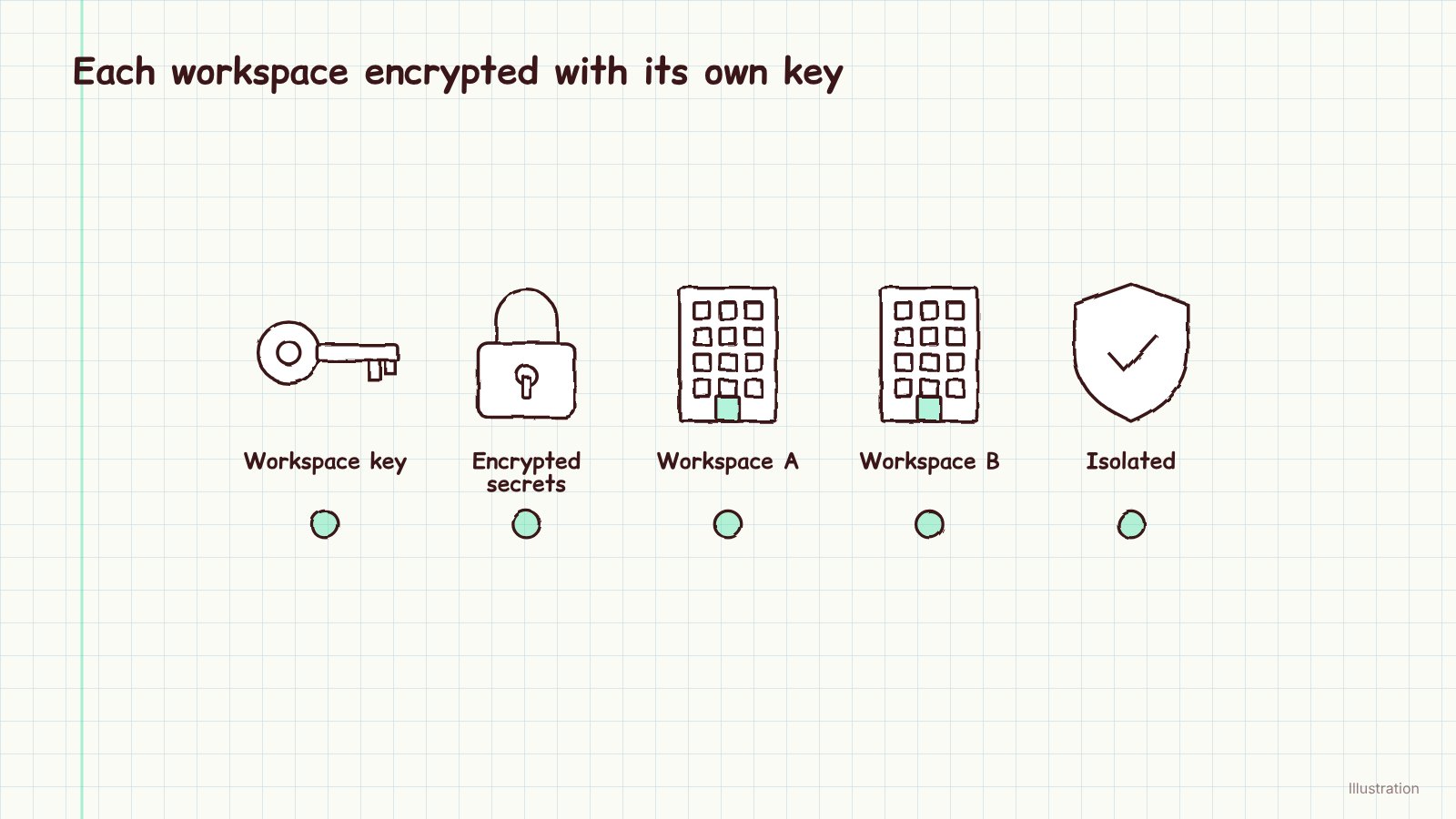
TicketResolve uses envelope encryption. Each workspace gets its own random 256-bit data key. Sensitive values for that workspace, such as help-desk tokens and integration credentials, are encrypted with that key using AES-256-GCM.
The data key itself is never stored in plain form. It is wrapped by a cloud key-management service where one is configured, otherwise by a platform master key. Unwrapped keys exist only in memory while they're in use.
What this protects against
- Workspaces are kept apart cryptographically. Each encrypted value records which workspace and key version it belongs to, and that binding is part of the encryption itself. A value can't be decrypted as if it belonged to another workspace.
- A copy of the database alone isn't enough. Without the wrapping key, the stored data keys can't be unwrapped.
- Keys can be rotated. New writes use the current key version, and older values remain readable because their version is recorded.
Visible in the Trust Center
The Trust Center shows your workspace's key status, including whether a key-management service wraps it and when the key was last rotated. It sits next to SSO, MFA, access reviews and the audit trail.
Encryption at rest for the whole database still applies underneath. Per-workspace keys add a layer that's specific to you.
A worked example, start to finish
Here's the insurer's question 14, answered with TicketResolve. The details are illustrative.
Setup. The insurer connects Zendesk, Datadog and GitHub to their TicketResolve workspace. Each token is encrypted with the workspace's own data key using AES-256-GCM, with the workspace and key version bound into the encryption. The data key is wrapped by the cloud KMS.
The questionnaire. Their security lead, Laila, opens Settings → Data & security and the Trust Center: key status shows wrapped by a key-management service, and last rotated 41 days ago, next to SSO (on), MFA (enforced) and access reviews.
Scenario 1: a database copy. Laila asks: "What if someone gets a copy of the database?" The copy contains the encrypted tokens and the wrapped data key. Without the KMS, which never hands out its master key, the data key can't be unwrapped, so the tokens can't be decrypted.
Scenario 2: a cross-workspace bug. "What if a bug tried to read another customer's token?" Each value is bound to its workspace in the encryption itself. Decrypting the insurer's token as if it belonged to another workspace fails.
Scenario 3: rotation. The insurer's policy requires annual key rotation. When the key rotates, new writes use the new version; the existing Zendesk token, encrypted with the previous version, stays readable because its version is recorded. Nothing breaks; nobody re-enters credentials.
Scenario 4: the disk. Underneath, the whole database is still encrypted at rest.
Answer to question 14: "Per-workspace envelope encryption: a 256-bit data key per workspace, AES-256-GCM, bound to the workspace and key version, wrapped by a cloud KMS, never stored in plain form, rotatable, on top of database encryption at rest. Status visible in the Trust Center." Laila ticks the box.
Five more real-world scenarios
1. No KMS configured
Situation. A deployment has no cloud KMS.
How TR handles it. The data key is wrapped by a platform master key instead; the Trust Center shows which.
2. When are keys in plain form?
Situation. An auditor asks when data keys are unencrypted.
How TR handles it. Only in memory, while they're in use.
3. A rotated key and old data
Situation. Credentials were saved two key versions ago.
How TR handles it. They remain readable because their key version is recorded.
4. Checking status
Situation. A compliance team wants evidence of rotation.
How TR handles it. The Trust Center shows when the key was last rotated.
5. A tampered value
Situation. A stored value is altered.
How TR handles it. AES-256-GCM detects tampering, so it won't decrypt.
Envelope encryption, in plain words
Think of a hotel. Each guest's valuables go in their own safe, with its own key: that's your workspace's data key, locking your credentials. The safe keys themselves aren't left at reception; they're kept in a strongbox that only the hotel's security system can open: that's the wrapping key in the key-management service.
If a thief copies the hotel's records, they get a list of locked safes and locked safe keys, and nothing they can open. If a guest's safe key is ever compromised, only that guest's safe is at risk, not every room. And when a safe key is changed, the old contents stay readable because the hotel notes which key version each item was locked with.
That's the whole idea: one key per workspace, keys that are only ever stored locked, and a record of which version locked what.
Questions security teams ask
- Who can unwrap our data key? Only the platform, through the key-management service (or platform master key), and only in memory while it's in use.
- Does a database backup expose our credentials? Not on its own: it holds wrapped keys and encrypted values.
- What happens on rotation? New writes use the new version; old values remain readable.
Before and after
Before. "Encrypted at rest", meaning the disk, with no answer for database copies, cross-customer bugs or rotation.
After. A data key per workspace, values bound to their workspace, keys wrapped and never stored in plain form, rotation that doesn't break old data, and the status visible in the Trust Center.
How to tell it's working
- The Trust Center shows KMS wrapping and a recent rotation date.
- Security questionnaires get specific answers.
- Rotations happen without re-entering credentials.
Where the key status lives
The Trust Center puts key status beside the other controls a security reviewer checks: SSO, MFA, access reviews and the audit trail. One page answers most of a questionnaire's security section, with current values rather than a document written months ago.
Who it's for
- Security and compliance teams evaluating vendors.
- Workspace owners and admins.
- Regulated businesses with key-management policies.
How it fits with the rest of TicketResolve
Per-workspace keys protect help-desk tokens and integration credentials, including customers' read-only keys in Connect. Status sits in the Trust Center with SSO, MFA, access reviews and the audit trail.
What it doesn't do
Encryption protects stored credentials. It doesn't decide who in your team can use them, which is what roles, SSO and MFA are for, and it doesn't replace revoking a token in the other system when someone leaves. Treat per-workspace keys as one layer among several: good storage, plus good access control, plus prompt revocation.
Mistakes to avoid
- Treating disk encryption as enough.
- Skipping rotation because it seems risky. Old values stay readable.
- Forgetting the other layers: SSO, MFA and access reviews.
Do it in TicketResolve, step by step
Where: Settings → Data & security, and the Trust Center (/dashboard/settings). You'll need: owner or admin access to view key status. Full guides: Team roles, SSO, MFA and encryption and Trust center, subprocessors and the DPA.
- Connect your integrations as usual; credentials are encrypted with your workspace's key.
- Open the Trust Center.
- Check key status: whether a KMS wraps it, and when it was last rotated.
- Review the other controls beside it: SSO, MFA, access reviews and the audit trail.
- Use the details in security questionnaires.
How to check it worked: the Trust Center shows your workspace's key status and last rotation date.
Frequently asked questions
Does each workspace have its own key? Yes. A random 256-bit data key per workspace.
What encryption is used? AES-256-GCM.
Is the data key stored in plain form? No. It's wrapped by a cloud KMS where configured, otherwise a platform master key.
Can one workspace's value be decrypted as another's? No. The workspace and key version are bound into the encryption.
Is a database copy enough to read credentials? No. Without the wrapping key, data keys can't be unwrapped.
Can keys be rotated? Yes. New writes use the new version; old values stay readable.
Where do I see key status? In the Trust Center.
Is the database still encrypted at rest? Yes. Per-workspace keys add a layer on top.
Does a backup expose credentials? Not on its own. It contains wrapped keys and encrypted values.
What's the simplest way to explain envelope encryption? Each workspace's credentials are locked with its own key, and that key is only ever stored locked by a master key.
Is key status shown with other security controls? Yes. In the Trust Center, beside SSO, MFA, access reviews and the audit trail.
Explore Topics
Written by
Ghulam Shabbir
Content creator and writer sharing insights and stories.