

Automated Ticket Routing: Rule-Based vs AI-Based and How to Get It Right
Poor ticket routing is one of the most common causes of slow resolution time and low CSAT. Here is how automated routing works, the difference between rule-based and AI-based approaches, and how to set it up.
Ticket routing is one of the most underrated drivers of support performance. Get it right and tickets reach the right team immediately, resolution time drops, and agents spend their time on work they are qualified to handle. Get it wrong and tickets sit in the wrong queue, get bounced between teams, and customers wait days for a resolution that should have taken hours.
Most support teams have some form of automated routing — but many are using approaches that were designed for a different era of support. This guide covers how automated routing works, the difference between rule-based and AI-based approaches, and how to build a routing system that actually improves performance.
Why Routing Matters More Than Most Teams Realise
Every routing failure has a cost:
Misrouted tickets arrive at the wrong team, sit in queue, get reassigned, and arrive at the right team hours or days later. The customer has been waiting the entire time.
Unrouted tickets sit in a general queue waiting for a human to read them and decide where they should go. In high-volume environments, this creates a triage bottleneck that delays every ticket.
Over-routed tickets are escalated to specialist teams when they could have been resolved at L1. Every unnecessary escalation adds time and cost.
The cumulative effect of routing failures is significant. A team processing 1,000 tickets per day with a 20% misrouting rate is generating 200 avoidable delays every day — each one adding hours to resolution time and reducing CSAT.
How Automated Routing Works
Automated routing assigns tickets to teams or agents based on ticket properties, without requiring a human to read and decide. The routing logic can be:
- Rule-based: If ticket contains keyword X, assign to team Y
- Property-based: If ticket source is email AND priority is high, assign to team Z
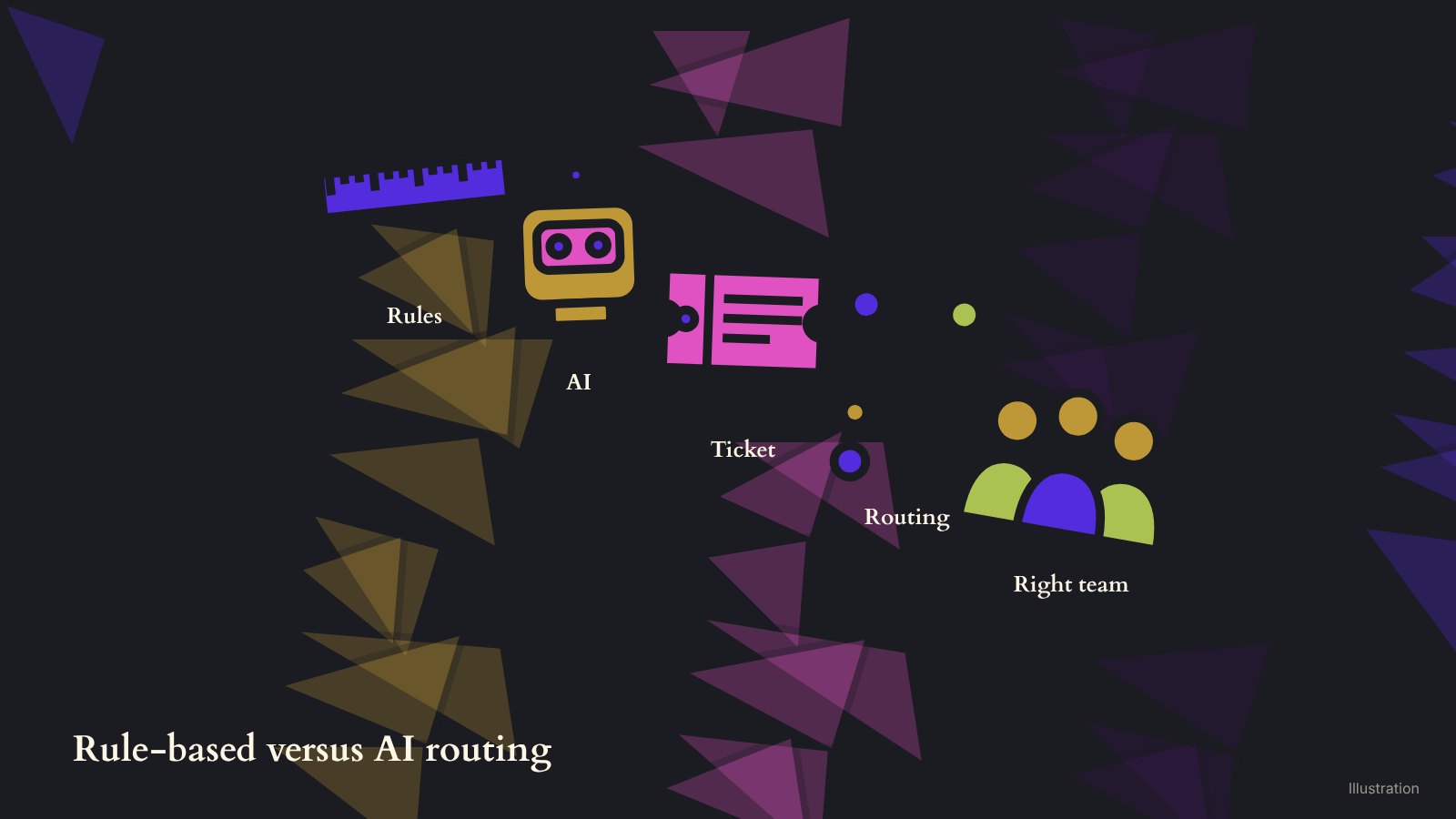
- AI-based: Read the full ticket content, understand the intent, and route based on semantic meaning
Most helpdesks support rule-based and property-based routing natively. AI-based routing requires either a native AI feature (Zendesk Intelligent Triage, Freshdesk Freddy) or an external AI tool.
Rule-Based Routing: How It Works and Where It Fails
Rule-based routing uses conditions and actions: if condition A is true, take action B.
Examples:
- If subject contains "billing" → assign to Billing team
- If ticket source is Twitter → assign to Social Media team
- If ticket priority is Urgent → assign to Senior Agents team
- If customer tier is Enterprise → assign to Enterprise Support team
What rule-based routing does well:
- Simple, predictable, easy to audit
- Works reliably for tickets that match the defined conditions
- No AI required — available in every major helpdesk
Where rule-based routing fails:
Keyword matching is brittle. A customer who writes "I'm having trouble with my payment" will not match a rule looking for the word "billing." A customer who writes "my account is messed up" will not match a rule looking for "account issue."
Rules do not understand context. A ticket containing both "billing" and "technical issue" might match the billing rule when it should go to technical support — or vice versa.
Rules require constant maintenance. As your product and ticket types evolve, rules need to be updated. Teams that do not maintain their routing rules end up with a tangle of conflicting conditions that produce unpredictable results.
Rules cannot handle novel ticket types. When a new product feature launches or a new issue type emerges, there is no rule for it — tickets fall through to a general queue.
AI-Based Routing: How It Works
AI-based routing reads the full ticket content and routes based on semantic understanding of the customer's intent — not keyword matching.
How it works:
- The ticket arrives in the helpdesk
- The AI reads the full ticket text (subject + body)
- The AI classifies the ticket by intent, topic, and complexity
- The AI assigns the ticket to the appropriate team based on the classification
- The AI sets priority based on urgency signals in the text
What AI-based routing does well:
Natural language understanding. "I'm having trouble with my payment" and "billing issue" and "can't complete checkout" all route to the billing team — because the AI understands what the customer is asking, not just which keywords appear.
Context awareness. A ticket that mentions both a billing issue and a technical problem can be classified by the primary intent and routed accordingly.
Handles novel ticket types. The AI can classify tickets it has never seen before based on semantic similarity to known categories.
No maintenance overhead. Unlike rule-based routing, AI routing does not require constant updates as ticket types evolve.
What AI-based routing does not do:
AI routing is still routing — it gets the ticket to the right team faster. It does not resolve the ticket. For L1 tickets, the most effective approach is to skip routing entirely and resolve the ticket autonomously.
The Routing Hierarchy: Resolve First, Route Second
The most efficient approach to ticket handling is:
- Can the AI resolve this ticket autonomously? If yes, resolve it — no routing needed.
- If not, which team should handle it? Route to the correct team based on intent.
- Within that team, which agent? Assign based on availability and skills.
This hierarchy means that L1 tickets, often a large share of volume, never enter the routing system at all. They are resolved before routing is relevant. The routing system only handles the tickets that genuinely require human attention.
Setting Up Effective Automated Routing
Step 1: Map Your Ticket Types to Teams
Before configuring routing, document which ticket types should go to which teams. Be specific:
- Billing queries → Billing team
- Technical issues (L1) → L1 Technical Support
- Technical issues (L2) → L2 Technical Support
- Account management → Account team
- Complaints and escalations → Senior agents
- Enterprise customers → Enterprise Support
Step 2: Define Your Routing Signals
For each ticket type, identify the signals that indicate it belongs to that category:
- Keywords and phrases (for rule-based routing)
- Customer properties (tier, account type, location)
- Ticket source (email, chat, phone, social)
- Historical patterns (this customer always contacts billing)
Step 3: Choose Your Routing Approach
For simple, well-defined routing scenarios (e.g., route all tickets from Enterprise customers to the Enterprise team), rule-based routing is sufficient and easier to maintain.
For complex routing scenarios with diverse ticket types and natural language variation, AI-based routing produces significantly better results.
Step 4: Implement AI Resolution Before Routing
Before investing heavily in routing optimisation, consider whether the tickets you are routing could be resolved autonomously. If 60% of your tickets are L1, improving routing for those tickets is less valuable than removing them from the routing system entirely.
Step 5: Measure and Iterate
Track:
- Misrouting rate: What percentage of tickets are reassigned after initial routing?
- Time in queue before first response: How long do tickets wait after routing?
- Resolution time by team: Are some teams significantly slower than others?
- Escalation rate: What percentage of tickets are escalated from L1 to L2?
Use this data to identify routing failures and refine your rules or AI configuration.
A worked example, start to finish
Here's an illustrative support team at a logistics software company fixing routing.
The problem. Billing questions land in the technical queue, integrations questions in billing, and everything waits for a person to triage.
Map types to teams. They list ticket types and the team that should own each.
Resolve first. Routine how-to and account questions are answered by the AI before routing matters at all.
Route the rest. Escalation rules send billing disputes to billing, integration errors to the Level 3 queue with an escalation brief, and requests for a manager to the Support Manager queue. Sales and renewal questions go to the right people through smart routing.
Measure. They track tickets solved by the first team assigned and tickets bounced between three or more teams. Both improve within a month.
What changed: fewer tickets to route, and the ones that remain reach the right team with context.
Five more real-world scenarios
1. Keyword rules misfire
Situation. "Invoice" sends every mention to billing.
How to handle it. Route on the request's meaning and type, not single keywords.
2. A VIP customer
Situation. Enterprise customers need faster handling.
How TR handles it. Plan and VIP tags from your help desk feed escalation rules automatically.
3. A request for a manager
Situation. "Let me speak to your manager."
How TR handles it. It's routed to the Support Manager queue, with no automated reply.
4. The expert who solved it before
Situation. One agent always fixes a certain error.
How TR handles it. The escalation brief names the expert, and in Zendesk and Freshdesk TR-AI can assign the ticket to them.
5. Sales questions in support
Situation. Prospects ask about pricing.
How TR handles it. Smart routing sends sales, renewals and billing questions to the right people.
Do it in TicketResolve, step by step
Where: Escalation (/dashboard/escalation) and Smart routing (/dashboard/smart-routing). You'll need: a list of ticket types and owning teams. Full guides: Escalation rules, Smart routing for sales, renewals and billing, Hand-offs to your team and Level 3 queue.
- Map ticket types to teams.
- Let the AI resolve routine types first.
- Write escalation rules for the rest.
- Set up smart routing for sales, renewals and billing.
- Turn on expert assignment in Zendesk or Freshdesk if you want it.
- Measure bounces and first-team resolution.
- Adjust rules monthly.
How to check it worked: fewer tickets bounce between teams, and more are solved by the first team assigned.
Common Routing Mistakes
Routing to individuals instead of teams. Routing to a specific agent creates a single point of failure — if that agent is unavailable, the ticket waits. Route to teams and let the team's queue management handle assignment.
Too many routing categories. A routing system with 20 categories is harder to maintain and produces more misrouting than one with 8 well-defined categories. Start simple and add categories only when there is a clear need.
Routing without SLA assignment. Routing should set the priority and SLA clock, not just the team. A ticket routed to the billing team with no priority set will be treated as low priority by default.
Ignoring routing failures. If you are not tracking misrouting rate, you do not know how well your routing is working. Set up a regular review of reassigned tickets to identify patterns.
Frequently asked questions
What is automated ticket routing? Sending each ticket to the right team or queue automatically, based on rules or on AI classification of its topic, language, urgency and customer.
Is AI routing better than rule-based routing? AI routing handles wording that rules miss and adapts to new topics, while rules are predictable for fixed cases. Many teams combine both.
Should tickets be resolved before they are routed? Yes. Answering routine L1 tickets first means only the tickets that truly need a person enter the routing system.
What should I measure for routing? Tickets solved by the first team assigned, and tickets bounced between three or more teams.
Should routing use keywords? Keywords alone misfire; route on the request's meaning, type and customer context.
Can VIP customers be routed differently? Yes. Plan and VIP tags from your help desk feed escalation rules.
What's the "resolve first" idea? Answer routine tickets before routing, so only tickets that need a person are routed.
Can tickets go to a specific expert? The escalation brief names the expert; in Zendesk and Freshdesk, TR-AI can assign the ticket to them.
Where do requests for a manager go? To a Support Manager queue only that role can see, with no automated reply.
Where TR-AI Fits
TR-AI resolves L1 tickets before they enter the routing system — eliminating the routing problem for the majority of your ticket volume. For tickets that require human attention, TR-AI's confidence scoring and escalation logic ensure they reach the right team with full context.
Explore Topics
Written by
TR-AI Team
Content creator and writer sharing insights and stories.