
A Green Deploy Is Not a Fix
The pull request merged, CI is green, the deploy succeeded, and support tells the customer it’s fixed. Two days later the customer writes back: still broken. TicketResolve Connect verifies a fix against the customer’s original failure, labels every check with the environment it ran in, and only calls a problem resolved once production or the customer’s own environment confirms it.
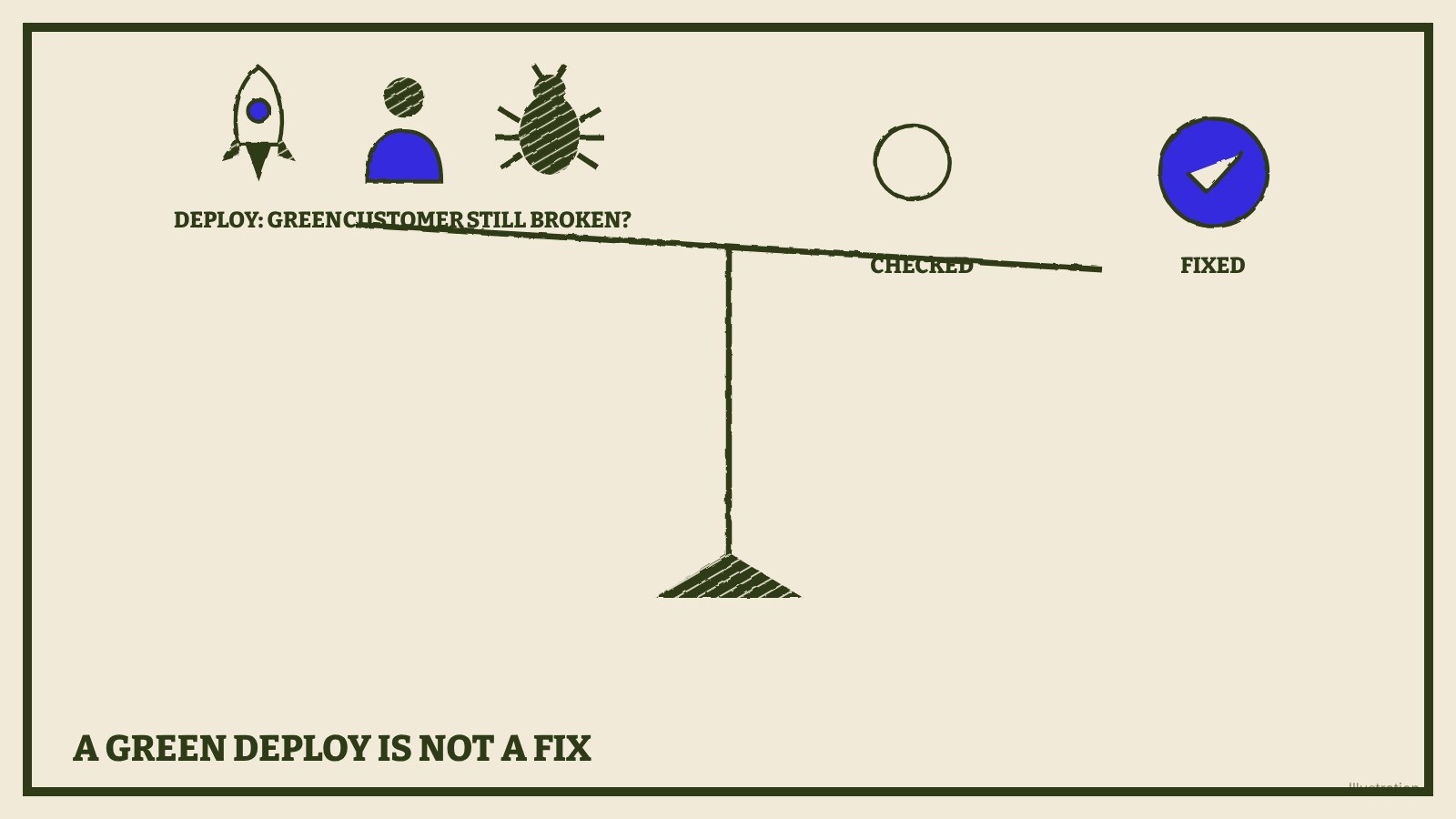
The pull request merged, CI is green, the deploy succeeded. Support tells the customer it's fixed. Two days later the customer writes back: still broken.
Here's the chain at an HR software company, for a customer whose payslip PDFs came out blank:
- Monday. Engineering found a font-loading bug in the PDF renderer and fixed it. Unit tests passed in CI.
- Tuesday. The fix deployed to production. The deploy pipeline went green.
- Tuesday afternoon. Support replied: "This is fixed now, sorry for the trouble."
- Thursday. The customer: "Still blank. We ran payroll this morning."
The customer's payslips used a custom font uploaded by their admin, served from a different domain. The fix covered the default fonts. CI never had a custom font; staging didn't either; the deploy only proved that new code was running.
Nothing in that chain checked the thing the customer reported. CI ran tests that never reproduced the problem. The deploy only proved new code was running. Staging doesn't have the customer's data, browser or network.
First, the basics
- CI (continuous integration) runs automated tests when code changes. Green means they passed.
- A deploy puts new code into an environment. Production is the live system; staging is a copy for testing.
- The customer's environment is their browser, data, network and settings.
- A reproduction shows the failure happening on demand. A reproduction scenario is the steps to do it; the original failure is the approved version, kept as the baseline.
- Before / after verification compares checks from before the fix with checks after it.
- The base branch is the code before the fix; the fix branch has the fix.
- Telemetry is the data production sends: errors, traces, metrics.
- A regression is something new that broke.
Why does this matter? Telling a customer "it's fixed" when it isn't costs more than the bug: it costs their trust in your next answer. Checking the fix against the customer's own failure, in the place it happens, is the only way to know.
The problem, in plain terms
- Tests don't reproduce the customer's problem.
- A green deploy is read as a working fix.
- Staging lacks the customer's data, browser and network.
- Checks don't say where they ran.
- Tickets close automatically on "fixed".
The original failure is kept
When the team approves a reproduction scenario, that version is preserved as the original failure. The customer's own browser reproduction and the Connect agent's reproduction runs are kept with it, as before the fix checks in the customer's environment.
Every check names its environment
After the fix, the report collects:
- runs of the approved scenario's test, each recorded with CI, staging, production, customer or local;
- the customer repeating their browser reproduction, and the agent repeating its run;
- the CI comparison of the fix branch against the base branch;
- post-deployment verification from production telemetry.
A deployment isn't on the list. Until telemetry or a person says something, it's "waiting".
Five honest verdicts
- Regression when something new broke: a test that passed on the base branch now fails, or production telemetry shows a regression. This wins over everything else.
- Unresolved when the original failure still happens.
- Resolved only when the failure was reproduced before the fix, and production or the customer's environment now shows it doesn't happen, with nothing contradicting that.
- Partially resolved when it looks better but not where it counts: green in staging only, environments disagreeing, or no reproduced failure to compare with.
- Not verified when nothing after the fix has a result yet.
Each report lists its reasons, the environments not checked yet and the next step. The usual next step is: ask the customer to repeat the reproduction.
A report, not an auto-close
The verdict is stored and added to the investigation's audit trail. Webhooks can pick it up, but it never resolves the ticket. Even "resolved" means: ask the customer to confirm, then a person closes it.
A worked example, start to finish
Here's the blank-payslip ticket at the same company, with before / after verification. The details are illustrative.
Monday 09:00, before the fix. Support runs a Connect session. The customer records a browser reproduction: open Payroll → Payslips → Download PDF; the PDF is blank; the console shows Failed to load font: https://assets.customer-cdn.example/fonts/brand.woff2 (CORS). The Connect agent's reproduction run sees the same. The team approves the reproduction scenario; it's preserved as the original failure, with both runs as before the fix checks in the customer's environment.
Monday 11:00, the fix. Engineering fixes the default-font path. The approved scenario's test is generated and run:
- CI, base branch: fails (as expected). CI, fix branch: passes. The CI comparison is recorded.
- But the CI test uses default fonts.
Tuesday 10:00, deploy. The deploy goes out. It isn't on the list; the report says waiting.
Tuesday 12:00, report. Results so far:
- CI: pass after the fix. Staging: pass after the fix.
- Production telemetry: no new errors, but no data yet on custom-font payslips.
- Customer's environment: not checked yet.
Verdict: partially resolved: green in staging only. Not checked yet: customer, production. Next step: ask the customer to repeat the reproduction.
Support doesn't say "fixed". It writes: "We've shipped a fix; could you try downloading a payslip again using this link?"
Tuesday 15:00. The customer repeats the browser reproduction. Still blank, same CORS error on their custom font. Verdict: unresolved: the original failure still happens.
Wednesday. Engineering adds the CORS handling for custom-font domains, and adds a custom font to the test fixture. CI comparison: base fails, fix passes. Deployed.
Wednesday 16:00. The customer repeats the reproduction: the PDF has text. The agent repeats its run: pass. Production telemetry shows no font-load errors for payslips. Verdict: resolved: reproduced before, now doesn't happen in the customer's environment and production, nothing contradicting.
Thursday. Support asks the customer to confirm; they do; a person closes the ticket. Payroll runs without blank payslips.
A week later, a regression. A refactor breaks a different payslip test that passed on the base branch. Verdict: regression, which wins over everything else, on that later fix.
Five more real-world scenarios
1. No reproduction before the fix
Situation. The team fixed something without ever reproducing the failure.
How TR handles it. At best partially resolved: there's no reproduced failure to compare with.
2. Environments disagree
Situation. Production telemetry is clean, but the customer still sees the error.
How TR handles it. Partially resolved, with environments disagreeing listed.
3. Nothing has run yet
Situation. A fix is deployed, and no checks have results.
How TR handles it. Not verified, with the next step.
4. A webhook closes tickets
Situation. A team's integration closes tickets on verification webhooks.
How TR handles it. The verdict never resolves the ticket itself; even "resolved" means ask the customer, then a person closes it.
5. A laptop test
Situation. A developer runs the test locally and it passes.
How TR handles it. It's recorded as local, not production.
What to tell the customer at each verdict
The verdict is also a guide to what support should say. Promising too much is the mistake this feature exists to prevent, so match the message to the evidence:
- Not verified: "We've made a change and we're checking it now. We'll come back to you once we've confirmed it." Don't say fixed.
- Partially resolved: "Our tests pass, but we haven't confirmed it in your setup yet. Could you try again using this link?" Ask them to repeat the reproduction.
- Unresolved: "Thanks for trying. It's still happening for you, so we're keeping this open and looking again." Say what's next.
- Regression: tell engineering first. The customer may not be affected yet; if they are, say so plainly.
- Resolved: "We've confirmed the problem no longer happens in your environment. Can you confirm it's working for you?" Then a person closes it.
Teams that follow this usually find their "still broken" replies drop, because customers only hear "fixed" when it has been checked where they are.
It also changes the conversation inside the team. Engineering stops being asked "is it fixed?" and starts being asked "where has it been checked?", which has a clear answer in the report.
Before and after
Before. Green CI, a green deploy, "it's fixed" on Tuesday, and blank payslips again on Thursday.
After. The original failure kept as a baseline, every check labelled with where it ran, "partially resolved" while only staging was green, "unresolved" when the customer tried again, and "resolved" only when their environment and production agreed.
How to tell it's working
- Fewer "still broken" replies after "fixed".
- Reports name environments not checked yet.
- Support waits for the verdict before telling customers.
Who it's for
- Support engineers who tell customers it's fixed.
- Engineering who want proof the fix works where it matters.
- Support leaders tracking reopened tickets.
How it fits with the rest of TicketResolve
Before / after verification is part of TicketResolve Connect (Customer environment connect). It uses reproduction scenarios, browser reproduction, CI results and post-deployment verification, and its verdict feeds Resolution Assurance.
Mistakes to avoid
- Telling the customer it's fixed after the deploy.
- Fixing without a reproduction to compare with.
- Treating staging as the customer's environment.
Do it in TicketResolve, step by step
Where: Connect → the session's Verification tab (/dashboard/connect). You'll need: Customer environment connect; an approved reproduction scenario. Full guides: TR Investigate: from a ticket to a verified fix and Before / after fix verification.
- Reproduce the failure first with the customer's browser reproduction or the agent.
- Approve the scenario. It becomes the original failure.
- Run the scenario's test and record each run with its environment: CI, staging, production, customer or local.
- Compare fix and base branches in CI.
- Wait for production telemetry after the deploy.
- Ask the customer to repeat the reproduction.
- Read the verdict: regression, unresolved, resolved, partially resolved or not verified, with reasons and environments not checked.
- Ask the customer to confirm, then close the ticket yourself.
How to check it worked: the Verification tab shows a verdict with reasons, the environments checked and not checked, and the next step.
Read the guide: Before / after fix verification.
Frequently asked questions
Does a successful deploy count? No. Until telemetry or a person says something, it's waiting.
When is a fix "resolved"? When the failure was reproduced before, and production or the customer's environment now shows it doesn't happen, with nothing contradicting.
What's "partially resolved"? Green in staging only, environments disagreeing, or no reproduced failure to compare with.
What wins over everything else? A regression.
Does each check say where it ran? Yes: CI, staging, production, customer or local.
Does the verdict close the ticket? No. Ask the customer to confirm; a person closes it.
What's the usual next step? Ask the customer to repeat the reproduction.
Where is the verdict stored? In the investigation's audit trail; webhooks can pick it up.
What should support say before the verdict is resolved? That a change has been made and is being checked, not that it's fixed.
Who should hear about a regression first? Engineering, then the customer if they're affected.
Explore Topics
Written by
Ghulam Shabbir
Content creator and writer sharing insights and stories.