
When 90% Confident Is Wrong Half the Time
An AI answer goes out automatically when its confidence clears your threshold. That only works if 0.85 means what it says. TicketResolve checks the AI’s confidence against verified outcomes, proposes stricter thresholds with held-out evidence, and turns what it learns into recommendations that people approve and that are measured afterwards.
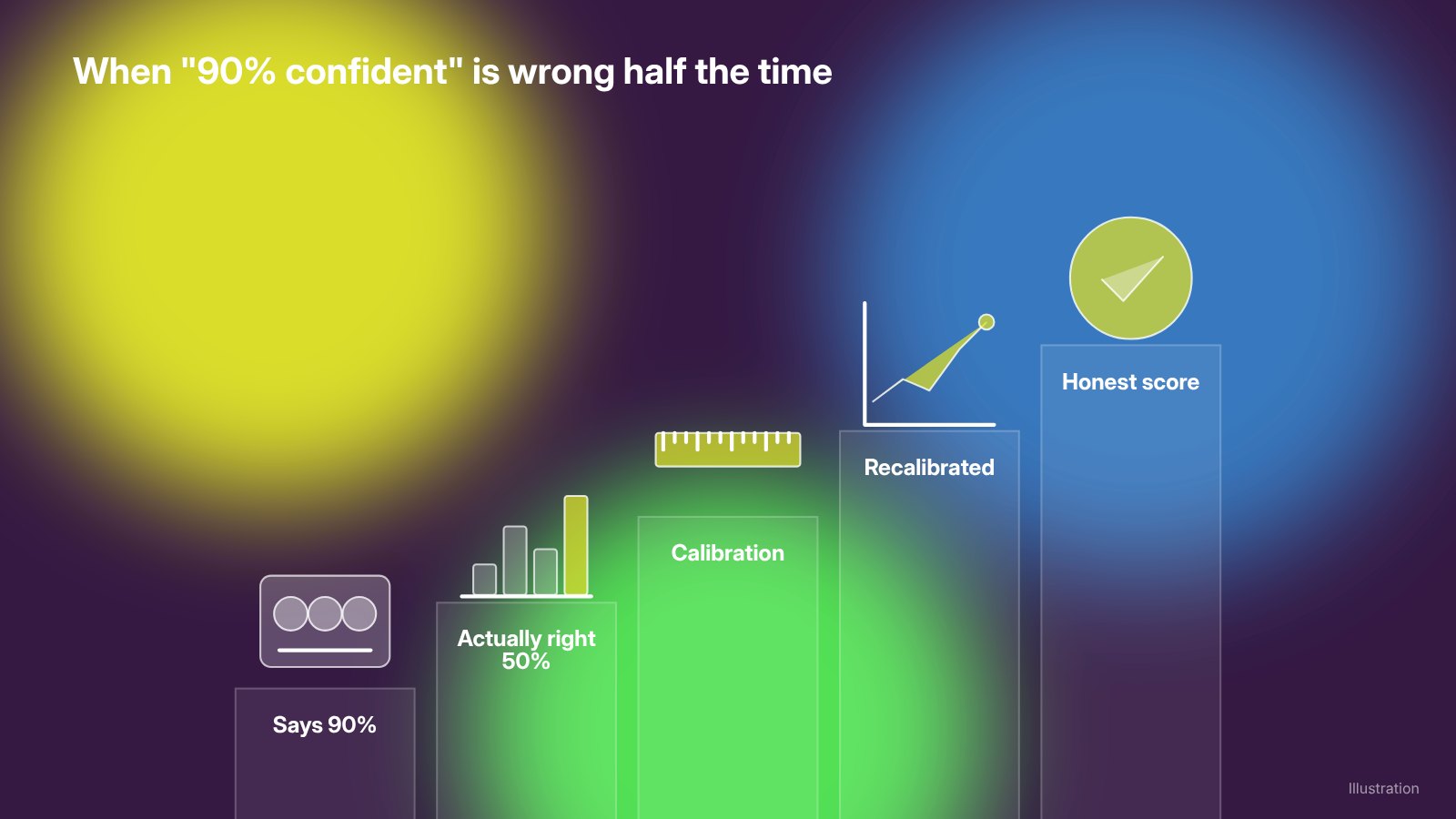
An AI answer goes out automatically when its confidence clears your threshold, say 0.82. That works only if 0.82 means what it says.
Say that for billing questions, answers sent at 0.85 to 0.90 have been reopened half the time. Overall the numbers look fine, because how-to questions do well and hide the problem.
Here's how that feels inside a subscription software company. The support lead, Ama, looks at the dashboard each Monday: automatic answers resolve most tickets, average confidence is high, and customer satisfaction is steady. Meanwhile, the billing team keeps seeing tickets come back: "You said my refund would arrive in 3 days. It's been 10." "You told me the plan change was immediate. It wasn't." Each one is handled. Nobody connects them to the fact that billing answers at 0.87 are about as reliable as a coin toss.
First, the basics
- Confidence is a score (0 to 1) that the AI gives an answer. The auto-send threshold is the score above which it's sent without review.
- Calibration is whether confidence matches reality: answers at 0.9 should work about 90% of the time.
- A verified outcome is how the ticket really ended: verified or customer-confirmed (worked), or reopened, came back or stayed unresolved (failed).
- A Brier score measures how far predictions are from outcomes (lower is better). Calibration error is the average gap between confidence and the real success rate.
- A reliability table shows, for each confidence band, how often answers really worked.
- Drift is calibration getting worse over time.
- Held-out tickets are set aside so a proposal is tested on tickets it wasn't built from.
- Shadow mode shows everything without anyone acting on it.
Why does this matter? Automation is only as safe as its confidence scores. If 0.87 means 50% for one category, every billing answer above the threshold is a gamble. Checking confidence against outcomes, by category, finds the gamble before more customers lose it.
The problem, in plain terms
- Overall numbers hide categories where confidence lies.
- Quiet customers are counted as successes.
- Thresholds are set once and never checked.
- Fixes to thresholds aren't tested before they're applied.
- Changes aren't measured afterwards.
Check confidence against how tickets really ended
Confidence calibration compares the confidence each answer was sent with against its verified outcome. A ticket counts as worked only when it was verified or the customer confirmed it. It counts as failed when it was reopened, came back or stayed unresolved. Tickets without enough evidence are left out, so a quiet customer never counts as a success.
You get:
- a Brier score and calibration error;
- a reliability table: for each confidence band, how often answers really worked;
- sent answers that worked, working answers sent, and confident and wrong;
- the same by category, product version, knowledge source, AI provider, method and environment;
- monthly drift, so you see when things start getting worse.
Under 30 answers, or 20 in a segment, nothing is shown.
A stricter threshold, checked on tickets it hasn't seen
When confident answers in a category keep failing, TicketResolve looks for the lowest stricter threshold that reaches the target success rate. It holds back about one ticket in five and checks the proposal on those.
The proposal says, for example: "On held-out tickets, 9 answers would have gone to review instead of being sent: 7 of them had failed and 2 had worked." It also gives the risk and how to roll it back.
It never changes the threshold itself. The proposal becomes a recommendation. After approval, a person sets it in the engine settings, where your workspace's own approval rules apply. The recommendation can only be marked implemented once the new threshold is actually in force.
Recommendations with a beginning, middle and end
Calibration is one source. The others are:
- knowledge articles that keep failing;
- problems that come back after a workaround or a fix;
- engineering fixes that failed their tests;
- product versions with high failure rates;
- categories answered without checking the customer's environment;
- integrations that stopped sending evidence.
Each recommendation lists its evidence, tickets, affected customers, confidence, expected benefit, risk, the action needed and a suggested owner. Then:
- Someone submits it for review, and another administrator approves it.
- The change is made in the usual place: knowledge governance, engineering or settings.
- Results are measured from outcomes: did the problem come back, did failure rates fall, did confident answers stop failing?
- It ends as successful or unsuccessful, and an unsuccessful change can be rolled back.
Calibration and recommendations both start in shadow mode. You can see everything before anyone acts on it.
A worked example, start to finish
Here's Ama's team, with confidence calibration turned on. The figures are illustrative.
Week 1, shadow mode. Ama opens Resolution intelligence → Assurance → Confidence calibration. Over the last 90 days, 2,140 automatic answers have verified outcomes; 310 were left out for not enough evidence.
The reliability table (all categories):
- 0.82–0.85: 78% worked
- 0.85–0.90: 84% worked
- 0.90–0.95: 91% worked
- 0.95+: 96% worked
Close enough overall. Then she filters by category:
- How-to, 0.85–0.90: 93% worked (180 answers).
- Billing, 0.85–0.90: 52% worked (64 answers). Confident and wrong: 31.
Monthly drift shows billing getting worse since a pricing change two months ago, when the knowledge articles weren't all updated.
Week 1, a proposal. A stricter threshold for billing: the lowest that reaches the target success rate is 0.93. Checked on held-out billing tickets: "On held-out tickets, 9 answers would have gone to review instead of being sent: 7 of them had failed and 2 had worked." Risk: more billing tickets to review, about 20 a week. Rollback: set it back to 0.82.
A second recommendation. From knowledge articles that keep failing: "Changing your plan" has a high failure rate since the pricing change, with the tickets listed and a suggested owner (the billing knowledge lead).
Week 2, approval. Ama submits the threshold recommendation for review. Another administrator, the head of support operations, approves it. Ama sets 0.93 for billing in Settings → Answer engine → Thresholds by ticket type. The recommendation is marked implemented only once it's in force.
The knowledge recommendation goes through knowledge governance: the article is updated and approved by someone other than its author.
Week 8, measured. Billing answers sent above 0.93: 89% worked. Confident and wrong: 4. Reopened billing tickets down. The threshold recommendation ends successful. The article recommendation ends successful too: its failure rate fell after the new version went live.
Five more real-world scenarios
1. A small category
Situation. A category has 12 answers with outcomes.
How TR handles it. Under 20 in a segment, nothing is shown.
2. A customer who never replies
Situation. An answer is sent, and the customer never writes back.
How TR handles it. Without enough evidence, the ticket is left out. A quiet customer never counts as a success.
3. A recommendation that didn't help
Situation. A stricter threshold doesn't reduce failures.
How TR handles it. It ends unsuccessful and can be rolled back.
4. A new AI provider
Situation. The team switched AI provider last month.
How TR handles it. Calibration is broken down by AI provider, so you can compare.
5. Integrations stop sending evidence
Situation. A monitoring integration's key expires.
How TR handles it. It becomes a recommendation of its own, with the evidence.
Reading a reliability table
The reliability table is the quickest way to see whether confidence means what it says. Each row is a confidence band, such as 0.85–0.90, with how many answers fell in it and how often they really worked. Read it like this:
- Compare each band with its own label. Answers at 0.85–0.90 should work roughly 85–90% of the time. Well below that, confidence is too optimistic for that band. Well above, it's too cautious, and you may be sending good answers to review.
- Look at the count before the rate. A band with 25 answers moves a lot with each ticket. Segments under 20 answers aren't shown at all for that reason.
- Then split it. An overall table that looks fine can hide one category, product version or knowledge source that doesn't. The worked example above is exactly that.
- Check the trend. Monthly drift tells you whether a gap is new. A gap that opened after a release or a pricing change points you to what changed.
The Brier score and calibration error sum the table up in one number each, but the table is what tells you where to act.
Before and after
Before. Good overall numbers, a coin-toss billing category hidden inside them, and the same reopened tickets handled one by one.
After. A reliability table by category, a stricter threshold tested on held-out tickets, approved by another administrator and set by a person, and outcomes measured eight weeks later.
How to tell it's working
- Confident and wrong falls in the categories you fixed.
- Calibration error is low across segments, not just overall.
- Recommendations end successful or rolled back, not forgotten.
Who it's for
- Support leaders who own automation.
- Knowledge managers whose articles feed answers.
- Support operations who approve threshold changes.
How it fits with the rest of TicketResolve
Calibration uses Resolution Assurance's verified outcomes. Threshold changes are made in Settings → Answer engine, knowledge changes in knowledge governance, and fixes in engineering.
Mistakes to avoid
- Trusting the overall calibration without checking categories.
- Lowering thresholds to automate more without checking outcomes.
- Skipping the held-out check.
Do it in TicketResolve, step by step
Where: Resolution intelligence → Assurance (/dashboard/resolution-intelligence), the Confidence calibration and Recommendations views. You'll need: Resolution Assurance with verified outcomes; two administrators for approvals. Full guides: Confidence scores and thresholds and Confidence calibration and recommendations.
- Open Confidence calibration. It starts in shadow mode.
- Read the Brier score, calibration error and reliability table.
- Break it down by category, product version, knowledge source, AI provider, method and environment.
- Check monthly drift.
- Open Recommendations. Each lists evidence, tickets, customers, confidence, benefit, risk, action and a suggested owner.
- Submit for review. Another administrator approves.
- Make the change in the usual place: for thresholds, Settings → Answer engine → Thresholds by ticket type.
- Watch the result measured from outcomes; roll back if unsuccessful.
How to check it worked: a recommendation shows implemented only when the new threshold is in force, and later ends successful or unsuccessful.
Read the guide: Confidence calibration and recommendations.
Frequently asked questions
What counts as an answer that worked? Verified, or confirmed by the customer.
What counts as failed? Reopened, came back, or stayed unresolved.
What about tickets without evidence? They're left out.
How much data is needed? 30 answers overall, or 20 in a segment.
Does TicketResolve change thresholds? No. A person sets it after approval.
How is a proposal tested? On about one ticket in five, held back from building it.
Who approves recommendations? Another administrator, not the one who submitted it.
Can a change be undone? Yes. An unsuccessful change can be rolled back.
What does a good reliability table look like? Each band's real success rate close to its confidence, with enough answers in each band to trust it.
Why might confidence be too cautious? If answers in a band work far more often than its confidence says, good answers may be going to review unnecessarily.
Explore Topics
Written by
Ghulam Shabbir
Content creator and writer sharing insights and stories.