
A Version-Aware Knowledge Graph for Technical Support: How Errors, Releases and Fixes Connect
The map in an experienced engineer’s head (this error, that service, that version, that known issue) is valuable and leaves when they do. The knowledge graph builds it from your records, filters it by version, follows connections up to three steps, and shows the source of every link.
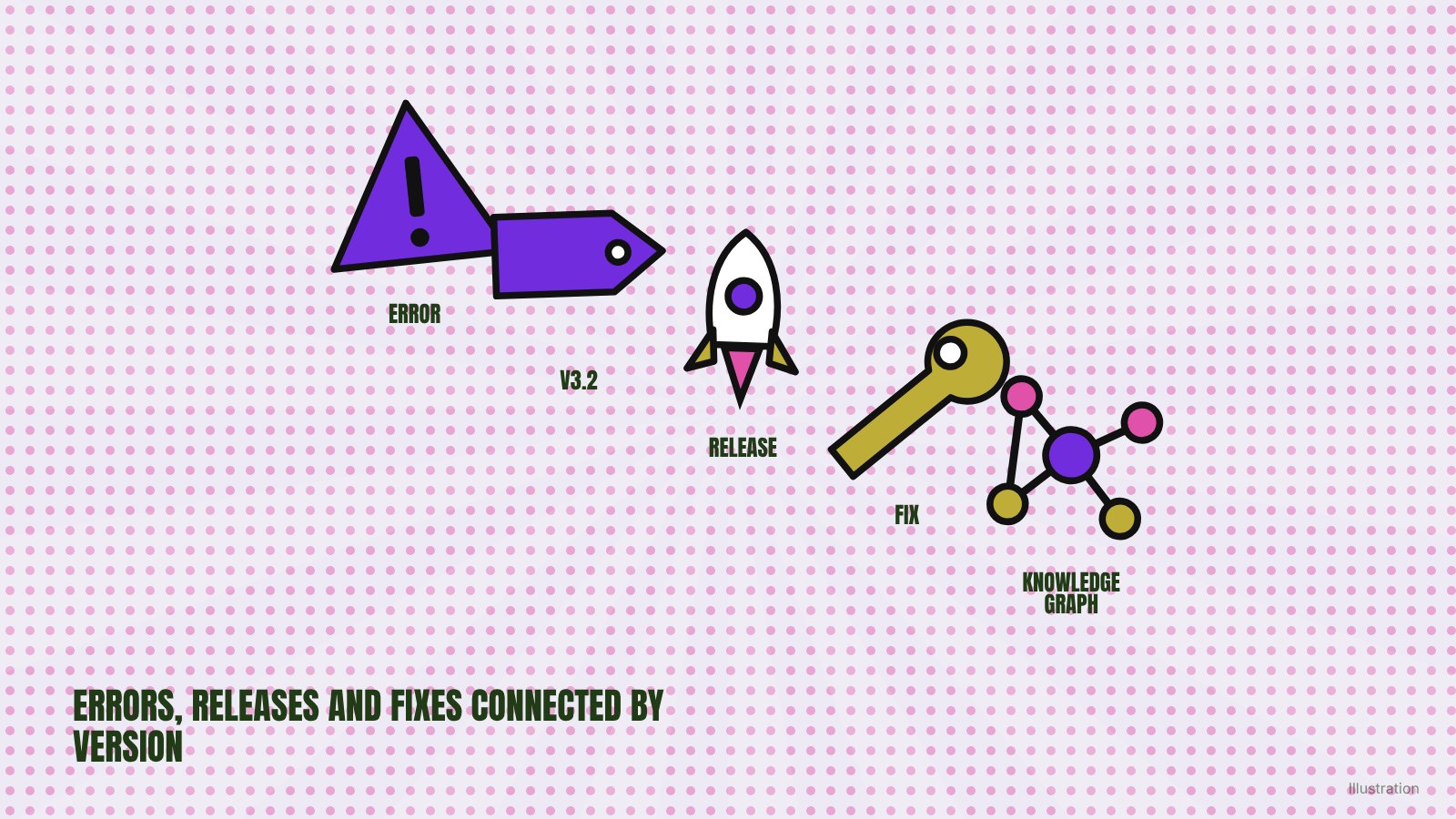
Every experienced support engineer carries a map in their head. That error is the billing service. It started with 2.6. There's a known issue for it, and the workaround is in the export procedure. We fixed something similar in 2.5; check that investigation.
The map is valuable and fragile. It lives in a few people's heads, it doesn't scale, and it leaves when they do.
Here's what happens when it leaves, at a company that sells an accounting API. Their most experienced support engineer, Tomás, moves to a product role. A month later:
- A customer on version 2.6 reports
ERR_TIMEOUTon invoice exports. - The new engineer, Ji-woo, searches the knowledge base and finds an article about
ERR_TIMEOUT, written for 2.5. She sends it. It doesn't help. - She escalates. Engineering spends a day before someone remembers there's an open known issue for exactly this in 2.6, with a workaround in the export procedure.
- Tomás, asked over chat, replies in ten seconds: "Oh, that's the billing-api thing in 2.6. Known issue, use the export procedure."
Every piece of that map existed as a record. It just wasn't connected anywhere except in Tomás's head.
First, the basics
- A knowledge graph connects things (services, errors, releases, known issues, procedures) with links.
- A link says how two things are related, such as raises, seen in or is about, and how it was found.
- A version is a release of your product, like 2.6.
- Version-aware means links that only hold for one version don't appear for another.
- Multi-hop means following links more than one step: from a known issue to an error to a release.
- A procedure is a documented way to handle a problem, with a "when to use".
- An API file describes the operations an API exposes.
- A verified fix is one confirmed with telemetry after release.
Why does this matter? Technical support is mostly connecting things: this error to that service, that version, that known issue, that fix. A map built from your records, filtered by the customer's version, gives every engineer the connections the most experienced one carries in their head.
The problem, in plain terms
- Expert knowledge lives in a few heads.
- Search finds documents, not connections.
- Articles for one version get sent for another.
- Useful links are often two or three steps apart.
- Nobody can see what a fix actually changed.
Write the map down, from records, not opinions
TR-AI's knowledge graph builds that map from records you already have:
- Monitoring tools link services to the errors they raise, tagged with the release they were seen in.
- CI/CD events link services to releases and versions.
- API files link products to the operations they expose; failing API tests link operations to the status codes they returned.
- Known issues link to the error codes and versions they mention, and the module they belong to.
- Procedures link to the errors and versions their "when to use" names.
- Customer environments link the product to the versions and modules customers actually run.
- Investigations link causes your team confirmed to services and errors, and fixes verified with telemetry to those causes.
Every link says how it was found. Nothing is inferred by an AI model, and nothing is presented as more certain than its source.
Version-aware
A link that holds for one version shouldn't show up when you're looking at another. Ask about 2.6 and the error that only ever appeared in 2.5 drops out; the known issue that names 2.6 stays. This is the difference between "here's everything vaguely related" and "here's what applies to this customer's version".
Multi-hop
The useful connections are rarely direct. Choose up to three steps out from any service, error, release or known issue, or pick two things and ask how they're connected:
Known issue "Exports time out" → is about ERR_TIMEOUT → seen in billing-api 2.6.0
Each step shows its source, so you can check it. A path is a connection in your records, not proof of cause, but it tells you where to look first.
Before and after the fix
Alongside the graph, the new engineering report shows what each verified fix actually changed: errors before and after (from the verification itself) and tickets per day in the week before against the days since. It also shows which customers production problems reached, by plan and version, and how engineering tickets moved.
A worked example, start to finish
Here's Ji-woo's ERR_TIMEOUT ticket, with the knowledge graph. The details are illustrative.
10:00, the ticket. A customer on 2.6 reports ERR_TIMEOUT on invoice exports.
10:02, the graph. Ji-woo opens Explore → Knowledge graph, searches for ERR_TIMEOUT, and sets the version to 2.6.
What drops out. A link from ERR_TIMEOUT to a 2.5-only investigation drops out: it never appeared in 2.6. So does the 2.5 article she almost sent.
What stays, each with how it was found.
ERR_TIMEOUTseen in billing-api 2.6.0 (from monitoring, tagged with the release).- Known issue "Exports time out" is about
ERR_TIMEOUT(the known issue names the error and 2.6). - Procedure "Large invoice exports", linked to
ERR_TIMEOUTand 2.6 because its "when to use" names them.
10:04, multi-hop. She asks how the known issue and the release are connected:
Known issue "Exports time out" → is about ERR_TIMEOUT → seen in billing-api 2.6.0
Each step shows its source. It's a connection in the records, not proof of cause, but it's where to look first.
10:10. She sends the customer the export procedure's workaround (split exports by month) and links the ticket to the known issue. No escalation needed. Ten minutes, like Tomás.
Three weeks later, the fix. Engineering ships a fix in 2.6.2 and it's verified with telemetry. The engineering report shows ERR_TIMEOUT errors before and after from the verification, and tickets per day in the week before against the days since. It also shows which customers the problem reached, by plan and version. The graph now links the confirmed cause to the verified fix.
Five more real-world scenarios
1. An error that only happened in an old version
Situation. An error appeared only in 2.4.
How TR handles it. Ask about 2.6 and it drops out.
2. How are two things connected?
Situation. An engineer wonders whether a failing API operation relates to a known issue.
How TR handles it. Pick both and ask how they're connected; each step shows its source.
3. Most-connected items
Situation. A new engineer wants to learn the product's hot spots.
How TR handles it. Start from the most-connected items.
4. A link with a weak source
Situation. A link comes from a procedure's "when to use" text.
How TR handles it. It says how it was found; nothing is presented as more certain than its source.
5. Which customers run a version?
Situation. Product wants to know who runs 2.6 with the billing module.
How TR handles it. Customer environments link the product to versions and modules customers run.
Before and after
Before. A 2.5 article sent for a 2.6 problem, a day of engineering time, and a ten-second answer from someone who'd moved teams.
After. The 2.5 links filtered out, the 2.6 known issue and procedure found in two minutes, the path checked step by step, and the fix's effect measured when it shipped.
How to tell it's working
- New engineers find the right known issue first time.
- Fewer escalations for problems already known.
- Knowledge survives when experienced people move on.
Who it's for
- Support engineers at every level.
- New team members learning the product.
- Engineering leads checking what a fix changed.
How it fits with the rest of TicketResolve
The graph is built from your monitoring, CI/CD, API files and API tests, known issues, procedures, customer environments and investigations. It lives in Explore, alongside the engineering report on verified fixes.
Why no AI-inferred links
It's tempting to let a model connect things that "seem related". But a graph is only useful if you can trust its links, and inferred links can be confidently wrong. Building only from records, with every link saying how it was found, means each connection can be checked. When a path looks surprising, you can follow it back to the monitoring event, the known issue text or the confirmed investigation behind it.
Reading a path
A path tells you where to look, not what caused what. Known issue → is about → error → seen in → release says the error appears in that release and a known issue mentions it. It doesn't say the release caused the error. Use paths to find the known issue, the procedure or the investigation that already covers the problem; use investigations and fix verification to establish cause.
Mistakes to avoid
- Forgetting to set the version.
- Treating a path as proof of cause.
- Ignoring how a link was found.
Do it in TicketResolve, step by step
Where: Explore → Knowledge graph (/dashboard/explore). You'll need: monitoring, CI/CD, known issues, procedures, environments and investigations, the more the better. Full guides: Explore: everything connected to an error, version or customer and Known issues.
- Open Explore and scroll to Knowledge graph.
- Start from the most-connected items, or search for an error code.
- Set the version to your customer's.
- Read each link and how it was found.
- Follow up to three steps, or pick two things and ask how they're connected.
- Check each step's source.
- Open the engineering report to see what verified fixes changed.
How to check it worked: links show their source, and changing the version removes links that don't hold for it.
Frequently asked questions
Where does the graph come from? Monitoring, CI/CD, API files and tests, known issues, procedures, customer environments and investigations.
Is anything inferred by AI? No. Every link says how it was found.
What does version-aware mean? Links that only hold for one version drop out when you look at another.
How far can I follow connections? Up to three steps, or between two things you pick.
Is a path proof of cause? No. It's a connection in your records that tells you where to look first.
Can I see what a fix changed? Yes. The engineering report shows errors and tickets before and after each verified fix.
Where do I start? From the most-connected items, or by searching for an error code.
Does it show which customers were affected? The engineering report shows which customers production problems reached, by plan and version.
Do I need every source connected? No. The graph uses whatever records you have; each extra source adds links.
Can it replace an experienced engineer? No. It writes down the connections they carry, so others can find them too.
Explore Topics
Written by
Ghulam Shabbir
Content creator and writer sharing insights and stories.