
Remediation With a Contract: Preconditions, Expected Outcomes and Approved Rollback
A restart that is safe after a confirmed diagnosis can be harmful in the middle of a release. Change operations in TicketResolve can say when they may run, what should happen, who may approve them, how often they may run and what undoes them, and a failed change requests its own rollback.
Remediation operations in TicketResolve have always run at an approval level: read-only diagnostics, pre-authorised low-risk changes, or changes that wait for a second person. Your agent runs only the operation names it declares, never a command TicketResolve sends.
An approval level says who has to agree. It doesn't say when agreeing makes sense. Restarting workers is reasonable after the queue diagnostic shows a stall. It isn't reasonable halfway through a release, or for the fifth time today.
Here's how that went one Thursday at a food-delivery company. The order queue backed up at 18:30, peak dinner time. The on-call engineer requested restart-workers; a colleague approved it, because restarts usually fix stalls.
- 18:32. Workers restarted. The queue kept growing.
- 18:40. Restarted again. Still growing.
- 18:52. A third time. Now in-flight orders were being dropped on each restart.
- 19:05. Someone noticed a release was rolling out to the order service. The restarts were interrupting it, and the release had the actual bug.
Each restart was approved. None of the approvers had been asked whether it made sense right then.
First, the basics
- Remediation is action to fix a problem in a running system.
- An operation is a named action your agent declares, such as restart-workers. A change operation alters something; a diagnostic only reads.
- An approval level sets who must agree: none for read-only diagnostics, pre-authorised for low-risk changes, a second person for others.
- A precondition is something that must be true before a run, such as a diagnostic succeeded in the last 15 minutes.
- An expected outcome is what should be true afterwards.
- A rollback operation undoes a change.
- A runs-per-day limit caps how often an operation runs.
- Verification checks the change did what it should.
- High-risk operations need the strictest approval.
Why does this matter? The most dangerous remediation is a reasonable action at the wrong moment. Stating when an operation makes sense, what it should achieve and how it's undone, and checking those at request and approval, catches the wrong moment before it happens.
The problem, in plain terms
- Approval levels say who, not when.
- Restarts run during releases.
- Repeated runs go unnoticed.
- The author of an operation approves its use.
- Rollback is assumed, not requested.
What a change operation can now state
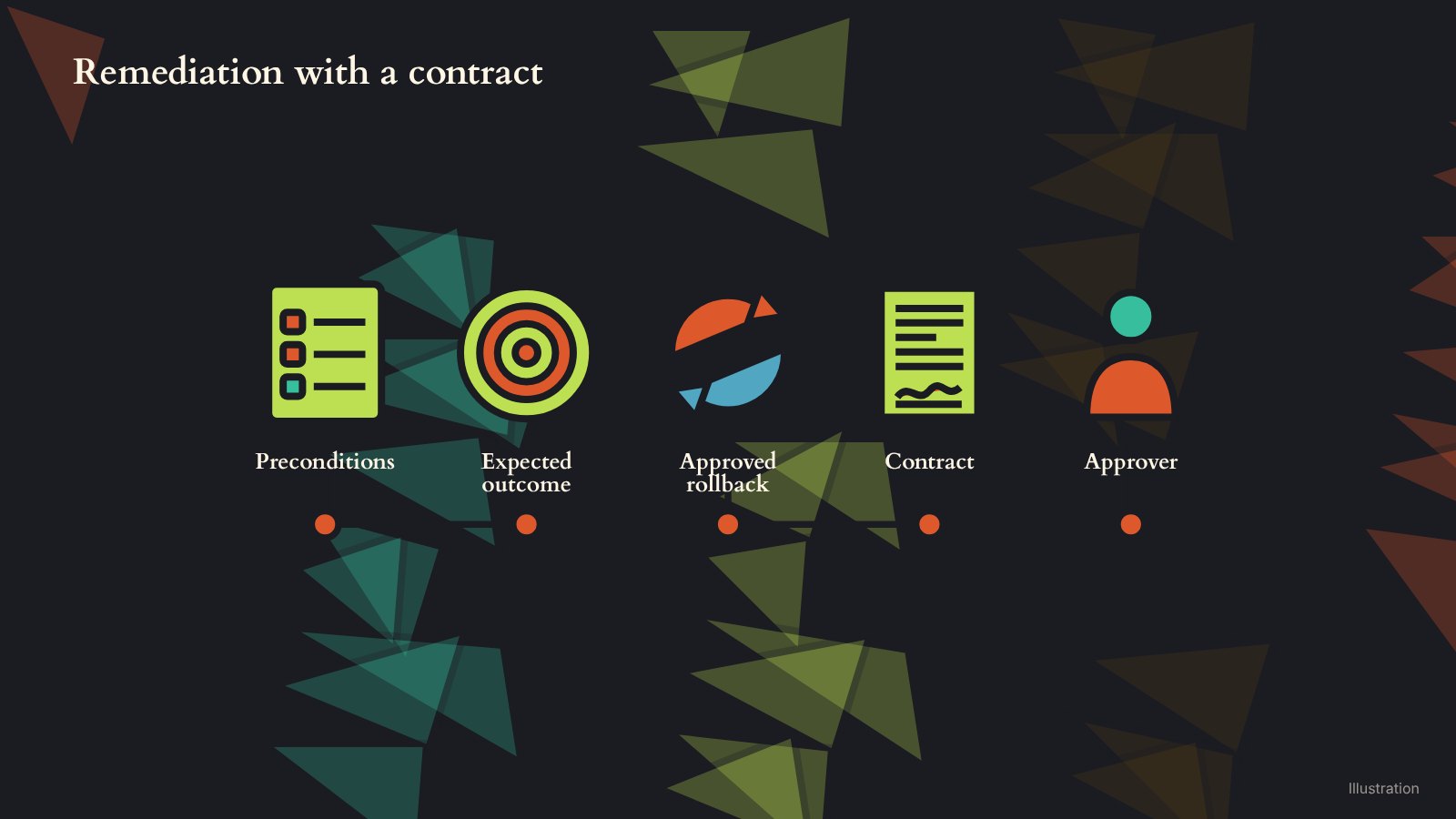
| Part of the contract | What it does |
|---|---|
| Only run when | A person confirmed the investigation's root cause; a named diagnostic succeeded in the last N minutes; no release is in progress |
| Expected outcome | What should be true afterwards, shown to the approver and on the run |
| Rollback operation | The operation that undoes this one |
| Approver also needs | An extra permission, such as customer data or security settings |
| Runs per day | A limit, 20 by default |
Preconditions are checked twice: when someone asks for a run, and again when it's approved, because the world can change in between. If one fails, the run is recorded as stopped, with the reason. Nothing reaches your agent.
Independent approval for high-risk changes
The requester could never approve their own run. Now a high-risk run also can't be approved by the person who registered the operation. Someone who wrote the operation and also signs off its use isn't an independent check.
Rollback that is requested, not assumed
When a change fails, or the verification that follows it fails, its rollback operation is requested automatically. It goes through its own approval level. Unless it's a pre-authorised low-risk operation, a person still approves it.
The change's run shows "verification failed — rollback requested", with the rollback run's number.
What it doesn't do
TicketResolve still never runs a command it wrote, and never changes production configuration on its own. The contract only narrows when an operation you defined may run. It can't widen it.
A worked example, start to finish
Here's the food-delivery company's next Thursday, with a contract on restart-workers. The details are illustrative.
Setup. The platform lead, Gita, edits the restart-workers operation:
- Only run when: the queue-stall diagnostic succeeded in the last 15 minutes, and no release is in progress.
- Expected outcome: queue depth falls below 500 within 5 minutes.
- Rollback operation: none (a restart can't be undone), so she marks it high-risk.
- Approver also needs: none extra.
- Runs per day: 3.
She registered it, so as a high-risk operation she can't approve its runs.
Thursday 18:30. The queue backs up. The on-call engineer, Felix, requests restart-workers.
Check 1, at request. The queue-stall diagnostic hasn't run. Stopped, with the reason: precondition not met: queue-stall diagnostic not succeeded in the last 15 minutes. Nothing reaches the agent.
18:31. Felix runs the queue-stall diagnostic (read-only, runs straight away). It succeeds: consumer lag rising; 0 consumers processing. He requests the restart again; the preconditions pass.
18:33, check 2, at approval. Gita can't approve it (she registered it). A colleague, Ines, opens it. Between request and approval, a release has started on the order service. The precondition is checked again: no release is in progress: fails. Stopped, with the reason. Nothing reaches the agent.
18:35. Ines and Felix look at the release instead. It has the bug: a consumer configuration that stops processing. They roll the release back through their pipeline.
18:45. The queue drains. No restart was needed.
A different evening, a failed change. A raise-consumer-count change runs, approved by a second person. Its verification fails: queue depth doesn't fall. Its rollback operation, restore-consumer-count, is requested automatically, through its own approval level. The change's run shows "verification failed — rollback requested", with the rollback run's number. A person approves the rollback.
Five more real-world scenarios
1. The fourth restart today
Situation. Restart-workers has run three times today, its limit.
How TR handles it. The runs-per-day limit stops a fourth.
2. An operation touching customer data
Situation. An operation exports a customer's records for repair.
How TR handles it. Approver also needs the customer-data permission.
3. A cause not yet confirmed
Situation. An operation requires a confirmed root cause; the investigation has only a leading possibility.
How TR handles it. The precondition fails; the run is stopped with the reason.
4. A low-risk rollback
Situation. The rollback is a pre-authorised low-risk operation.
How TR handles it. It runs at that level, without waiting for a person.
5. Asking TicketResolve to run a command
Situation. Someone wants TicketResolve to run a shell command.
How TR handles it. It never runs a command it wrote; your agent runs only operations it declares.
Writing a good contract
A contract is only as useful as its conditions. Some patterns that work:
- Tie disruptive operations to a diagnostic. "Restart workers only if the queue-stall diagnostic succeeded in the last 15 minutes" makes sure someone looked before acting.
- Block changes during releases. Most "fixes" that make things worse are run while something else is changing.
- Require a confirmed root cause for anything irreversible. If a person hasn't confirmed why, an irreversible step shouldn't run.
- Write the expected outcome as something you can check. "Queue depth below 500 within 5 minutes" can be verified; "things improve" can't.
- Set a daily limit that reflects reality. If an operation needs to run more than a few times a day, something else is wrong.
- Always name a rollback when one exists, so a failed change has a way back.
Why check twice
Preconditions are checked when someone asks and again at approval because the gap between the two can be minutes or hours. In that time a release can start, a diagnostic can go stale, or a root cause can be disputed. The second check means an approver is always approving the situation as it is now, not as it was when the request was made.
Before and after
Before. Three approved restarts during a release, dropped orders, and nobody asked whether it made sense right then.
After. A restart stopped because no diagnostic had run, stopped again at approval because a release had started, an approver who wasn't the operation's author, and the real cause found in the release.
How to tell it's working
- Stopped runs have clear reasons.
- Repeated runs hit the daily limit before they cause harm.
- Failed changes request their rollback automatically.
Who it's for
- SREs and platform teams who define operations.
- On-call engineers who request them.
- Approvers who need context, not just a button.
How it fits with the rest of TicketResolve
Remediation operations are declared on your own agent, linked to investigations and diagnostics, recorded in the tamper-evident audit trail, and verified afterwards.
Mistakes to avoid
- Leaving "only run when" empty for disruptive operations.
- Approving operations you registered. You can't for high-risk ones.
- Skipping the expected outcome. It's what verification checks.
Do it in TicketResolve, step by step
Where: remediation operations, run from the page or an investigation (/dashboard/investigate). You'll need: operations declared on your agent; an admin to register them; approvers. Full guides: TR Investigate reliability and Running an approved operation.
- Declare the operation on your agent, for example
TR_OP_RESTART_API. - Register it (admins): level, timeout, and how to undo it.
- Add the contract: only run when, expected outcome, rollback operation, approver also needs, runs per day.
- Request a run from the page or an investigation. Preconditions are checked.
- Approve it (someone else; for high-risk, not the operation's author). Preconditions are checked again.
- Read the run: stopped with a reason, or run with its expected outcome.
- Watch verification. If it fails, the rollback is requested automatically.
How to check it worked: a run shows its preconditions, expected outcome and, if it failed, "verification failed — rollback requested" with the rollback's number.
Frequently asked questions
What can an operation require before it runs? A confirmed root cause, a named diagnostic succeeding in the last N minutes, and no release in progress.
When are preconditions checked? Twice: at request and at approval.
What happens if one fails? The run is stopped with the reason. Nothing reaches your agent.
Who can't approve a high-risk run? The requester, and the person who registered the operation.
What's the default daily limit? 20 runs per day.
Is rollback automatic? It's requested automatically and goes through its own approval level.
Does TicketResolve run commands? No. Your agent runs only the operations it declares.
Can a contract widen what an operation may do? No. It only narrows when it may run.
What makes a good expected outcome? Something you can check, such as a queue depth below a number within a few minutes.
Why check preconditions at approval as well? Because things can change between request and approval: a release can start or a diagnostic go stale.
Explore Topics
Written by
Ghulam Shabbir
Content creator and writer sharing insights and stories.