
One Engineering Handoff, Without Duplicate Issues
Five customers hit the same bug, five investigations escalate it, and engineering gets five issues. TicketResolve now uses one handoff that checks first for an issue already tracking the problem, sends the same package whichever way you escalate, and tells engineers what was already tried.
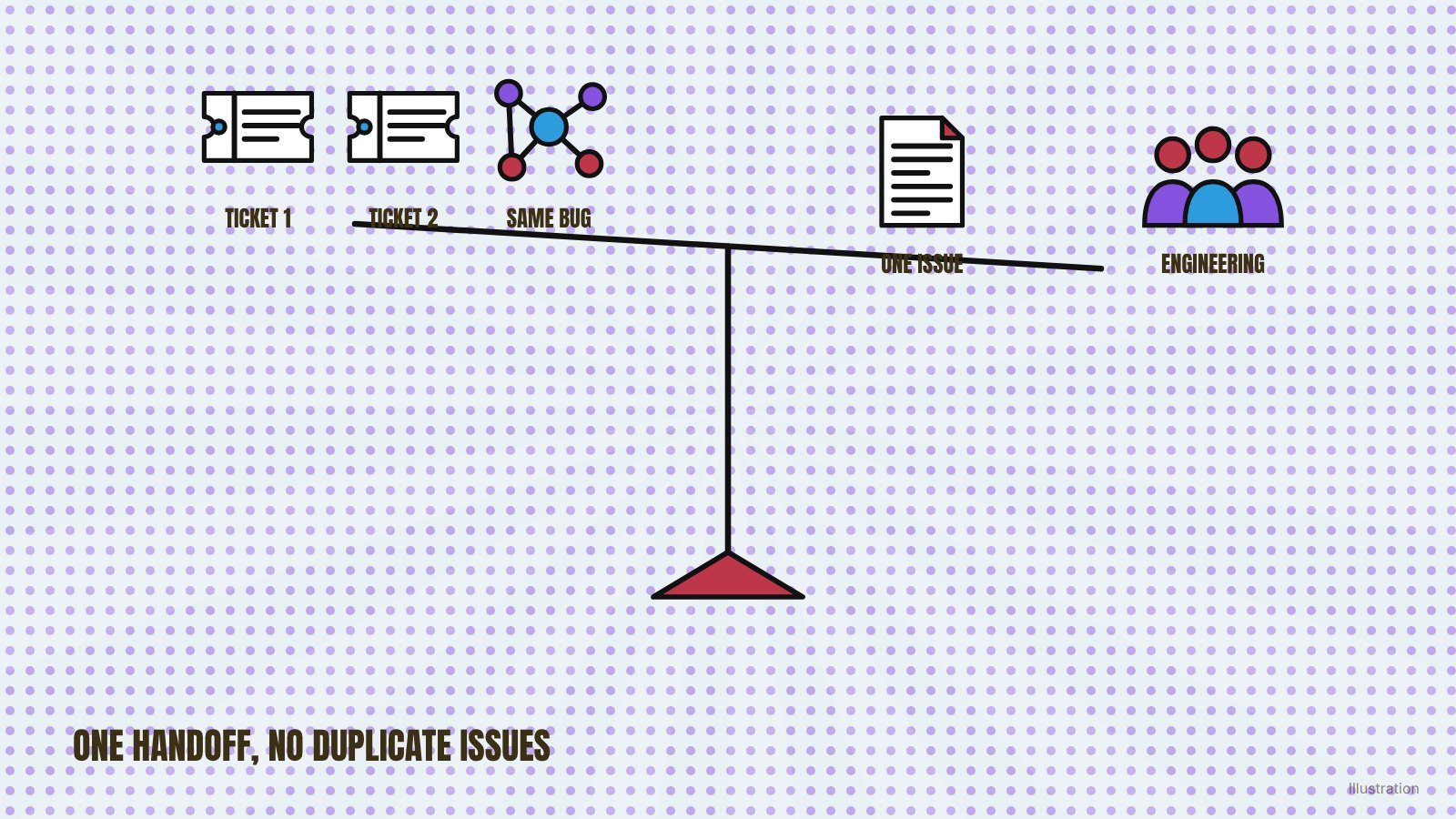
There were two ways to hand an investigation to engineering in TicketResolve. You could escalate from the investigation, which opened an issue in your tracker. Or you could send the engineering task, which created an engineering ticket. They used different content, and only one of them checked for duplicates.
Here's what that meant on a busy Monday at a company that sells e-learning software. A release over the weekend broke video playback for courses with subtitles.
- 09:10. Investigation A escalates: Jira issue ENG-301, "Video won't play".
- 09:40. Investigation B escalates: ENG-302, "Course videos black screen".
- 10:15. Investigation C sends the engineering task: an engineering ticket, "Playback error MEDIA_ERR_DECODE".
- 11:00. Investigations D and E escalate: ENG-305 and ENG-306.
Engineering gets five issues for one bug. Two engineers start on different ones. The engineer on ENG-305 tries reverting the video player version, which investigation B had already tried and found didn't help. Nobody knew, because it wasn't in any of the issues.
Now there is one handoff.
First, the basics
- A handoff (escalation) passes an investigation to engineering.
- An issue tracker is where engineering tracks work: Jira, Linear, GitHub Issues. An engineering issue is one item there.
- An engineering task is the package TicketResolve sends: root cause, evidence, code references, reproduction, proposed correction, risk, tests and acceptance criteria.
- A duplicate is a second issue for the same problem.
- An error signature is a normalised fingerprint of an error.
- Technical memory is TicketResolve's store of past confirmed resolutions.
- A known issue is a recorded problem affecting several customers.
- A fix proposal is a suggested code change; verification checks it worked; a remediation run applies a fix.
Why does this matter? Duplicates split engineers' attention and hide how many customers are affected. Missing "already tried" sends engineers down paths someone else already ruled out. One handoff that checks first and carries what's known saves both.
The problem, in plain terms
- Several investigations escalate one bug, creating several issues.
- Two ways to escalate sent different content.
- Only one way checked for duplicates.
- What was tried isn't in the issue.
The duplicate check runs first
Before anything is created, TicketResolve looks for an engineering issue that already tracks the problem:
- another investigation with the same production error
- the same error signature in technical memory
- a known issue that's linked to an engineering issue
- a filed reproduction that mentions the same error
If one matches, you choose. "Add to ENG-77" comments the task on that issue and links this investigation to it. "Create a new issue" needs a sentence on why this is a different problem, and that reason goes into the audit trail.
Similar titles are shown so you can judge them yourself. A similar title on its own never stops you from creating an issue.
The same package both ways
Escalating from the investigation now sends the same engineering task the Send step uses: the root cause and its evidence, code references, affected components, the reproduction, the proposed correction, risk, required tests and acceptance criteria. Whatever isn't established is listed as uncertainty at the top.
What was already tried
The task has a section, "Already tried (didn't work)". It lists:
- fix proposals a reviewer rejected, with their reasons
- verifications that showed the fix didn't work, or caused a regression
- remediation runs that failed, or whose verification failed
Engineers start from what is known not to work, not from a blank page.
A worked example, start to finish
Here's the same Monday, with one handoff. The details are illustrative.
09:10, investigation A. The production error MEDIA_ERR_DECODE on /player/stream matches nothing tracked. The support engineer escalates: ENG-301 is created with the full engineering task. At the top, under uncertainty: root cause not confirmed; leading possibility: subtitle track encoding in the new player.
09:40, investigation B. Before anything is created, the duplicate check finds another investigation with the same production error, linked to ENG-301. The engineer chooses Add to ENG-301: the task is commented on ENG-301 and investigation B is linked. Investigation B had already tried a fix proposal, reverting the player version, which a reviewer rejected with the reason "the regression predates the player change". That goes into ENG-301's task under Already tried (didn't work).
10:15, investigation C. The engineer uses Send. Same check, same package: the same error signature in technical memory points to ENG-301. Add to ENG-301.
10:30, a similar title. Investigation F's ticket says "Videos won't load on Safari". The check finds similar titles ("Video won't play") but no technical match: the error is a CORS failure, not a decode error. The similar title is shown so the engineer can judge it; it doesn't stop her. She chooses Create a new issue with the reason "CORS failure from the new CDN domain, not the decode error". ENG-303 is created; the reason goes into the audit trail.
11:00, investigations D and E. Both match ENG-301 and are added to it.
11:30, engineering. ENG-301 has five investigations linked and a clear picture: five customers' tickets, the reproduction, the leading possibility, and Already tried (didn't work):
- revert the player version (rejected, with reason);
- a remediation run that cleared the CDN cache, whose verification failed.
The engineer starts from there, not from scratch, and finds the subtitle encoder's new default. One fix, verified; five investigations updated.
Five more real-world scenarios
1. A known issue already links an issue
Situation. A known issue for the bug is linked to ENG-301.
How TR handles it. The duplicate check finds it through the known issue.
2. A filed reproduction
Situation. A reproduction filed yesterday mentions the same error.
How TR handles it. The check finds it and offers its issue.
3. A fix that caused a regression
Situation. A verification showed a proposed fix caused a regression.
How TR handles it. It's listed under Already tried (didn't work).
4. Creating a new issue anyway
Situation. The engineer believes it's a different problem.
How TR handles it. Create a new issue, with a sentence on why. The reason goes into the audit trail.
5. Nothing is established
Situation. The root cause isn't known yet.
How TR handles it. It's listed as uncertainty at the top of the task.
Writing a good "Create a new issue" reason
When you decide a matching issue is a different problem, the sentence you write is what the next person reads in the audit trail. Make it specific:
- Name the technical difference. "Different error: CORS failure from the new CDN domain, not MEDIA_ERR_DECODE" is useful. "Seems different" isn't.
- Say what you checked. "Checked ENG-301's reproduction; it doesn't fail on this customer's setup."
- Link evidence if you can. The investigation's evidence is attached to the new issue anyway; the sentence should point to the part that matters.
A good reason also helps later: if the two issues turn out to be the same after all, the reason shows exactly what to re-check.
Reading "Already tried" as an engineer
The section is short, but it changes where an engineer starts:
- Rejected fix proposals come with the reviewer's reason. The reason often contains the most useful hint, such as "the regression predates that change".
- Failed verifications show a fix that looked right but didn't work in practice, or broke something else.
- Failed remediation runs show actions that were tried in the real environment.
Together they narrow the search before anyone opens the code.
Before and after
Before. Five issues for one bug, two engineers on different ones, and a revert someone had already ruled out.
After. One issue with five investigations linked, the same package whichever way they escalated, a different problem kept separate with a recorded reason, and a list of what was already tried.
How to tell it's working
- Fewer duplicate engineering issues.
- Issues show how many investigations are linked.
- Engineers don't repeat rejected fixes.
Why one package matters
Before, an issue's contents depended on which button someone pressed. Now every issue from TicketResolve has the same sections in the same order, so engineers know where to look: uncertainty first, then root cause and evidence, code references, affected components, reproduction, proposed correction, risk, tests, acceptance criteria and what was already tried. Triage gets faster because every issue reads the same way.
Who it's for
- Support engineers who escalate.
- Engineering teams who receive issues.
- Engineering managers triaging the backlog.
How it fits with the rest of TicketResolve
The handoff uses investigations, technical memory, known issues, reproductions, fix proposals, verification and remediation runs, and creates issues in your tracker.
Mistakes to avoid
- Creating a new issue without a real reason.
- Trusting similar titles without checking the technical match.
- Leaving out rejected fixes. They're the most useful part.
Do it in TicketResolve, step by step
Where: the investigation's escalation or Send step (/dashboard/investigate). You'll need: an issue tracker connected. Full guides: TR Investigate: from a ticket to a verified fix and How the investigation engine works.
- Escalate or Send from the investigation. Both use the same handoff.
- Read the duplicate check: same production error, same signature in memory, a linked known issue, or a filed reproduction.
- Add to the existing issue, or Create a new issue with a sentence on why.
- Check similar titles yourself; they never block you.
- Review the task: root cause and evidence, code references, components, reproduction, correction, risk, tests, acceptance criteria, uncertainty at the top.
- Read Already tried (didn't work) before sending.
How to check it worked: the engineering issue shows every linked investigation and the Already tried section.
Frequently asked questions
Is there still more than one way to escalate? Both ways now use one handoff with the same package.
What does the duplicate check look at? The same production error, the same error signature in technical memory, a known issue linked to an engineering issue, and filed reproductions.
What does "Add to ENG-77" do? Comments the task on that issue and links this investigation.
Can I still create a new issue? Yes, with a sentence on why. The reason goes into the audit trail.
Do similar titles block me? No. They're shown for you to judge.
What's in "Already tried"? Rejected fix proposals with reasons, failed verifications or regressions, and failed remediation runs.
What if the cause isn't established? It's listed as uncertainty at the top.
Which trackers work? Your connected issue tracker.
What makes a good reason for creating a new issue? A specific technical difference and what you checked, such as a different error or a reproduction that doesn't fail.
Why read rejected fixes first? The reviewer's reason often contains the most useful hint about where the problem really is.
Does every issue look the same now? Yes. Both ways of escalating send the same sections in the same order.
Explore Topics
Written by
Ghulam Shabbir
Content creator and writer sharing insights and stories.