
Customer-Side Diagnostics That Survive Real Networks
A customer agrees to let you look into their environment, runs a small agent behind a proxy you don’t control, and then everyone waits, not knowing whether collection is running, finished or quietly died. Connect 2.0 makes customer-side diagnostics dependable: phases everyone can see, heartbeats, leases, bounded retries, results that are never stored twice, and a dead-letter list a person looks at.
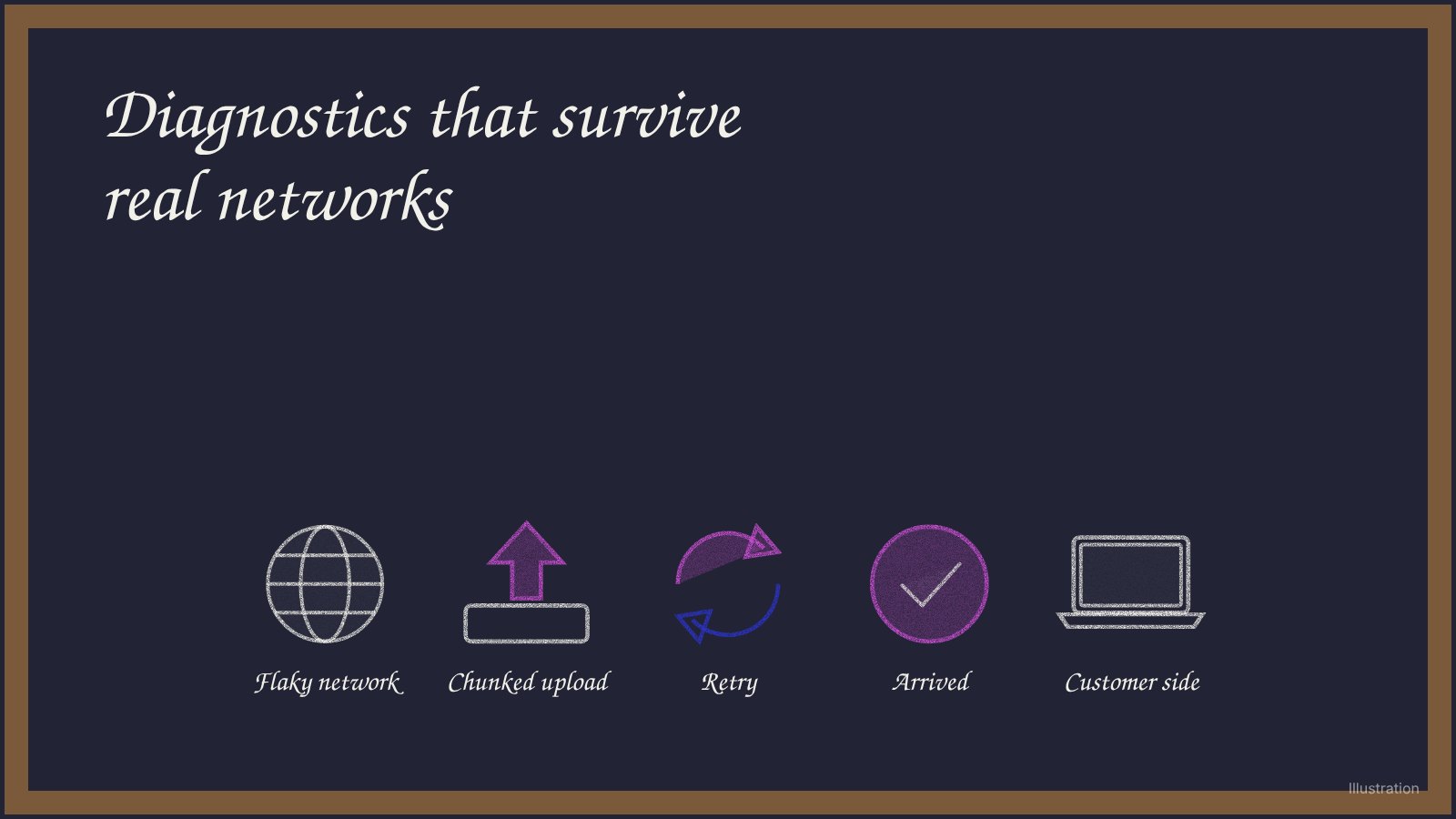
A customer agrees to let you look into their environment. They run a small agent on a server you can't see, behind a proxy you don't control, on a network that drops connections when a VPN reconnects. Then you wait.
Here's how that waiting looked for a support engineer at a logistics software company, before Connect 2.0:
- 10:00. The customer's IT admin approves access and starts the agent on their warehouse server.
- 10:05. The session page says active. Nothing has arrived.
- 10:20. Still nothing. The engineer refreshes. The customer e-mails: "Is it working? Did I do something wrong?"
- 10:40. Two of five log files arrive. The rest never do. The VPN had reconnected at 10:12 and the agent stopped.
- Next day. The engineer asks the admin to run it again. This time the first log file arrives twice, and the investigation counts the same errors double.
If the agent stops halfway, nobody knows whether collection is still running, finished, or quietly died. The support engineer refreshes the page. The customer wonders if they did something wrong. That uncertainty is the real cost of most remote diagnostics.
TicketResolve Connect 2.0 is built to remove it.
First, the basics
- TicketResolve Connect lets a customer approve diagnostic access for a support request and run our agent in their environment.
- The agent is a small program that collects what the customer allowed. A collector gathers one kind of evidence (logs, environment details…).
- A session is one approved access. A phase is where it stands: connecting, collecting, processing…
- A heartbeat is a regular "I'm alive" message from the agent.
- A task is one piece of collection work. A lease is the time a task is allowed before it's considered stuck.
- Backoff means waiting longer between each retry.
- A dead-letter list holds tasks that kept failing, for a person to look at.
- An attempt number identifies each try of a task, so a re-sent result can be recognised.
Why does this matter? Customers' networks are messy: proxies, VPNs, sleeping laptops. A diagnostic tool that silently stops, or double-counts on retry, wastes the customer's goodwill and misleads the investigation. Making progress visible and retries safe turns "is it working?" into a sentence everyone can read.
The problem, in plain terms
- Nobody knows whether collection is running, finished or dead.
- Customers think they did something wrong.
- Flaky networks stop collection without a trace.
- Retries duplicate evidence.
- Failures loop or vanish silently.
Everyone sees the same phase
A Connect session now has a phase on top of its access status:
- created
- awaiting authorization
- connecting
- collecting
- processing
- then completed, partially completed or failed
Your team sees it on the session. The customer sees it on their authorization page, with a progress bar and what's being collected right now.
The phase never changes what the customer allowed. Access is still decided only by their approval and the clock. The phase just tells everyone where things stand.
When you click Finish collection, access ends. The outcome comes from what actually came back:
- Completed if every task succeeded;
- Partially completed if some failed;
- Failed if nothing arrived.
An agent that says it's alive
Connect agent 2.0 sends a heartbeat every 30 seconds with the progress of the task it's running. It reports which collectors it supports and what's configured on the machine (counts and types, never contents). If it hasn't been heard from for 90 seconds, it's shown as not reachable. Customers see a plain sentence instead of a spinner: the agent picks up where it left off when it reconnects.
After a network error the agent tries again with bounded backoff (10 seconds, then 20, 40, up to 5 minutes), so a flaky connection doesn't turn into a support ticket of its own.
Leases, retries and the dead-letter list
Every task has a lease: a time limit sized to what it does. If the agent goes quiet or hits a timeout, the task is retried after 30 seconds, then 60, then 120, up to three attempts. Errors that retrying can't fix aren't retried; "no log files configured" is one. They fail at once with the reason.
Tasks that keep failing go to a dead-letter list on Connect Health, where an administrator can see the reason and retry when it makes sense. Nothing loops forever, and nothing fails silently.
Never twice
Retries create a classic problem: the agent sends a result, the response is lost, the agent sends it again. Connect 2.0 tags each result with its task and attempt number, and keeps exactly one result per attempt. Re-sending is always safe, and evidence is never duplicated in the investigation.
For administrators
Connect Health shows:
- agents and their versions;
- sessions by phase;
- pending, retried and failed tasks, and average collection time;
- the agent and system log, which never shows collected content.
It also holds the workspace collection policy: whether only the ticket's requester may approve, the longest access window, default retention, which browser evidence may be offered, and personal-data filters. The approver's e-mail can be checked against the e-mail the ticket came from.
A worked example, start to finish
Here's the same warehouse server, with Connect 2.0. The details are illustrative.
10:00, awaiting authorization. The engineer, Rosa, creates a Connect session for the ticket "Label printing fails after the update". The customer's IT admin opens the authorization page. Because the workspace policy says only the ticket's requester may approve, and the admin isn't the requester, the page asks the requester, the warehouse manager, to approve. She ticks application logs and environment details.
10:03, connecting. The admin starts agent 2.0. It reports its collectors and what's configured: 5 log files, 1 printer queue (counts and types, no contents). Phase: collecting. The customer's page shows a progress bar: Collecting application logs (1 of 5).
10:12, the VPN reconnects. No heartbeat for 90 seconds. Rosa's session shows the agent as not reachable; the customer's page shows a plain sentence: The agent has lost its connection. It will pick up where it left off when it reconnects.
The agent tries again after 10 seconds, then 20, then 40.
10:14, reconnected. It resumes. The task that was running had passed its lease, so it's retried (attempt 2). The first try's result had actually arrived just before the drop; the retry sends it again. One result per attempt is kept for the task, so the evidence isn't duplicated in the investigation.
10:18. Four of five logs collected. The fifth, the printer-spooler log, times out three times (attempts 1–3, retried after 30, 60 and 120 seconds). It goes to the dead-letter list with the reason: file locked by another process.
10:25, Finish collection. Rosa clicks Finish collection; access ends. Outcome: partially completed: 4 of 5 tasks succeeded, from what actually came back.
10:30, Connect Health. The workspace admin sees the dead-lettered task and its reason. After the customer restarts the print spooler, a new session collects that log.
Same day. The four logs show the label template path changed in the update. The investigation has every error counted once.
Five more real-world scenarios
1. An error retrying can't fix
Situation. The customer allowed log collection, but no log files are configured on the machine.
How TR handles it. It fails at once with the reason, without retries.
2. A laptop goes to sleep
Situation. The agent runs on a laptop that sleeps for 20 minutes.
How TR handles it. It's shown as not reachable; it picks up where it left off on waking.
3. Who may approve
Situation. Someone other than the ticket's requester tries to approve.
How TR handles it. If the policy requires the requester, they can't; the approver's e-mail can be checked against the ticket's.
4. Nothing arrives
Situation. The agent never connects.
How TR handles it. Finishing collection gives failed: nothing arrived.
5. An administrator wants to see what was collected
Situation. An admin opens the agent log on Connect Health.
How TR handles it. The log never shows collected content.
Before and after
Before. "Active" with nothing arriving, a customer asking if they'd done something wrong, collection that died with the VPN, and a re-run that double-counted errors.
After. A phase everyone sees, a heartbeat every 30 seconds, a plain sentence when the agent drops, bounded retries, one result per attempt, a dead-letter list with reasons, and an outcome from what actually came back.
How to tell it's working
- Fewer "is it working?" messages from customers.
- Partially completed sessions name what failed and why.
- No duplicated evidence in investigations.
- The dead-letter list is short and worked.
Who it's for
- Support engineers who run Connect sessions.
- Customers' IT teams who run the agent.
- Workspace administrators who set the collection policy.
How it fits with the rest of TicketResolve
Reliability is the foundation of TicketResolve Connect (Customer environment connect). Sessions feed investigations and verification; Connect fleet uses the same agent installed permanently.
Mistakes to avoid
- Ignoring the dead-letter list.
- Leaving the collection policy at defaults when you need requester-only approval.
- Treating partially completed as failed. Use what came back.
Do it in TicketResolve, step by step
Where: Connect (/dashboard/connect) and Connect Health (/dashboard/connect-health). You'll need: Customer environment connect; agent 2.0 on the customer's side; integrations permission for Connect Health. Full guide: TR Investigate: from a ticket to a verified fix.
- Set the collection policy on Connect Health: requester-only approval, longest access window, default retention, browser evidence, personal-data filters.
- Create a session from the ticket and send the authorization link.
- Watch the phase: awaiting authorization, connecting, collecting, processing.
- Check agent status: heartbeats every 30 seconds, not reachable after 90.
- Click Finish collection when you have what you need. The outcome comes from what came back.
- Check Connect Health for retried and dead-lettered tasks, with reasons.
- Retry dead-lettered tasks when it makes sense.
How to check it worked: the session shows its phase and outcome, and Connect Health lists any failed tasks with reasons.
Read the details in Connect sessions and agent 2.0.
Frequently asked questions
What does the customer see? The phase, a progress bar and what's being collected right now, and a plain sentence if the agent drops.
Does the phase change what's allowed? No. Access is decided only by the customer's approval and the clock.
How often does the agent check in? Every 30 seconds. After 90 seconds without a heartbeat it's shown as not reachable.
How are retries spaced? Tasks: 30, 60 and 120 seconds, up to three attempts. Agent reconnects: 10, 20, 40 seconds, up to 5 minutes.
Are all errors retried? No. Errors retrying can't fix fail at once with the reason.
Can a retry duplicate evidence? No. One result is kept per attempt.
What happens to tasks that keep failing? They go to the dead-letter list on Connect Health.
Does the agent log show collected data? No. It never shows collected content.
Explore Topics
Written by
Ghulam Shabbir
Content creator and writer sharing insights and stories.