
Not Every Critical CVE Is Your Emergency
The scanner lists 214 vulnerabilities, 31 of them “critical”. The team fixes the first five, gets bored, and Log4Shell sits at number 48. TicketResolve ranks dependency vulnerabilities by what they mean for you: exploited or not, deployed or not, reachable from the internet or not, used by your code or not. Every point comes with its reason, and “fixed” is set by the next scan.
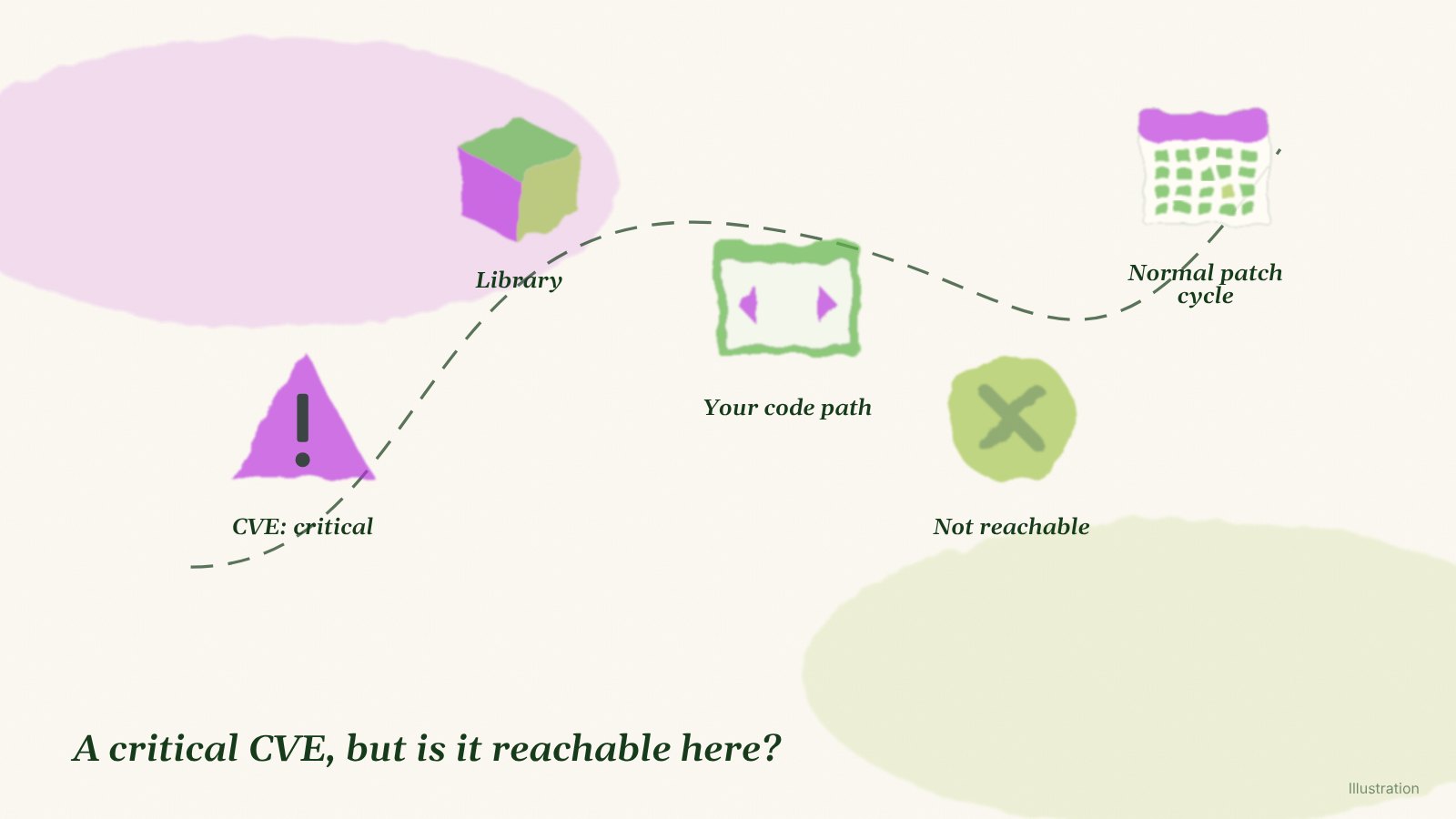
The scanner lists 214 vulnerabilities, 31 of them "critical". The team fixes the first five on the list, gets bored, and Log4Shell sits at number 48.
It's rated 10.0, like the others. But it's the only one that is known to be exploited, deployed, and reachable from the internet.
Here's what the other critical ones looked like, once someone checked:
- A 9.8 in a testing library, only used in the test suite.
- A 9.1 in an image-processing package on a branch that was never merged.
- A 9.8 in a package that's installed, but never imported by the service's code.
- Several in an internal admin tool that isn't reachable from the internet.
All "critical". None of them anyone's emergency, except number 48.
CVSS describes a vulnerability in the abstract. It doesn't know where the package runs.
First, the basics
- A dependency is a package your code uses. A direct dependency is one you chose; a transitive one comes in through another package.
- A CVE is a published vulnerability. CVSS is a 0–10 severity score for it, in general.
- An SBOM (software bill of materials) lists the packages in your software, in CycloneDX or SPDX format.
- A manifest (package.json, requirements.txt…) lists dependencies in your code. The code index is TicketResolve's index of your repositories.
- OSV.dev lists affected and fixed versions; NVD gives CVSS scores; CISA KEV lists vulnerabilities attackers are known to be using; FIRST EPSS estimates how likely exploitation is in the next month.
- Internet-facing means reachable from the internet. Critical means important to your business.
- P1–P4 are priorities with due dates. Risk accepted means a deliberate decision not to fix, with a reason and an end date.
Why does this matter? Every engineering team has more vulnerabilities than time. Fixing them in CVSS order wastes effort on what can't hurt you and leaves what can. Ranking by your context (exploited, deployed, exposed, used) puts your real number one at the top.
The problem, in plain terms
- Scanners list everything with the same severity.
- Packages on branches look like production problems.
- Unchecked version ranges look like safety.
- Failed lookups look like "no vulnerabilities".
- "Fixed" is a button, not a fact.
Start with what actually runs
A list of vulnerabilities is only as good as the list of packages behind it. TicketResolve takes it from two places:
- SBOMs you upload, in CycloneDX or SPDX. These include transitive packages, and the dependency graph tells direct and transitive apart.
- The manifests in the code index at the commit that's deployed. Your deployment events say which commit is live.
A package that's only on a branch is not your production problem yet.
Version ranges like ^4.17.0 aren't versions, so they aren't checked. The page says how many weren't, instead of letting silence look like safety.
Then add what the world knows
Lookups are off until an administrator turns them on, because they send package names and versions (never code) to public services. Once they're on, the scan uses:
- OSV.dev, which includes the GitHub advisories, for which versions are affected and which version fixes them;
- NVD, for a CVSS score when the advisory has no vector;
- CISA KEV, for whether attackers are already using it;
- FIRST EPSS, for how likely exploitation is in the next month.
If a lookup fails, the scan says not checked and keeps the previous results. It never reports no vulnerabilities.
Then rank by context, and show the arithmetic
Each finding gets a score from 0 to 100, and every point is listed with its reason:
- CVSS 10.0 gives +40.
- It's known to be exploited (CISA KEV): +30.
- EPSS is 97%: +20.
- It's in the version deployed to production: +10.
- The service is internet-facing: +10.
- The service is critical: +10.
That's P1, due in seven days.
The same CVE in a test-only dependency of an internal tool loses 30 points for being dev-only. If the package isn't imported by the service's code, it loses 15 more. It lands at P4, due in six months. It's still on the list, but it's no longer in the way.
Fixed means verified
Remediation is tracked: open, in progress, risk accepted (with a reason and an end date), or false positive. Fixed isn't a button. It's set by the next scan, when the vulnerable version is gone from the service's inventory. If the version comes back, the finding reopens. Risk acceptances expire. P1s and anything past its due date go to the service owner.
A worked example, start to finish
Here's a company that runs a customer portal, with dependency risk in TicketResolve. The company is illustrative; the scoring rules are as above.
Day 1, setup. An administrator turns on lookups, after reading that package names and versions (never code) are sent to OSV.dev, NVD, CISA KEV and FIRST EPSS. The platform team uploads SBOMs for their 14 services, and their deployment events tell TicketResolve which commit is live, so the code index's manifests at that commit are used too.
Day 1, first scan. The page shows:
- 186 findings across deployed packages. Packages only on branches aren't included.
- 23 dependencies with version ranges (like
^4.17.0) weren't checked, and the page says so. - NVD lookup: not checked for 4 findings, because the request timed out; previous results kept.
Ranked list, top:
- log4j-core 2.14.1 in portal-api, CVE-2021-44228: CVSS 10.0 +40, CISA KEV +30, EPSS 97% +20, deployed +10, internet-facing +10, critical service +10. P1, due in 7 days. Every point listed with its reason.
Further down:
- The same CVE in a test-only dependency of the internal admin tool: −30 for dev-only, −15 for not imported by the code. P4, due in six months.
- A 9.8 in a testing library: loses 30 points for being dev-only, and drops well down the list.
Day 1, 14:00. The P1 goes to portal-api's owner. She moves it to in progress.
Day 2. The fix is deployed: log4j-core upgraded to the fixed version OSV.dev lists. She doesn't press "fixed"; there's no such button.
Day 3, next scan. The vulnerable version is gone from portal-api's inventory. The finding is fixed.
Week 4, a regression. A rollback brings the old version back. The next scan finds it: the finding reopens, and goes back to the owner.
Risk acceptance. For a medium finding in a legacy reporting tool due to be retired, the security lead sets risk accepted with a reason ("retiring in Q1; not internet-facing") and an end date of 31 March. On 31 March, the acceptance expires and the finding is open again.
Five more real-world scenarios
1. A package only on a branch
Situation. A vulnerable package was added on a feature branch.
How TR handles it. It isn't your production problem yet; manifests are read at the deployed commit.
2. A failed lookup
Situation. OSV.dev is unreachable during a scan.
How TR handles it. The scan says not checked and keeps the previous results. It never reports no vulnerabilities.
3. A false positive
Situation. A finding applies to a feature of the package you don't use.
How TR handles it. Mark it false positive. It's tracked with the others.
4. An overdue P2
Situation. A P2 passes its due date.
How TR handles it. It goes to the service owner.
5. Lookups off
Situation. An administrator hasn't turned on lookups.
How TR handles it. Nothing is sent to public services until they do.
Reading a score breakdown
Every finding shows the points that made its score, so a reviewer can disagree with a specific line instead of with "the tool". When you open one, read it in this order:
- Is it really deployed? The deployed version comes from your deployment events and the code index at that commit, or from the SBOM you uploaded. If the SBOM is old, upload a newer one before arguing about the rest.
- Is it really used? "Not imported by the service's code" takes 15 points off. If your code loads the package dynamically, the import check may miss it; mark what you find and keep the finding open.
- Is it really exposed? Internet-facing and critical come from the service profile. If a profile is wrong, fix the profile, and the next scan ranks that service's findings again.
- Is it really being exploited? CISA KEV and EPSS come from public data at the time of the scan. They change, which is why scores can move between scans without anything in your code changing.
If a line is wrong, correct the source (the SBOM, the profile, the deployment events) rather than the score. The score is arithmetic; it's only as good as what it's given.
Before and after
Before. 214 vulnerabilities, 31 "critical", five fixed in list order, and the one that mattered at number 48.
After. Packages from what's deployed, ranked by exploitation, exposure and use with every point explained, the real number one at the top as a P1 due in seven days, and "fixed" set by the next scan.
How to tell it's working
- P1s are few, and fixed on time.
- Unchecked dependencies are visible, not hidden.
- Fixed findings stay fixed, or reopen.
- Risk acceptances have end dates.
Who it's for
- Security and platform teams.
- Service owners who receive findings.
- Engineering leaders who need to know where real risk is.
How it fits with the rest of TicketResolve
Dependency risk is part of Reliability Intelligence. It uses the code index and deployment events, and its figures (deployed vulnerable packages, critical findings with confirmed exposure, time to fix, fixes verified by a scan) appear in reliability metrics.
Mistakes to avoid
- Fixing in CVSS order.
- Leaving version ranges unpinned, so they can't be checked.
- Accepting risk without an end date.
Do it in TicketResolve, step by step
Where: Reliability Intelligence → Vulnerabilities (/dashboard/reliability/vulnerabilities). You'll need: Reliability intelligence; SBOMs or the code index with deployment events; an administrator to turn on lookups. Full guide: Dependencies and vulnerabilities.
- Turn on lookups (administrators). They send package names and versions, never code, to public services.
- Upload SBOMs in CycloneDX or SPDX, and send deployment events so the deployed commit is known.
- Run a scan. Check how many version ranges weren't checked and whether any lookup said not checked.
- Read the ranked list. Open a finding to see every point and its reason.
- Work P1s first. They're due in seven days and go to the service owner.
- Track remediation: open, in progress, risk accepted (with reason and end date), or false positive.
- Deploy the fix. The next scan sets fixed when the version is gone.
- Watch for reopened findings and expiring risk acceptances.
How to check it worked: findings show scores with reasons, and a deployed fix shows as fixed after the next scan.
The dependencies and vulnerabilities guide explains each factor. Upload one SBOM and see where your real number one is.
Frequently asked questions
Where does the package list come from? SBOMs you upload, and manifests in the code index at the deployed commit.
What's sent to public services? Package names and versions, never code, and only once an administrator turns lookups on.
Are version ranges checked? No. They aren't versions; the page says how many weren't checked.
What if a lookup fails? The scan says not checked and keeps previous results.
How is the score calculated? From CVSS, CISA KEV, EPSS, deployment, internet exposure and criticality, with deductions for dev-only and unimported packages. Every point is listed.
How fast must a P1 be fixed? It's due in seven days.
Can I mark something fixed? No. The next scan sets it when the vulnerable version is gone.
Do risk acceptances last forever? No. They have an end date and expire.
Why did a score change when we changed nothing? Public data such as CISA KEV and EPSS changes between scans.
What if a service profile is wrong? Fix the profile; the next scan ranks that service's findings again.
Explore Topics
Written by
Ghulam Shabbir
Content creator and writer sharing insights and stories.