
Customer 360 for Support Teams: One Relationship, Not a Pile of Tickets
When the fourth person from the same company writes about the same sync problem, the agent answering should know about the first three, the renewal, and last week’s “cancel”. Customer 360 groups people into accounts, explains health point by point, tracks tone, labels escalation as an estimate, and turns signals into actions.
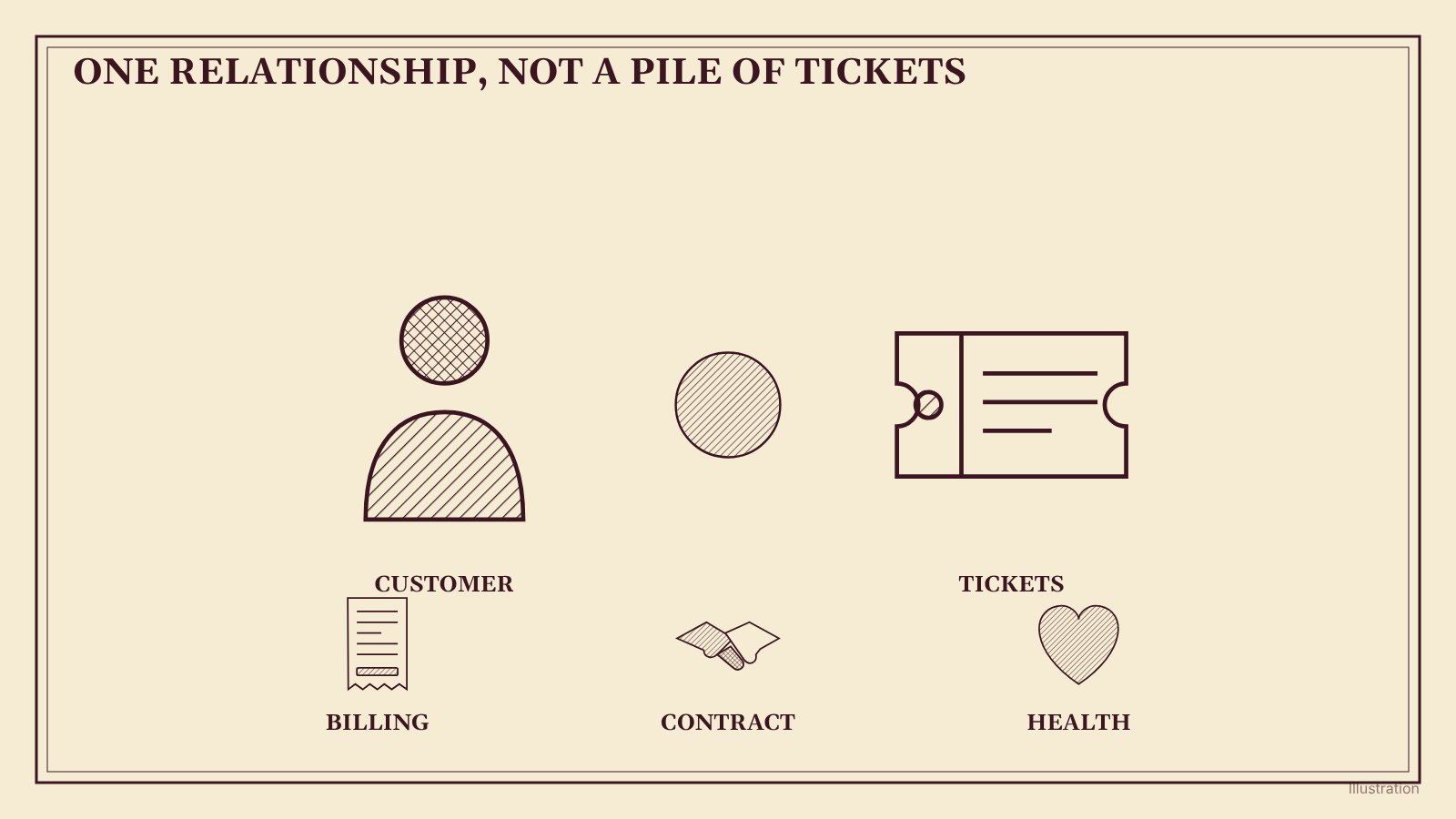
When the fourth person from the same company writes in about the same sync problem, the agent answering ticket number four should know about the first three. And that the account is up for renewal. And that their admin used the word "cancel" last week. That is the whole point of a Customer 360 for support: understand the relationship before you reply.
Here's what happens without it, at a company that sells a scheduling platform to clinics:
- Monday: a receptionist at Brightwave Clinics writes: "Calendar sync with Outlook isn't working." An agent answers.
- Tuesday: a nurse at Brightwave, from a different e-mail, writes the same thing. A different agent answers with the same article.
- Wednesday: Brightwave's admin writes: "This is the third time this month. We're considering whether to cancel." The word "cancel" is in an e-mail nobody connects to the other two.
- Thursday: a fourth Brightwave user writes in. The agent answering doesn't know about any of it, or that Brightwave's renewal is in five weeks.
Four tickets, one relationship, and nobody seeing it.
First, the basics
- An account groups people from the same company, usually by e-mail domain.
- Free mail (Gmail, Outlook and so on) users stay individuals.
- A tier (VIP, enterprise, strategic) is set by your team.
- Health starts at 100 and loses points for concrete signals, each with a reason.
- Sentiment is the tone of messages; tone over time averages it by week.
- Escalation likelihood is a prediction, labelled as an estimate.
- Product events are usage data: logins, feature use, onboarding milestones.
- Time to value is how long a customer takes to get real use from the product.
Why does this matter? Customers experience support as one relationship, not a series of tickets. Grouping people into accounts and showing health with reasons, tone over time and a clearly labelled escalation estimate means the agent on ticket four, and the account manager, can act on the whole picture.
The problem, in plain terms
- Tickets are seen one person at a time.
- Health scores say a number but not why.
- Single-message sentiment is noisy.
- Predictions look like facts.
- Signals aren't turned into actions.
Group people into accounts
Tickets come from people; contracts are signed by companies. The simplest reliable grouping is the e-mail domain (everyone at brightwave.io is Brightwave) with one important exception: people writing from Gmail, Outlook or other free mail stay individuals. You don't want every Gmail user merged into one "account". Plan, tags and organisation come from your help desk when it sends them; tiers like VIP, enterprise or strategic are set by your team.
A privacy note: a support-side 360 doesn't need to store e-mail addresses at all. A hash of the address identifies the person across tickets; the domain identifies the company.
Health you can explain
A health score is only useful if it says why. Start at 100 and take points off for concrete signals: tickets doubling month over month, several hand-offs, answers that didn't solve the problem, low CSAT, the same problem again and again, tickets waiting on your team for days, churn language and open known issues hitting them. Every point lost has a reason the account manager can read.
Tone over time
Sentiment on a single ticket is noisy. Average it by week and compare the last two weeks with the weeks before: a drop from mildly positive to clearly negative is a signal, even when no single message was rude.
Escalation is an estimate; say so
Predicting which customer will escalate combines health, tone shift, open tickets and their age, churn words, SLA breaches and the account's tier. It is a prediction, so show the likelihood with its reasons and label it an estimate. Facts ("55 tickets open with the team") and estimates ("escalation likelihood: high") belong in separate columns.
From signals to actions
Signals without actions are just a dashboard. Map each signal to something a person can do this week:
- Churn words → call the account owner.
- Several open tickets → one owner for all of them.
- The same bug again and again → fix it or link it to a known issue so they hear when it's fixed.
- Many how-to questions → a short training session or guide.
- Onboarding stalled → offer help on the step they're stuck on.
- Tone getting worse on a strategic account → executive check-in.
Adoption closes the loop
Support sees problems; product usage shows value. Send product events (logins, feature use, onboarding milestones) and the 360 shows time to value, inactive accounts and which features generate the most tickets per customer. A feature with heavy use and few tickets is fine; one with light use and many tickets is a documentation or training gap.
A worked example, start to finish
Here's Brightwave Clinics, with Customer 360. The details are illustrative.
Thursday 09:00, ticket four. An agent, Carmen, opens the fourth Brightwave ticket. The account panel shows Brightwave (brightwave.io): three people, four tickets this month about calendar sync, tier strategic (set by the account team), MRR from Stripe.
Health: 58, with reasons.
- −12: tickets doubled month over month.
- −10: the same problem again and again (calendar sync).
- −8: answers that didn't solve the problem (two).
- −7: churn language ("considering whether to cancel").
- −5: an open known issue hitting them (Outlook sync on recurring events).
Tone over time: the last two weeks dropped from mildly positive to clearly negative.
Escalation likelihood: high, labelled estimate, with reasons: health, tone shift, churn words, strategic tier. Facts in their own column: 4 tickets this month, 2 still open with the team.
The actions.
- Churn words → call the account owner. Carmen tells the account manager, Jonas.
- Several open tickets → one owner for all of them. Carmen takes all of Brightwave's open tickets.
- The same bug again and again → link to the known issue. She links all four tickets to the Outlook sync known issue, so Brightwave hears when it's fixed.
Thursday 11:00. Jonas calls Brightwave's admin: "We know sync has failed for four of your team; we've linked it to a known issue and Carmen owns all your tickets. Here's the workaround meanwhile."
Adoption. Product events show Brightwave uses the calendar feature heavily but barely uses reminders. The feature with the most tickets per customer, across all accounts, is recurring appointments: light use, many tickets. A documentation gap. The team writes a guide.
Five weeks later. The fix shipped; Brightwave was notified through the known issue. Health is back above 80. Brightwave renews.
Five more real-world scenarios
1. Gmail users
Situation. Several customers write from Gmail.
How TR handles it. They stay individuals, not one account.
2. A rude message on a good account
Situation. One angry message from an otherwise happy account.
How TR handles it. Tone over time looks at weekly averages, not single messages.
3. Many how-to questions
Situation. An account asks lots of "how do I…".
How TR handles it. Suggested action: a short training session or guide.
4. Onboarding stalled
Situation. A new account hasn't completed a key setup step.
How TR handles it. Suggested action: offer help on the step they're stuck on.
5. No MRR shown
Situation. Revenue isn't appearing.
How TR handles it. Connect Stripe or your CRM.
Before and after
Before. Four tickets from one clinic group answered separately, "cancel" unnoticed, and a renewal in five weeks nobody had in mind.
After. One account with four tickets, health 58 with five reasons, a tone drop, an estimate labelled as one, a call from the account manager, one owner, linked known issue, and a renewal.
How to tell it's working
- Agents see the account before replying.
- Account managers act on churn signals the same week.
- Health points have reasons people quote.
Who it's for
- Support agents answering accounts, not just people.
- Account managers and customer success.
- Support leads watching strategic accounts.
How it fits with the rest of TicketResolve
Customer 360 uses tickets, CSAT, resolution outcomes, known issues, SLA clocks, product events, and MRR from Stripe or your CRM. It feeds customer impact, technical risk, the Command centre and Customer success.
Why health starts at 100
A health score built from additions ("+10 for logins, +5 for CSAT") hides what's wrong behind what's right. Starting at 100 and subtracting for concrete problems means every point lost is a problem someone can read and act on. A healthy account has few reasons listed; an unhealthy one has a to-do list.
Using the 360 before every reply
The habit that matters most is simple: before replying to anyone from a company, glance at the account. Are there other open tickets? Has the tone dropped? Is there a known issue? Is a renewal coming? Ten seconds of context turns a correct reply into the right one.
Mistakes to avoid
- Merging free-mail users into one account.
- Treating escalation likelihood as a fact.
- Reading health without its reasons.
Do it in TicketResolve, step by step
Where: Customer 360 (/dashboard/customers). You'll need: your help desk; optionally product events and Stripe or a CRM. Full guides: Support operations and Customer accounts and explainable health.
- Open Customer 360 and find the account.
- Set tiers (VIP, enterprise, strategic) for important accounts.
- Read health and every reason behind it.
- Check tone over time.
- Read the escalation estimate and its reasons, separately from facts.
- Take the suggested actions: call, single owner, link known issue, training, onboarding help.
- Send product events to see adoption and time to value.
How to check it worked: each account shows health with reasons, and estimates are labelled separately from facts.
Frequently asked questions
How are accounts formed? By e-mail domain; free-mail users stay individuals.
Are e-mail addresses stored? Not needed: a hash identifies the person; the domain identifies the company.
Who sets tiers? Your team.
How is health calculated? Start at 100 and subtract for concrete signals, each with a reason.
How is tone measured? Weekly averages, comparing the last two weeks with the weeks before.
Is escalation likelihood a fact? No. It's an estimate, shown with its reasons.
What do product events add? Time to value, inactive accounts and tickets per customer by feature.
When does MRR appear? When Stripe or your CRM is connected.
What turns a signal into an action? Each signal maps to something a person can do this week, such as calling the account owner or linking tickets to a known issue.
Where do plans and tags come from? From your help desk when it sends them; tiers like VIP, enterprise or strategic are set by your team.
Does a single angry message change the tone? Tone is averaged by week, so one angry message doesn't swing it; churn words like "cancel" are a separate signal.
Explore Topics
Written by
Ghulam Shabbir
Content creator and writer sharing insights and stories.