
AI Knowledge Base Gap Analysis: How to Find What Your Help Center Is Missing
A practical method for finding the topics your help center doesn’t cover — using your own tickets — ranking them by impact, and closing them with articles your customers and your AI can both use.
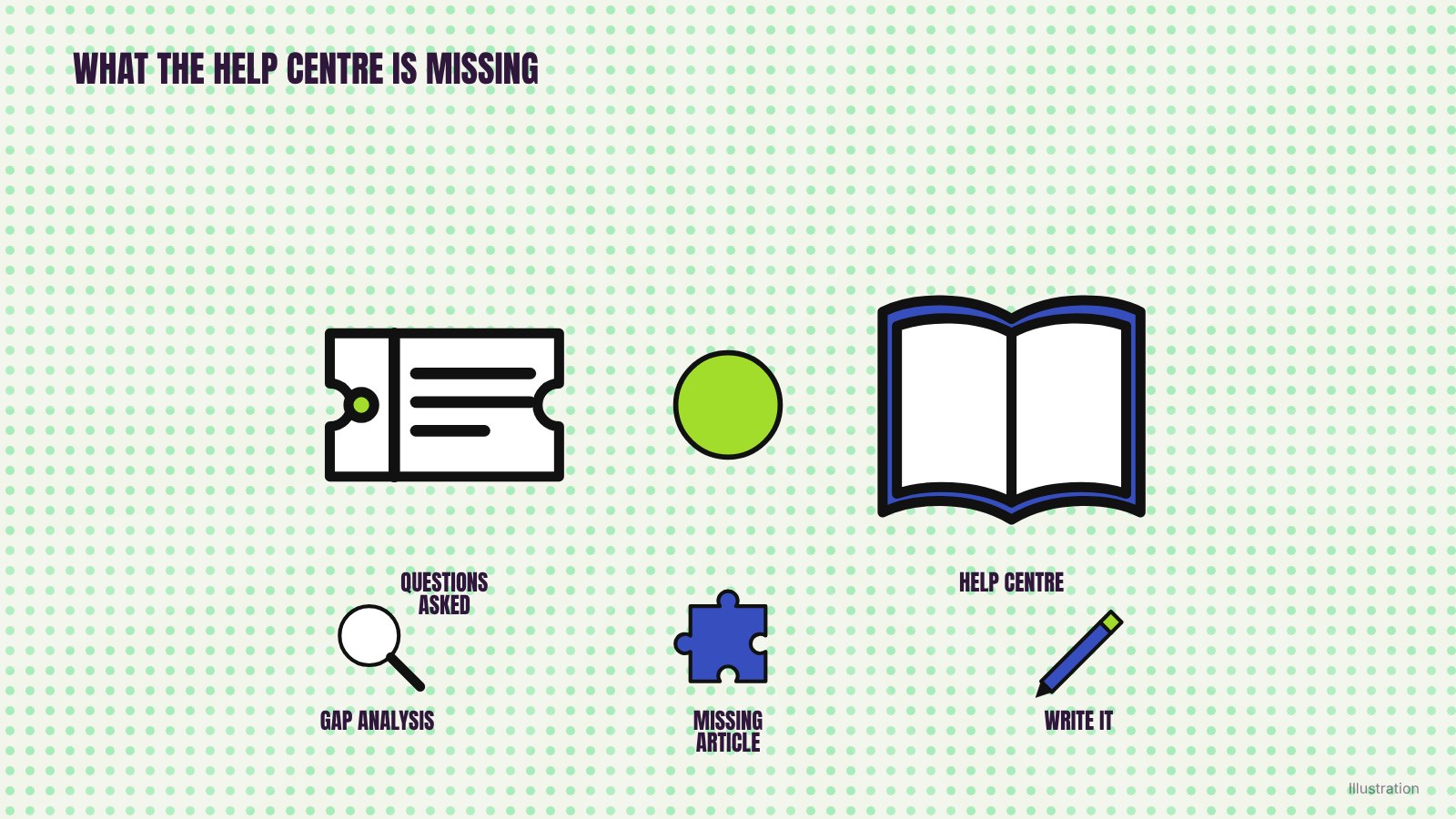
Every support team has a help center that answers some questions well and others not at all. The trouble is that the gaps are invisible from inside the help center: nobody files a ticket saying “your article about exports is missing”. They file a ticket asking how to export — again and again.
A knowledge gap analysis turns those repeated tickets into a ranked list of articles to write or fix. It matters twice over once you add AI: an AI agent can only answer reliably from sources it has, so every gap is also a ticket the AI will hand back to your team. This guide walks through a method you can run with a spreadsheet, and shows how AI makes it faster.
What counts as a knowledge gap
A gap is any topic customers ask about where your sources don’t give a complete, current answer. In practice there are four kinds:
- Missing: no article covers the topic at all (“Can I export all my data?”).
- Incomplete: an article exists but skips the step, setting or error message customers get stuck on.
- Outdated: the product changed and the article didn’t — screens renamed, menus moved, limits changed.
- Unfindable: the answer exists but uses different words from the ones customers use (“workspace” in the docs, “account” in tickets).
The fourth kind is the most common and the easiest to fix: often a title change or a sentence with the customer’s wording is enough.
Step 1: Collect the right tickets
Start with three months of tickets. You want the ones that signal a gap:
- Tickets your team answered by writing a long, custom reply instead of linking an article.
- Tickets where the agent’s reply links an article but the customer replied again or reopened the ticket.
- If you use an AI agent, tickets it held for review or handed to your team because no source covered the question.
- Searches in your help center that returned nothing or were followed by a ticket (most help desks report these).
Leave out tickets that should always go to a person — billing disputes, account changes, sales conversations and bug reports. They aren’t knowledge gaps, and including them distorts the ranking.
Step 2: Group tickets into topics
Read the questions, not the subjects (subjects are often “Help!” or “Question”). Group by the underlying task: “export data”, “change billing date”, “SSO setup error”, “invite a teammate”. Keep the groups specific — “settings” is too broad to act on.
With a few hundred tickets you can do this by hand in an afternoon. Beyond that, use embeddings or an AI tool to cluster similar questions automatically and then review the clusters; you still want a person to name each topic and merge near-duplicates.
Step 3: Check each topic against your sources
For every topic, ask:
- Is there an article? Does it answer this question completely, including the error messages customers quote?
- Is it current? Open the product and follow the steps.
- Would a customer find it with the words they used?
- Did your team’s past replies contain a better answer than the article? (Those replies are often the best first draft.)
Mark each topic as missing, incomplete, outdated or unfindable.
Step 4: Rank by impact
Sort topics by tickets per month, then break ties by effort. A topic with 40 tickets a month and a missing two-paragraph article beats a topic with 5 tickets that needs a new video. A simple score works:
| Topic | Tickets / month | Gap type | Effort | Priority |
|---|---|---|---|---|
| Export data | 38 | Missing | Small | 1 |
| SSO “invalid audience” error | 21 | Incomplete | Small | 2 |
| Change billing date | 17 | Needs a person by design | — | Exclude |
| Invite teammates | 12 | Unfindable | Tiny | 3 |
(Illustrative figures for the method — use your own counts.)
Step 5: Close the gaps — and verify
Write or fix the top five articles first. Use the exact wording customers used in the title and first sentence, include the error messages verbatim, and give the menu path step by step.
If the honest answer is “the product can’t do that”, write that article too. “Can I…?” questions with a clear “not currently — here’s the workaround” answer are some of the most valuable articles you can publish, because without them both agents and AI tend to improvise.
Then measure: compare ticket counts for each topic in the month after publishing, and — if you run an AI agent — re-run it on the tickets it previously held to see how many it would now answer.
How AI speeds this up
Doing this by hand every quarter is worth it, but AI can make it continuous:
- Automatic clustering of held and handed-off tickets into named topics, ranked by how many tickets each affects.
- Coverage checks that compare each topic with your knowledge base, your past answers and your product, and flag which source is missing.
- Draft articles from the answers your team already wrote, ready for an editor.
- Re-tests that replay previously held tickets after you publish, so you can see the gap close.
This is how the Knowledge gaps feature in TicketResolve AI works. It groups the tickets the AI couldn’t answer into topics, separates the ones that need a person by design, checks each topic against your help articles, past resolutions and product knowledge, and can draft help-article text for you to review. For gaps about how the product works, its product trainer can log in to a test account, run the matching workflow and record the real steps and error messages — and if a feature doesn’t exist, it suggests a “not available in the product” fact for you to confirm. Nothing is published to your help center automatically.
Common mistakes
- Counting article views instead of tickets. Views tell you what people read, not what they couldn’t find.
- Writing for the docs team instead of the customer. Use customer words in titles.
- Ignoring “no” answers. Missing “can I…?” articles create the most improvised — and wrong — replies.
- Never re-measuring. Without a before-and-after count you can’t tell which articles worked.
A simple quarterly routine
- Export last quarter’s held, reopened and long-reply tickets.
- Cluster, label and rank them.
- Fix the top five; add customer wording to titles.
- Re-measure a month later.
Teams that do this consistently see the same topics stop appearing in their queue — and every topic closed is one more category of ticket an AI agent can answer on its own.
A worked example
Here is how the method plays out on an illustrative month of 1,200 tickets for a B2B software product (the figures show the method, not a benchmark):
- Collect. 410 tickets meet the criteria: long custom replies, reopens, help-center searches with no result, and tickets an AI held because no source covered them.
- Exclude. 65 are billing, account changes or bug reports — they go to a separate list for the team.
- Cluster. The remaining 345 fall into 31 topics; the top eight cover about half of them.
- Check. Of the top eight, three have no article, two have articles missing the error message customers quote, two are outdated after a redesign, and one exists but is titled with internal jargon.
- Fix. The team writes three articles, updates four and retitles one — about two days of work.
- Re-measure. A month later, those eight topics are compared with the baseline, and the AI is re-run on the tickets it held.
The point isn’t the specific numbers; it’s that a small number of topics usually explain a large share of the gap, and fixing them is cheap.
Five more real-world scenarios
1. A gap that's really a bug
Situation. Many tickets describe the same error after a release.
How to handle it. It needs a person and engineering, not an article; it goes on the separate list.
2. An article nobody can find
Situation. The article exists but is titled with internal jargon.
How to handle it. Retitle it the way customers ask.
3. A feature that doesn't exist
Situation. Customers keep asking for bulk export.
How TR handles it. The product trainer suggests a "not available in the product" fact for you to confirm.
4. The error text is missing
Situation. Customers paste an error that no article quotes.
How to handle it. Add the exact error message to the article; matching text is the strongest signal.
5. Publishing a draft
Situation. A drafted article is ready.
How TR handles it. Nothing is published automatically; a person reviews it, then publishes it from KB health → Gaps to Zendesk, Freshdesk, Intercom or Salesforce, and TR-AI uses it straight away.
Do it in TicketResolve, step by step
Where: KB health → Gaps (/dashboard/kb-health) and Topic insights (/dashboard/insights). You'll need: a connected help desk and knowledge base. Full guides: KB health and alerts, Topic insights, Product domain learning and Replay test.
- Open KB health → Gaps to see topics ranked by tickets affected.
- Set aside topics that need a person by design.
- Open a gap and read which source is missing.
- Edit the drafted article, built from your team's replies.
- Publish it to your help centre as a draft or live.
- Use the product trainer for how-to gaps.
- Replay held tickets to confirm the gap closed.
How to check it worked: the topic's tickets are answered in a replay after publishing, and the gap drops down the list next month.
Use your team’s best replies as first drafts
Your agents have already answered most gap topics — in tickets. For each topic, find the two or three best past replies (complete, current, no customer-specific details), merge them and turn them into an article. Strip names, e-mail addresses and account details first. This is faster than writing from scratch and the wording already matches how customers ask.
Frequently asked questions
How often should we run a gap analysis? Quarterly by hand, or continuously with tooling. After every major product release, check the topics that release touched.
Who should own it? Usually a support operations or knowledge manager, with product managers looped in for gaps that are really product problems.
Isn’t this what help-center search analytics are for? Search analytics show what customers looked for in the help center. Tickets show what they couldn’t find — including customers who never searched. Use both.
Can AI write the articles? It can draft them from your team’s past replies and, for product how-tos, from workflows it learned by using your product. A person should always review and publish them.
Is anything published automatically? No. A person reviews and publishes every article.
Does a published article work straight away? Yes. TR-AI adds it to its own knowledge immediately, before the next crawl.
Which topics should be excluded? Billing, account changes and bug reports: they need people by design.
How many topics usually matter? A small number of topics usually explain a large share of the gap.
Can it tell me a feature doesn't exist? It can suggest a "not available in the product" fact for you to confirm.
Related: knowledge gap (glossary), how to build an AI-ready knowledge base, how to reduce support ticket volume and learning your product (User Guide).
Explore Topics
Written by
Ghulam Shabbir
Content creator and writer sharing insights and stories.