
One AI, Many Help Centres: Connecting Several Documentation Sites to Your Support AI
Help centre, developer docs, product guides, the docs of tools your customers use: how to give a support AI every site your answers live on, which sites to leave out, and how crawling them at scale works without the AI going quiet. With an illustrative four-site setup, start to finish.
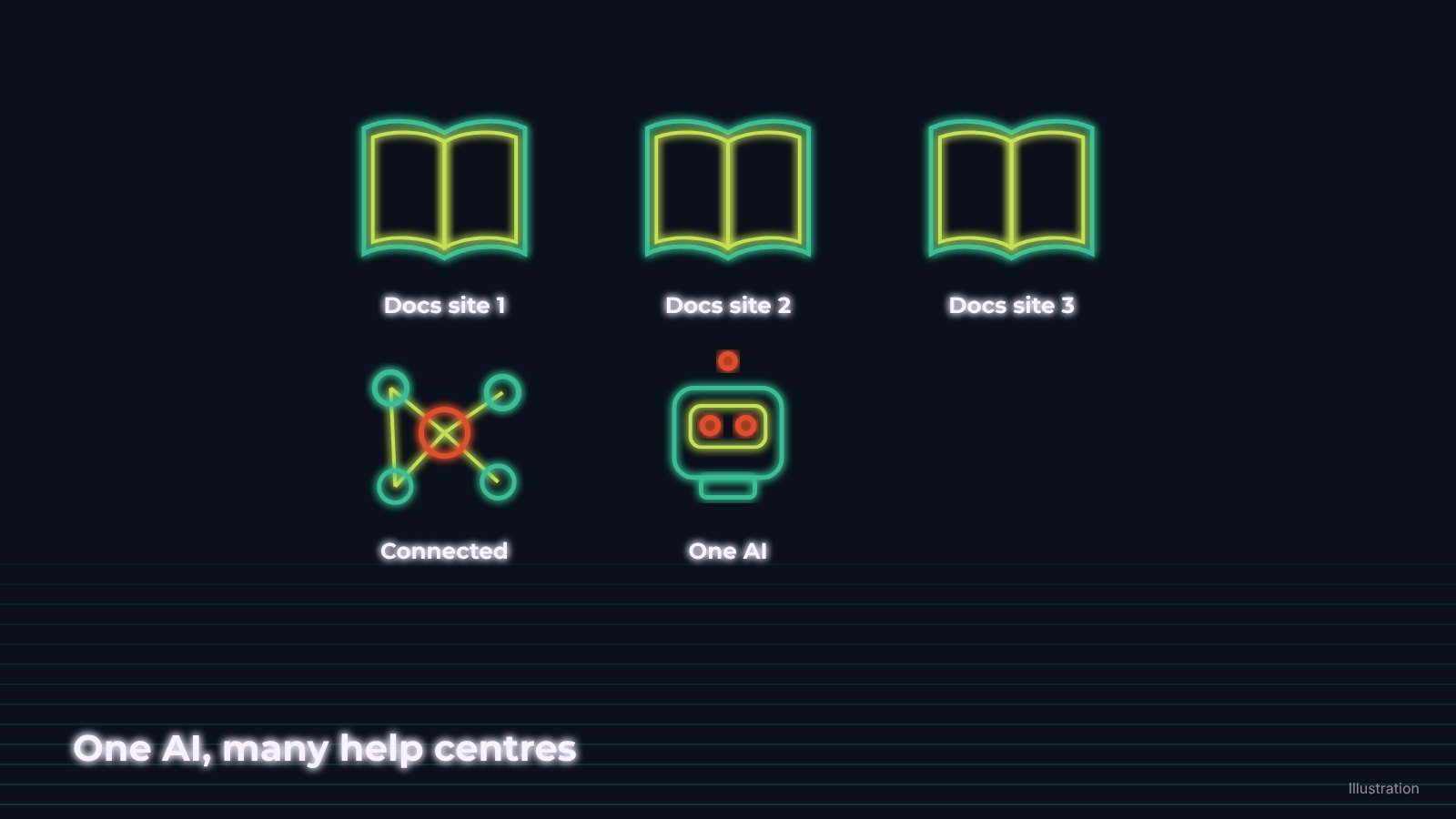
Few companies keep all their answers in one place. There's the help centre, a separate developer docs site, a product guide, release notes on the blog, and for many products, the documentation of tools customers use alongside yours.
Short answer: a support AI should read every site your answers live on, not just your main help centre. Add each site as a separate source (for example help.example.com, docs.example.com and the official docs of tools your product integrates with) so they're crawled, split into sections, and scored together as your help articles. Watch each source's pages saved, pages skipped and sections saved, and re-crawl after big documentation changes.
Here's the gap at a company that makes a WooCommerce shipping plugin. The events are illustrative:
- The setup: the AI reads help.example.com only.
- Monday: "How do I call your rates API from my checkout?" The answer is on docs.example.com. The AI says it can't find it.
- Tuesday: "WooCommerce says 'shipping zone not found'." The fix is in WooCommerce's own docs. Not covered.
- Wednesday: "Where's your PDF install manual?" It's a 200-page guide on a separate site. Not covered.
- Thursday: someone adds a general Q&A forum as a source to "fill the gaps". The AI starts citing a three-year-old post about a different plugin.
The answers existed. The AI had read one site out of four, then one too many.
First, the basics
- A help article source is a website the AI crawls and scores like your help articles.
- A crawl reads every page reachable from a start page.
- A section is one heading's worth of content; long pages are split into many.
- Duplicates are identical paragraphs on many pages, stored once.
- Pages skipped are pages left out, with a reason such as "other language" or "not a help page".
- A canonical site is the one place you want answers to link when two sites say the same thing.
Why does this matter? When the AI only knows your help centre, questions answered elsewhere look like gaps. Adding the right sites, and leaving out the wrong ones, turns "not covered" into confident, linked answers without inviting unreliable sources.
The problem, in plain terms
- Answers live on several sites.
- Developer and third-party questions look uncovered.
- Long manuals are hard to search.
- Forums and old docs bring wrong answers.
- Crawls can feel like a black box.
Why one help centre isn't enough
When the AI only knows the help centre, tickets about anything documented elsewhere look "not covered". The answer exists; it's just on a site the AI never read. Typical gaps:
- Developer documentation (API, SDKs, webhooks) on its own subdomain.
- Product guides and manuals published as long single pages or PDFs.
- Third-party tools your product relies on. A source-control hosting service gets questions about Git, Subversion or Perforce; an e-commerce plugin gets questions about the store platform.
- Your website's resources section, with how-to articles marketing wrote.
How to choose sources
| Add | Leave out |
|---|---|
| Your help centre and docs subdomains | Your marketing homepage and pricing pages |
| Official docs of tools your customers use with your product | General forums and Q&A sites |
| Product guides and user manuals | Old documentation for versions you no longer support |
| Your status page | Competitors' documentation |
A good test: would you be happy for an agent to send a customer a link to this site? If yes, add it.
Adding sources in TicketResolve
Support Leads, Support Managers, knowledge editors and owners can manage sources:
- Open Help article sources under Knowledge in the sidebar.
- Add a source: paste the site's start page. You can add up to 10, each counting toward your plan's knowledge sources.
- Save and crawl. TicketResolve reads every source and keeps answering from the current articles until the new ones are indexed, so nothing goes quiet during the crawl.
Sites you add are also searched live for free before any paid web search, and count as your own domains for linking in replies.
What a crawl does with each site
- Reads every page it can reach from the start page, in the site's own language (other-language copies are skipped).
- Removes the clutter (menus, scripts, footers) and keeps the content.
- Splits pages into sections by heading, so a long manual becomes many precise, searchable pieces.
- Drops duplicates. The same paragraph on ten pages is stored once.
- Swaps in the new version only when it's ready. Customers keep getting answers from the previous version meanwhile.
While it runs, you see live progress with time left, and per site: pages saved, pages skipped (with reasons such as "other language" or "not a help page"), and sections saved.
Large sites and fair sharing
Documentation sites can be big: a manual with thousands of pages produces hundreds of thousands of raw sections before duplicates are removed. Two things keep that manageable:
- Heavy processing runs off the main thread, so tickets keep being answered while a large crawl is split into sections.
- Crawls wait their turn when crawlers are busy. The page shows "Waiting for a free crawler" and how many crawls are ahead; yours starts automatically.
A workspace can start up to 20 crawls a day by hand; automatic syncs don't count.
A worked example, start to finish
Here's the shipping-plugin company adding its sites. The names are illustrative.
Choosing. Nadia, the knowledge editor, applies the test ("would we send a customer this link?"). In: the help centre, docs.example.com, the online install guide and WooCommerce's official documentation. Out: the marketing homepage, the pricing page and the Q&A forum. She removes the forum source someone added.
Adding. She opens Help article sources under Knowledge, pastes four start pages (four of the 10 allowed) and saves.
Crawling. Crawlers are busy, so the page shows "Waiting for a free crawler" and one crawl ahead; hers starts automatically. Live progress shows time left. Tickets keep being answered from the current articles throughout.
The results, per site.
- docs.example.com: pages saved, a few skipped as "not a help page" (changelog index pages).
- Install guide: one long page split into many sections by heading.
- WooCommerce docs: pages saved; other-language copies skipped.
- Help centre: a cookie-policy paragraph that appears on every page stored once.
The next week. "How do I call your rates API from my checkout?" is answered from docs.example.com with a link. "Shipping zone not found" is answered from WooCommerce's docs, linked as an allowed domain. "Where's the install manual?" links the right section.
A month later. Nadia checks which sources back replies. The install guide and the API docs answer tickets weekly. She keeps all four.
What changed: developer, platform and manual questions answered with links instead of "not covered", a forum removed before it misled anyone, and no quiet period during the crawl.
Five more real-world scenarios
1. A login-protected wiki
Situation. Your internal docs need a login.
How TR handles it. Public crawling can't read pages behind a login; use a connected document tool such as Confluence or Notion instead.
2. A whole section skipped
Situation. After the first crawl, a section shows as skipped.
How TR handles it. Check the reasons; a whole section skipped usually means a login wall or a different URL structure.
3. Two sites say the same thing
Situation. The help centre and docs site both explain webhooks.
How TR handles it. Prefer one canonical site so answers link consistently.
4. Too many manual crawls
Situation. You keep re-crawling while editing.
How TR handles it. Up to 20 manual crawls a day; automatic syncs don't count.
5. A source that never helps
Situation. One site never backs a reply.
How TR handles it. Watch which sources answer tickets; one that never does may not be worth keeping.
Before and after
Before. One site out of four, API and platform questions "not covered", a 200-page manual unread, and a forum post about a different plugin.
After. Four chosen sites crawled into sections, duplicates removed, other languages skipped, and answers linking to the right page.
Keep sources healthy
- Check skipped pages after the first crawl. A whole section skipped usually means a login wall or a different URL structure.
- Re-crawl after releases that change many docs pages.
- Watch which sources answer tickets. A source that never backs a reply may not be worth keeping.
- Prefer one canonical site when two sites say the same thing, so answers link consistently.
Mistakes to avoid
- Adding forums and Q&A sites.
- Keeping docs for unsupported versions.
- Never checking skipped pages.
- Two sites for the same content.
Do it in TicketResolve, step by step
Where: Help article sources (/dashboard/help-articles). You'll need: "Manage knowledge sources" permission (Support Leads, Support Managers, knowledge editors and owners). Full guides: Help article sources, Knowledge base and Site and web search.
- List every site where your answers live.
- Apply the link test and leave out the rest.
- Open Help article sources under Knowledge.
- Add each start page (up to 10).
- Save and crawl, and watch live progress.
- Check pages skipped and their reasons.
- Re-crawl after big documentation changes.
How to check it worked: each site shows pages saved and sections saved, and a question answered on that site gets a reply linking to it.
Frequently asked questions
How many help centres can a support AI read? In TicketResolve, up to 10 website sources per workspace, plus connected document tools such as Confluence, Notion, SharePoint, Google Drive, Guru or Document360.
Does adding a site slow down ticket replies? No. Crawling and indexing run separately from ticket answering, and the AI keeps using the current articles until the new ones are ready.
Can the AI answer from third-party documentation? Yes, if you add that site as a source. Its answers are scored like your own articles and can be linked in replies.
What if a site needs a login? Public crawling can't read pages behind a login. Use a connected document tool instead, or publish the content where it can be read.
Who can manage sources? Support Leads, Support Managers, knowledge editors and owners.
How many manual crawls can I start? Up to 20 a day; automatic syncs don't count.
What happens when crawlers are busy? The page shows "Waiting for a free crawler" and how many crawls are ahead; yours starts automatically.
Are other-language pages crawled? Pages are read in the site's own language; other-language copies are skipped.
Are added sites searched live? Yes, for free before any paid web search, and they count as your own domains for links.
Related: AI knowledge base for customer support, site search and web search for support AI and AI support for developer-tools companies.
Explore Topics
Written by
Ghulam Shabbir
Content creator and writer sharing insights and stories.