
A Backup Is Not a Restore
The dashboard has been green for two years: every nightly backup succeeded. Then the database volume fails, the restore takes four hours, and the last two copies are corrupt. Disaster recovery in TicketResolve is something you prove: RTO and RPO per service, backup health from your own tooling, restore and failover tests run by your agent with measured recovery time and data loss, and readiness that needs evidence.
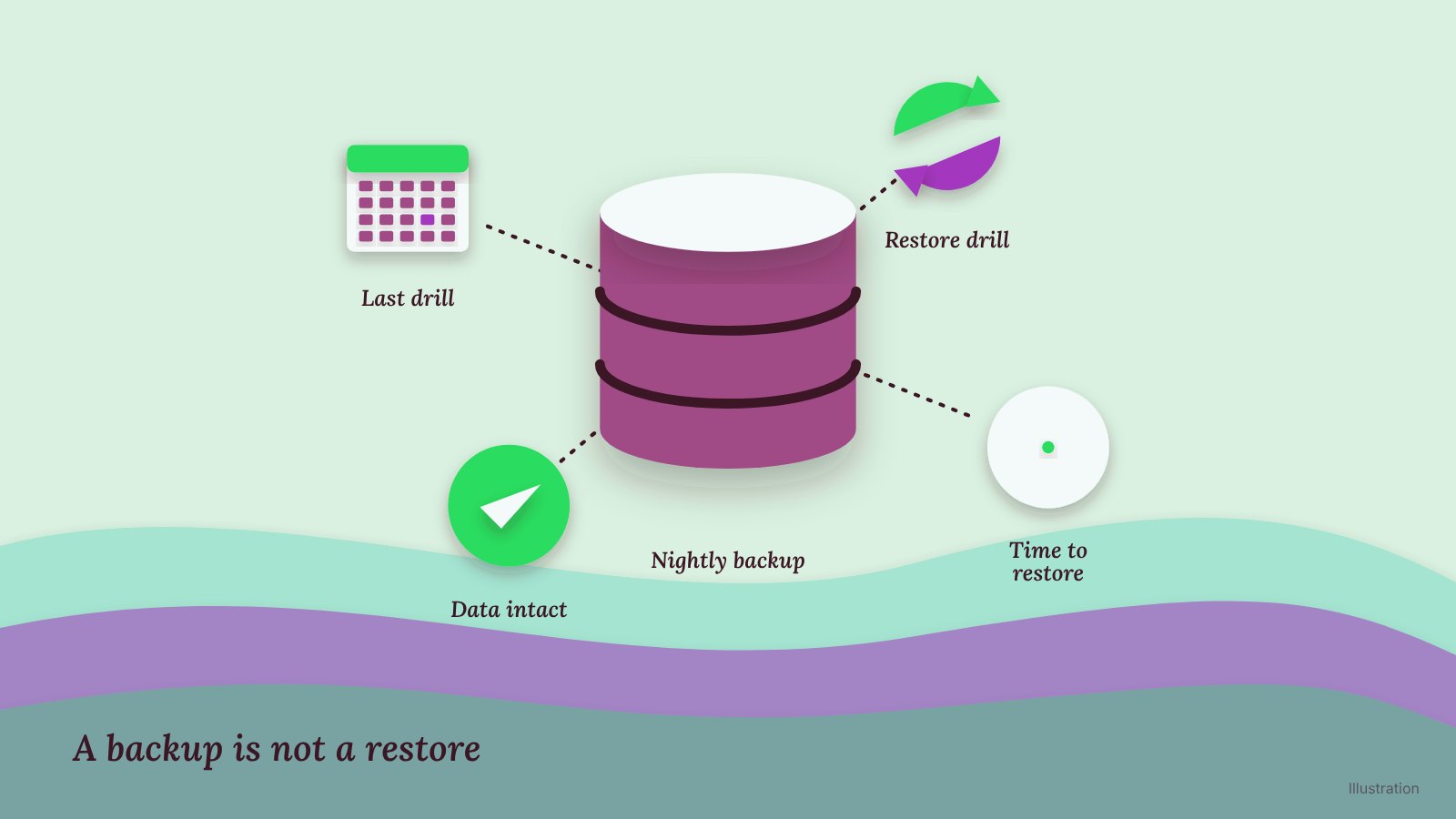
The dashboard has been green for two years: every nightly backup succeeded.
Then, on a Wednesday morning, the database volume behind an online booking service fails. The on-call engineer starts a restore. Here's how it goes:
- 09:12. The newest backup is from 02:00. He starts restoring it. It fails integrity checks; it's corrupt.
- 09:50. The 02:00 backup from the day before is corrupt too. The backup tool had reported both as "succeeded"; it had copied the files, not checked them.
- 10:30. The backup from two days ago restores. It takes until 13:15 to finish and check.
- 13:20. The service is back, with two days of bookings missing. Customers start calling.
The company's continuity plan said the RTO was one hour and the RPO was 15 minutes. Both numbers came from a configuration document. Nobody had ever tried a restore.
A backup proves a copy exists. Only a restore proves you can get your service back.
First, the basics
- A backup is a copy of data. A restore is getting the service running from that copy.
- RTO (recovery time objective) is how long recovery may take. RPO (recovery point objective) is how much data you can afford to lose, measured in time.
- Observed RTO and RPO are what a test actually measured, as opposed to targets.
- Freshness is how recent the newest good backup is. Retention is how long backups are kept. An off-site copy is stored somewhere else, in case the main site fails.
- Integrity means the backup isn't corrupt. A checksum confirms a file wasn't changed in transit, not that it restores.
- A failover switches to a standby system. A tier 1 service is one of your most critical.
- An agent is a program on your own infrastructure that runs operations you declared. An allowlist limits which services can be tested.
- A synthetic check is an automated test that the service works, run from outside.
Why does this matter? Recovery is the moment when everything you assumed about backups is tested at once. Testing it beforehand, with measured times and real data checks, means finding the corrupt backup in a test, not in an outage.
The problem, in plain terms
- "Backup succeeded" means a copy exists, not that it restores.
- RTO and RPO are read from configuration, never measured.
- Restores are never practised, so nobody knows how long they take.
- Testing recovery feels risky, so nobody does it.
- "Ready" is assumed from how things are set up.
Objectives first
For each service, set:
- the RTO: how long recovery may take;
- the RPO: how much data you can afford to lose;
- its recovery priority, the services it depends on, and the backup schedule and retention it needs;
- a link to the recovery procedure, approved by someone other than the person who wrote it.
Backups, checked against the objective
Your backup jobs report each run, succeeded or failed, through the API. Each service is then checked for:
- freshness against the RPO;
- gaps in the schedule;
- retention;
- an off-site copy;
- integrity, as verified by your tool;
- recent failures.
A checksum alone counts as unknown, not verified.
Restore tests that measure
A restore test runs the restore operation you declared on your own agent, into an isolated environment by default. A second person approves it, and then your agent runs it. Synthetic checks against the recovered service must pass twice in a row. Your script reports whether the data is consistent and how recent the restored copy is.
From that come two numbers that aren't estimates:
- observed RTO: from the start until validation passed;
- observed RPO: how far back the restored data reaches.
The test passes only if both are within the objectives and every check passed. Anything that wasn't measured counts as a fail. At the end, the recovery copy is torn down by your teardown operation.
Failover tests use the same approach. The synthetic check measures the actual downtime during the failover.
Safe by default
Production restores and failovers are off until an administrator allows them, and each needs two approvals. Exercises run only on allowlisted services, within an optional time window, with a time limit and a Stop now button. An emergency stop halts everything at once. TicketResolve never touches the backups or the infrastructure itself.
"Ready" means proven
Each service gets a readiness score, and every component of it is shown. The verdict is ready only when four things are true:
- a restore test passed in the last 90 days;
- backups meet the RPO;
- the observed RTO and RPO are within target;
- the procedure is approved.
Tier 1 services also need a failover test. A service that has never had a restore test is not verified, however well configured it looks.
A worked example, start to finish
Here's a similar booking company, setting up disaster recovery in TicketResolve before anything fails. The company and figures are illustrative.
Week 1, objectives. The SRE lead, Naledi, opens Reliability Intelligence → Recovery and sets objectives for bookings-db: RTO 60 minutes, RPO 15 minutes, priority 1 (tier 1), depends on nothing, backups every 15 minutes with 30-day retention. She links the recovery procedure; her colleague Ruben, who didn't write it, approves it.
Week 1, backups. Their backup jobs now report each run through the API. The service shows:
- Freshness: within RPO (newest backup 9 minutes old).
- Schedule: no gaps. Retention: meets 30 days. Off-site copy: yes.
- Integrity: unknown. Their tool only reports a checksum, which counts as unknown, not verified.
- Readiness: not verified, because no restore test has ever run.
Week 2, enabling a test. On their own agent, the platform team declares two operations: restore bookings-db to an isolated environment and tear it down. An administrator allowlists bookings-db, with a window of Tuesdays 10:00–12:00 and a 2-hour time limit. Production stays off.
Week 2, Tuesday 10:00. Naledi requests a restore test into the isolated environment. Ruben approves. The agent runs it.
10:48. The restore finishes. Synthetic checks against the recovered copy: pass, then pass again. Her script reports the data is consistent and the newest restored record is from 09:47, 13 minutes before the start.
- Observed RTO: 48 minutes (within 60).
- Observed RPO: 13 minutes (within 15).
- Result: passed. The teardown operation removes the recovery copy.
Week 4, failover. Because bookings-db is tier 1, it also needs a failover test. An administrator allows it for this service; two approvals are needed. The synthetic check measures actual downtime: 41 seconds. Passed.
Readiness: ready. Restore passed within 90 days, backups meet RPO, observed RTO and RPO within target, procedure approved, failover tested. Every component is shown.
Month 3, the corrupt backup. A scheduled restore test fails: the restored data is inconsistent. The test fails, readiness drops to not ready, and the team finds a misconfigured backup job, in a test on a Tuesday morning, not in an outage.
Five more real-world scenarios
1. A checksum only
Situation. The backup tool reports a checksum but no integrity check.
How TR handles it. Integrity counts as unknown, not verified.
2. Something wasn't measured
Situation. The data-consistency script didn't report.
How TR handles it. Anything that wasn't measured counts as a fail.
3. A restore running too long
Situation. A test is still running near the end of its window.
How TR handles it. It has a time limit and a Stop now button; an emergency stop halts everything at once.
4. A well-configured service with no test
Situation. A service has perfect backups but has never been restored.
How TR handles it. It's not verified, however well configured it looks.
5. A production restore
Situation. Someone wants to test a restore in production.
How TR handles it. Off until an administrator allows it, and each needs two approvals.
Before and after
Before. Two years of green backups, two corrupt copies found during an outage, a four-hour restore against a one-hour target, and two days of lost bookings.
After. Objectives per service, backups checked against them, restore and failover tests that measure real RTO and RPO, approved by a second person and run by your own agent, and "ready" only when it's proven.
How to tell it's working
- Every tier 1 service has a passed restore and failover test.
- Observed RTO and RPO are within target.
- Failed tests find problems before outages do.
- No service is "ready" without a test in the last 90 days.
Who it's for
- SREs and platform teams who own recovery.
- Engineering leaders and CTOs who report continuity.
- Compliance and risk teams who need evidence of recovery tests.
How it fits with the rest of TicketResolve
Recovery is part of Reliability Intelligence. Its metrics (objective coverage, backup verification, restore success, measured RTO and RPO, failover coverage) appear in reliability metrics, and tests show on the service timeline.
Mistakes to avoid
- Trusting "backup succeeded" as proof of recovery.
- Setting RTO and RPO without ever measuring them.
- Having the procedure's author approve it.
Do it in TicketResolve, step by step
Where: Reliability Intelligence → Recovery (/dashboard/reliability/recovery). You'll need: Reliability intelligence; your own agent with restore and teardown operations declared; a second person to approve; an administrator to allowlist services. Full guide: Disaster recovery.
- Set objectives for each service: RTO, RPO, priority, dependencies, backup schedule and retention, and the procedure link.
- Have someone else approve the procedure.
- Report backups. Send each backup run, succeeded or failed, through the API.
- Read backup health: freshness against RPO, schedule gaps, retention, off-site copy, integrity, failures.
- Declare operations on your agent: restore and teardown.
- Allowlist services and set an optional time window and a time limit.
- Request a restore test. A second person approves; your agent runs it into an isolated environment.
- Read the result: observed RTO and RPO, checks passed twice, data consistency. Run failover tests for tier 1.
How to check it worked: a service shows ready with every component, including a passed restore test in the last 90 days.
The disaster recovery guide covers the backup event format and the restore report.
Frequently asked questions
Is a successful backup enough? No. A backup proves a copy exists. Only a restore proves you can get your service back.
How is observed RTO measured? From the start of the restore until validation passed.
How is observed RPO measured? How far back the restored data reaches.
Does a checksum count as verified? No. It counts as unknown.
Where do restores run? Into an isolated environment by default, by your own agent.
Can tests run in production? Only if an administrator allows it, with two approvals.
Does TicketResolve touch our backups? No. It never touches the backups or the infrastructure itself.
When is a service "ready"? When a restore test passed in the last 90 days, backups meet the RPO, observed RTO and RPO are within target, and the procedure is approved. Tier 1 also needs a failover test.
Explore Topics
Written by
Ghulam Shabbir
Content creator and writer sharing insights and stories.