
From Quality Scores to Better Agents: Coaching, Disputes and Calibration
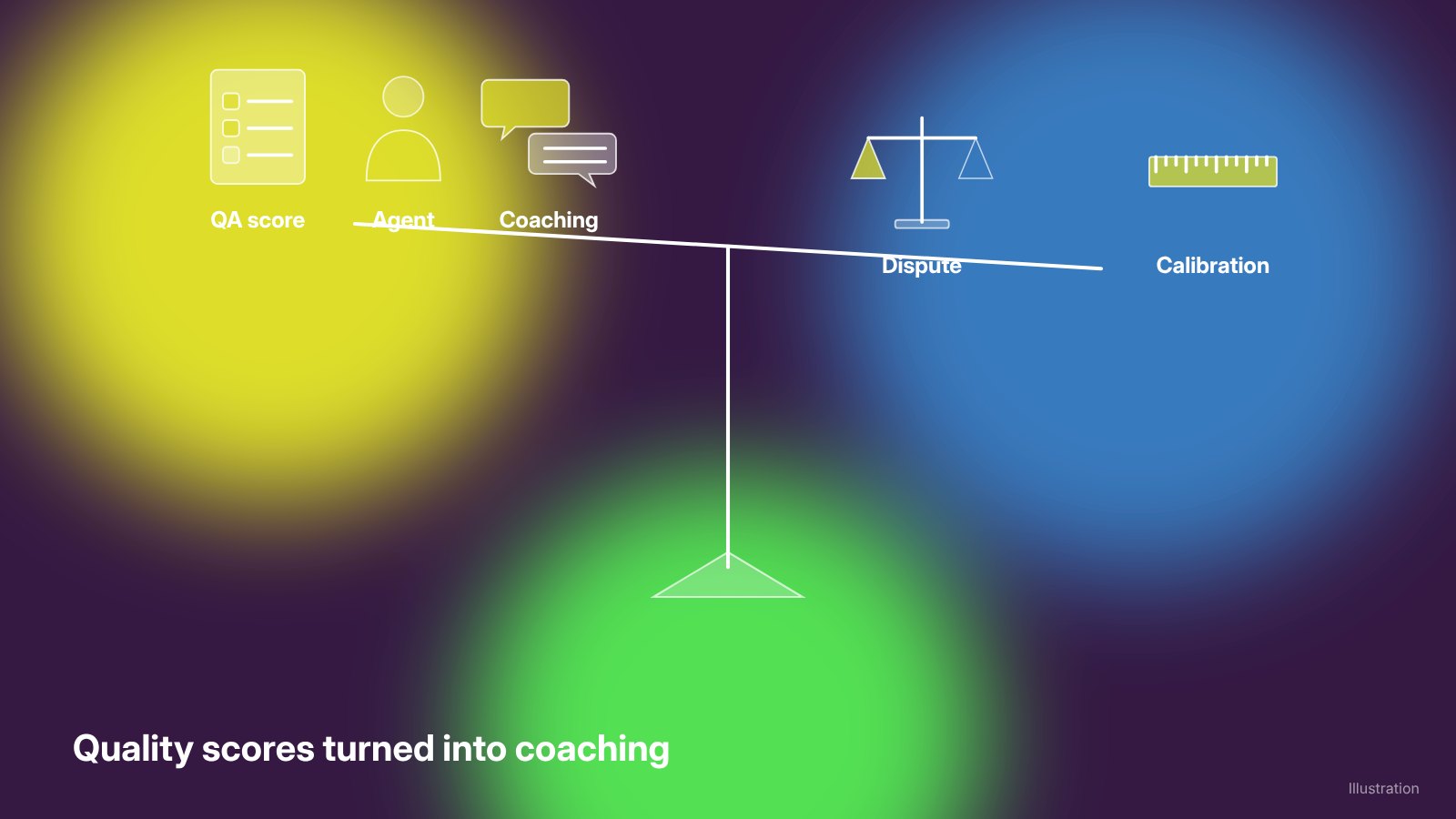
Quality scores tell you how each reply did; they don’t make anyone better at the job by themselves. TicketResolve adds coaching notes agents acknowledge, a fair way to dispute a score decided by someone else, calibration sessions that show where coaches disagree, and a weekly digest for every agent.
Automated quality scoring tells you how each reply did. It doesn't, by itself, make anyone better at the job. That takes a conversation between a coach and an agent, and agents need to trust that the score is fair.
Here's what happens when they don't. At a travel-insurance company, the support team gets a quality score on every reply. The team lead posts a weekly leaderboard. An agent, Sam, sees a 58 on a reply he's proud of: he'd spotted that the customer's real problem was a policy they didn't know they had, and solved it. The score marked him down for "not answering the question asked". He mentions it to his lead, who shrugs: "That's what the system says."
Over the next month:
- Sam stops going beyond the literal question.
- Two other agents learn which phrases raise their scores.
- The two senior coaches give different advice about the same kind of reply, because they read the rubric differently.
The scores went up. The service got worse.
QA coaching in TicketResolve builds on the quality score every reply already gets.
First, the basics
- QA (quality assurance) checks the quality of support replies against a rubric, a set of criteria.
- A quality score rates a reply; in TicketResolve every reply gets one automatically.
- A coach reviews agents' work and helps them improve. Here, coaches are admins and owners, or members with the team-management permission.
- A coaching note is feedback on one conversation.
- Acknowledging a note confirms the agent read it.
- A dispute is an agent challenging a score they think is wrong.
- Calibration is coaches scoring the same conversations independently, to see whether they agree.
- A digest is a regular summary e-mail.
Why does this matter? Scores without coaching become targets; scores agents don't trust become noise. Coaching tied to specific conversations, disputes decided by someone else, and coaches who agree with each other turn scores into better service.
The problem, in plain terms
- Scores are posted but not discussed.
- Agents can't challenge a wrong score.
- Coaches read the rubric differently.
- Feedback isn't acknowledged, so nobody knows it was read.
- Agents see everyone's scores, or none of their own.
Agents see their own work
Link each team member to the help-desk agent ID their replies are scored under. Agents then see their own scored conversations, and nobody else's.
Coaching notes
A coach opens a scored conversation and writes a note about it: what went well, and what to do differently next time. The agent acknowledges the note, so you know it was read.
Disputes, decided by someone else
Sometimes the score is wrong. An agent can dispute the score of their own conversation and explain why. Another coach then accepts the dispute with a new score or rejects it. The coach who decides is never the agent who raised it.
Calibration
If two coaches score the same reply ten points apart, the rubric means different things to different people. In a calibration session, several coaches score the same conversations independently. TicketResolve shows the spread between them, and against the automated score, so you can see where your rubric needs to be clearer.
A weekly digest
Every linked agent gets one e-mail a week with their average score, new coaching notes and the outcome of their disputes. Agents can opt out.
Coaches are admins and owners, or members with the team-management permission. None of the coaching features use AI.
QA coaching is available on Bronze and Growth Pro, where quality scoring is included.
A worked example, start to finish
Here's the travel-insurance team, with QA coaching. The details are illustrative.
Week 1, linking. The team lead, Joanna, opens Quality → Coaching → Agent links and links each agent's TicketResolve login to their help-desk agent ID. Until an agent is linked, they see nothing personal. Once linked, Sam sees his own scored conversations, and nobody else's.
Week 1, the dispute. Sam finds his 58. He disputes it: "The customer asked about cancelling a trip, but their real issue was that their annual policy already covered it. I answered the question they needed answered." Joanna, as a coach (and not the agent who raised it), reads the conversation and accepts the dispute with a new score of 88, adding a note: "Exactly right. This is the kind of reply we want."
Week 1, a coaching note. On another of Sam's conversations, a coach writes: "Good, clear steps. Next time, confirm the claim reference at the end so the customer doesn't have to search for it." Sam clicks Got it: acknowledged.
Week 2, calibration. Joanna starts a calibration session with five conversations. She and the two senior coaches each score them on their own; the others' scores stay hidden. When she closes the session:
- On three conversations, the coaches are within 10 points: agreement.
- On two, they're 22 and 27 points apart. Both are replies that answered a different question than the one asked, like Sam's.
- The automated score sits with the strictest coach on those two.
Week 2, the rubric. The coaches agree on what "answering the question" means: answering what the customer needs, not just what they typed. They update their guidance and recalibrate a month later: all five within 10 points.
Every Monday, the digest. Each linked agent gets one e-mail: their average score, new coaching notes and dispute outcomes. Sam's says: average 81; 2 new notes; 1 dispute accepted.
A month later. Agents dispute when they disagree, coaches give the same advice, and replies that solve the real problem score well.
Five more real-world scenarios
1. A coach disputes on their own behalf
Situation. A team lead who also answers tickets disputes their own score.
How TR handles it. Another coach decides; never the person who raised it.
2. An agent wants to see a colleague's scores
Situation. An agent tries to look at a teammate's conversations.
How TR handles it. Agents see only their own.
3. An agent doesn't want the e-mail
Situation. An agent prefers to check the coaching view instead.
How TR handles it. They can opt out of the weekly digest.
4. A rejected dispute
Situation. The coach agrees with the original score.
How TR handles it. The dispute is rejected, with an optional note; the outcome appears in the digest.
5. A Starter plan
Situation. A Starter workspace wants QA coaching.
How TR handles it. It's on Bronze and Growth Pro, where quality scoring is included.
Writing a coaching note that helps
A good note is short, specific and about one conversation:
- Start with what went well, in a sentence. Agents repeat what they're told they did right.
- Name one thing to change, with an example: "Next time, confirm the claim reference at the end" is useful; "be more thorough" isn't.
- Link it to the rubric, so the agent sees why it matters.
- Keep it about the work, not the person.
Because agents acknowledge notes, you know which ones landed. If an agent keeps getting the same note, that's a sign the guidance itself needs to be clearer, which is what calibration is for.
Why disputes make scores more trusted
It might seem that letting agents dispute scores weakens them. The opposite happens. When agents know a wrong score can be corrected by another coach, they stop working around the score and start using it. Disputes also show where the rubric or the automated score misreads good work, which is the information you need to improve both.
Before and after
Before. A leaderboard, a wrong score nobody could challenge, agents gaming phrases, and coaches giving different advice.
After. Agents seeing only their own work, coaching notes they acknowledge, a dispute decided by another coach, a calibration that found where the rubric was unclear, and a weekly digest.
How to tell it's working
- Calibration spreads shrink over time.
- Disputes are decided promptly, both ways.
- Coaching notes are acknowledged.
Who it's for
- Support team leads and coaches.
- Agents who want fair feedback.
- QA managers who own the rubric.
How it fits with the rest of TicketResolve
QA coaching builds on the quality score for AI and human replies. It sits with CSAT surveys under Quality.
Running a good calibration
Pick conversations that are borderline or unusual, not easy ones everyone will agree on. Five is enough for one session. Keep scores hidden until everyone has scored, so nobody anchors on the first number. When you close the session, talk about the conversations with the biggest spread first: they show where the rubric means different things to different people. Agreement, in TicketResolve, means within 10 points.
Mistakes to avoid
- Posting leaderboards instead of coaching.
- Rejecting disputes without reading the conversation.
- Calibrating on easy conversations.
Do it in TicketResolve, step by step
Where: Quality → Coaching (/dashboard/quality). You'll need: Bronze or Growth Pro; coaches with the team-management permission (or admins and owners). Full guides: Coaching agents with quality scores and Quality score for AI and human replies.
- Link agents: Quality → Coaching → Agent links.
- Leave notes: open a conversation under "Needs attention" and add a note. The agent clicks "Got it".
- Handle disputes: accept with a new score or reject, with an optional note. Never the agent who raised it.
- Calibrate: start a session with five conversations; each coach scores on their own; close it to see the spread and the AI score.
- Let the digest run: one e-mail a week per linked agent.
How to check it worked: a linked agent sees their own conversations and notes, and a closed calibration shows the spread between coaches.
Frequently asked questions
What can agents see? Their own scored conversations, and nobody else's.
How do I know a note was read? The agent acknowledges it.
Who decides a dispute? Another coach, never the agent who raised it.
What does calibration show? The spread between coaches, and against the automated score.
What counts as agreement? Within 10 points.
Can agents opt out of the digest? Yes.
Does coaching use AI? No.
Which plans include it? Bronze and Growth Pro.
Do disputes weaken the scoring? No. A fair way to correct wrong scores makes agents trust and use them.
What makes a good coaching note? One conversation, what went well, one specific thing to change, linked to the rubric.
Who can be a coach? Admins and owners, or members with the team-management permission.
What happens before an agent is linked? They see nothing personal until linked to their help-desk agent ID.
How many conversations does a calibration use? Five per session. Each coach scores them on their own; the others' scores stay hidden until it closes.
Is a note visible to other agents? No. Each agent sees their own conversations and the notes on them.
Explore Topics
Written by
Ghulam Shabbir
Content creator and writer sharing insights and stories.