
Is the AI Actually Right? Measuring Answer Accuracy on Your Own Tickets
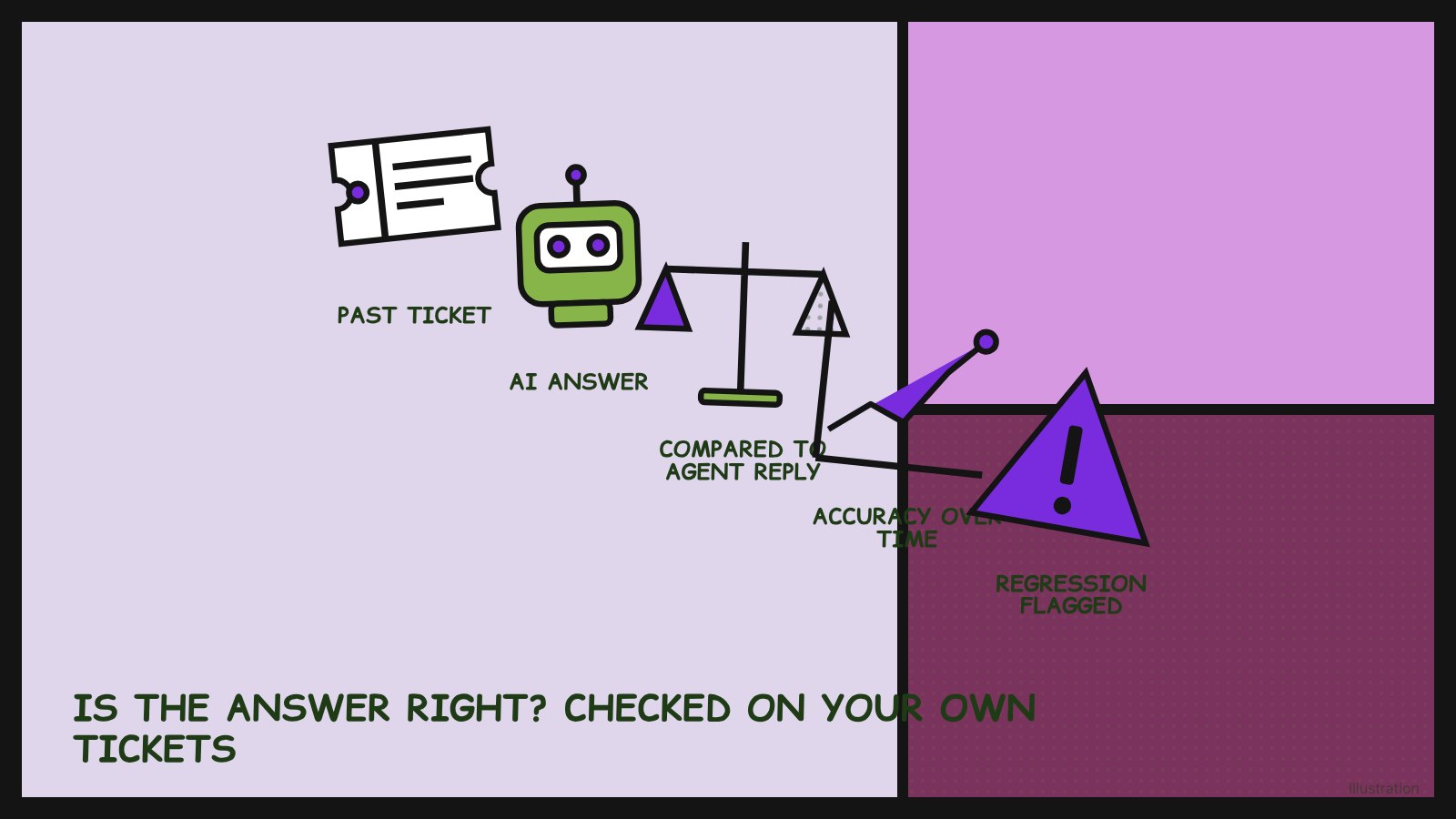
A new Answer accuracy view measures TR-AI on your real tickets — what agents did with held drafts and what happened after replies sent on their own — and a regression check stops a scoring change from sending replies your agents had to correct.
A confidence score is a promise. When TR-AI says it is 92% sure, a reply at 92% should be right more often than one at 75%. The only way to know whether that holds is to measure it — on your tickets, not on a demo set.
This release adds that measurement. A new Answer accuracy tab in Resolution intelligence shows how accurate TR-AI's replies are on your own tickets, how that changes with the confidence score, and whether a change to the send rule would have sent replies your agents had to fix. This post explains where the numbers come from, how to read them, what they can't tell you, and how to use them.
A few terms used in this post:
- Held draft: a reply TR-AI wrote but didn't send on its own; it waited for an agent.
- Sent on its own: a reply TR-AI sent without an agent reading it first.
- Verdict: what an agent did with a held draft — sent it as written, made a minor edit, corrected it, or rejected it.
- Outcome window: the period after a reply during which a reopen, a "that didn't help" reply, a low CSAT score or a repeat ticket counts against it.
- Calibration: whether higher scores really mean better replies.
Why "accuracy" is harder to measure than it sounds
Every AI support vendor quotes an accuracy number. Most of them come from a test set: a fixed list of questions, answers graded by someone, a percentage at the end. That's useful for comparing versions of a model. It tells you very little about your tickets.
Your customers phrase things their own way. Your help centre has its own gaps. Your product changes every few weeks. An accuracy figure measured somewhere else, on someone else's questions, is a statement about that test set.
TicketResolve runs fixed test sets too — 73 calibration cases checked before every release of the scoring rules, and a retrieval benchmark of 113 questions. Those catch regressions in the engine. What was missing was the view from your side: on the tickets your customers actually sent, how often was TR-AI right?
The good news is that the evidence already exists in every workspace. Nobody has to grade anything.
Two kinds of evidence you already have
What agents do with held drafts. A draft that wasn't sent on its own lands in review. An agent sends it as written, edits a word or two, rewrites it, or rejects it. Each of those is a judgement on the AI's answer, made by the person best placed to make it, as part of their normal work.
What happens after a reply sent on its own. The ticket reopens, the customer writes back that it didn't help, the CSAT is low, or the same customer comes back with the same problem — or none of these happens. That's the customer's judgement, also given without anyone asking.
The Answer accuracy tab turns both into numbers.
How a decision becomes a verdict
TR-AI compares the draft with the reply the agent actually sent, word by word, in order:
- Sent as written — nothing changed.
- Minor edit — 85% or more of the words kept.
- Corrected — more than 15% changed.
- Rejected — not sent.
"Accepted" means sent as written or with a minor edit.
Why word order, and why 85%
Agents edit drafts for many reasons, and not all of them mean the AI was wrong. Adding the customer's name, softening a sentence, fixing a typo — those are minor edits. Rewriting the steps, removing a wrong claim, adding the missing half of the answer — those are corrections.
Comparing words in order (the longest run of shared words, as a share of the longer text) is a simple, explainable way to tell them apart. A greeting added at the top barely moves it. A replaced paragraph moves it a lot. The 85% line is deliberately generous to style edits, so that "corrected" means something was actually wrong or missing.
Agent-approved replies aren't counted as automatic
When an agent approves a held draft, the ticket ends up marked "resolved" in the ticket log — the same as a reply TR-AI sent on its own. If both were counted together, the accuracy of automatic replies would include replies a person had already checked. They're separated before anything is measured: a held draft is judged by the agent's verdict, and only replies that were never reviewed count as sent on their own.
How a reply sent on its own is judged
A reply TR-AI sent on its own counts as worked when, within its outcome window, there is:
- no reopen;
- no customer reply saying it didn't help;
- no CSAT score of 2 or less;
- no repeat ticket from the same customer about the same problem.
Until the window closes, the reply is pending. Pending replies are shown separately and never counted as successes. A reply sent an hour ago hasn't worked yet; it just hasn't failed yet.
The tab also shows how the ones that didn't work failed — reopened, a customer reply saying it didn't help, low CSAT, or the same problem again — because the fix is different for each.
Every rate with its sample size
Small numbers lie. Four tickets with three successes is "75%", but the honest statement is "somewhere between about 30% and 95%".
Every rate in the view shows how many tickets it rests on and a 95% interval — a Wilson interval, which behaves sensibly for small samples and for rates near 0% or 100%. A workspace with little review volume sees wide ranges instead of false precision. As tickets accumulate, the ranges narrow on their own.
This matters most when comparing. If one band shows 82% accepted and another 88%, the intervals tell you whether that's a real difference or two overlapping ranges.
Calibration: does a higher score mean a better reply?
The calibration table splits tickets into confidence bands:
- below 60%;
- 60–70%;
- 70–80%;
- 80–88%;
- 88–90%;
- 90% and above.
For each band it shows how often agents accepted the held drafts in it, and how often replies sent on their own worked.
The 88% (a source) and 90% (AI confidence) send bars are band edges on purpose. You can see directly how replies just below a bar compare with those just above it. If drafts at 80–88% are almost always sent as written, your workspace's threshold may be stricter than it needs to be for some ticket types. If replies at 88–90% are often corrected, the opposite.
Accuracy by route
A second table shows replies sent on their own by the route that sent them:
- a source at 88% or more;
- AI confidence at 90% or more;
- web research at 90% or more;
- a general technical answer;
- other (a score at the workspace's threshold).
Routes fail differently. A source-backed reply that doesn't work usually points to an outdated article. An AI-confidence reply that doesn't work points to the AI being sure of something it shouldn't be. Seeing them apart tells you where to look.
A regression check on real tickets
Scoring rules change. Each change is tested on the fixed set of 73 calibration cases before release — that check already requires that no wrong answer is sent. But a fixed set is not your tickets.
So after each release, TR-AI replays the current send rule on the stored scoring inputs of every draft your agents judged in the last 180 days. It asks one question: would the new rule now send, on its own, a reply an agent corrected or rejected?
If the answer is yes for even one draft, the check fails and lists them. It also reports the other direction — drafts agents sent untouched that the new rule would now send itself — so you can see when more automation is earned, and drafts agents sent as written that are still held.
How the replay works
Each ticket stores the inputs that decided it: the match with each source, how much of the reply each source backed, the AI's confidence, grounding, relevance, and any checks that capped the score. The replay feeds those stored inputs to the current rule and compares its decision with the original.
For the replay to be faithful, it needs every input the original decision used. This release adds two that weren't stored before: whether strict scoring was on, and whether the question was treated as general technical. Tickets scored before this release replay without them.
The check also reports how many stored scores it reproduces exactly, as a sanity check on the replay itself.
What the check doesn't judge
Drafts held by a hard safety rule even though they scored above the bar — a sensitive topic, a ticket that tried to instruct the AI, a product claim no source supports — are reported separately. The check tests scoring, not the safety rules. Those rules have their own tests.
When it runs
The check runs on its own after each release, once per release for each workspace with judged drafts, and the result is shown on the tab with the release it ran on. Admins can run it at any time with Run now. A failed check is also logged as an error for our team.
It runs after a release is live, per workspace. It reports; it doesn't block a deploy. Its job is to make sure a scoring change that would send replies your agents corrected is visible immediately, with the specific tickets, instead of being discovered weeks later through reopens.
Your evaluation set
Agent corrections are the best test data you will ever have. They're real questions, in your customers' words, with the reply your team considered right.
Admins can download every judged draft as JSON lines: the question, the draft, the reply actually sent, the verdict, the similarity and the score inputs. Rejected drafts carry no sent text, because nothing was sent. Use it to review patterns, to brief your team, or to build your own tests.
A worked example, start to finish
This is an illustrative example; the figures are invented for the example.
A team runs TicketResolve on a mid-sized help desk. After a month, the Answer accuracy tab shows:
- Held drafts accepted: 81% of 240 judged, with a range of roughly 76–86%.
- Replies sent on their own that worked: 93% of 410 with a known outcome, and 60 still within their window.
The calibration table. Drafts at 80–88% were accepted 90% of the time; drafts at 60–70% only 55%. The bands behave as they should: higher scores, better replies.
The routes. Source-backed replies worked 95% of the time. AI-confidence replies worked 86%, on a smaller sample with a wide range. The team decides to look at the AI-confidence failures first.
What they find. Most of those failures are about one feature that changed last month. Its help article is outdated, so answers were built on old content. The team updates the article.
A release lands. The regression check replays 230 drafts. It passes: no draft agents corrected or rejected would now be sent. It also shows 6 drafts agents sent as written that the new rule would now send on its own.
The evaluation set. An admin downloads the judged drafts and reviews the corrected ones with the team, grouped by topic. Three more articles get updated.
The numbers didn't fix anything by themselves. They showed where to look.
More real-world scenarios
These are illustrative.
A small workspace. Only 18 judged drafts. The acceptance rate shows 78% with a range of about 55–91%. The team reads that as "too early to tell" — which is exactly what the range is for.
A threshold that's too strict. Drafts at 80–88% are accepted almost always without edits, over several hundred tickets. The team uses that evidence when deciding whether to lower the auto-send threshold for that ticket type.
A route that needs attention. Web-research replies have a noticeably lower success rate than source-backed ones. The team writes the missing articles in their own help centre, so future answers come from their own content.
A failed regression check. After a release, the check lists two drafts that agents rejected and the new rule would send. Both involve the same edge case, which goes straight to the engine team with the tickets attached.
Pending replies. On the first day of use, almost every reply sent on its own is pending. The tab says so, instead of showing a misleading 100%.
Use it, step by step
- Open Resolution intelligence → Answer accuracy. Choose the period: 7, 30 or 90 days.
- Read the two headline rates with their ranges. Wide ranges mean small samples.
- Check the calibration table. Higher bands should do better. If they don't, look at what's in the band that disappoints.
- Compare routes. Start with the route whose failures are most common.
- Read the failure reasons. Reopens and "didn't help" replies point to content; repeat tickets point to answers that solved the symptom, not the problem.
- Look at the regression check after each release. If it failed, the tickets are listed.
- Download the evaluation set (admins) and review corrected drafts as a team.
Frequently asked questions
Does this need agents to grade anything? No. Verdicts come from what agents already do with held drafts, and outcomes from what customers already do after a reply.
Why is a reply sent an hour ago shown as pending? Because it can still be reopened or contradicted. Counting it as a success before its window closes would inflate the rate.
Will the regression check stop a bad release? It runs after the release is live and reports per workspace, listing the tickets it would now send. It doesn't block a deploy.
Are scores retuned automatically from these numbers? No. Nothing here is estimated, and no score is retuned automatically. The figures are there to be read and acted on.
Who can run the check or download the evaluation set? Admins with automation rights. Agents can read the figures.
The short version
- Held drafts are judged by what agents did with them: sent as written, minor edit, corrected, rejected.
- Replies sent on their own are judged by what happened next; pending ones aren't counted.
- Every rate shows its sample size and a 95% range, by confidence band and by route.
- After each release, the send rule is replayed on 180 days of agent-judged drafts; it fails if it would send one agents corrected or rejected.
- Admins can download the judged drafts as an evaluation set.
Open Resolution intelligence → Answer accuracy to see your figures.
Explore Topics
Written by
Ghulam Shabbir
Content creator and writer sharing insights and stories.