
One Server Before Fifty: Fleet Operations With a Canary and a Second Pair of Eyes
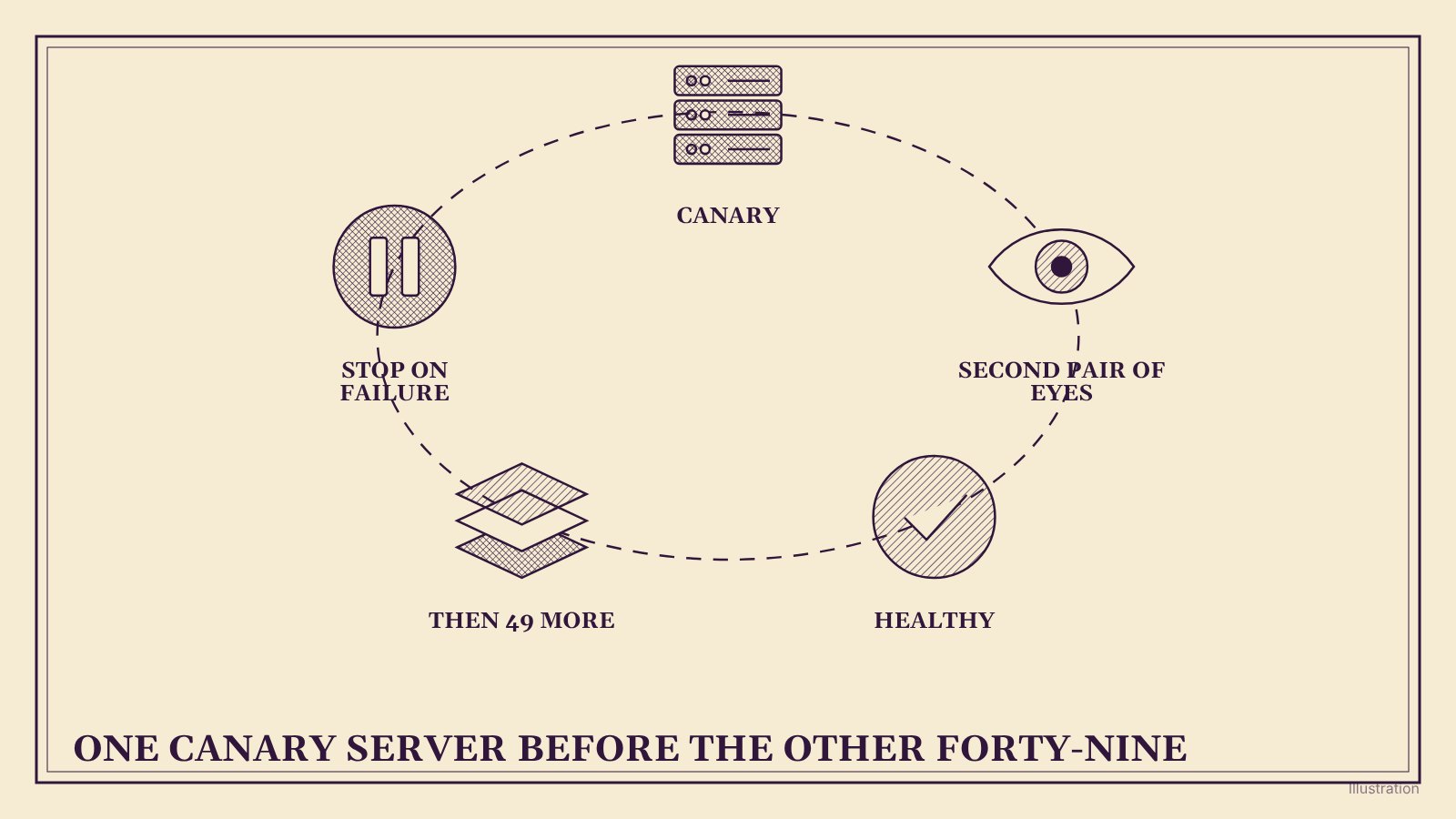
Restarting one service on one server is easy to get right. Restarting it on forty production servers at 2 a.m. is where outages come from. DevOps & SRE Intelligence runs one approved operation or read-only check across many servers, with each server its own run and verification, a canary on the lowest-risk servers first, approval by someone else, and a hard stop when the canary fails.
At 02:05 on a Sunday, an engineer at a food-delivery company needs to restart the API service on all forty production servers to pick up a configuration change. He writes a quick loop: for each server, SSH in and restart the service. On staging it worked perfectly.
On production, the new configuration references a secrets path that only exists on staging. The first server's API fails to start. The loop doesn't notice, because "restart" returned success, and carries on to the second server, then the third. By the time the error alerts arrive, twenty-two servers are down and the Sunday-lunch order rush starts in four hours.
Restarting one service on one server is easy to get right. Doing it on forty is where outages come from.
First, the basics
- A server is a computer that runs part of your product. Large products run the same software on many servers at once, so that if one fails the others carry the load.
- A service is a program that runs continuously on a server, such as the API that the mobile app talks to. Restarting it stops and starts it, often to pick up new settings.
- A fleet operation is the same action done across many servers.
- A canary is the first small group of servers to get the change. If they're fine, the rest follow; if not, everything stops. It's the same idea as testing one cake before baking fifty.
- A batch is a group of servers done together after the canary.
- Verification means checking afterwards that the service is actually running, not just that the command was sent.
- An allowlist is the list of operations a server is permitted to run. Anything not on it is refused.
Why does this matter? A mistake on one server is an incident. The same mistake repeated across a fleet is an outage. Doing the first few servers, checking them properly and stopping at the first sign of trouble turns a potential outage into a small, contained problem.
The problem, in plain terms
- Loops don't look. A script that runs a command on each server doesn't check that the last one worked before starting the next.
- Staging lies. Something that works on test servers can fail on production for reasons nobody anticipated.
- One person, alone, at 2 a.m. Fleet-wide changes are often made by a single tired engineer with nobody reviewing them.
- No per-server record. Afterwards nobody can say exactly which servers ran what, what happened on each, and whether it worked.
Every server gets its own record
When you run an operation across an environment, a server group or a hand-picked list, each server gets:
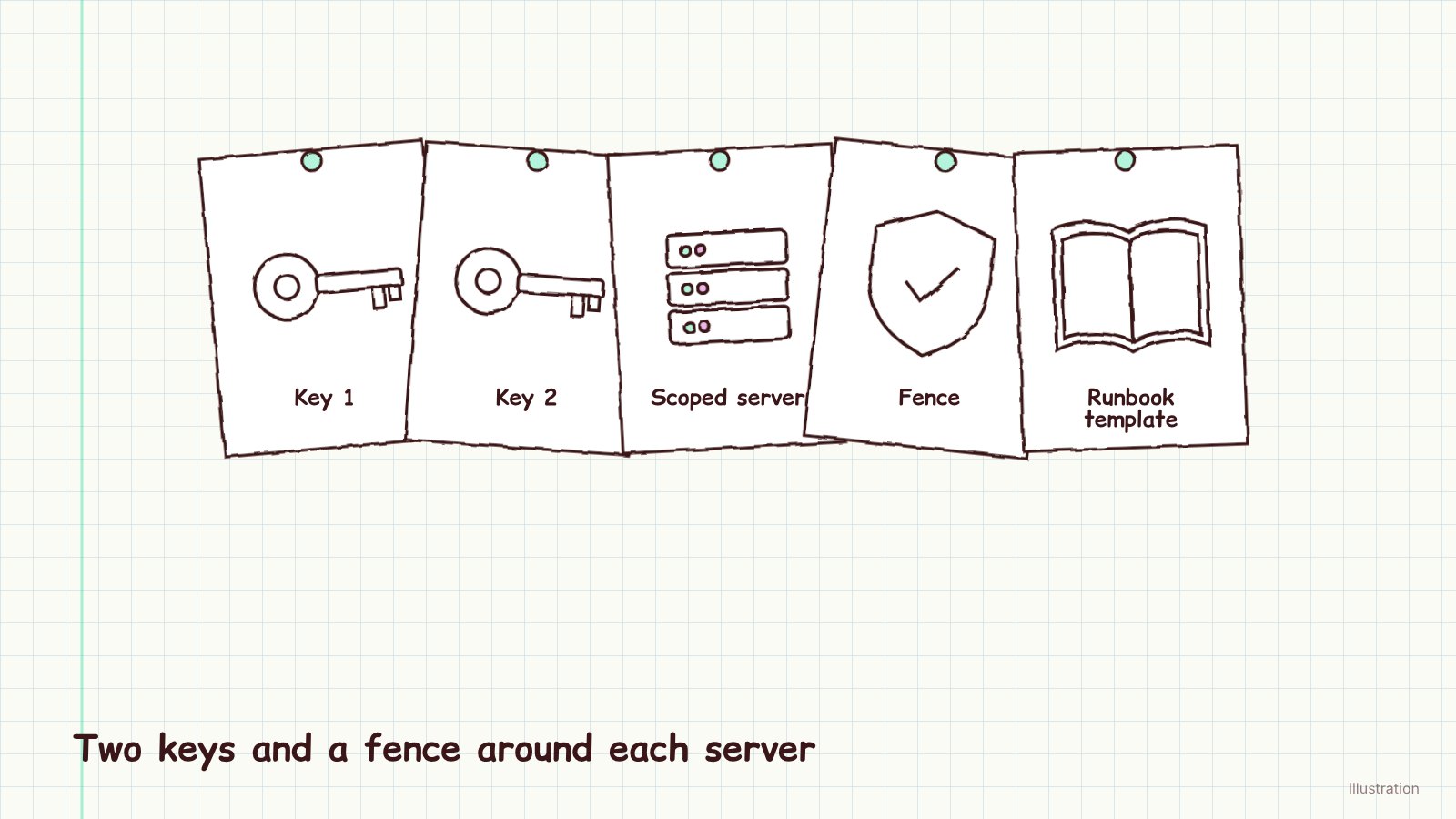
- its own policy decision: is the operation allowlisted here, declared on this agent, is the service managed here, is the agent connected, is the rate limit fine;
- its own run on its own agent;
- its own result, and its own verification.
The preview shows which servers would be excluded and why, before anything is requested. A server the policy blocks is simply not part of the plan.
Canary first, from the lowest-risk servers
Operations start with a canary: one or a few servers, picked from the lowest-risk environments first (development, then staging, then production).
- If any canary server fails, times out or fails its verification, the plan halts. Nothing else runs.
- If the canary passes, the plan waits for a person to continue. Nobody wakes up to discover a rollout that kept going on its own.
- After that, batches run one after another, at the size you chose. Failures beyond the tolerance you set (zero by default) halt the plan again.
A halted plan runs nothing more until an approver reviews it. Continuing after a failure needs a written reason, and it's recorded.
A second pair of eyes, every time
The person who requests a fleet operation can never approve it. If any server in the plan is in production, the approver needs the production approval permission. The emergency stop still works across everything: it cancels queued runs, and a plan won't start another batch while operations are paused.
Managed services: no more one command per action
Until now, every operation had to be declared on the server as a command, one name at a time. Agent 1.3.0 adds managed services: list the services TR-AI may touch, with TR_MANAGED_SERVICES="nginx,api", and it can start, stop, restart, enable or disable those, and only those.
The commands are fixed inside the agent (systemctl restart api.service on Linux, Restart-Service on Windows), with no shell. TR-AI sends only an action and a service name, and the agent refuses any name that isn't on its own list. Stopping, enabling and disabling are Level 3, because they can take a service out of action. Every action is verified by reading the service's status afterwards.
Crash loops and boot errors
Watched services on Linux now report systemd's restart counter, so a service that restarts three times in an hour raises a keeps restarting alert instead of looking healthy between restarts. A new read-only check, Boot and startup errors, shows failed units, errors logged since boot and the slowest units to start.
Read-only checks across the fleet
Not everything needs approval. Disk usage, certificates, uptime, failed services or boot errors can run across a whole environment at once, with each server's output kept separately.
Four real-world scenarios
1. Sunday's restart, done safely
How TR handles it. The engineer plans Restart api across production with a canary of 2 servers, batches of 5 and zero tolerated failures. A colleague approves it. The canary restarts, and verification reads the service status: failed (it can't find the secrets path). The plan halts. Two servers are affected instead of twenty-two, both are fixed in minutes, and the configuration is corrected before anything else runs.
2. Certificates across the fleet, no approval needed
Situation. The security team wants to know which servers have certificates expiring this month.
How TR handles it. A read-only check across all environments returns each server's certificate expiry, kept separately per server. Three are expiring; they're renewed that week.
3. A service stuck in a crash loop
Situation. A worker service restarts every few minutes but looks "running" whenever someone checks.
How TR handles it. The restart counter triggers a keeps restarting alert. The Boot and startup errors check shows the unit failing on a missing environment variable.
4. Continuing after a known, harmless failure
Situation. One server in a batch fails because it's being decommissioned that day.
How TR handles it. The plan halts. The approver reviews it, writes "web-31 is being retired today", and continues. The reason is recorded with the plan.
A worked example, start to finish
Here's the Sunday restart, done through a fleet plan.
Friday afternoon. The platform team had already rolled out agent 1.3.0, with TR_MANAGED_SERVICES="api" on every API server, and an infrastructure admin had allowlisted SVC_RESTART for them.
Sunday, 02:05. The engineer, Karim, opens Fleet → New fleet operation: operation Restart, service api, servers production API group, canary size 2, batch size 5, tolerated failures 0.
02:06. The preview shows 40 servers in the plan, 2 excluded (their agents are disconnected), the canary and seven batches. Nothing has run.
02:08. Karim requests approval. He can't approve it himself. Lena, the on-call SRE lead with production approval rights, reads the preview and approves it at 02:11.
02:11. The canary picks the two lowest-risk servers. Each gets its own policy decision (allowlisted, service managed, agent connected) and its own run. The agents run systemctl restart api.service, fixed inside the agent; TicketResolve sends only the action and the service name.
02:12. Verification reads each service's status: failed on both. The API can't find its secrets path. The plan halts. The other 38 servers are never touched.
02:20. Karim checks the service logs on one canary server and finds the staging-only secrets path in the new configuration. He fixes the configuration and restarts the two canary servers by hand. Both come back.
02:35. He creates a new plan with the fixed configuration. Lena approves it. The canary restarts and verifies. The plan waits for a person; Lena clicks continue, and the batches of five run one after another, each server verified.
02:58. All 38 servers show verified. The plan's record lists Karim as requester, Lena as approver, the halted first plan, and the second plan's results.
How to tell it's working
- Fleet changes start with a verified canary, and halts happen at the canary, not halfway through the fleet.
- Every plan has a different approver from its requester.
- Excluded servers are explained in the preview.
- Crash-loop alerts catch services that look healthy between restarts.
Before and after
Before. A loop, a tired engineer and twenty-two servers down.
After. A preview, a second person, a canary that's verified, a halt at the first failure, and a record for every server.
Who it's for
- SREs and platform engineers running changes across many servers.
- Engineering managers who want fewer self-inflicted outages.
- Auditors who need per-server evidence of who changed what.
How it fits with the rest of TicketResolve
Fleet operations are the engine underneath patching, maintenance windows and runbooks. Server access fences, two-person approval in production and the audit export apply to every fleet plan.
Mistakes to avoid
- A canary of one in a very mixed fleet. Pick a canary that represents the fleet.
- Raising the failure tolerance to "get it done". Zero is the default for a reason.
- Forgetting to declare managed services. The agent refuses services that aren't on its list.
Do it in TicketResolve, step by step
Where: DevOps & SRE → Fleet (/dashboard/devops/fleet). You'll need: agent 1.3.0 on your servers, an infrastructure admin for the allowlist, and an approver other than yourself (with production approval rights for production servers). Full guide: Running an operation across a fleet.
- Let the agent manage the service. On each server, add
TR_MANAGED_SERVICES="api"to the agent's settings and restart the agent. - Allowlist the operation. In Operations → Allowlist, allow
SVC_RESTARTfor those servers. - Create the plan. Fleet → New fleet operation: choose the operation (Restart) and the service (api), the servers (an environment, a group or a list), the canary size (for example 2), the batch size (for example 5) and how many failures to tolerate (0).
- Read the preview. It shows the batches, and which servers are excluded and why (agent disconnected, operation not allowlisted, service not managed).
- Request approval. Someone else with the approval permission for those environments approves it.
- Watch the canary. The lowest-risk servers run first. Each shows its own result and verification.
- Continue, or review a halt. If every canary server succeeded and verified, an approver continues and the batches run one after another. If anything failed, the plan halts: cancel it, or continue with a written reason if it's safe.
How to check it worked: every server in the plan shows verified, and the plan's record lists the requester, the approver and any reason given for continuing.
What it doesn't do
It never rolls anything back on its own: a failed verification is shown to people, who decide. Windows service actions are implemented but not yet validated on a Windows host, and managed services aren't offered on macOS.
Frequently asked questions
Can the person who requested a fleet operation approve it? No. Someone else must approve it, with production approval rights if any server is in production.
What happens if the canary fails? The plan halts and nothing else runs until an approver reviews it.
Does TR-AI send commands to the server? No. It sends an action and a service name; the commands are fixed inside the agent, which refuses any service not on its own list.
Do read-only checks need approval? No. Checks like disk usage, certificates and boot errors can run across the fleet without approval.
Will the plan continue automatically after the canary? No. It waits for a person to continue.
What does the preview show? The batches, and which servers are excluded and why: agent disconnected, operation not allowlisted or service not managed.
Which operations count as Level 3? Stopping, enabling and disabling services, because they can take a service out of action.
Is managed-service control available on Windows? It's implemented but not yet validated on a Windows host, and it isn't offered on macOS.
Explore Topics
Written by
Ghulam Shabbir
Content creator and writer sharing insights and stories.