
Not All or Nothing: Five Automation Stages, Set Per Ticket Category
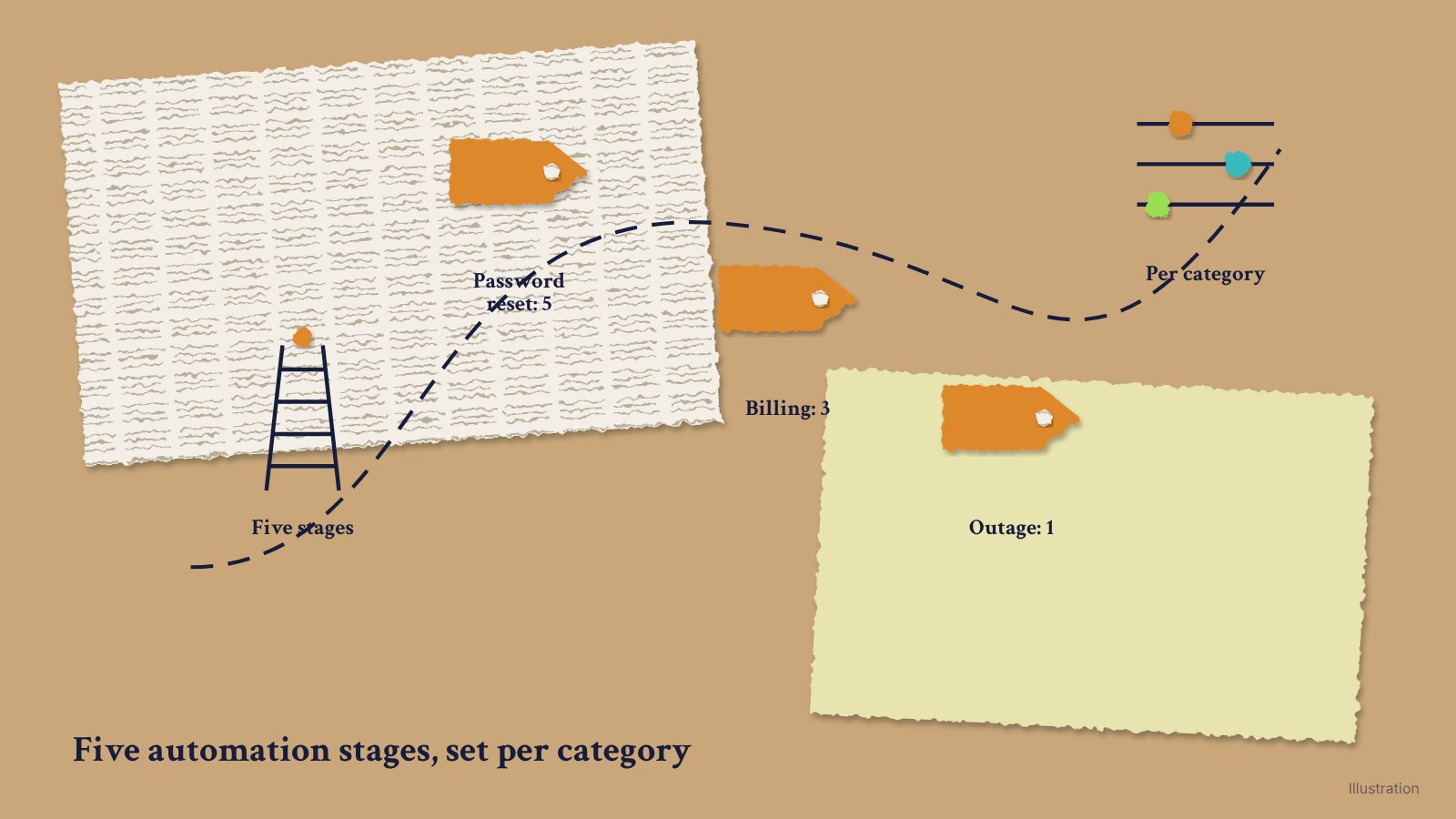
“AI on” or “AI off” is the wrong question; password resets and billing disputes don’t earn trust at the same speed. Automation stages let each ticket category move from human-only to monitored autonomy on its evidence, need people to raise them, and drop back the moment guardrails are breached.
Most support teams make one automation decision: on or off. Then they spend months living with its consequences in the categories it didn't suit: the billing dispute answered confidently and wrongly, the outage question answered from last year's article.
Different kinds of tickets earn trust at different speeds. Automation should too.
Here's what one switch looks like, at a company that sells an online store builder. After a good pilot on password resets, the team turns automatic replies on for everything:
- Password resets and "how do I change my logo" are answered well. Customers are happy.
- Billing disputes get confident answers quoting the refund policy, which is right in general and wrong for customers on legacy plans.
- During an outage, "my store is down" tickets get an answer about DNS settings from an old article.
- After three bad weeks, the head of support turns automation off for everyone, including the password resets that were working perfectly.
The team ends up where it started, with less trust in automation than before.
First, the basics
- A ticket category is a kind of ticket: password resets, billing disputes, outages and so on.
- A stage is how much TR-AI does on its own for a category, from 1 to 5.
- Thresholds are the confidence levels that decide whether an answer is sent or reviewed.
- Guardrails are limits on failures, repeat contacts and hand-offs that trigger a drop.
- Automation readiness scores a category's record and recommends a stage.
- A regression suite is a set of past tickets with known good answers, re-run to check nothing broke.
- High-risk is a mark you can put on a category that keeps it at stage 3 or below.
- A second admin's approval means someone other than the requester confirms a change.
Why does this matter? Automating everything at once forces one decision for very different risks. Moving each category on its own evidence, with people approving raises and guardrails lowering automatically, lets the easy categories run while the hard ones stay with people.
The problem, in plain terms
- One switch for every kind of ticket.
- Bad answers in one category sink trust everywhere.
- Quiet categories look safe because nothing's gone wrong yet.
- Raising automation happens on enthusiasm, not evidence.
- Problems are noticed weeks late.
Five stages
Each ticket category sits at one of five stages:
- Human only. A person writes every reply. TR-AI's draft is a suggestion.
- AI draft, human approval. Every reply waits for a person.
- AI reply, review exceptions. Confident answers go out; everything below your thresholds goes to a person. This is how categories work when you haven't set a stage.
- Autonomous. Approved for automatic resolution, still inside your thresholds and guardrails, checked daily.
- Autonomous, continuously monitored. Checked hourly against tighter limits, with the category's regression tests re-running automatically.
At stages 1 and 2, nothing reaches a customer without a person.
A recommendation you can check
For each category, Automation readiness scores the record: QA accuracy of AI answers, verified customer outcomes, repeat contacts, escalations, knowledge coverage, how often answers clear the auto-send threshold, how often engineering got involved, and regression results. Click it and every part is there with its evidence. Parts without enough data are left out, not guessed.
The recommendation also says what holds it back: too few tickets, too few answers with a known outcome, no passing regression suite, or a category you've marked high-risk, which never goes past stage 3. A category with too little data is never recommended for lowering just because it's quiet.
Raising takes people
Nothing is raised automatically. Raising a stage needs permission to change automation and, by default, a second admin's approval. Stages 4 and 5 also need a passing regression suite for the category, which you can build in one click from tickets your team resolved; your team's answer is the expected one.
Lowering doesn't wait
Categories at stages 3 to 5 are checked against the last seven days. If too many answers failed, too many customers came back, or too many tickets were handed off, the category drops to stage 2 immediately and your admins get an e-mail saying which limit was breached. Replies wait for a person until someone raises it again.
A worked example, start to finish
Here's the store builder, with automation stages. The details are illustrative.
Week 1, the starting point. The support lead, Adaeze, opens Simulation Lab → Automation readiness. Every category is at stage 3 (no stage set yet).
Setting stages by risk.
- Billing disputes: marked high-risk and set to stage 2. Every reply waits for a person.
- Outages: set to stage 1. A person writes every reply; TR-AI's draft is a suggestion.
- Password resets: readiness score high: QA accuracy strong, verified outcomes strong, few repeats. Recommended stage: 4. Held back by one thing: no passing regression suite.
Week 1, building the suite. Adaeze clicks to build a regression suite from password-reset tickets the team resolved. The team's answers are the expected ones. The suite runs and passes.
Week 1, raising. She requests stage 4 for password resets. A second admin, Lars, reviews the readiness evidence and approves. Password resets are now autonomous, checked daily.
Week 3, logo and theme questions. Readiness recommends stage 4, but the recommendation says it's held back by too few answers with a known outcome. Adaeze leaves it at stage 3 and turns on customer confirmation to gather outcomes.
Week 5, a guardrail breach. A platform change alters the password-reset flow. Over the last seven days, too many answers failed. Password resets drop to stage 2 immediately. Adaeze and Lars get an e-mail: "Password resets lowered to stage 2: failed answers above the limit." Replies wait for a person.
Week 5, fixing it. The team updates the reset article, adds two new tickets to the regression suite, re-runs it, and it passes. Adaeze requests stage 4 again; Lars approves.
What didn't happen. Nobody turned automation off for everything. Billing disputes and outages never got automatic answers. The password-reset problem was caught within days, not weeks.
Five more real-world scenarios
1. A quiet category
Situation. A category gets two tickets a month and none have failed.
How TR handles it. It isn't recommended for raising just because it's quiet; too few tickets holds it back.
2. A high-risk category
Situation. Refund requests are marked high-risk.
How TR handles it. They never go past stage 3.
3. Stage 5 for the busiest category
Situation. "Where's my order?" is the highest-volume category.
How TR handles it. At stage 5 it's checked hourly against tighter limits, and its regression tests re-run automatically.
4. A raise requested by one admin
Situation. An admin requests a raise for their own team's category.
How TR handles it. By default, a second admin must approve.
5. No regression suite
Situation. A category is recommended for stage 4 without a suite.
How TR handles it. Stages 4 and 5 need a passing suite; build one in one click from resolved tickets.
Before and after
Before. One switch, three bad weeks in billing and outages, and automation turned off everywhere, including where it worked.
After. Each category at its own stage, password resets autonomous on evidence with a second admin's approval, billing and outages kept with people, and a breach caught and lowered automatically within a week.
How to tell it's working
- Easy categories run autonomously; hard ones stay with people.
- Guardrail drops happen in days, not weeks.
- Every raise has evidence and an approver.
Who it's for
- Support leaders deciding how far to automate.
- Admins who approve changes.
- QA teams maintaining regression suites.
How it fits with the rest of TicketResolve
Automation stages live in Simulation Lab → Automation readiness, using QA review, verified outcomes from Resolution intelligence, regression tests and your thresholds. The AI analyst can tell you which categories are ready, and the Costs tab shows what more automation would save.
Why raising is slow and lowering is fast
The two directions carry different risks. Raising a stage too early means customers get wrong answers before anyone notices; that's worth a second person and a passing test suite. Lowering a stage too early costs some agent time; that's cheap insurance. So raising needs people and evidence, while lowering happens the moment a guardrail is breached, and a person can raise it again once the problem is fixed.
Choosing a starting stage for each category
When you first set stages, a simple rule of thumb helps.
- Stage 1 for anything where a wrong answer causes real harm: outages, security, legal, anything that needs judgement about the specific customer.
- Stage 2 for categories with money or commitments involved, like billing disputes or contract questions, and mark them high-risk.
- Stage 3, the default, for most categories while you gather outcomes.
- Stage 4 only for categories with strong verified outcomes, few repeats, a passing regression suite and an approver who has read the evidence.
- Stage 5 for your highest-volume, most stable categories, where hourly checks and automatic regression runs are worth the extra scrutiny.
Then let the evidence move them. Readiness will tell you when a category is ready and what's holding it back.
Mistakes to avoid
- Raising a quiet category because nothing's gone wrong yet.
- Skipping the regression suite.
- Turning everything off when one category misbehaves.
Do it in TicketResolve, step by step
Where: Simulation Lab → Automation readiness (/dashboard/simulations). You'll need: permission to change automation; a second admin for approvals. Full guides: Automation readiness and stages and Regression tests and settings history.
- Open Automation readiness and review each category's stage and score.
- Mark high-risk categories; they never go past stage 3.
- Click a category to see every part of its readiness score with evidence.
- Read what holds it back: too few tickets, too few known outcomes, no regression suite, or high-risk.
- Build a regression suite in one click from tickets your team resolved.
- Request a raise; a second admin approves by default.
- Watch the last 7 days against your guardrails; drops e-mail your admins.
How to check it worked: each category shows its stage, readiness evidence and last-7-days guardrail status.
Frequently asked questions
What are the five stages? Human only; AI draft, human approval; AI reply, review exceptions; autonomous; autonomous, continuously monitored.
What stage is a category at by default? Stage 3.
Is anything raised automatically? No. Raising needs permission and, by default, a second admin's approval.
What do stages 4 and 5 need? A passing regression suite for the category.
What happens when a guardrail is breached? The category drops to stage 2 immediately and admins are e-mailed.
What does the readiness score use? QA accuracy, verified outcomes, repeats, escalations, knowledge coverage, auto-send rate, engineering involvement and regression results.
Can a quiet category be raised? Not just because it's quiet; too little data holds it back.
What does high-risk do? It keeps the category at stage 3 or below.
How often are guardrails checked? Daily at stage 4, hourly at stage 5, both against the last seven days.
Explore Topics
Written by
Ghulam Shabbir
Content creator and writer sharing insights and stories.