

From Approved Offer to First Day: Signed Documents, Onboarding, Hiring Analytics and an API
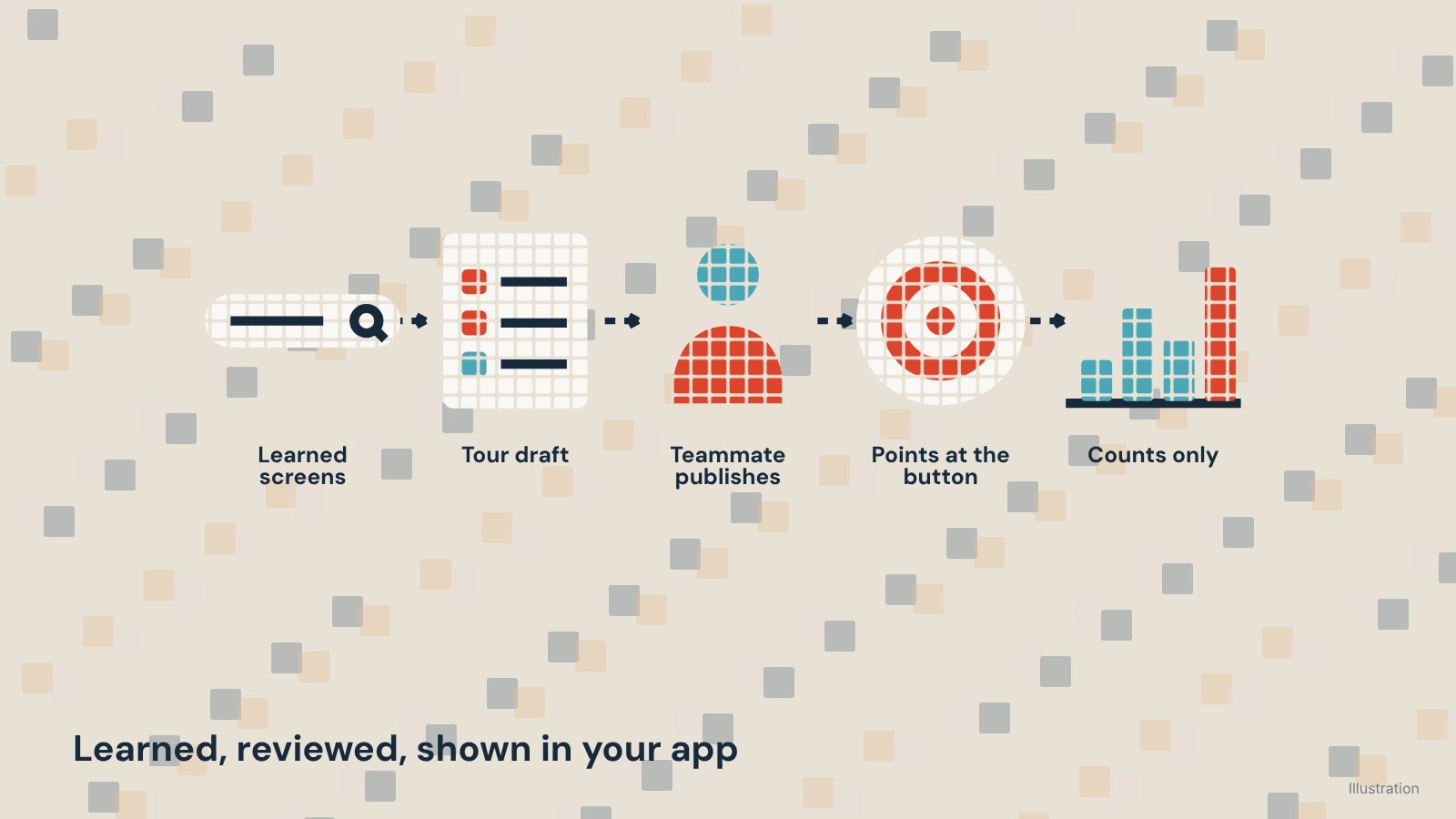
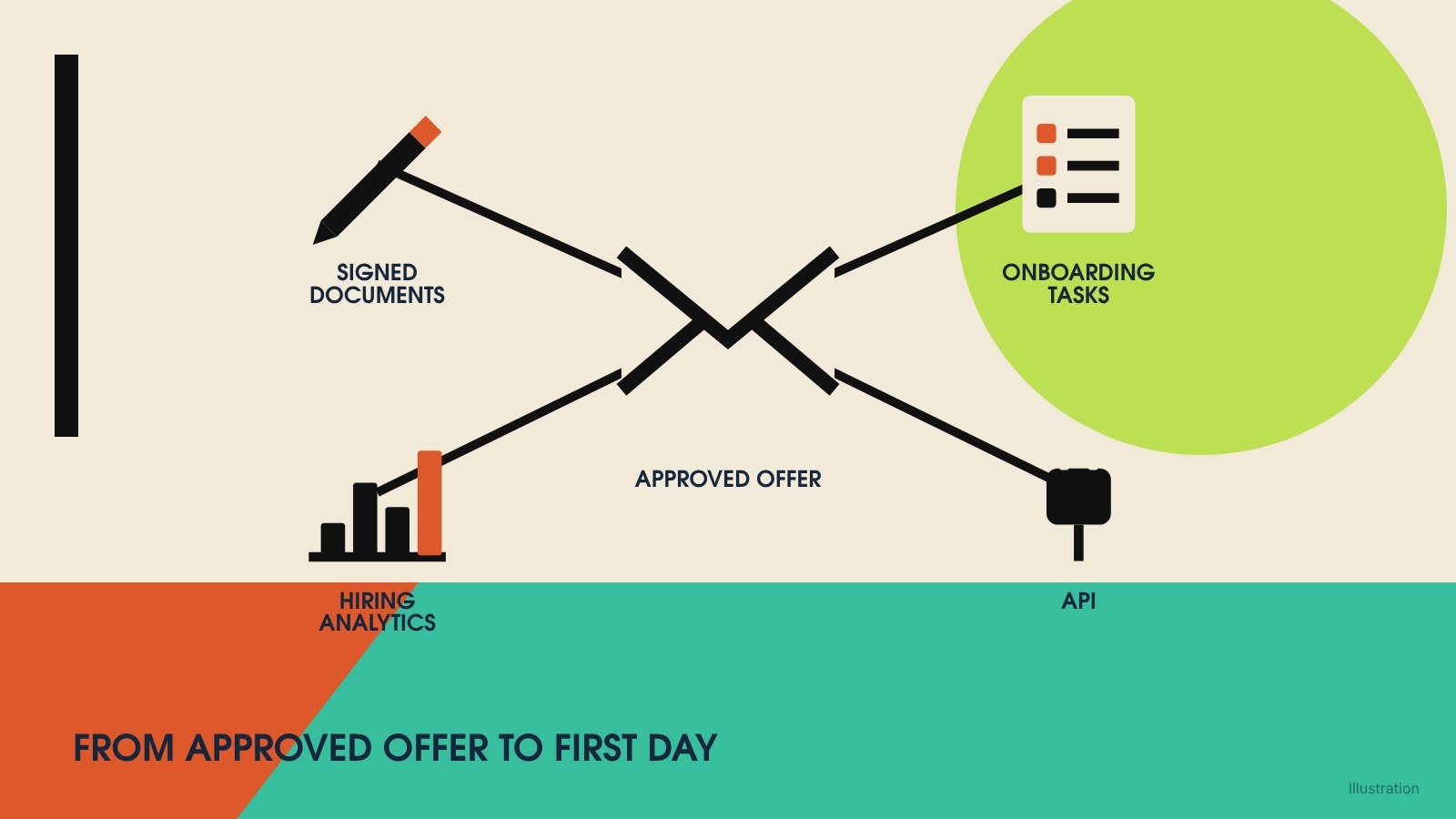
The AI Recruitment Manager now prepares offer letters, contracts and NDAs from the approved offer and sends them for signature through TicketResolve Sign, starts an onboarding checklist at the hand-over, reports recruitment effectiveness without inventing numbers, and opens jobs and applications to your own systems through an API and webhooks.
The last mile of a hire is paperwork, and paperwork is where mistakes hide. An offer letter typed from memory with last month's salary. A contract that went out before the offer was approved. A new starter who arrives to no laptop because nobody knew the offer had been signed. A hiring report that says "0% completion" when nothing was ever sent.
This release closes that gap without handing decisions to the AI. The AI Recruitment Manager now turns the approved offer into signed documents, starts onboarding when a person hands the hire over, reports how recruiting is going with numbers you can trace, and lets your own systems create jobs and applications through an API.
A few terms used in this post:
- Approved offer — an offer a person proposed and a second person approved, as in earlier releases. Nothing in this release changes who decides.
- TicketResolve Sign — the e-signature module already in TicketResolve: documents, envelopes, signing order, e-mail codes and an audit trail.
- Hand-over — the step where a person records that the candidate accepted and moves them into the AI CPO as an employee.
Hiring documents, filled from the offer
Open a candidate's application and you'll find Hiring documents. Choose one of five kinds:
- an offer letter,
- an employment contract,
- a non-disclosure agreement,
- a confidentiality agreement,
- an onboarding document.
The wording comes from a template you can edit, and the details come from the approved offer: the candidate's name, the job title, department, location, start date, base pay and employment type. Anything in [brackets] is for you to replace.
Two rules keep documents from running ahead of decisions:
- Offer letters and contracts wait for an approved offer. Before that, they're listed as "not yet" with the reason. Onboarding documents wait until the candidate is hired.
- A placeholder that can't be filled stops the document. If the offer has no start date, the letter isn't prepared with "{start_date}" in it. You're told which placeholder is missing.
Prepare document creates a real PDF in TicketResolve Sign, with signature, printed-name and date boxes placed for the candidate and, if you choose one, a company signer. You need "Use TicketResolve Sign" on your role to prepare or send; anyone who can view the candidate can see the status.
Sending for signature
Send for signature creates an envelope in TicketResolve Sign with a fixed order:
- The candidate signs first, after entering a one-time code sent to their e-mail.
- Then the company signer, if you picked one.
Sending an offer letter also marks the approved offer as sent and moves the application to "Offer issued", so the pipeline and the paperwork agree.
The status you see is read back from Sign, not assumed: Ready to send, Sent, Signed by everyone, Declined, Voided or Expired, with each signer in order. A background job checks every five minutes and sends a document.signed webhook once when everyone has signed.
A signed offer letter doesn't hire anyone. A person still records the acceptance and the hand-over. That's deliberate: the signature is evidence, and the decision stays with people.
TicketResolve Sign uses e-mail codes and an audit trail. It doesn't provide certificate-based signatures, and DocuSign, Adobe Acrobat Sign and Dropbox Sign aren't connected yet — they need developer accounts, and they're listed as coming soon in the Integration Center until they work.
Onboarding starts at the hand-over
When a person hands a hire over to the AI CPO, an onboarding checklist starts on the application:
- offer and contract signed,
- right-to-work or eligibility check done (you record where, not the document),
- equipment ordered,
- accounts and access requested,
- first-day plan shared,
- a buddy or onboarding contact assigned,
- policies sent for acknowledgement,
- the first-week check-in booked.
People tick items, and each shows who ticked it and when. Starting the checklist again never resets it. The recruitment and assessment history stays on the application under your retention rules.
Recruitment analytics that admit what they don't know
Under Insights → Recruitment analytics you get four groups of numbers for a period, filtered by department, location, hiring manager and channel:
- Jobs: published, active, applications received, views of your own job pages, and applications by channel.
- Pipeline: how many of the period's applications are at each stage now.
- Assessments: sent, completion rate, abandonment after starting, average score of fully graded sittings, median time taken, and averages by competency.
- Effectiveness: hires, median days from application to hire, interviewed-to-offer, offer acceptance, source to hire, and cost per qualified candidate.
A "—" means there was nothing to divide by. If no assessments were sent, the completion rate is "—", not 0%. Cost per qualified candidate appears only when spend was recorded, and only in one currency; we don't convert currencies or estimate spend. Job boards' own view counts aren't available to us, so "views" means views of your own job pages.
Jobs and applications for your own systems
If your company runs its own HR tooling, the new recruitment API lets it work with the AI Recruitment Manager directly. A key acts with the AI Recruitment Manager permissions of the person who created it, checked on every call.
- Jobs: create a draft, update it, send it for approval, and publish it only after a person other than the author approved it. Publishing earlier returns a clear error.
- Applications: add a candidate to a requisition. The same e-mail is the same candidate, and if they already applied you get the existing application back with
created: false— never a duplicate. - Assessments and evaluation: assign an approved assessment, list sittings, and read the evaluation — evidence per competency with its source, and no single overall number.
- Decisions: propose a hire, reject or hold with a rationale. The API never makes the decision; a person approves or rejects the proposal in TicketResolve.
Webhooks tell your systems when something changes: job created, updated, published or closed; application received or updated; candidate shortlisted, rejected or hired; interview scheduled; offer sent or accepted; document signed; assessment evaluated. Payloads carry IDs, stages and dates — never names or contact details. Your system fetches those through the API with a key that's allowed to see them.
Everything is in the API reference, with every parameter and the webhook list.
What isn't in this release
We'd rather say it plainly:
- No background checks. There's no provider connected, and we won't show one as available until it works with a real account.
- No third-party e-signature providers yet. DocuSign, Adobe Acrobat Sign and Dropbox Sign are listed as coming soon.
- The ATS connectors from release 13 still follow each provider's documentation and aren't verified against live accounts.
Who does what
| Step | Who |
|---|---|
| Approve the offer | A person other than the proposer |
| Prepare and send documents | A person with "Use TicketResolve Sign" |
| Sign | The candidate, then the company signer |
| Record acceptance and hand over | A person |
| Tick onboarding items | People on the hiring team |
| Propose a decision through the API | Your system, as the key's creator |
| Make the decision | A person in TicketResolve |
A worked example, start to finish
This is an illustrative example.
Rae has an approved offer for Sana, a support engineer: start date 4 January, base pay in the offer, approved by Ari. She opens Sana's application, chooses Offer letter, picks Ari as the company signer and presses Prepare document. The letter arrives in TicketResolve Sign with Sana's name, the job title, the start date and the pay already in place. Rae opens it in Sign to read it once, then presses Send for signature.
Sana gets an e-mail with a link and a one-time code. She reads the letter and signs. Ari is next, and signs that afternoon. The document now reads "Signed by everyone", and Rae's HR system receives document.signed with the application ID.
The next morning Sana confirms she accepts. Rae records the acceptance and hands her over to the AI CPO. The onboarding checklist appears on her application; IT ticks "Equipment ordered" and "Accounts and access requested", each with their name and the time.
At the end of the quarter, Rae opens Recruitment analytics filtered to the Support department. Source to hire shows which channels produced hires. Assessment completion reads "—" for a role where nobody was sent an assessment, rather than a misleading 0%.
Five more real-world scenarios
These are illustrative.
- A letter sent too early: a recruiter tries to prepare an offer letter while the offer is still waiting for approval. It's listed as "not yet", with the reason.
- A missing start date: the offer has no start date, so the contract can't be prepared until someone adds it. Nothing goes out with a blank.
- A declined signature: the candidate declines to sign the contract. The document shows "Declined", the offer isn't marked accepted, and the team talks to the candidate.
- An agency feeding candidates: the agency's system adds applications through the API with
source: agency. A candidate already in the pipeline comes back as the existing application, so nobody is contacted twice, and source to hire shows the agency's results. - An HR system listening for hires: it subscribes to
candidate.hiredandoffer.accepted, gets IDs only, and fetches the details it's allowed to see with its own key.
Do it in TicketResolve, step by step
- Open a candidate with an approved offer → Hiring documents, choose the document and prepare it. (Offer documents, onboarding, analytics and the recruitment API)
- Send for signature, optionally with a company signer after the candidate. (Offer documents, onboarding, analytics and the recruitment API)
- Record the acceptance and hand over, then work through the onboarding checklist. (Hiring decisions, offers and hand-over)
- Open Insights → Recruitment analytics and filter by department, location, hiring manager or channel. (Offer documents, onboarding, analytics and the recruitment API)
- Create an API key and subscribe to webhooks for your own systems. (Offer documents, onboarding, analytics and the recruitment API)
Frequently asked questions
Does signing an offer letter hire the candidate? No. The signature is evidence. A person still records the acceptance and the hand-over.
Can we send an offer letter before the offer is approved? No. Offer letters and contracts are available only once a second person has approved the offer.
Are these legally binding signatures? TicketResolve Sign records an e-mail code, the signing order and an audit trail. It doesn't provide certificate-based signatures. Whether an e-signature is enough for an employment document depends on your country and the document, so check with your legal adviser.
Can we use DocuSign? Not yet. DocuSign, Adobe Acrobat Sign and Dropbox Sign are listed as coming soon because they need developer accounts.
Do webhooks include the candidate's name or e-mail? No. They carry IDs, stages and dates. Fetch details through the API with a key whose creator can see them.
Can the API reject a candidate? No. It can propose a decision with a rationale. A person approves or rejects the proposal in TicketResolve.
Why does a rate show "—" instead of 0%? Because there was nothing to divide by. A 0% would suggest something happened and failed; "—" says nothing happened.
The short version
Offer letters, contracts and NDAs filled from the approved offer and signed through TicketResolve Sign, candidate first. An onboarding checklist that starts at the hand-over. Recruitment analytics that show "—" instead of guessing. A jobs and applications API with webhooks that carry no contact details. People still approve every offer, record every acceptance and make every decision.
Explore Topics
Written by
Ghulam Shabbir
Content creator and writer sharing insights and stories.