

Know Where Every Hire Came From, Without Pretending a Job Board Confirmed It
The AI Recruitment Manager now gets jobs in front of candidates: tracked links for every board and campaign, Google for Jobs data and a jobs sitemap, XML feeds, a careers widget for your website, and a source funnel from view to hire with the spend you enter. Nothing is shown as published until the board says so.
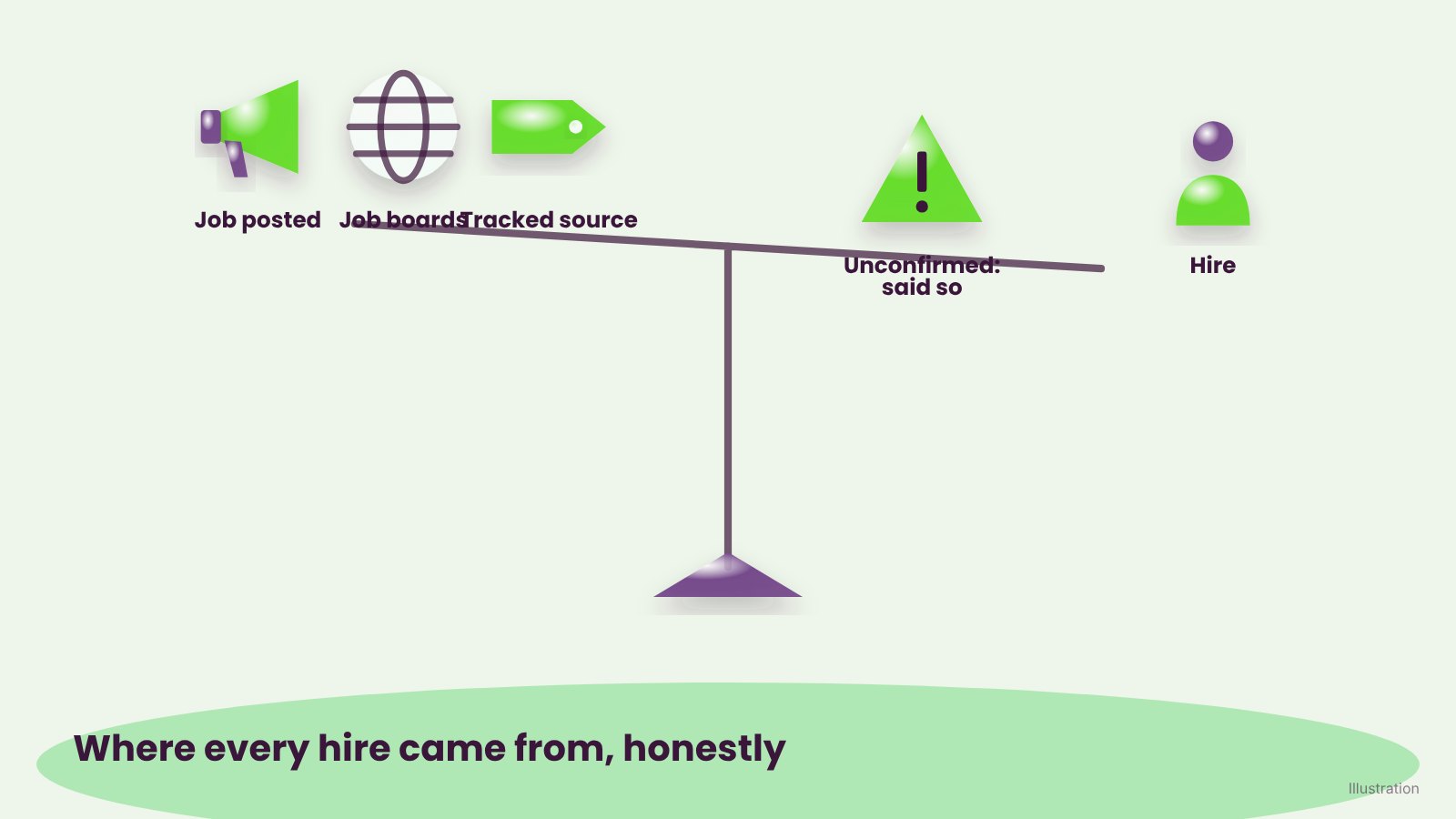
Posting a job is easy. Knowing which post found your hire is not. Most teams post on four or five boards, share on LinkedIn, ask colleagues for referrals, and then can't say which of those worked. Some tools fill the gap with estimates, or show a job as "live on Indeed" when nobody checked.
This release takes the opposite approach. The AI Recruitment Manager now helps you get each job in front of candidates. It tracks where every applicant came from, all the way to the hire, and it only shows what it actually knows.
A few terms used in this post:
- Channel: anywhere a job can reach candidates: your careers page, a search engine, a job board, a social post, an e-mail, a referral.
- Tracked link: the job's address with a small label added (for example
?src=linkedin), so applications through it are counted for that channel. - Campaign: a second label (
&cid=spring) to compare posts or ads on the same channel. - XML feed: a file listing your open jobs that some job boards read automatically, once they've agreed to.
The problem, in plain terms
- "Where did this hire come from?" has no answer. Applications arrive by e-mail or through a careers page with no record of the post that brought them.
- Channel states are guessed. A tool says a job is "on LinkedIn" because someone ticked a box months ago. The post was taken down, or never went up.
- Closed jobs live on. The role is filled, but the post on the board keeps attracting applicants who will never hear back.
- Costs are invented. Cost per hire is shown from list prices or averages, not from what you actually spent.
Part 1: one place that says where the job is
Open a published job and you see Where the job is: every channel, with its real state.
- Your pages: your careers page and the widget on your own website say Live, because TicketResolve serves them and knows.
- Search engines: Google for Jobs and Bing say readable by search engines. The job page carries the data they read, but they decide what to show.
- Job boards: LinkedIn, Indeed, Glassdoor, ZipRecruiter, Monster, CareerBuilder, Wellfound and Jooble show what your team did. That looks like "Posted by your team on 21 Nov — not confirmed by LinkedIn", with who marked it and a link to the post.
- Social and e-mail: share windows with the tracked link already filled in. You send the post.
A board is never shown as published on TicketResolve's word. Automatic posting through a board's API needs that board's partner programme or your own account with it. Until then the board shows "Requires partner approval", and the job is posted by a person, with a tracked link.
Part 2: tracked links for every channel and campaign
Every board and share channel has its own link, ready to copy. You can add:
- Campaign links, such as
springorad-variant-b, to compare two posts on the same board. - Any other job board by name. You get its own tracked link and can mark it as posted.
Links tagged the common way, with utm_source and utm_campaign, are read too. "LinkedIn" becomes linkedin. If someone arrives from two places, the first source sticks to their application.
Part 3: Google for Jobs and other search engines
Each job page already carries structured job data, which is what Google for Jobs reads. This release adds:
- A jobs sitemap at
/jobs/sitemap.xml, listing every open job, linked from robots.txt. - IndexNow pings when a job is published, closed or unpublished, so Bing and other IndexNow search engines hear about it within hours.
- A readiness check on each job: title, description, your company name, and a location. For remote jobs, that means the countries you hire in. A closing date and a pay range are optional extras.
Whether a search engine shows a job is its decision. TicketResolve tells you the job is readable, not that it's ranked.
Part 4: XML feeds for boards that read them
Your open jobs are available as an Indeed-style XML feed and as RSS. Both update themselves and drop closed jobs. Every link in a feed carries the feed's source. Add ?src=board-name to the feed address to tell one board's traffic from another's.
A board reads a feed only once it has agreed to. No board has checked these feeds yet, and the screen says so.
Part 5: a careers widget for your own website
Paste two lines into your website and your published jobs appear there:
- It sizes itself to fit the list.
- It updates by itself when jobs open or close.
- Each job opens on your careers page, counted as "widget".
Only the widget may be shown inside other websites; every other TicketResolve page refuses to be framed.
Part 6: from view to hire, by source
Sources across your jobs shows, for each channel and campaign and for the dates you pick:
- On your own job pages: views, and how many started applying.
- After that: applications, then how many reached assessments, interviews, an offer and a hire.
- Spend and cost: the spend your team entered, and cost per application and per hire.
A stage counts everyone who reached it. A candidate who was interviewed and later withdrew still counts as interviewed, so a channel isn't punished for strong candidates who chose another offer.
Costs come only from spend your team entered. Enter the amount, the currency and the dates, optionally for one job. Each entry shows who entered it. With no spend entered, or spend in two currencies, no cost is shown, rather than a guess.
What it does, and what it doesn't
It does:
- Show every channel's real state, and never call a job board "published" unless the board confirms it.
- Give each channel and campaign a tracked link, and read UTM tags.
- Keep the first source and campaign on each application.
- Publish JobPosting data, a jobs sitemap and IndexNow pings, and check Google for Jobs readiness.
- Provide XML and RSS feeds and a self-sizing careers widget.
- List where to take a job down once it closes.
- Count stages reached by source, and work out costs only from spend people entered.
It doesn't:
- Post to job boards through their APIs without the board's partner approval or your own account with it.
- Claim a search engine or a board shows the job.
- Count views on other sites, unless the board reports them.
- Estimate spend, or use list prices.
- Let the AI publish, spend or post anything.
A worked example, start to finish
This scenario is illustrative. The company, people and numbers are made up.
A support team in Lahore opens a Support Engineer job and publishes it on its careers page. The recruiter, Rae, opens Where the job is. The careers page says Live. Google for Jobs says readable, and the readiness check is all green.
- Rae copies the LinkedIn link, posts the job on the company's LinkedIn page, and presses Mark as posted with the post's address. The row now reads "Posted by your team on 21 Nov — not confirmed by LinkedIn".
- She creates a campaign link,
spring, for a sponsored post. - She adds a local board by name and posts there too.
- The web team adds the widget to the company's own careers section.
Two weeks later, Sources across your jobs shows the LinkedIn spring campaign ahead on applications, the widget a close second, and the local board with one hire. Rae enters what the sponsored post cost. The spring row now shows cost per application. It shows no cost per hire, because nobody from that campaign has been hired yet.
When the role is filled, Rae closes the job. The screen lists LinkedIn and the local board, with links to the posts, so she can take them down.
Five more real-world scenarios
These are illustrative.
- Two ad versions. Two campaign links on the same board show which wording brought more applicants who reached an interview, not just more clicks.
- Referrals. The referral link goes to the team. Referred applicants are counted separately, and their stages show whether referrals reach offers more often.
- A remote job not showing on Google. The readiness check shows the missing piece: the countries candidates can work from. Once added, the job data is complete.
- An aggregator that reads feeds. The team sends the feed address with
?src=and the aggregator's name. Applications from it are counted for that aggregator once it starts reading the feed. - Budget review. Spend entered per board over a quarter shows cost per hire by board. Boards without entered spend show no cost, so nobody compares a real number with a blank.
Do it in TicketResolve, step by step
- Publish a job on your careers page. (Jobs, your careers page and applications)
- Open the job → Where the job is. Copy a board's tracked link, post the job there, and press Mark as posted. (Getting a job in front of candidates)
- Create campaign links for ads or variants, and add other boards by name. (Getting a job in front of candidates)
- Check Google for Jobs readiness, and copy the feed addresses and the widget code. (Getting a job in front of candidates)
- Jobs → Sources across your jobs: choose the dates, then enter spend to see costs. (Getting a job in front of candidates)
Frequently asked questions
Does TicketResolve post my job to LinkedIn or Indeed automatically? Not yet. Automatic posting through a board's API needs the board's partner programme or your own account with it, so it shows "Requires partner approval". You post with a tracked link and mark it as posted.
Will my job appear on Google for Jobs? The job page carries the data Google reads and is listed in the jobs sitemap. Whether and when Google shows it is Google's decision.
Why does LinkedIn say "not confirmed"? Because only LinkedIn can confirm a post is live. TicketResolve shows what your team did, who did it and when, and doesn't claim more.
Can I use my existing UTM links?
Yes. utm_source and utm_campaign are read, and common board names are recognised.
Where do the cost figures come from? Only from spend your team entered. No spend, or spend in two currencies, means no cost is shown.
Does the widget slow my website down? It's a small script that loads the job list in a frame after the page itself, and it sizes the frame to fit.
What happens to posts when I close a job? The feeds and the sitemap drop it, search engines are told, and the screen lists the boards your team posted it on so you can take it down there.
The short version
Every channel shows what's actually true: your pages are live, search engines can read the job, and boards show what your team did until the board confirms it. Tracked links and campaigns follow each applicant from the first view to the hire, and costs come only from the spend you enter.
Explore Topics
Written by
Ghulam Shabbir
Content creator and writer sharing insights and stories.