
Controls That Prove Themselves: Daily Validation, Retests and an Assurance Report
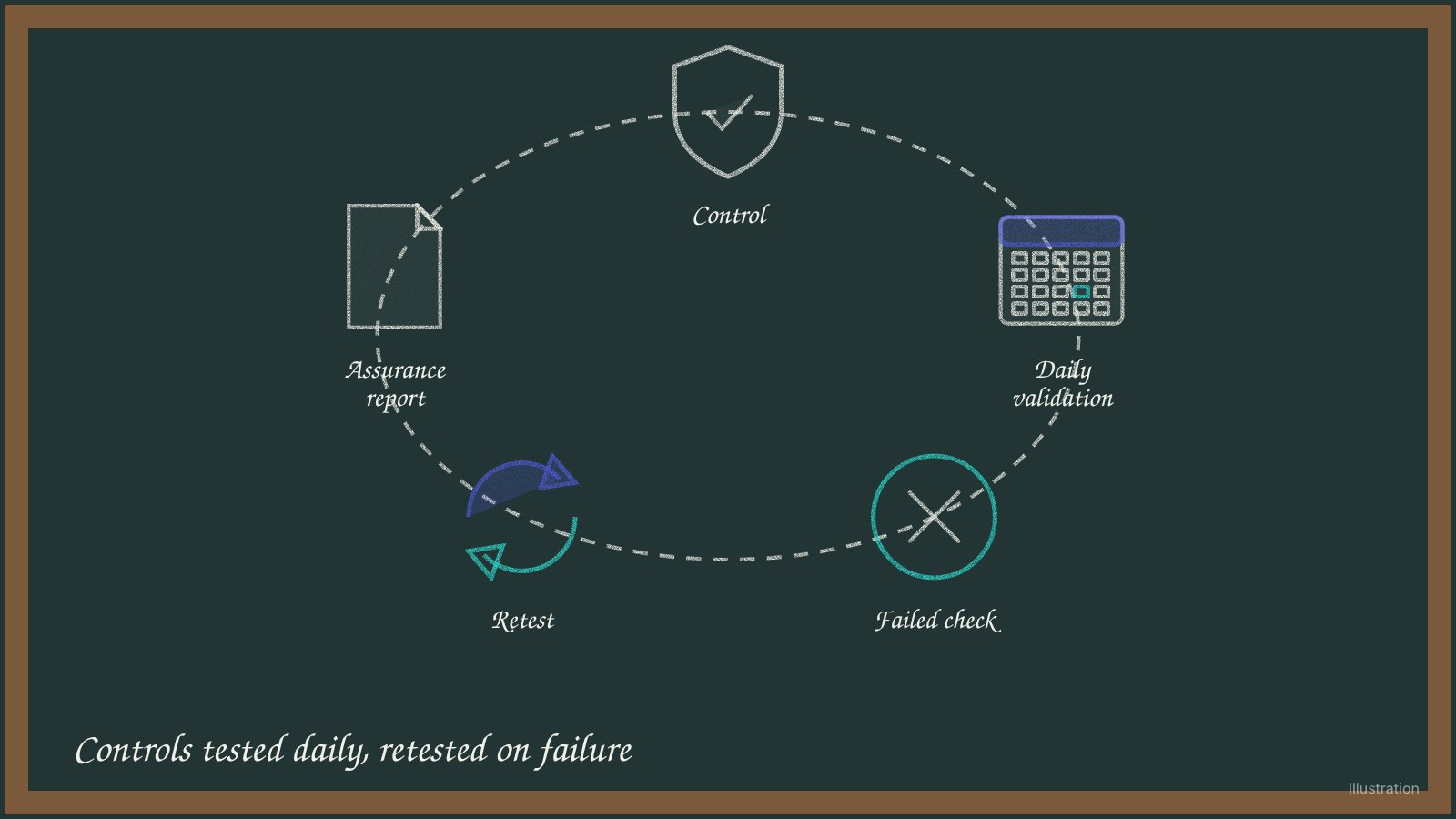
A control that worked on the day it was set up says little about today. TR Security Intelligence now exercises your data-protection and AI guards every day with harmless synthetic values through the live code, checks the rest from your own records, flags regressions, retests fixes and builds an assurance report from the evidence.
It's the second week of an audit. The auditor asks a simple question: "Your policy says card numbers are blocked from AI replies. How do you know that's still true today?"
The security lead opens the configuration screen. The policy is there, switched on, set up eight months ago. But that only proves the policy exists. It doesn't prove it works. Since then the AI pipeline has had three releases, two people have changed policy settings, and nobody has sent a card number through it on purpose since the day it was configured.
The honest answer is "we believe so". Auditors, and attackers, aren't interested in what you believe.
First, the basics
- A security control is a safeguard, such as a rule that blocks card numbers from leaving in an e-mail, or a requirement that administrators use two-factor login.
- Validation means checking that the safeguard actually works, not just that it's switched on. A smoke alarm with a green light can still have a dead battery; you only know by pressing the test button.
- A synthetic value is a harmless fake used for testing, such as a published test card number that no bank will ever accept.
- A regression is when something that used to work stops working, usually after a change.
- A retest checks again, at the source, that a reported security problem has really been fixed.
- An assurance report collects these results as evidence for auditors. It shows how controls operated; it isn't a certificate.
Why does this matter? Security settings decay quietly as systems and people change. Testing them every day turns "we believe we're protected" into "we checked this morning, and here's the proof".
The problem, in plain terms
Security controls decay quietly:
- Configuration drifts. Someone narrows a policy to fix a false positive and accidentally narrows it too far.
- Sources stop syncing. The SIEM connection broke three weeks ago. No alerts arrive, which looks exactly like a quiet month.
- People change. A new administrator joins without MFA, and nobody notices because nothing checks.
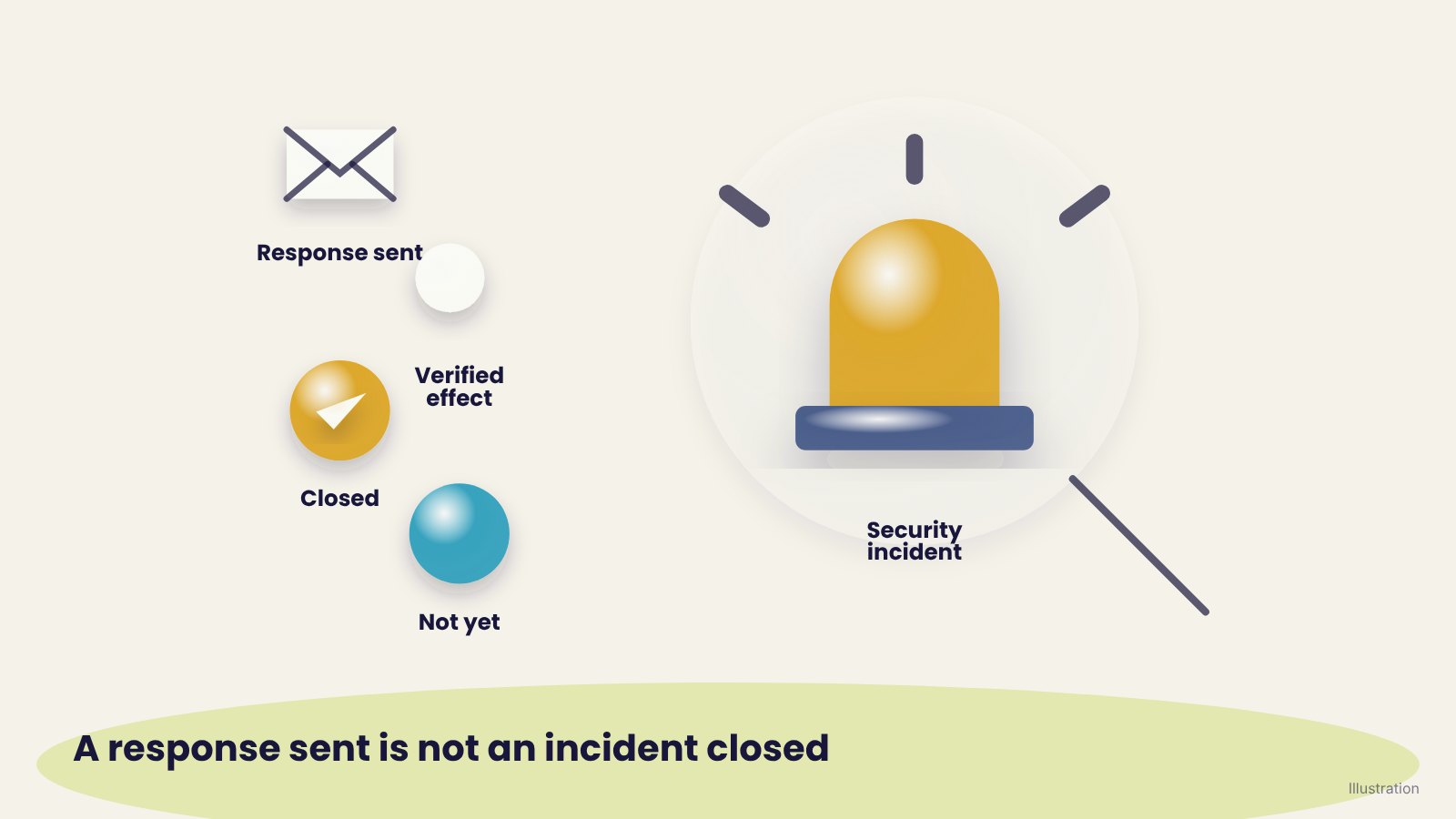
- "Fixed" isn't verified. A finding is marked fixed in a ticket, but nobody ever asked the scanner whether the vulnerability is really gone.
Point-in-time evidence (a screenshot taken during last year's audit) can't catch any of these.
Exercised, not assumed
Assurance in TR Security Intelligence checks your controls every day, and whenever you ask. There are two kinds of check.
Exercised controls: run for real
Synthetic, harmless values go through the same code that protects live traffic. These are a published test card number, a fake API key and known prompt-injection phrases. The checks confirm that:
- every "block the reply" policy actually stops an AI reply carrying its data;
- every "mask for good" policy removes its data before the model sees it;
- personal data is tokenised;
- prompt injection is caught;
- the output guard blocks a reply with an unapproved link and internal markers;
- every MCP tool you blocked is hidden from external AI clients, and refused if called.
These checks write no events to your logs and never touch customer data. They don't pollute your dashboards or trigger your own alerts.
Observed controls: judged from your records
Some controls can't be exercised safely, so they're checked against your own records:
- the evidence ledger still verifies end to end;
- every connected source was read in the last 48 hours;
- no privileged identity has MFA switched off;
- no critical finding is past its SLA;
- no response action was left unverified.
Nothing passes by default
If there's nothing to check yet (no policy set, no source connected), the control is not applicable. It's never counted as a pass. A dashboard full of green ticks for controls that were never configured is worse than no dashboard.
A control that passed last time and fails now is a regression. It's written to the audit log and sent to your security channels, so the person who changed the setting yesterday hears about it today, not at the next audit.
Three real-world scenarios
1. The policy that got narrowed by accident
A support manager complains that AI replies containing order numbers are being blocked as "card numbers". An administrator edits the data-protection policy to exclude 16-digit numbers that start with the order prefix. The edit is too broad: the regular expression now also lets real card numbers through.
How TR handles it. The next morning's exercised check sends the published test card number through the reply path. It isn't blocked. The control flips from pass to fail, a regression is raised, and the security channel gets: "Block the reply: payment cards. Passed yesterday, failed today. The test card was not blocked." The administrator fixes the pattern the same day and re-runs the check on demand.
2. The quiet SIEM
A company's Microsoft Sentinel connection breaks when a client secret expires. There are no errors in the support tool and no alerts, so it looks like a calm few weeks.
How TR handles it. The observed control "every connected source read in the last 48 hours" fails on day three, naming Sentinel and the last successful read. The quiet month is revealed as a blind month after two days, not after two months.
3. "We fixed it", proven
Engineering marks a critical vulnerability finding as fixed after a library upgrade.
How TR handles it. The finding waits in awaiting verification. A security engineer clicks Retest. TR reads the tool that reported it (the scanner or code-security platform) again. If the finding is gone from the source, it's verified. If it's still there, because the upgrade didn't reach the production image, it reopens with the scanner's current result attached.
The assurance report
The assurance report shows, for every control:
- its latest result;
- exactly what was checked, and how;
- the evidence;
- its recent history, including regressions and when they were fixed.
You can download it as JSON for internal reviews and for your auditors. Back to the auditor's question: the answer is now "It was tested this morning, here's the result, and here's every daily result for the last month."
To be precise about what it is: it's evidence of how your controls operated. It isn't an audit, an attestation or a certification, and it doesn't claim to be one.
Who it's for
- Security leads get a daily answer to "does this still work?" instead of a yearly one.
- Compliance and audit owners get evidence with dates, methods and history, downloadable for reviews.
- Platform and AI owners hear about regressions the day after a change, while the change is still fresh in someone's mind.
Mistakes to avoid
- Treating "not applicable" as fine. It means the control isn't set up. Each one is a decision to make, not a pass.
- Routing regressions to a channel nobody reads. A regression is only useful if the person who made the change sees it the same day.
- Leaving fixes unverified. "Fixed, awaiting verification" is a promise, not a fact. Retest the oldest ones first.
- Calling the report a certification. It's evidence of operation. Present it that way and auditors will trust it more, not less.
Before and after: audit season
Before. Weeks before the audit, someone collects screenshots of policy settings, exports a list of admins, and writes a narrative that says controls "are in place". The auditor asks for proof that they operated during the year, and the team has none, because nothing was ever tested after it was set up.
After. Every control has a daily result, the method used to check it and its history, including the regression in March, when it was spotted and the day it was fixed. The team downloads the report, and the conversation with the auditor is about the evidence, not about whether the evidence exists.
A worked example, start to finish
Here's the audit question, answered with Assurance.
Monday, before the audit. The security lead opens Security → Assurance and runs the checks on demand. Most controls pass. Three need attention:
- Failed: privileged identities have MFA. Two admin accounts in the identity provider have MFA off: a new hire and a break-glass account someone changed during an outage.
- Failed: security sources are read. The cloud connection hasn't been read in 48 hours because its role was changed.
- Not applicable: sensitive data is blocked from AI replies for bank account numbers. There's a policy for card numbers, but none for bank accounts.
Monday, 11:00. The identity team turns on MFA for both accounts. The cloud engineer restores the role and the source is read again. The security lead adds a data-protection policy that blocks AI replies containing bank account numbers.
Monday, 11:30. She runs the checks again. All three pass. The history keeps the morning's failures and when they were fixed.
Tuesday, 07:00. The daily run exercises the card-number control the way it always does: a published test card number goes through the same code that protects live traffic, and the check confirms the reply is blocked. It passes.
Week two of the audit. The auditor asks how the security lead knows card numbers are still blocked today. She opens the control: passed this morning, with the method (a test value sent through the pipeline) and every daily result since it was set up. She downloads the JSON report for the auditor's file.
Thursday. Someone changes a policy setting by mistake. The next run marks the card-number control as a regression and sends it to the security channel. It's fixed by lunch, and the regression stays in the history.
How to tell it's working
- Controls pass because they were exercised, not because they're configured.
- "Not applicable" shrinks as you set up the controls you need.
- Regressions are fixed within a day and stay in the history.
- Retested findings are verified or reopened with the current result.
Do it in TicketResolve, step by step
Where: Security → Assurance (/dashboard/security/assurance). You'll need: access to TR Security Intelligence; retesting findings and routing alerts need Security admin rights. Full guide: Proving your controls work.
- Open Assurance. Go to Security → Assurance. Every control's latest result is shown, grouped by area, with what was checked and the evidence.
- Run the checks on demand once. Don't wait for tomorrow's run; see where you stand today.
- Read "not applicable" as a to-do list. Each one is a control you haven't set up, such as a data-protection policy or a source that isn't connected. Decide which you need.
- Fix failures first. A failed control says exactly what failed: which privileged identities have MFA off, or which source hasn't been read in 48 hours. Fix the cause (turn on MFA, reconnect the source) and run the checks again.
- Route regressions to the right people. Make sure your security notification channel is one your team actually reads. A control that passed last time and fails now is marked as a regression and sent there.
- Retest "fixed" findings. Open findings awaiting verification and choose Retest. The reporting tool is read again now: the finding is verified if it's gone, or reopened with the current result if it isn't.
- Download the report. Choose Download for the JSON report of each control's result, method and history, for internal reviews and auditors.
How to check it worked: the next morning's run shows the controls you fixed as passed, with yesterday's failure kept in their history. That history is exactly what auditors want to see.
Frequently asked questions
Do the daily checks use real customer data? No. Exercised checks use synthetic values, such as published test card numbers and fake keys, and write no events to your logs.
Why isn't an unconfigured control a pass? Because a pass should mean "this was tested and worked". With nothing to test, it's marked not applicable.
Is the assurance report a certification? No. It's evidence of how your controls operated. It supports your audits but doesn't replace them.
What happens when a control fails after passing? It's recorded as a regression, audited and sent to your security channels.
How often do the checks run? Daily, and on demand whenever you choose to run them.
Does a control pass if it isn't set up? No. Nothing passes by default; it shows "not applicable".
What's in the assurance report? Each control's result, method and history, as JSON.
Explore Topics
Written by
Ghulam Shabbir
Content creator and writer sharing insights and stories.